
With the rise of email, we’ve all become accustomed to using a webpage to check our email. After all, you can't exactly turn your phone upside down and shake it to see if you've received an email.
This is where MX records come in. MX stands for mail exchange and an MX record is the address that tells other computers how to deliver emails sent to your domain name. Here's what you need to know about DNS MX records and how they work, so you can make sure your emails are being delivered correctly.
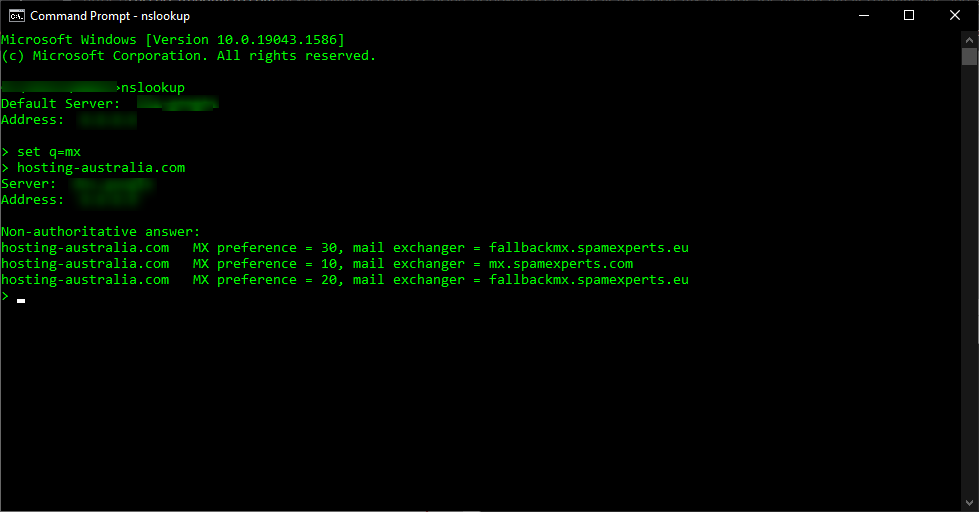
Email is directed to a mail server using a DNS'mail exchange' (MX) entry. As per the Simple Mail Transfer Protocol, the MX record specifies how email messages should be delivered (SMTP, the standard protocol for all emails). An MX record, like a CNAME record, must always point to a different domain such as mail. or the Google MX records listed below

For these MX records, the 'priority' numbers preceding the domains indicate preference; the lower the 'priority' value, the better. Because 10 is less than 20, the server will always attempt mailhost1 first. The server will fall back to mailhost2 in the event of a message send failure.
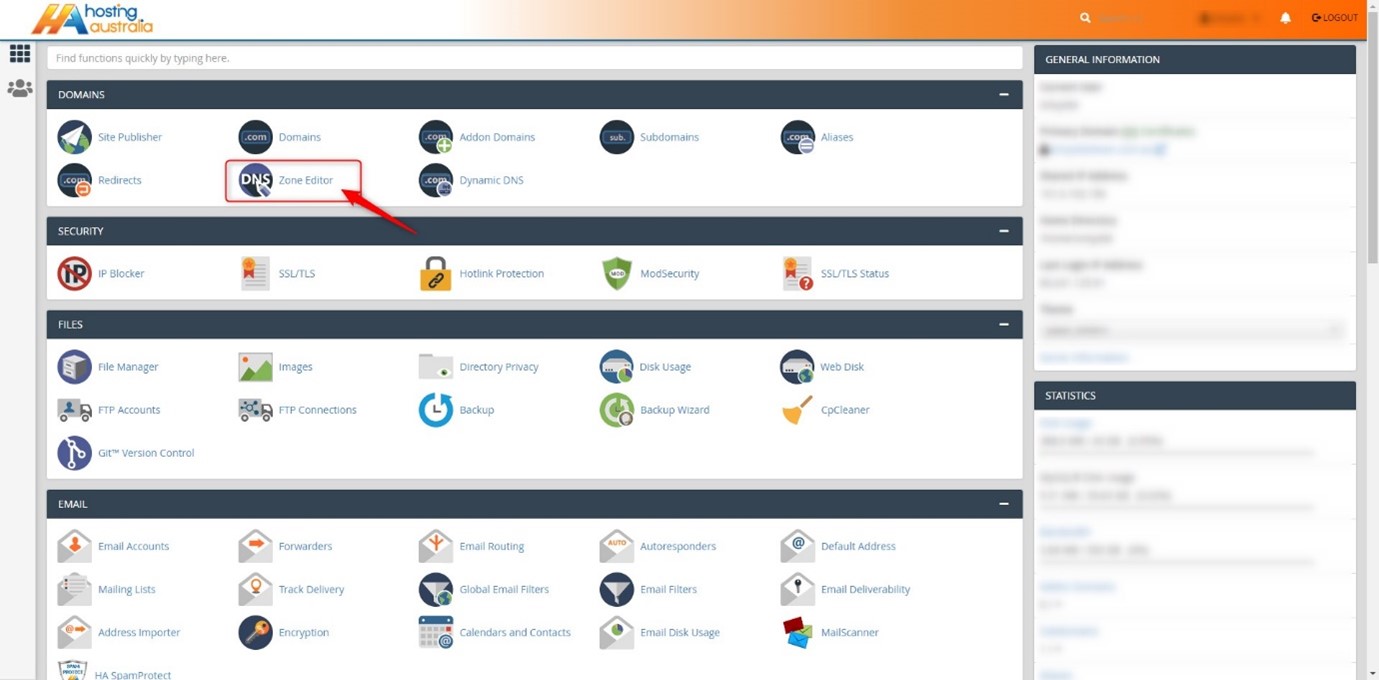
First, you will need to have access to your cPanel. If you are not sure how to access your cPanel, CLICK HERE.
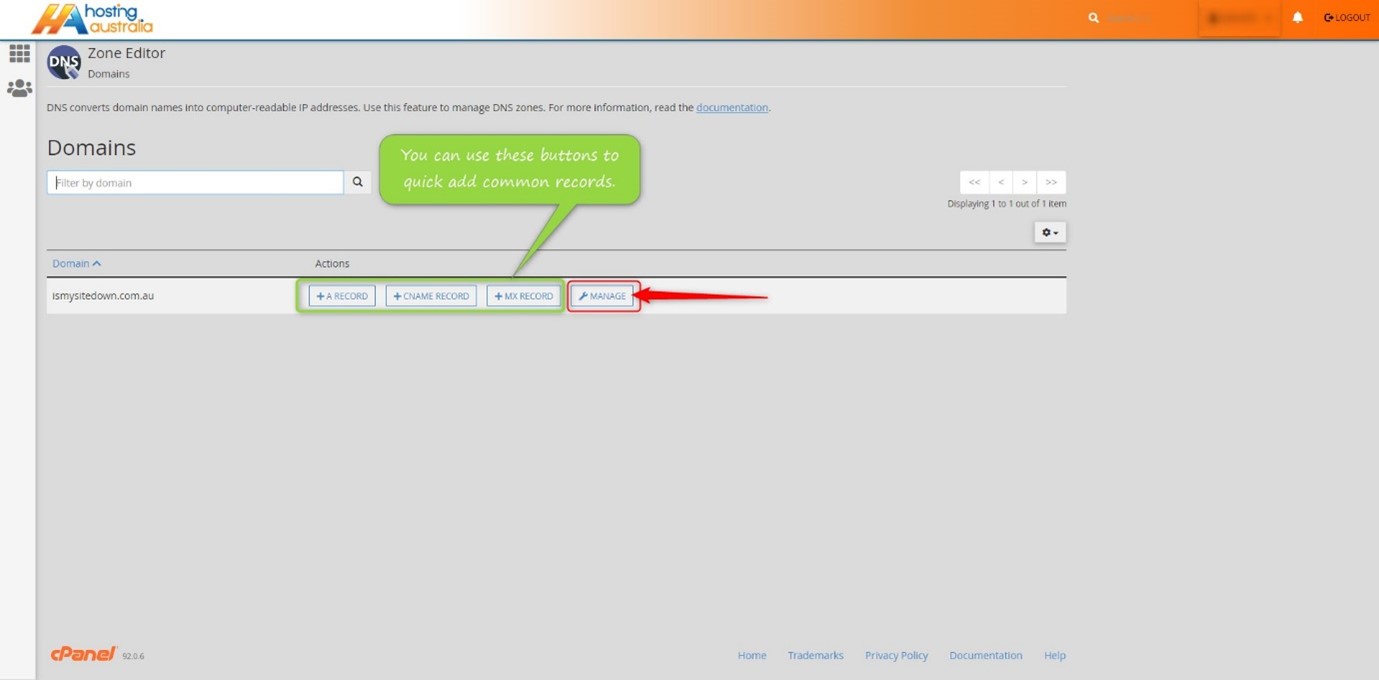
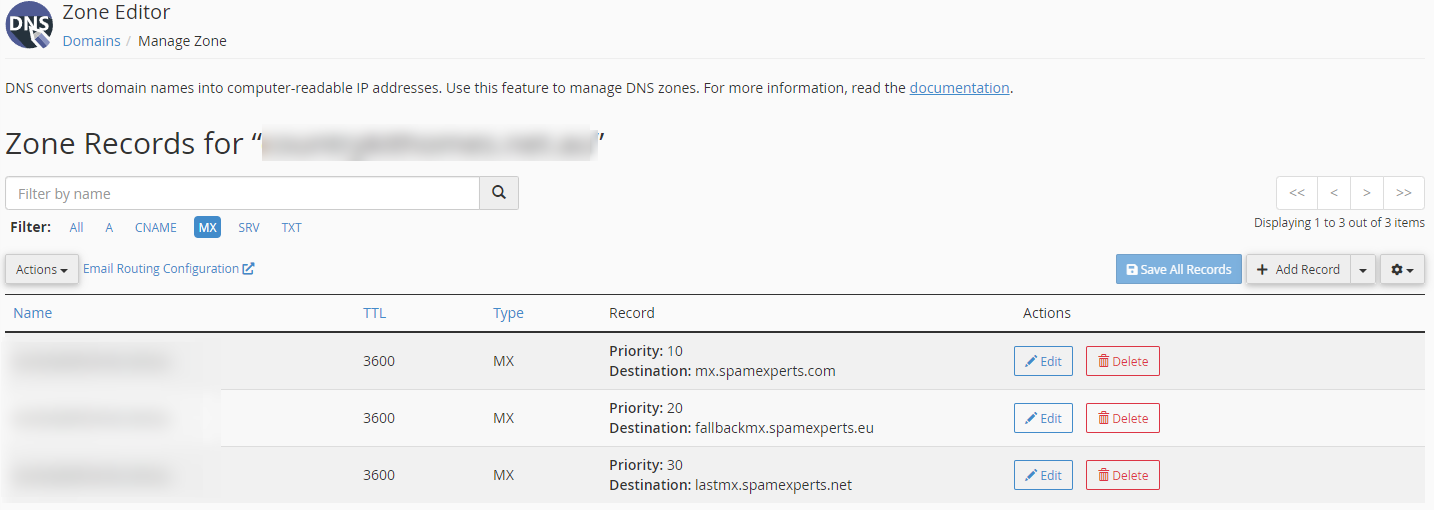
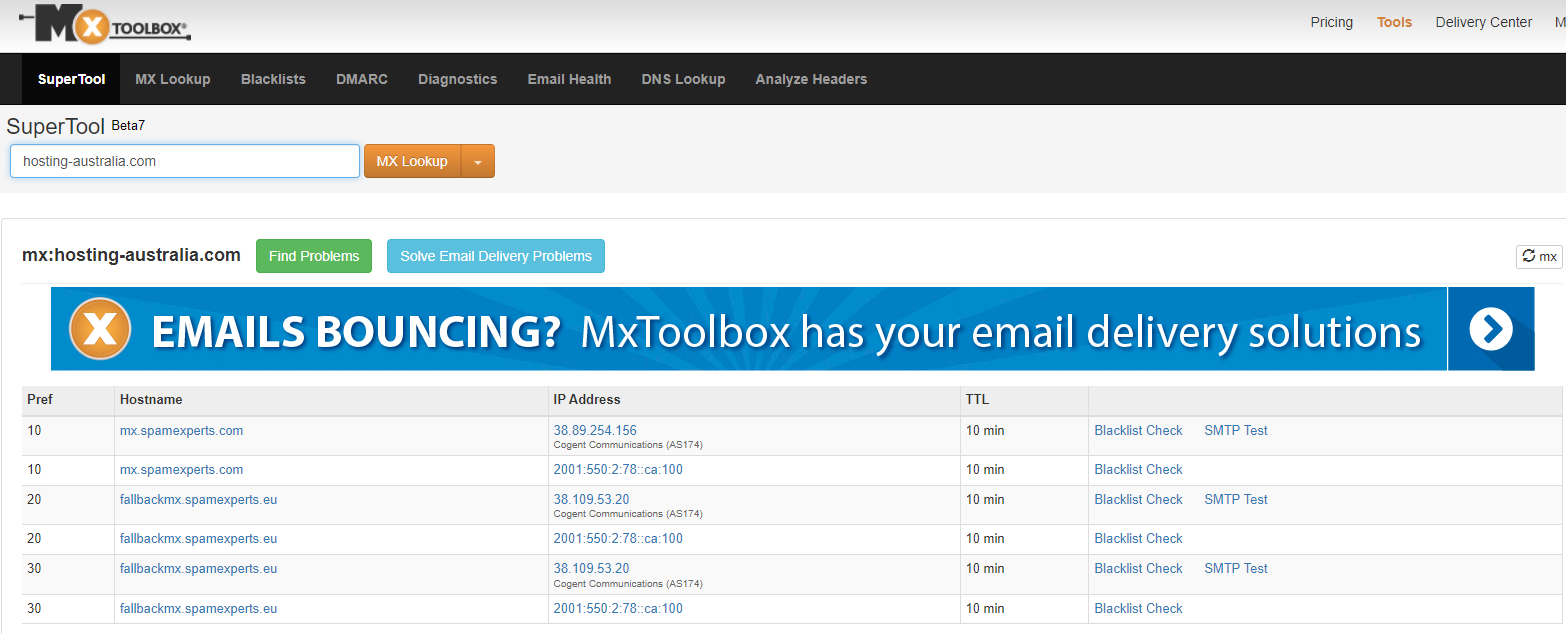
There are a lot of moving parts when it comes to managing your domain name. One of the most important things to have in order is an MX record. This is a record that controls how your email is delivered to your inbox. If you have a domain name, you have an MX record.
It's important that you know if your MX record is working correctly and if it's not, how to fix it. This is one of the simplest ways to keep your email flowing smoothly.