Essentially, a plugin is a piece of software that can enhance the functionality of your WordPress website. What’s unique about them is that they are independent of your website theme and are simply plugins. They work with WordPress and can be applied without the need to change any code on your website. A WordPress plugin is an advanced piece of software that you can add to your website to make it easier or more fun to use.
In order to be helpful, many plugins will connect to other services like Google Analytics, Google Maps, SoundCloud, or other services you may already have. For a more comprehensive look, consider searching around WordPress community forums. These communities often sell plugins as well. As a developer, it’s important to understand how plugins work as they integrate in and out of a website. For example, take WordPress Magento as an example. This plugin helps improve the speed of your site. However, this can have a negative impact on your site’s security. Using a plugin like Wordfence can solve this problem.
You’ll also want to consider what services you require a plugin to connect to. For example, you may not need to integrate your Google Analytics account.

YoastSEO is the one-stop-shop plugin when it comes to increasing your ranking on google.
Yoast SEO is packed full of features, designed to help visitors and search engines to get the most out of your website. Some of our favorites are:

WordFence is the one must-have security plugin; you may have seen this plugin brought up a couple of times in blog articles. Because we cannot recommend it enough.
Wordfence includes an endpoint firewall and malware scanner that was built from the ground up to protect WordPress. Our Threat Defense Feed arms Wordfence with the newest firewall rules, malware signatures, and malicious IP addresses it needs to keep your website safe. Rounded out by 2FA and a suite of additional features, Wordfence is the most comprehensive WordPress security solution available.
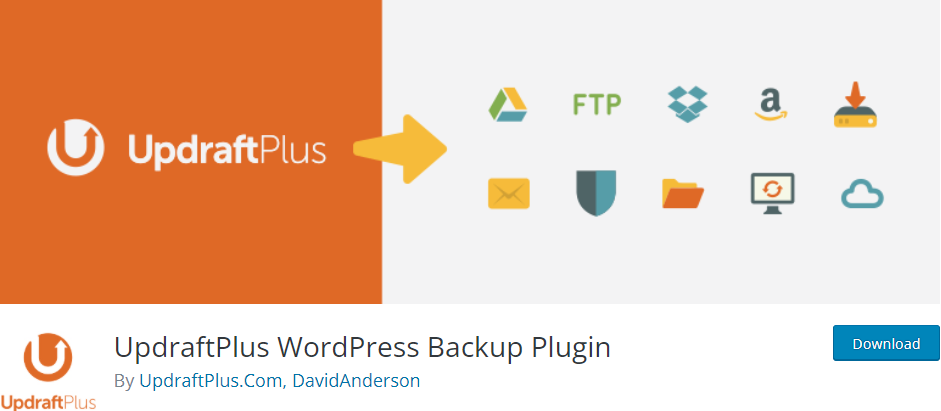
UpdraftPlus is the most widely used WordPress backup plugin. It enables you to create automatic backups and securely save them on Google Drive, Dropbox, S3, Rackspace, FTP, email, and other services.
It also makes restoring your website from a backup a breeze. Their free plugin is available, but they also offer a premium plan that includes additional features and priority support.
Because backups are such an important tool, this is an excellent plugin that should be installed on every WordPress blog and website.

WooCommerce is the most popular WordPress eCommerce plugin, with over 5 million websites using it.
It includes all the strong features you'll need to start an online business.
WooCommerce has established itself as the most popular eCommerce plugin for WordPress in recent years. It was created by the same people who created WordPress.com, Jetpack, and other well-known services.
WooCommerce currently has a healthy ecosystem with dedicated WooCommerce hosting, WooCommerce themes, and WooCommerce plugins.
Built-in tools and popular integrations help you efficiently manage your business operations. Many services are free to add with a single click via the optional Setup Wizard.
One of the most popular WordPress caching plugins is W3 Total Cache. It's a feature-rich WordPress cache plugin with a lot of settings, which can be intimidating for newcomers.
It has all the functionality you'll need to set up the WordPress cache properly. Page cache, object cache, gzip compression, limited minification support, CDN support, and other features are included.
There is a massive library of WordPress Plugins designed to help you increase the quality and functionality of your website. So, don’t be afraid to get out and give them all ago. But you can’t go wrong with the plugins previously listed to get started.