
 , instead of
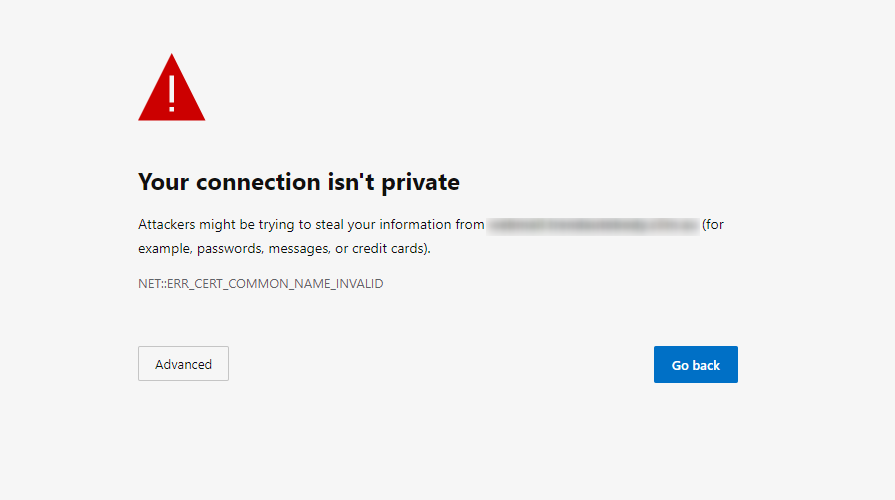
It's ok if you haven’t noticed before but it is something you want to start noticing, you always want to see https:// when visiting any site you trust with your essential information, e.g. banking, Store checkouts. This could be the difference between your valuable data being stolen or your account being compromised.
SSL stands for Secure Sockets Layer, it is the standard technology for keeping an internet connection secure and safeguarding any sensitive data. that is being sent between two systems making sure that data passed between the two are private. This is done using an encrypted link that connects the server and browser. Best way to think of it is the crime safe of the internet, keeping criminals, hackers from reading and modifying any information exchanged a website, including potential personal details.
You will need to determine what kind of SSL certificate you require for your website. Hosting-Australia offers a wide array of SSL certificates. You can find out which certificate best suits you and your website by visiting www.hosting-australia.com/ssl-certificates. After making the decision you can easily order the correct SSL and the support team will install it for you.
The main purpose of SSL is securing information between the visitor and a website. The SSL is a part of Google’s searching ranking algorithm when your website is being searched for its results, so it also benefits with SEO (Search Engine Optimization) if you are wanting to attract new customers to your website.
For example, if there are two websites with similar content but one has SSL enabled. Google will pick up the site with the SSL with their algorithm and rank it higher in search results. With this being said there is clearly a benefit to having SSL enabled on your website as it drives more traffic to your website.
So, now you are wondering do I need an SSL? Long story short is yes, it is an incredibly smart idea and necessary to have an SSL installed on your website when dealing with valuable information. this is a small price to pay for keeping all your data safe.
[et_pb_section fb_built="1" _builder_version="3.22"][et_pb_row _builder_version="3.25" background_size="initial" background_position="top_left" background_repeat="repeat"][et_pb_column type="4_4" _builder_version="3.25" custom_padding="|||" custom_padding__hover="|||"][et_pb_text _builder_version="4.4.2" background_size="initial" background_position="top_left" background_repeat="repeat" hover_enabled="0"]Have you ever tried to draw something cool, spent five minutes on it, then realised that it looks like a toddler’s half-eaten dinner? Yeah, me too. (Although, I can build a great website!)
Web Design is similar in more ways than one. Maybe you’ve tried to design a website solo, if you have, you’ll know it’s no stroll in the park.
A little-known fact about Hosting-Australia is that we’re more than just a quality webhost. We actually have a dedicated, full time expert design team on deck. We undertake all sorts of tasks ranging from minor site changes to website refurbishments and expansions. We’ll even go as far as building entirely new sites from the ground up.
Our designers have at least 15 years of experience on multiple CMS platforms and specialise in WordPress and Joomla builds. Before a project commences, we encourage customers to collaborate with our designers to discuss a vision. Any and all specific needs or desires for your custom website are hashed out. We promise a website built your way.
If you’re looking to do up your site or just start with a fresh one. We have a special going at the moment for $560. For this price you’ll get a fully functioning WordPress site equipped with our personal favourite theme Divi. We’ll kick start your site with 5 pages for your site included at no extra cost. You’ll also get a 50-minute tutorial to show you the ins and outs of the admin area of your site. Plus plenty of other goodies thrown in! The idea is to start you off in the right direction so you can eventually start managing your website independently.
An attractive and functional website is crucial to the success of a business. It is the first thing a prospective customer will see when they inevitably find or search for your business online. Make a good impression with a Hosting-Australia built site today.
Call our support line on (07) 4914 2433 for more information.
As usual a share is always appreciated, if you know someone in need of a website upgrade don’t forget to tag them.
[/et_pb_text][/et_pb_column][/et_pb_row][/et_pb_section][et_pb_section fb_built="1" _builder_version="4.3.4"][et_pb_row _builder_version="4.3.4"][et_pb_column type="4_4" _builder_version="4.3.4"][et_pb_text _builder_version="4.3.4" hover_enabled="0"]
Hi everyone, in light of recent events, businesses all over the world are finding themselves in a state of abrupt change. COVID-19 has rocked humanity on a global scale and people are feeling the strain.
Many of you may have considered moving your business to an online platform in order to continue providing for your customers and to keep your business afloat. I’m here to tell you that is a great idea. Ecommerce is a very quickly growing industry and provides an almost unlimited boost to the potential of your brand.
Best of all, when things return to normal, you can keep using your online store for as long as you wish!
It has also never been easier to set up an online store, there are hundreds of ways to do it. I’ll be explaining the most popular with you today and that is ‘WooCommerce’ for WordPress.
The first few things you’ll need are a domain, web hosting and lastly an SSL certificate. With all three you can create a website for your business with an online store to sell your product.
You can register a domain with 2025.hosting-australia.com/ for $17.90 for 2 years, this is your site's address, for example, fredfrypans.com.au. Your customers will use this to navigate to your website and it is the first thing you’ll need.
Secondly you’ll need hosting, one way of describing web hosting is like renting some floor space in a shopping centre. You pay a fee to the owners of the centre to have your shop set up there. It’s the same concept, you pay your host for space on their server to house your website/emails. You can’t have a website without both domain and web hosting.
You can purchase hosting with 2025.hosting-australia.com/ for $14.90 month, so far our total cost is up to $32.80
Lastly, you’ll need an SSL, this is crucial as it encrypts all information transferred between your customers and you. Things like payment info and personal details are the first thing that come to mind. You want to look after your customers, they want to know their information is safe.
Our web hosting comes with a stock SSL that you can use for free.
With all 3 you’re ready to install WordPress and get started with WooCommerce.
To install it on your website, head to the ‘Add Plugins’ menu of WordPress search ‘WooCommerce’, click the ‘Install Now’ button. Wait for it to finish installing then click the ‘Activate Now’ button that has replaced the install button.
Now that you’ve got WooCommerce installed, it’s just a matter of setting it up and tailoring it to your business needs.
If you’d be interested in finding out how to do that, I’ll be writing another article to step you through it next week. So stay tuned.
Of course, Hosting Australia can do all this for you...just get in contact with us on (07) 4914 2433 to discuss further.
[/et_pb_text][/et_pb_column][/et_pb_row][/et_pb_section][et_pb_section fb_built="1" _builder_version="3.22"][et_pb_row _builder_version="3.25" background_size="initial" background_position="top_left" background_repeat="repeat"][et_pb_column type="4_4" _builder_version="3.25" custom_padding="|||" custom_padding__hover="|||"][et_pb_text _builder_version="4.3.4" background_size="initial" background_position="top_left" background_repeat="repeat" hover_enabled="0"]
You may hear these terms thrown around a little bit but what do they actually mean?
Let’s start with email spam, by definition spam means to send unsolicited messages in bulk via email or other means. I’m sure almost everyone should be familiar with this. We’ve all received the catalogues and discount vouchers to Coles or H&M or any other big retailer in our inbox. This sort of spam is harmless and can be safely used or just allowed to sit in your junk folder indefinitely.
The other sort of spam is the not so friendly variety, they pose as catalogues and coupons and free prizes. However the instant you click on any links in those emails you’re putting yourself at risk of downloading thousands of viruses instantly. This is an effective method of compromising all of your personal details, your location, your credit cards. Everything.
If you’re noticing a lot of spam in your account, you can contact our support team. We can tune your mailbox settings to tighten up the default spam filter and see how that goes. If worst comes to worst, we can install spam protect on your entire domain for $8 a month. Spam protect boasts a 99% accuracy rate and is our most effective weapon against spam emails. We highly recommend this to all of our customers as you can’t overstate its usefulness.
Next is spoofing, email spoofing is when someone, somewhere gets a hold of your email address and uses an SMTP server to forge email headers that make it appear as if emails they are sending are coming from another address. The best way of stopping your address from being spoofed is to make sure it never happens in the first place.
Once your email address is out there it can be sold in a list to anyone. To prevent this, keep your email address private and avoid clicking suspicious links or downloads on the web.
A third method spammers use occurs when they get a hold of your username and password and use your actual account to send out emails to your contacts. The good news you can resolve this simply by updating your password.
It’s important to ensure they’re secure in the beginning. You’ll also want to run a virus-scan on your PC to ensure there aren’t any malicious programs externalising your information. If your account has been compromised, you’ll notice a lot of bounce back emails in your inbox. Also check your sent folder for items that you haven’t sent.
At Hosting-Australia we monitor our server mail ques very closely and often pick up on spamming accounts quite quickly. Once we do, we scramble the passwords and notify account owners so they may take the necessary precautions.
__________________________________________________________________________________
If you had any trouble understanding the terms of this article you can check out our glossary here.
If you know anyone sick of spam have them contact our support team. Our support guys are always ready to assist.
[/et_pb_text][/et_pb_column][/et_pb_row][/et_pb_section][et_pb_section fb_built="1" _builder_version="3.22"][et_pb_row _builder_version="3.25" background_size="initial" background_position="top_left" background_repeat="repeat"][et_pb_column type="4_4" _builder_version="3.25" custom_padding="|||" custom_padding__hover="|||"][et_pb_text _builder_version="4.3.4" background_size="initial" background_position="top_left" background_repeat="repeat" hover_enabled="0"]
Hi Everyone, this week I’m going to quickly go over the various means of contacting HA’s friendly support team. We’re sometimes asked what the best ways to contact us are and also how you should contact us. Depending on your situation you could save yourself a lot of time.
The first way is via our live chat located on our website 2025.hosting-australia.com/ in the bottom right corner. You can use this to ask Simple or short questions from 8:30 am - 5:00 pm AEST. You can expect fast responses here to questions of all sorts.
Be aware, we will not give out sensitive information like passwords and personal details as there is no reliable way for us to verify who we are communicating with. Obviously we don’t resolve all incoming requests via live chat. In some cases, we may ask you to open a ticket or make phone contact.
Live chat is great for those simple one question doozies you struggle with/to find out general knowledge or information. If you find yourself struggling with something a little more complex or are wanting to update account information, opening a ticket is your best bet.
You can do this by logging into your Hosting-Australia client area or by sending an email to support@hosting-australia.com. We can action the large majority of requests and issues from there instantly provided they come from a verified source.
Great customer service is a staple of our company, so you can expect quick replies to tickets. We will normally respond within an hour and sometimes quicker. Any tickets submitted between 5:00 pm - 8:30 am and on weekends will be responded to ASAP. If you have an urgent issue like a crashed website, our after-hours support can assist you.
Lastly you may call our support line (07) 4914 24330. Once again this is between 8:30 am - 5:00 pm, Monday to Friday. This is another quick way of resolving an issue. It gives you the ability to work and collaborate alongside our support staff with email, web development and account issues. This is also the fastest way to pay a bill. Calling is probably the easiest method of contacting us and getting an efficient response.
Our support team loves to help. So please never be afraid to contact us at any time. We’ll always do our best to provide you with the best and fairest service possible.
[/et_pb_text][/et_pb_column][/et_pb_row][/et_pb_section]
[et_pb_section fb_built="1" _builder_version="3.22"][et_pb_row _builder_version="3.25" background_size="initial" background_position="top_left" background_repeat="repeat"][et_pb_column type="4_4" _builder_version="3.25" custom_padding="|||" custom_padding__hover="|||"][et_pb_text _builder_version="4.3.4" background_size="initial" background_position="top_left" background_repeat="repeat" hover_enabled="0"]
Mail configurations can be a little hard to understand. Sometimes when you take a look at your configuration it can be like reading another language. I’m just going to give you the need to know settings that should help you keep your mail on track.
First you’ll need to find your account config. If you’ve got outlook open, look in the very top left corner for the ‘file’ tab. Clicking on that should take you to your ‘account information’ screen.
Under where it says ‘add account’ click on ‘account settings’, in doing so you will be shown a list of areas to go to. At the very bottom you should see ‘Manage Profiles’, click on this.
This should open a new window asking for your permission to make changes to your device, click ‘Yes’. Then you will see a new smaller window with 3 options. You want to click on ‘Email Accounts’.
You should then find yourself looking at a new window that has all of your email accounts listed. Double click on any one of them to open your configuration settings.
In this first window you will find your basic accounts settings. Your name and email address should be fairly self-explanatory. Underneath you should see ‘account type’ with ‘POP3’ or ‘IMAP’ greyed out next to it. Keep this in mind as it is important later.
Beneath that are your incoming and outgoing mail servers. You have a few options for these, but I recommend using mail.yourdomainhere.com.au or just yourdomainhere.com.au. For example, for a Hosting-Australia email address we would use mail.hosting-australia.com or 2025.hosting-australia.com/.
Whichever server you choose to use, make sure you enter the same one into both the incoming and outgoing fields.
Under this you should see ‘Remember Password’, make sure this is checked, and also make sure ‘Require logon using secure password authentication’ is not checked.
You then want to click on ‘More Settings’ to go to the next section. You don’t need to worry about anything under the ‘General’ tab, you’re more interested in the ‘Outgoing Server’ tab. Just make sure it looks exactly like the screenshot below.
You then want to click on the ‘Advanced’ tab, in here you will find your port numbers and encryption methods. Depending on whether you have POP3 or IMAP will determine what your port numbers should be.
We recommend using SSL/TLS for all email accounts. So you want your port numbers to be In: 995 Out: 465 for POP3 accounts and for IMAP In: 993 Out: 465. Make sure you have ‘This server requires an encrypted connection’ ticked and have ‘SSL/TLS’ set for your outgoing server encryption.
Alternatively, you could use in: 110 out: 26 for POP3 or in: 143 out: 26 for IMAP using unencrypted connections. Meaning the box underneath incoming is unticked and your chosen form of encryption would be set to none.
Underneath all this in the ‘Delivery’ section, I recommend checking the ‘leave a copy of messages on the server’ box and setting them to be removed after 14 days for POP3. This will prevent your mailbox from filling up completely. If you have IMAP you may ignore the last step.
This is all the knowledge you need to ensure your mail accounts are properly set up. If you’re still having trouble and are sure your settings are completely correct. Just give our friendly support team a ring and we can help. If you had any trouble with some terms in this article, go check out our glossary to help clear things up.
[/et_pb_text][/et_pb_column][/et_pb_row][/et_pb_section]
[et_pb_section fb_built="1" _builder_version="4.3.4"][et_pb_row _builder_version="4.3.4"][et_pb_column _builder_version="4.3.4" type="4_4"][et_pb_text _builder_version="4.3.4" hover_enabled="0"]What do you think when a website is painfully slow to load? Do you tap your fingers impatiently, do you sigh in annoyance? When browsing the internet what is worse than a website that takes more than 10 seconds to load?
Not much, and all of our time is precious, so often if you’re waiting too long you’re just going to click off the site and look elsewhere. This is known in the digital marketing world as a metric called ‘bouncing’.
People use this metric as a way to judge how user friendly your website is. A site with a high bounce rate, which is the percentage of people that click off your webpage just after entering it, will not get as much use, and therefore business, compared to a site with a low bounce rate.
So, linking back to load times, they very closely correlate with website bounce rates, a site that loads fast is going to get more use than a site with a slow loading time 10/10 without fail.
Don’t just take my word for it, I have the data to back it up, this article by machmetrics.com shows us how big of an impact load time can have on your business.
Sites with a loading time of more than 3 seconds will experience a bounce rate 90% higher than sites with sub 3 second load times. Guess what, the average page load time in 2019 was 4.7 seconds. Meaning most sites have load times considered undesirable by users.
A large part of a site's load time is the responsibility of the host. When you click on a search result in google it sends a request to load the site to that sites host, the average response time for a server in 2019 was about 1.5 seconds, which is a big chunk of time. This stacks 1.5 seconds on top of your sites own load time, if it takes 4.5 seconds for your site to load and 1.5 for the server response that is a 6 second load time.
What this means is that an important place to start if you want good load times is from the ground up, this means choosing a host with fast response times.
So how do Hosting-Australia’s servers stack up against the average? Well, across all of our servers our average response time is 1.02 seconds, well above average, with the fastest of our servers having a response time of 0.2 seconds. We’re very diligent with caring for our servers and strive to have them in tip top shape 24/7.
We have the technology to compete with the best hosts around the world and the best part is, it all comes from a data centre based in Sydney and not an American/European based server that will inevitably slow your load times drastically.
By this point I’m sure you’re aware why slow loading is bad loading. If you’d like to contact us to inquire about our services and how we can help you increase your website friendliness just give us a ring on (07) 4914 2433. You’ll get one of our friendly home grown Australian support team members on the line to help. Alternatively you can send an email to support@hosting-australia.com with any questions you may have.
[/et_pb_text][/et_pb_column][/et_pb_row][/et_pb_section][et_pb_section fb_built="1" _builder_version="4.3.1"][et_pb_row _builder_version="4.3.1"][et_pb_column type="4_4" _builder_version="4.3.1"][et_pb_text _builder_version="4.3.1"]https://developer.akamai.com/blog/2016/09/14/mobile-load-time-user-abandonment
According to the above article published in 2016, 53% of people who browse the internet on their phones abandon sites that take too long to load, longer than 3 seconds to be exact.
It doesn’t seem like a lot, but if you count to 3, then imagine your customers waiting longer than that every single time they refresh the page, it starts to get a little tedious. This highlights the importance of website optimisation. There are many things you can do to speed up your site.
Most sites that are slow are trying to do waay too much at once. They could be loading several images or trying to run dynamic processes like page transitions or fly in headers.
All of this links back to SEO, or Search Engine Optimisation. This is basically the act of trying to make your website as user friendly as possible. Search engines like Google and Bing have algorithms that help them rank websites in search results by a certain set of criteria. These could be the uniqueness of the content, the load times, the security of the site. It’s a fine art, and it takes a keen eye to bring a website up to its fullest capabilities.
Fortunately at Hosting-Australia we have these keen eyes readily available. Ask about our SEO services and we can get you in touch with one of our experts so that you can work closely together to optimise your site.
If you think you’d be interested please give us a call on (07) 4914 2433 or email our support centre at support@hosting-australia.com
Please don’t forget to like and share as it helps power quality Australian hosting.
[/et_pb_text][/et_pb_column][/et_pb_row][/et_pb_section]
[et_pb_section fb_built="1" _builder_version="4.3.1"][et_pb_row _builder_version="4.3.1"][et_pb_column type="4_4" _builder_version="4.3.1"][et_pb_text _builder_version="4.3.1"]
What was once used mainly by small time travellers and writers for blogs has grown and evolved to become the biggest content management system on the block. WordPress themselves reveal that 35% of all websites are built on their platform.
They take up more than 50% of the CMS market share worldwide and for good reason, it’s attractive, easy to use and flexible. Thousands of themes and plug ins make it oh so simple to achieve the goals you set out with when first designing a website. And it’s not just us that are catching onto this. Big brands and corporations are using wordpress for their sites too. Whether it’s your favourite sports team or the manufacturer of your car, everyone sees the advantages of wordpress.
Above you’ll find a shortlist of some of the most popular brands using wordpress for their site courtesy of themeisle. As you can see, it’s no secret even to companies like microsoft that wordpress should be your go to option for web design.
This link will take you on a more in depth look at some of the sites using wordpress and the key indicators that give it away, such as the iconic grid layout and the big full length headers wordpress is known for.
Hosting-Australia has years of experience working with wordpress, if you see something you like in any of these sites, come to us with any requests and we’ll be able to help with building you a website on the level of what you see these billion dollar business using.
[/et_pb_text][/et_pb_column][/et_pb_row][/et_pb_section]
[et_pb_section fb_built="1" _builder_version="4.3.1"][et_pb_row _builder_version="4.3.1"][et_pb_column type="4_4" _builder_version="4.3.1"][et_pb_text _builder_version="4.3.1"]
Hi everyone, about a week and a half ago WordPress released a maintenance update titled WordPress Version 5.2.3. Within it were several minor security and quality of life fixes. Here’s a link to the patch notes.
https://wordpress.org/support/wordpress-version/version-5-2-3/
If you read through those notes you might be thinking they seem like pretty vague and insignificant changes. You might even consider not updating your WordPress to this new version to save time and effort.
But now, ask yourself, how many times have you updated your WordPress recently, when was the last time you updated your WordPress? 6 months? 1 Year? 2 Years? Say 2 years is the case, there have been 40 WordPress updates released in those 2 years. Imagine every release has security fixes like this one.
There were 7 security fixes in this version. Some releases may have more, some may have less. But if we say that every patch has 7 fixes. Then there are potentially 280 different known ways to breach your site and cause havoc. Now do you see why at Hosting-Australia we are constantly preaching about updating your core CMS and plug ins as often as possible in order to keep them safe and secure.
We provide a managed hosting service where we do all of this for you, every month. We will check your site for updates and peruse whatever security plug ins you have installed to check for threats to make sure your site is safe and sound. We keep up to date, so you don’t have to.
If you’re interested send an email to support@hosting-australia.com or just give us a quick call on (07) 4914 2433 and ask about managed hosting. Our friendly support team are always willing to answer any and all questions.
[/et_pb_text][/et_pb_column][/et_pb_row][/et_pb_section]



