
You may have read our recent blogpost What Is SEO, if you haven’t had a chance, check it out HERE!
There are tools that can assist you in improving your SEO to be a step above the rest. You may have searched SEO in the WordPress plugin manager and had seen the hundreds of plugins, but not sure which one to choose. Here at 2025.hosting-australia.com/, we know your time is valuable, so we have put together our top SEO WordPress plugins.
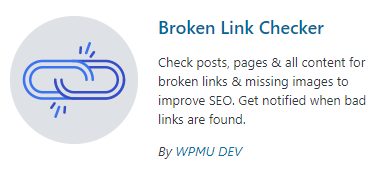 Everyone’s site will grow larger and larger within time; it gets harder to keep up and constantly check whether your links are valid. The name of this plugin is exactly what it does. Broken Link Checker plugin checks for broken links on your website and alerts you if it finds any that require to be updated. This plugin is free so there is no reason not to have this plugin, sitting in your back pocket, it may pick up a link or two other plugins won't.
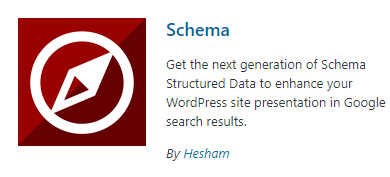 Schema adds Google Rich Snippets and markup according to Schema.org guidelines to structure your site for SEO. Schema has more than 35 schema types such as Blog Posting, News article, Local Business, Webpage, Article, Recipes, Product, and video objects.
This allows you to easily pick an auto developed Schema for your site. Other features include Conditional Display. meaning it will include or exclude any posts, pages, post types, taxonomies and more. The ability to import data from other schema plugins such as the others mentioned in this article. Display your business google reviews and its schema markup on your website.
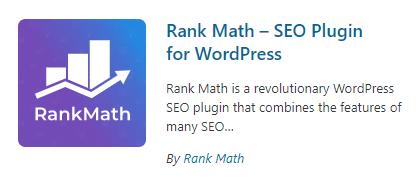 Being a new plugin, Rank Math has taken parts from other SEO plugins and included it in the one. Rank math integrates with Google Search Console, which helps get the essential information you need to boost your SEO game.
With 15 built-in modules, you can enable and configure based on your requirements, it runs a detailed SEO analysis to identify issues based on 30 known factors. Check your ranking against other similar websites with the in-built Rank Tracker, and Import Schema Markup from other websites.
Rank Math also offers a Pro version with increasing your keyword tracking from 500 to 1,000, unlimited personal websites, Powerful Schema Generator with 24/7 support.
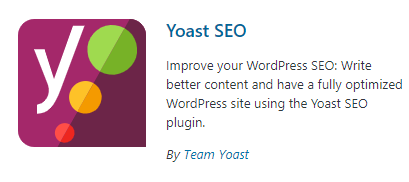 Yoast SEO has been branded as one of WordPress’ top SEO Plugins. With over 27,278 5-star views and 5+ Million Active Installations, it is hard not to look past it. Yoast analyzes the optimization of your site and gives you improvement advice. It displays the current problems, what you need to improve, and what you are doing correctly. This takes the guesswork out of what your site is missing when it comes to SEO. This tool also helps you adjust the title or meta descriptions and making your content more relevant for your keywords.
If you’re not on a tight budget and can afford to buy the premium version of Yoast, you will get 24-hour support and extensions such as News SEO, Video SEO, Local SEO and WooCommerce SEO extensions.
Plugins are your best friends when it comes to WordPress, being free as well, they give you the freedom to explore and experiment in improving your websites.
If you have any issues or queries, please contact our support team on (07) 4914 2433 or open a ticket via our website.
 A Virtual Private Server (VPS), not to be confused with a Virtual Private Network (VPN), is a virtual machine that provides its own server to clients. The best way to think of the VPS is like an apartment complex. Every account is renting space within the building and has their own resources they can use, yet shares the building.
If you think of shared hosting, all the resources are spread across everyone on the server. The VPS has specific resources assigned to your account, allowing you to use them however you need.
The VPS runs its own copy of an operating system (OS), and you may have to request for superuser level access within the OS. This will enable you to be able to install almost any software that runs on that OS. This can be a much-preferred method for customers as it allows Linux OS to run servers.
We could get into the nitty-gritty of how these VPS’s work, but to keep things simple here are the features and benefits of choosing a VPS with 2025.hosting-australia.com/
Scalable: 2025.hosting-australia.com/ can upgrade your resources when requested. You can simply do this by sending a ticket to our support team or calling us on (07) 4914 2433. This is extremely handy to adapt to your business growth if you require more resources.
High Performance: As mentioned above a VPS has its own allocated specific resources, unlike shared hosting this allows high-performance level with excellent speed, increasing website load times and a more responsive website
Security: As a customer of 2025.hosting-australia.com/, your security is our top priority, a VPS allows you better security options greater than our already state of the art malware-spam protect security offered with our other hosting packages. You can secure your partition of the server allowing you increased security.

You may be thinking about starting up a business, or even having a standalone email account for personal use and have seen a certain c-word pop up in your research. That word is cPanel and this article is to help you understand what cPanel also referred to as “control panel,” what actually you can do with it and what it actually does. cPanel is a web hosting control panel. It provides a graphical interface and automation tools designed to simplify the process of hosting a website/email.
Being a graphical interface, this is easy to learn and simple to use. cPanel is among the most popular control panels used because of its ease and functionality. Without this graphical user interface, it would be difficult to manage your server. You would need to learn advanced technical knowledge just to work out how to do a simple task. cPanel helps beginners manage their server environments without too much of a learning curve and is the most used control panels in the hosting space. It’s commonly used across shared hosting plans, these are created so you can have something as simple as a standard email or a WordPress website with multiple MySQL Databases and email accounts, all managed within cPanel.





For more information, you can also check out the extensive cPanel tour created by cPanel. Find Out More
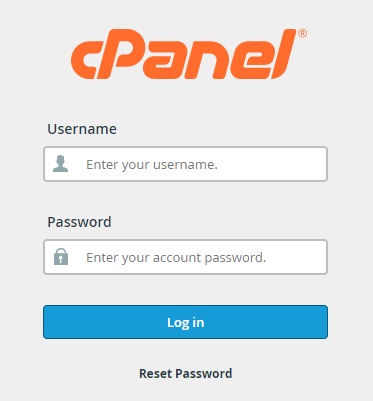
Where can you access it?
You can easily log into your cPanel account in several ways. Log in via the client portal for 2025.hosting-australia.com/ – services – selected service – Login to cPanel. You can also go to [YOURDOMAIN]/cpanel and sign in with your cPanel credentials.
Email: Within cPanel you can create new email accounts, view/modify your existing accounts, change password, create filters/rules forwarders, and set certain size limited to email accounts.
https://www.youtube.com/watch?v=nS6q99yFmBY

Imagine if you had that same problem, but it was something much more important, for example, the website for your business. You wake up more morning and your website ceases to exist. Your customers cannot find your website. You would have to put a hold on your business while you get in touch with your hosting or designer to create your website from the ground up again.Therefore, you should always backup your website just like backing up that important document.
It is imperative to back up your site files at a second location to keep your content safe. Still not convinced? Here are four compelling arguments for why you should always back up your site files:
You might think your hosting service is safeguarding your site from hackers and other potential threats. While we do regular backups at 2025.hosting-australia.com/, it is important that you personally take a backup of your website, it’s better to be safe than sorry when it comes to your business.

You might have built your website on your own computer and feel it is protected. However, as time goes on that version becomes dated. If you have added in more information, refreshing content, optimizing your websites plugins or for search engines. That initial version of the website will progressively further removed from the live site your customers are viewing every day. It is important to take backups regularly, so there is less work when something does go wrong.
The statistics on hacking are remarkable, even startling. The National Cyber Security Alliance found that 20 percent of small businesses are compromised annually. Amazingly, three out of five organizations that get targeted are bankrupt within six months.
If you have a website no matter how big or small, there is always a possibility it will be targeted by hackers. You have enough concerns just dealing with passwords and trying to prevent intruders from invading again. Routine or daily backups allow you to recover lost, hacked, corrupted files or databases much more smoothly.
Backup recovery plans are critical so that any website can maintain business continuity and achieve efficient, stress-free disaster recovery. It’s simple if you keep on top of your back-ups by making sure it is always updated and something to fall back on. It will give you peace of mind knowing you will have something to fall back on “if” something does ever go wrong, instead of wondering what you would do it if did.
So, don’t fall into that fatal mistake of thinking everything is safe and saved once you are finished with your work or website Make sure your website is backed up, once you get into the routine it will save a lot of headaches in the future.
To make it easy for you to understand you need to work out, what suits your individual needs.
IMAP (Internet Message Access Protocol)
The main difference between a POP3 account and an IMAP account is that emails and inboxes are not stored on your computer, they are stored on your providers' server connected to the IMAP account.
This allows all your mail to be perfectly synchronized. When you read your emails on different devices be it a mobile, tablet, computer, or even from webmail. All the devices will show the exact same emails, folder. If an email is sent or deleted from the IMAP account, it affects all of the other devices and syncs with the mail server.
Advantages
Disadvantages
POP3 (Post Office Protocol)
When the POP3 email client (Outlook, Thunderbird, Apple mail) connects directly to the mail servers, it downloads the emails/attachments on to the email client. This will allow the emails to be locally stored on the device. You will not require to be connected to the internet to access these emails after they are on your device.
If the emails are deleted off your device they will not be deleted from the mail server. This will cause the mailbox on the server to reach storage capacity, causing a blockage on your mailbox, with emails bouncing back to the sender, ceasing email functionality altogether.

Advantages
Disadvantages
Now that you can see the advantages and disadvantages of IMAP and POP3, you need to ask yourself what will now benefit you and your devices.
If you are needing help setting up your IMAP or POP3 Account visit our helpful knowledge base articles:
https://clients.hosting-australia.com/knowledgebase/133/Mail-Server-Settings.html
https://clients.hosting-australia.com/knowledgebase/1/Thunderbird-Setup.html
https://clients.hosting-australia.com/knowledgebase/135/IMAP-or-POP---What-am-I-currently-Using-Windows-Users.html
https://clients.hosting-australia.com/knowledgebase/159/Email-Setup---Windows-Phone.html
[et_pb_section fb_built="1" admin_label="section" _builder_version="3.22"][et_pb_row admin_label="row" _builder_version="3.25" background_size="initial" background_position="top_left" background_repeat="repeat"][et_pb_column type="4_4" _builder_version="3.25" custom_padding="|||" custom_padding__hover="|||"][et_pb_text admin_label="Text" _builder_version="4.6.6" background_size="initial" background_position="top_left" background_repeat="repeat" hover_enabled="0" sticky_enabled="0"]
WordPress powers nearly one-third of the world’s websites, from small personal blogs to the complex sites of major corporations. WordPress is only one of the site builders and content management systems users can download and install for free, but it is its ease of use for end users that makes it the most popular content management system in use today.
WordPress vs. the Competition
WordPress is one of three main site building packages in the world, including Joomla and Drupal. All are free to download and use, all come with numerous add-ons for specialised functionality, and all can be customized to suit the needs of individual users.
Basically its really only Joomla and WordPress as #1 and #2. Up until a few years ago WordPress was essentially a good Blog Site tool whereas Joomla was far more flexible and powerful. Most of the plugins you need to add to WordPress are already built into Joomla and until a few years ago this article would have been about Joomla.
However in that time WordPress has become far more than just a Blog tool and is now capable of building any type of site you need. Whereas in Joomla has become too cumbersome and components and plugins tend to conflict with each other or are just incompatible with others causing errors in the site.
Benefits of using the WordPress Platform
Here’s a look at a few key benefits of using WordPress to set up and run your business or personal site.
Although WordPress was originally designed to support blogging and related types of online publishing, it also powers a wide range of sites with other purposes. WordPress sites can start from simple blogs as before to full-service eCommerce stores. You can display your portfolio, or host a social network, group, or podcast.
Whatever a company’s requirements, the core WordPress package plus a variety of basic and premium plugins that are suitable for your site. Add to that a pre-installed range of free themes allows you to build a website for free.
A WordPress site can be installed and up and running in a matter of minutes, even without any technical expertise. All a user needs is a domain name and a web hosting account. WordPress can be directly built on WordPress.org or installed free through your WordPress hosting provider.
WordPress themes offer users an array of choices for fine-tuning the appearance and functions of a new site, thanks to its large and growing directory basic and premium of themes. Many of these are instantly available to a new site owner through the WordPress theme directory, and thousands more can be purchased through design marketplaces and third-party designers from around the world. Themes can be previewed live and installed at any time to change the look and layout of a WordPress site.
WordPress includes all the elements needed to create a basic site, but many users want more specialized functions related to a site’s specific needs. The WordPress plugin directory includes hundreds of plugins—small pieces of code designed to perform specific tasks—that allow users to add features such as shopping carts, galleries, contact forms, and more to any compatible WordPress site. Users can also purchase and install hundreds of custom plugins from third-party developers. Plugins can be activated or deactivated and uninstalled as needed as a site evolves.
Mobile responsiveness is also a factor in Google rankings, so websites need to look good on any device. WordPress offers a variety of responsive theme designs, and users can also make a static site responsive with plugins and adjustments to theme files.
Blogs are what WordPress does best. Its what it was built on and has blog features built into the core installation. These are called Posts and you can categorise them and display them however you like as all those functions are built in.
If you are building a WordPress site, you should consider a hosting provider that offers WordPress hosting. This will help save time and allow you to access your WordPress dashboard through your account.
[/et_pb_text][/et_pb_column][/et_pb_row][et_pb_row admin_label="row" _builder_version="3.25" background_size="initial" background_position="top_left" background_repeat="repeat"][et_pb_column type="4_4" _builder_version="3.25" custom_padding="|||" custom_padding__hover="|||"][et_pb_text admin_label="Text" _builder_version="4.6.3" background_size="initial" background_position="top_left" background_repeat="repeat"]
What is WordPress?
WordPress powers nearly one-third of the world’s websites, from small personal blogs to the complex sites of major corporations. WordPress is only one of the site builders and content management systems users can download and install for free, but it is its ease of use for end users that makes it the most popular content management system in use today.
WordPress vs. the Competition
WordPress is one of three main site building packages in the world, including Joomla and Drupal. All are free to download and use, all come with numerous add-ons for specialised functionality, and all can be customized to suit the needs of individual users.
Basically its really only Joomla and WordPress as #1 and #2. Up until a few years ago WordPress was essentially a good Blog Site tool whereas Joomla was far more flexible and powerful. Most of the plugins you need to add to WordPress are already built into Joomla and until a few years ago this article would have been about Joomla.
However in that time WordPress has become far more than just a Blog tool and is now capable of building any type of site you need. Whereas in Joomla has become too cumbersome and components and plugins tend to conflict with each other or are just incompatible with others causing errors in the site.
Benefits of using the WordPress Platform
Here’s a look at a few key benefits of using WordPress to set up and run your business or personal site.
Although WordPress was originally designed to support blogging and related types of online publishing, it also powers a wide range of sites with other purposes. WordPress sites can start from simple blogs as before to full-service eCommerce stores. You can display your portfolio, or host a social network, group, or podcast.
Whatever a company’s requirements, the core WordPress package plus a variety of basic and premium plugins that are suitable for your site. Add to that a pre-installed range of free themes allows you to build a website for free.
A WordPress site can be installed and up and running in a matter of minutes, even without any technical expertise. All a user needs is a domain name and a web hosting account. WordPress can be directly built on WordPress.org or installed free through your WordPress hosting provider.
WordPress themes offer users an array of choices for fine-tuning the appearance and functions of a new site, thanks to its large and growing directory basic and premium of themes. Many of these are instantly available to a new site owner through the WordPress theme directory, and thousands more can be purchased through design marketplaces and third-party designers from around the world. Themes can be previewed live and installed at any time to change the look and layout of a WordPress site.
WordPress includes all the elements needed to create a basic site, but many users want more specialized functions related to a site’s specific needs. The WordPress plugin directory includes hundreds of plugins—small pieces of code designed to perform specific tasks—that allow users to add features such as shopping carts, galleries, contact forms, and more to any compatible WordPress site. Users can also purchase and install hundreds of custom plugins from third-party developers. Plugins can be activated or deactivated and uninstalled as needed as a site evolves.
Mobile responsiveness is also a factor in Google rankings, so websites need to look good on any device. WordPress offers a variety of responsive theme designs, and users can also make a static site responsive with plugins and adjustments to theme files.
Blogs are what WordPress does best. Its what it was built on and has blog features built into the core installation. These are called Posts and you can categorise them and display them however you like as all those functions are built in.
If you are building a WordPress site, you should consider a hosting provider that offers WordPress hosting. This will help save time and allow you to access your WordPress dashboard through your account.
[/et_pb_text][/et_pb_column][/et_pb_row][/et_pb_section]
 The best way you can think about your email inbox is just like your physical mailbox at home.
One day you are getting your letters addressed to you, the next you are getting endless unwanted catalogues for products you are not interested in.
Emails are the same, but it is a lot easier for people to find out your address then your postal address. This can be dangerous if you let it get out of hand or you put your email into sites without SSL( If you are unsure about SSL, please read our other article for help http://hosting-australia.com/2020/09/29/what-is-an-ssl-do-you-need-it/ )
Spammers are constantly combing through the internet looking for new emails to spam, if they have more emails, they have a high chance to get a hit from an unsuspecting victim.
Data Breach - Major companies can be the victims of data breaches; hackers attack these websites allowing them to have access to legitimate email addresses.
Signing up to a website - When you sign up to a website, it will usually ask you for your email address, followed by a tick a privacy policy box. A lot of websites will warn you, that your data will be sold to a third-party company or some information will not be kept private.
Buying lists - These come directly from the Data Breach and the signing up to a website, Spammers can purchase lists legally and illegally from companies.
Businesses putting their emails addresses on their websites - You need to put your email address on your business’s website, it is the easiest way for people to contact you from your site.
Guessing Emails - Spammer use tools to generate common usernames and pair them with common domains.
Viruses / Malware - Viewing websites your computers maybe be breached by a certain virus that read your computer and store your data including email addresses.
Contact us! Hosting Australia offers SPAMprotect. SPAMProtect helps strengthen incoming and outgoing email protection. The SPAMProtect package options include inbound and outbound email filtering and archiving solutions. Powered by a cutting edge continuously updated Intelligent Protection & Filtering Engine to ensure your emails are protected from threats at all time, no matter how often new attacks emerge. Visit http://hosting-australia.com/spam-protection/ for more details.
Install Antivirus - There are loads of free antivirus software on the internet, there are no excuses not to have an antivirus installed on your computer. Regular scans on your computer will make sure, there are no threats on your device.
Here is a list of top 5 free antiviruses.
Install ReCAPTCHA on your website - These are used to stop hackers from using “bots” other malicious software to attack your website's emails. This helps protect websites from spam and abuse. It is easy for humans to solve, but hard for “bots” and other malicious software to figure out.
What now?
Unfortunately, there will always be emails spam, just like there will always be physical junk mail. But you can use this information to prevent spam on your email.
[et_pb_section fb_built="1" _builder_version="4.6.3" _module_preset="default" custom_padding="2px||3px|||"][et_pb_row _builder_version="4.6.3" _module_preset="default" column_structure="3_5,2_5" hover_enabled="0" sticky_enabled="0" custom_padding="||11px|||"][et_pb_column _builder_version="4.6.3" _module_preset="default" type="3_5"][et_pb_text _builder_version="4.6.3" _module_preset="default" hover_enabled="0" sticky_enabled="0" custom_margin="||15px|||"]In a society where “Buy local” and “Australian Made” have basically become catch phrases, the Hosting Industry still seems to be one industry where people are quick to move or source services overseas…with little thought to what impact this has on the quality of the product or service. This rings true for both design tasks – new sites or changes, SEO work and certainly for Hosting and associated services.
In a lot of cases, the reason may be costs – but as with most things you purchase from overseas providers, there can be catches and downfalls to choosing international providers over local, Australian based providers.
The most obvious is the quality of the service and the pitfalls of clever marketing schemes.
Whilst the overseas hosting providers may advertise hosting for $5-6 per month, versus the equivalent Australian hosting providers cost of $14-15, when you drill down – there is nearly always a catch. Take the below examples…[/et_pb_text][/et_pb_column][et_pb_column _builder_version="4.6.3" _module_preset="default" type="2_5"][et_pb_image src="http://hosting-australia.com/wp-content/uploads/2020/10/australian-made-hosting.jpg" _builder_version="4.6.3" _module_preset="default" alt="Australian web hosting" title_text="australian-made-hosting" hover_enabled="0" sticky_enabled="0" custom_margin="-42px|||||"][/et_pb_image][/et_pb_column][/et_pb_row][et_pb_row _builder_version="4.6.3" _module_preset="default" column_structure="1_2,1_2" border_width_all="2px" border_color_all="#8f8f8f" box_shadow_style="preset4" box_shadow_horizontal="6px" box_shadow_vertical="6px" box_shadow_blur="3px" box_shadow_spread="-3px" hover_enabled="0" sticky_enabled="0" custom_padding="3px||10px||false|false" custom_margin="||20px||false|false"][et_pb_column _builder_version="4.6.3" _module_preset="default" type="1_2"][et_pb_image src="http://hosting-australia.com/wp-content/uploads/2020/10/australian-web-hosting-services.jpg" _builder_version="4.6.3" _module_preset="default" alt="why choose australian hosting" title_text="australian-web-hosting-services" hover_enabled="0" sticky_enabled="0" align="center" custom_padding="69px|||||"][/et_pb_image][/et_pb_column][et_pb_column _builder_version="4.6.3" _module_preset="default" type="1_2"][et_pb_image src="http://hosting-australia.com/wp-content/uploads/2020/10/australian-hosting-service.jpg" _builder_version="4.6.3" _module_preset="default" alt="australian web hosting support" title_text="australian-hosting-service" hover_enabled="0" sticky_enabled="0"][/et_pb_image][/et_pb_column][/et_pb_row][et_pb_row _builder_version="4.6.3" _module_preset="default" custom_padding="8px|||||"][et_pb_column type="4_4" _builder_version="4.6.3" _module_preset="default"][et_pb_text _builder_version="4.6.3" _module_preset="default" hover_enabled="0" sticky_enabled="0"]
Note the left-hand images shows hosting at $6.50 per month, with “$12.95 when you renew” in the small print – but there is another catch, you need to commit to what’s essentially a 3 year contract, paid up front. Want month to month? Sure, but its $12.95 from the get-go.
The right-hand image shows an even more convoluted scheme – you can get $13 per month hosting but you need to commit to a whopping 10-year contract! Want month to month? Bad luck – no such thing is offered, despite the per month pricing shown - you need to commit to 3 months at $31.20 per month.
Of course, this sort of marketing is not exclusive to international providers, but generally tends to be more common with your overseas hosting companies – who are more interested in locking clients into long term contracts than anything else. Likely because once you have committed to and paid for 10 years, you cant cancel when you realise how poor the support is and how unreliable the services are. A lot of these companies are also publically listed, with share holders to answer too, meaning locking unsuspecting clients into contracts is crucial.
Australian hosts discount offerings tend to be less complex, like 3 months free web hosting for example.
On the design side of things, many people have fallen into the trap of using job tasking sites to get new sites built, or SEO done on their websites. It can be cheap – but is it worth the risks associated?
When using the tasking sites, the person who bids on your task can literally be anywhere in the world – despite claims of being “Australian Based”, there is nothing to stop people from less reputable overseas locations bidding and then having access to your valuable email and site data. Often these are call centre based locations, where developers are pushed to do tens of jobs in a day, with little regard for quality of work or eye for detail – two things that when lacking, can be disastrous on either web design tasks or SEO.
Site builds may seem to be cheaper this way, but will the site function the way it needs too? Is it secure? Is it built following basic design practices? Does it have hidden malware, worms or backdoors? It could end up being a whole lot more expensive than you expect.
The follow up support also needs to be considered – if you use a reputable Australian Web Designer, you can be assured they will be around to follow up and assist you moving forward. If you are choosing a WordPress Website for example, the follow up support from the original designer can be crucial if updating or adding new functions.
Its very hard to ascertain if the provider you are looking at is overseas or local – many providers and developers make claims to be overseas, but they are in fact not. There is nobody who polices these claims, so why would companies not try to use it as part of their marketing campaigns? Just be sure you do your research before diving in.
[/et_pb_text][/et_pb_column][/et_pb_row][et_pb_row _builder_version="4.6.3" _module_preset="default" custom_padding="2px|||||"][et_pb_column _builder_version="4.6.3" _module_preset="default" type="4_4"][et_pb_text _builder_version="4.6.3" _module_preset="default" hover_enabled="0" sticky_enabled="0" text_orientation="center"]
If you have any questions about the above, or even if you want some info about other hosting providers locations, give us a shout via the contact page, linked below:
[/et_pb_text][et_pb_button button_text="Contact Hosting Australia" _builder_version="4.6.3" _module_preset="default" button_url="http://hosting-australia.com/contact/" custom_button="on" button_text_color="#ffffff" button_font="||||on|||#f28e35|" button_alignment="center" hover_enabled="0" sticky_enabled="0"][/et_pb_button][/et_pb_column][/et_pb_row][/et_pb_section]
Services.
Need to add SPAMprotect or an SSL to your hosting? You can easily do this by accessing the services heading in the client portal, you can also check your services and Available Addons.
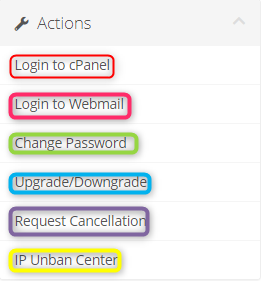
Accessing your cPanel - You can access your cPanel directly via your client portal. This is helpful if you have forgotten your login details for cPanel, you can log in directly via the client portal.
Access Webmail - Webmail. [domainname] is not the only way to log into your webmail, you can also log in directly to webmail. This is extremely helpful if you think you may have a block on your IP address and need to double-check.
Change Password - If you ever need to change your 2025.hosting-australia.com/ login password this will allow you to do it.
Upgrade/Downgrade - You can upgrade your hosting packages if you require more out of your website.
Request Cancellation - If you need to cancel any of your services, this option will put a high priority on the action, and it will be actioned immediately or the end of your billing period.
Unban Center - The Unban Center is an easy way to check if a domain has been blacklisted, you can simply unblock it by clicking the padlock.
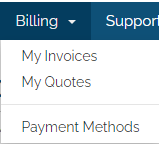 Billing - Need to check your upcoming or previous invoices? You can do all of this via the client portal under the billing heading. You can also look at the any quotes that have been generated for upcoming services or change/update credit card details.
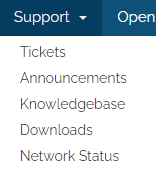 Support Tickets - You can send a ticket to the support team directly via the client portal, this way your ticket is viewed with all the correct information. This will make sure your request is processed in the most efficient way possible.
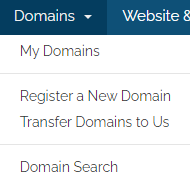 Domain Management.
Register - Want to secure that new domain? via the domain tab, this will allow you to easily register your desired domain with 2025.hosting-australia.com/ without having to send in a ticket to our support.
Transfer - Need to transfer a domain across from another hosting service over to us you are able to do this via this option in the client area.
Domain Search - Use the built domain search engine to easily find the domain you need.
These are just some of the helpful tools/links on our client portal. For further information visit our knowledge base https://clients.hosting-australia.com/knowledgebase
For more helpful how-to videos for your convenience. Check out our new YouTube channel https://www.youtube.com/channel/UCZt80XHuuvb4W-G8jtc-JsA
Watch our latest video - how to access your cPanel via the client portal.
https://www.youtube.com/watch?v=nS6q99yFmBY
[et_pb_section fb_built="1" _builder_version="4.6.3" _module_preset="default"][et_pb_row _builder_version="4.6.3" _module_preset="default" custom_margin_last_edited="on|phone" hover_enabled="0" sticky_enabled="0" custom_margin_phone="||20px||false|false"][et_pb_column _builder_version="4.6.3" _module_preset="default" type="4_4"][et_pb_text _builder_version="4.6.3" _module_preset="default" hover_enabled="0" sticky_enabled="0"]
There was a time, up until quite recently actually, when Live Chat was something you only ever saw on the big brand sites. Companies like Pet Stock, Harvey Norman and others seemed to take up the live chat quickly and get some great results, which led to more and more companies installing live chat on their sites.
Although Live Chat has been around for a while - its spent the majority of its early years being used by the bigger companies, as mentioned above. It was rarely seen on small business or owner operated sites. Due to this, it probably suffered from some developmental growth early on and as a result - and as with most new technologies - it had a number of issues early on that were slow to resolve.
Probably the biggest issue was that Live Chat was expensive. (Its not any more - keep reading to find out more!) You had to install extensive code(Software) on your site, then pay for somebody to sit at a keyboard and answer the chat requests.
Made worse by the fact that often the chat consultants were based overseas and didn't really know the in's and out's of your services or products. Have you ever wondered why some companies Live Chat consultants can't assist with what should be a simple query? Instead you are advised to call a 1300 number or go in store - this is usually a sure sign that the chat operator is overseas and has either limited knowledge or no access to secure systems to make the required changes.
Or worse - have you ever come across those annoying "Bots"? Commonwealth Bank is one that comes to mind, called CEBA. Its an automated system that attempts to match your questions via chat, to a pre-defined reply. But it rarely works and is a horrible waste of a clients time - not to mention leaves people frustrated and agitated.
BUT! There is no reason a Live Chat system on your site should have any of the above issues these days. It can be set up cheaply, generally under $150 per site. You or your staff can chat on the site yourself - via Smart Phone, Desktop Apps or a Web Portal, meaning no need to use expensive and un-knowledgeable chat reps - or worse silly automated bots. Meaning clients get a personalised and knowledgeable experience, each and every visit to your website.
[/et_pb_text][/et_pb_column][/et_pb_row][et_pb_row _builder_version="4.6.3" _module_preset="default" column_structure="3_5,2_5" background_color="#096ead" hover_enabled="0" sticky_enabled="0" border_width_all="2px" border_color_all="#8f8f8f" box_shadow_style="preset4" box_shadow_horizontal="6px" box_shadow_vertical="6px" box_shadow_blur="3px" box_shadow_spread="-3px" width_last_edited="on|phone" width_phone="100%" custom_padding_last_edited="on|phone" custom_padding_phone="50px||50px||false|false" box_shadow_color_last_edited="on|phone" box_shadow_color_phone="rgba(0,0,0,0)" border_width_all_last_edited="on|phone" border_width_all_phone="0px"][et_pb_column _builder_version="4.6.3" _module_preset="default" type="3_5"][et_pb_image src="http://hosting-australia.com/wp-content/uploads/2020/09/live-chat-dashboard-01.jpg" _builder_version="4.6.3" _module_preset="default" alt="web page live chat" title_text="live-chat-dashboard-01" hover_enabled="0" sticky_enabled="0" custom_padding="|||20px|false|false" custom_padding_last_edited="on|phone" custom_padding_phone="|20px|||false|false"][/et_pb_image][et_pb_text _builder_version="4.6.3" _module_preset="default" background_color="#096ead" hover_enabled="0" sticky_enabled="0" header_2_text_color="#ffffff" header_2_text_align="center" header_2_font_size="35px" text_font_size="16px" text_text_color="#ffffff" custom_padding="20px|20px|20px|20px|false|false" text_orientation="center" header_4_text_color="#ffffff" header_4_font_size="25px"]
Hosting Australia can help you get a fully functional live chat system integrated into you website quickly and easily!
Ensure you are converting site traffic to sales by engaging and personalising your visitors experience.
[/et_pb_text][/et_pb_column][et_pb_column _builder_version="4.6.3" _module_preset="default" type="2_5"][et_pb_image src="http://hosting-australia.com/wp-content/uploads/2020/09/live-wordpress-chat.jpg" _builder_version="4.6.3" _module_preset="default" title_text="live-wordpress-chat" hover_enabled="0" sticky_enabled="0" custom_margin="75px|20px|||false|false" align="center" custom_margin_last_edited="on|phone" custom_margin_phone="5px|0px|||false|false"][/et_pb_image][/et_pb_column][/et_pb_row][et_pb_row _builder_version="4.6.3" _module_preset="default" custom_padding="||4px|||"][et_pb_column _builder_version="4.6.3" _module_preset="default" type="4_4"][et_pb_text _builder_version="4.6.3" _module_preset="default" hover_enabled="0" sticky_enabled="0"]
In short, installing a website Live Chat interface can help you engage clients, or allow them to engage with you. Both of which will increase conversions and sales.
Common things site visitors, or yourself as the admin can use live chat for are:
One of the trickiest things for a successful online presence is keeping visitors on your site there long enough to trigger a sale. As a rule, site visitors tend to be flighty - anything can and will distract them. So customer engagement is key.
Live Chat ticks a lot of boxes in that regards.
It means you can discuss details of what a client needs with them directly - especially useful if you offer varied or tailor made products or services - this helps the client feel all warm and fuzzy and gives you an instant connection and we all know that is Sales 101, online or face to face.
Often if a client cant find an answer in regards to the product of interest to them on your site - they may jump over to Google to confirm something. Not necessarily intending to leave, but any time a visitor leaves your site in their browser to look on Google, the chance of a conversion drops enormously and you risk losing them to a competitor (Or they may get distracted watching You Tube videos of kittens and puppies!)
Live Chat makes a site visitor feel attached to your page. Common manners say its rude to not answer somebody, so rather than a site visitor 'walking' away from your website - if you hook them on a chat, they will often stay engaged.
Hosting Australia has been using the TAWK interface for live chat for a number of years. Its quick and easy to install, has multiple interfaces - but best of all, the vanilla version is FREE! For most people, that's all you will need. They do offer plenty of add-ons and integration options, if you wanted to take things further - but these are rarely need to get started.
It also comes with some handy integration tool, including a Live Chat Plugin for WordPress.
[/et_pb_text][/et_pb_column][/et_pb_row][et_pb_row _builder_version="4.6.3" _module_preset="default" column_structure="1_2,1_2" custom_padding="||13px|||"][et_pb_column _builder_version="4.6.3" _module_preset="default" type="1_2"][et_pb_image src="http://hosting-australia.com/wp-content/uploads/2020/09/website-live-chat-wordpress.jpg" _builder_version="4.6.3" _module_preset="default" alt="live chat on my website" title_text="website-live-chat-wordpress" hover_enabled="0" sticky_enabled="0" border_width_all="2px" border_color_all="#8f8f8f" box_shadow_style="preset4" box_shadow_horizontal="6px" box_shadow_vertical="6px" box_shadow_blur="3px" box_shadow_spread="-3px"][/et_pb_image][/et_pb_column][et_pb_column _builder_version="4.6.3" _module_preset="default" type="1_2"][et_pb_text _builder_version="4.6.3" _module_preset="default" hover_enabled="0" sticky_enabled="0"]
Tawk offers time scheduling - meaning you can set your chat to be online or offline for multiple periods across any day of the week - For example, you may offer live chat from 9am - 5pm Monday to Thursday, and then from 9am to 1pm Friday and offline over the weekend.
You can also create multiple windows during the day, for being offline or online. Say you want offer chat between 8am and 11am, then again between 2pm and 5pm - easy!
Best off all, when offline, the chat window will offer a quick email contact form - so clients can still contact you with a minimum of fuss. You will also know if your "offline" periods are busy enough to warrant more time spent "online".
[/et_pb_text][/et_pb_column][/et_pb_row][et_pb_row _builder_version="4.6.3" _module_preset="default" custom_padding="3px|||||"][et_pb_column _builder_version="4.6.3" _module_preset="default" type="4_4"][et_pb_text _builder_version="4.6.3" _module_preset="default" hover_enabled="0" sticky_enabled="0"]
Tawk also comes with a heap of options for "chatting". There is a great Smart Phone app (iPhone and Android), a Desktop app and also a web interface - meaning you can be online basically anywhere, as long as you have an internet connection.
Head on over to the Official Tawk Getting Started Guide for info on the DIY side of things.
Get our team of expert web designers to help you plan and install your Live Chat system. We can handle the entire process, including helping with scheduling, custom chat icons, colors and more! Just fill out the form below and we will be in contact ASAP.
[/et_pb_text][et_pb_contact_form _builder_version="4.6.3" _module_preset="default" hover_enabled="0" sticky_enabled="0" use_spam_service="on" email="sales@hosting-australia.com"][et_pb_contact_field field_id="Name" field_title="Name" _builder_version="3.16" button_text_size__hover_enabled="off" button_one_text_size__hover_enabled="off" button_two_text_size__hover_enabled="off" button_text_color__hover_enabled="off" button_one_text_color__hover_enabled="off" button_two_text_color__hover_enabled="off" button_border_width__hover_enabled="off" button_one_border_width__hover_enabled="off" button_two_border_width__hover_enabled="off" button_border_color__hover_enabled="off" button_one_border_color__hover_enabled="off" button_two_border_color__hover_enabled="off" button_border_radius__hover_enabled="off" button_one_border_radius__hover_enabled="off" button_two_border_radius__hover_enabled="off" button_letter_spacing__hover_enabled="off" button_one_letter_spacing__hover_enabled="off" button_two_letter_spacing__hover_enabled="off" button_bg_color__hover_enabled="off" button_one_bg_color__hover_enabled="off" button_two_bg_color__hover_enabled="off"][/et_pb_contact_field][et_pb_contact_field field_id="Email" field_title="Email Address" field_type="email" _builder_version="3.16" button_text_size__hover_enabled="off" button_one_text_size__hover_enabled="off" button_two_text_size__hover_enabled="off" button_text_color__hover_enabled="off" button_one_text_color__hover_enabled="off" button_two_text_color__hover_enabled="off" button_border_width__hover_enabled="off" button_one_border_width__hover_enabled="off" button_two_border_width__hover_enabled="off" button_border_color__hover_enabled="off" button_one_border_color__hover_enabled="off" button_two_border_color__hover_enabled="off" button_border_radius__hover_enabled="off" button_one_border_radius__hover_enabled="off" button_two_border_radius__hover_enabled="off" button_letter_spacing__hover_enabled="off" button_one_letter_spacing__hover_enabled="off" button_two_letter_spacing__hover_enabled="off" button_bg_color__hover_enabled="off" button_one_bg_color__hover_enabled="off" button_two_bg_color__hover_enabled="off"][/et_pb_contact_field][et_pb_contact_field field_id="Phone" field_title="Phone Number" field_type="email" _builder_version="4.6.3" hover_enabled="0" button_text_size__hover_enabled="off" button_one_text_size__hover_enabled="off" button_two_text_size__hover_enabled="off" button_text_color__hover_enabled="off" button_one_text_color__hover_enabled="off" button_two_text_color__hover_enabled="off" button_border_width__hover_enabled="off" button_one_border_width__hover_enabled="off" button_two_border_width__hover_enabled="off" button_border_color__hover_enabled="off" button_one_border_color__hover_enabled="off" button_two_border_color__hover_enabled="off" button_border_radius__hover_enabled="off" button_one_border_radius__hover_enabled="off" button_two_border_radius__hover_enabled="off" button_letter_spacing__hover_enabled="off" button_one_letter_spacing__hover_enabled="off" button_two_letter_spacing__hover_enabled="off" button_bg_color__hover_enabled="off" button_one_bg_color__hover_enabled="off" button_two_bg_color__hover_enabled="off" sticky_enabled="0"][/et_pb_contact_field][et_pb_contact_field field_id="URL" field_title="Your website address" field_type="email" _builder_version="4.6.3" hover_enabled="0" button_text_size__hover_enabled="off" button_one_text_size__hover_enabled="off" button_two_text_size__hover_enabled="off" button_text_color__hover_enabled="off" button_one_text_color__hover_enabled="off" button_two_text_color__hover_enabled="off" button_border_width__hover_enabled="off" button_one_border_width__hover_enabled="off" button_two_border_width__hover_enabled="off" button_border_color__hover_enabled="off" button_one_border_color__hover_enabled="off" button_two_border_color__hover_enabled="off" button_border_radius__hover_enabled="off" button_one_border_radius__hover_enabled="off" button_two_border_radius__hover_enabled="off" button_letter_spacing__hover_enabled="off" button_one_letter_spacing__hover_enabled="off" button_two_letter_spacing__hover_enabled="off" button_bg_color__hover_enabled="off" button_one_bg_color__hover_enabled="off" button_two_bg_color__hover_enabled="off" sticky_enabled="0"][/et_pb_contact_field][et_pb_contact_field field_id="Message" field_title="Additional Info" field_type="text" fullwidth_field="on" _builder_version="4.6.3" hover_enabled="0" button_text_size__hover_enabled="off" button_one_text_size__hover_enabled="off" button_two_text_size__hover_enabled="off" button_text_color__hover_enabled="off" button_one_text_color__hover_enabled="off" button_two_text_color__hover_enabled="off" button_border_width__hover_enabled="off" button_one_border_width__hover_enabled="off" button_two_border_width__hover_enabled="off" button_border_color__hover_enabled="off" button_one_border_color__hover_enabled="off" button_two_border_color__hover_enabled="off" button_border_radius__hover_enabled="off" button_one_border_radius__hover_enabled="off" button_two_border_radius__hover_enabled="off" button_letter_spacing__hover_enabled="off" button_one_letter_spacing__hover_enabled="off" button_two_letter_spacing__hover_enabled="off" button_bg_color__hover_enabled="off" button_one_bg_color__hover_enabled="off" button_two_bg_color__hover_enabled="off" sticky_enabled="0"][/et_pb_contact_field][/et_pb_contact_form][/et_pb_column][/et_pb_row][/et_pb_section]



