
Too often business owners make the mistake of thinking all they need is a website online to suddenly make money for them. Or even more think that a website is just a waste of money because it doesn't make any.
Just like a normal shop on the side of the road you need to do certain things to make sure your business is profitable. You won't spend $250,000 on renovating a shop on a busy highway then just leave it without presenting your products in your shop in way to attract customers in. You will have signage out front you will display your products inside to be easy to find and you will promote and advertise that your store exists.
However this is exactly what business neglect when they build a website. Depending on what the site needs to do business owners may spend upwards of $2000-$10,000 to build a website but then do nothing with it and expect it to just sit there and get them business. There is work to do to make a site valuable to your business. Such as promote it online / offline, set it out in a way that makes it usable and present your products and make them easy to order if you have e-commerce.
All of those topics are for another blog but just as important to making sure people know your site exists you need to ensure you have the right information on your site.... What do you want your site to do?
However, when it comes to expanding customers online, there are many businesses that fail to make the most of their virtual stores. You don't want to be one of them. As a matter of fact, in order to boost the online presence of your business, your website must be able to:
Now, how can you help your website achieve all of this and much more?
Every website must have information that is genuine and unique. No web user is really interested in reading information that’s commonplace. Offer something extra to your visitors. Create compelling, rich media content. Remember that a majority of web users have a short attention span. They need quick information. So, be crisp and clear with all that you share on your website.
The importance of a business’ contact details couldn’t really be stressed enough. When a visitor finds it difficult to reach out to your business through phone, email, or even chat, it is out-and-out a frustrating experience. If you are not comfortable handling too many phone calls, you can just provide an email address, but do give your website visitors a way to connect with you.
The right call-to-action (CTA) strategy will turn your visitors into customers. Include free trial or demo as a CTA and give your prospects a chance to experience your offerings. With messages like ‘Call Today’, ‘Book Now’, ‘Click Here’, ‘Get a quote’, ‘Learn more’, ‘Hurry’, etc. you can lead your visitors to sales. Include these messages and enjoy increased revenues.
A website’s security is as important as the website itself. By having an SSL certificate, you give your visitors the assurance that you care about their security. Protect your website with the right measures in place and reduce the chances of identity theft.
In your pursuit to attract more customers, don’t complicate your website. Too much information can be as bad as not enough information. In particular your home page. Just paragraphs of text will lose you traffic fast. Your front page needs to engage the visitor to move quickly around the site. Go for an interesting yet equally simple layout that’s easy to use and navigate. Less text and more images gives the page a dynamic look and feel. Include white space to make the page visually pleasing and not too cluttered.
Having a mobile-responsive website design has become a necessity today. But, there are still many businesses who fail to capture the potential of this incredible technology. Avoid being one of them. Give your website users mobile accessibility. Get a responsive UI and utilize the ever-increasing mobile Internet usage for your business growth.
From Twitter to Facebook, YouTube, Pinterest, and Instagram, there are so many social media platforms that have transformed the way modern businesses engage with their customers. Promote your presence on all such platforms by integrating them into your website. This small step will also help you improve your ranks on search engines. Now, that’s an amazing two-for-one strategy, you must implement.
Your business needs a digital presence to stand out in the competitive market.
Hosting Australia can help with what you need to build new websites. Hosting Australia develops and manages rich and interactive websites — both static and dynamic, responsive web designs, ecommerce sites, mobile-friendly websites and much more across multiple platforms. We provide long-term website hosting and site maintenance services to facilitate on-time upgrades and regular support.
Contact us or call us on 1300 761930.
For many website visitors, a 404 error is the first (and last) impression of your website. Visitors will judge the site based on their experience with the broken link. If you’re putting serious effort into your website and its content, it’s not worth risking that someone will have a terrible time trying to find what they are looking for because of a simple 404 error.
The main thing you can do to improve your visitors' experience with 404 pages is to reduce the likelihood of them ever landing on a 404 page in the first place.
However, you should accept that you won't be able to prevent all instances of your visitors arriving at a 404 page on your website, so your secondary goal should be to ensure that when they do, the 404 page is well designed and useful.
To avoid negative user experiences, you need to create and verify user-friendly URLs on your site. Users should be able to find exactly what they’re looking for without difficulty, regardless of whether they use bookmarks or search function to revisit pages. Identifying and fixing 404 errors is one way of minimizing those frustrating redirection messages that users may see when visiting your site.
Let’s look at how you can improve your site by finding and removing 404 pages.
There are several tools available to assist website owners in quickly and easily identifying all broken links that are serving 404 errors on a website. Even better, many of them are free.
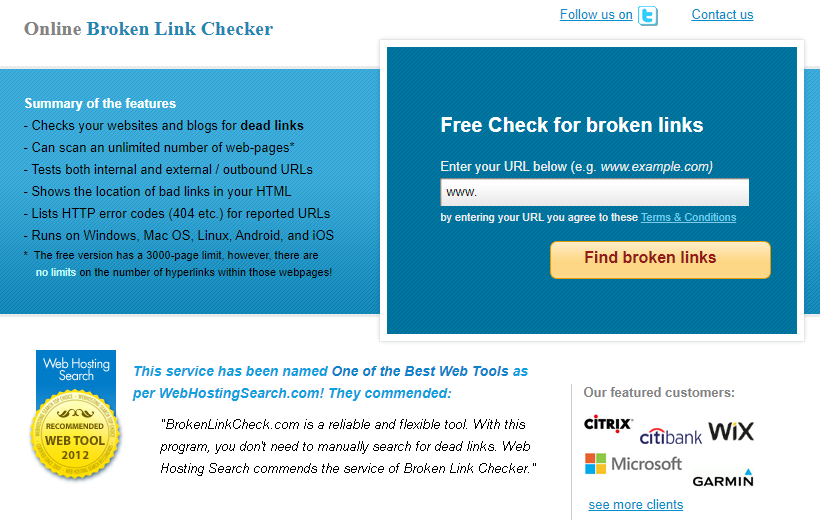
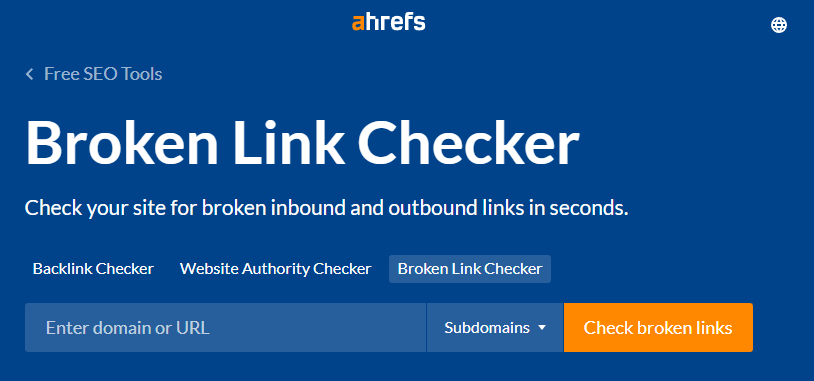
A variety of websites offer free tools for locating broken links. All you have to do with tools like Broken Link Check, Ahrefs Broken Link Checker, and Dead Link Checker is enter your website URL and wait for the website to scan the site for you.

You're in luck if your website was built with WordPress! WordPress has a plugin specifically designed for this purpose. The free Broken Link Checker plugin will monitor your website's links, compile a list of those that don't work, and make it simple for you to edit or unlink each one.
One disadvantage of using a plugin such as Broken Link Checker is that it can temporarily slow down your site while it is active, so keep that in mind when deciding what to use.
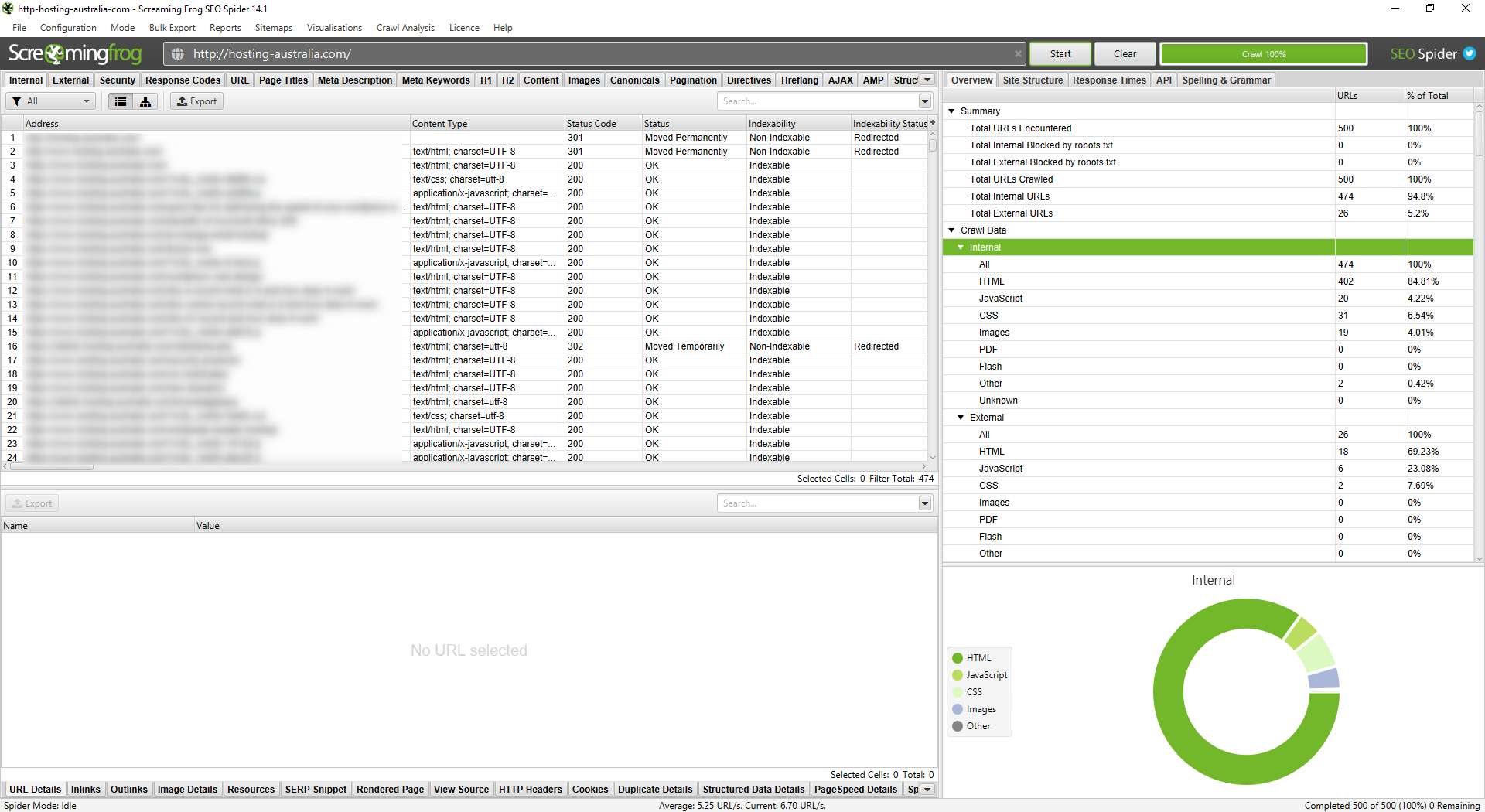
Screaming Frog's SEO Spider tool will crawl your website and automatically identify a variety of issues, including broken links. It is also free to use for websites with fewer than 500 pages. To use SEO Spider to find broken links, you must first download the tool. Once you've downloaded it, simply enter your URL and press the Start button. Crawling your entire website may take a few minutes.
Broken links can be viewed by selecting Client Error from the Response Codes menu. Locate the link on your website by clicking on it and then selecting Inlinks. Choose Bulk Export, Response Codes, Client Errors to get a list of all your broken links in spreadsheet form (which can help you tackle the project of fixing them). Inlinks.
Once you've compiled a list of broken links, the difficult part begins. You must go in and repair each one. Determine which links require an update and which should be removed entirely. Track your progress as you go to avoid missing any, and open each web page to double-check the updated link before moving on to the next.
This takes time, but it ensures that your website visitors have a better experience. It's best to do this once every three months or so to fix any new broken links as soon as possible. And the more you do it, the less work you'll have to do each time. If you're lucky, you'll notice the broken links before anyone else.
Even if you check for broken links on a regular basis, there will be times when you miss one or when users enter a URL incorrectly. Whatever you do, some of your visitors will almost certainly end up on your 404 page. So, take advantage of it when they do.
To avoid confusion, you want people to know they're still on your website when they land on a 404 page. Many brands continue to use generic 404 pages with no branding and no visual connection to the rest of the website.
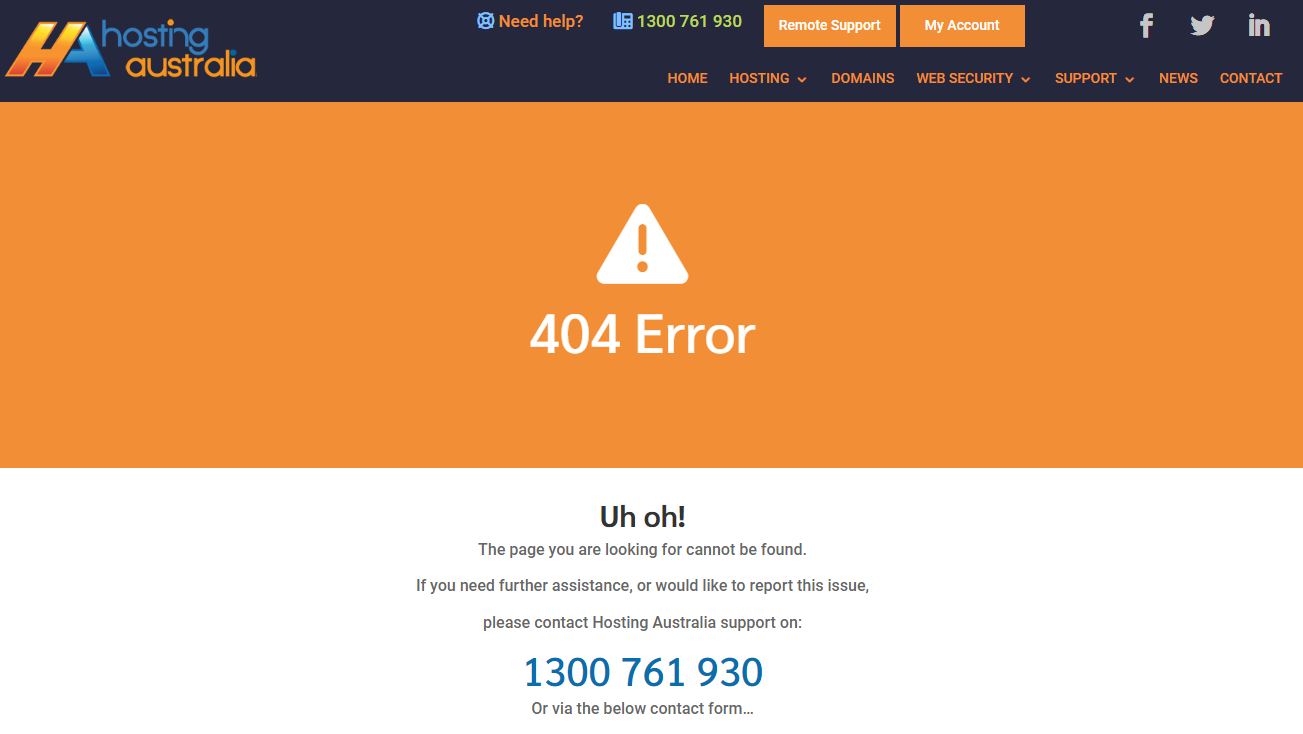
If you're convinced that it's time to create a custom 404 page for your website but aren't sure how the technical side of updating your 404-page works, you shouldn't have too much trouble figuring it out.
If you use WordPress, you can either follow these instructions or try a plugin like this one.
Otherwise, you can create a custom 404 page via your cPanel with these step-by-step guides.
Businesses put in a lot of effort to get people to visit their websites; the last thing you want is for that effort to be wasted because a customer bounces after landing on a generic 404 page, so make sure your site is free of broken links.
Page speed is an important aspect of SEO that is frequently overlooked.
The loading time of a site is one of the factors considered by Google's algorithms when determining how each site should be ranked.
A slow-loading website will also provide a poor user experience and drive away visitors. This, in turn, has a negative impact on your SEO rankings by increasing your site's bounce rate.
There are numerous ways to speed up your WordPress site, beginning with selecting a reliable hosting provider. It is critical not to use large images or files because they will slow down your site.
Using a CDN and caching your files are two other ways to speed up your site. Additionally, you should avoid using heavy themes and plugins.
Today, we'll look at minify plugins, which are plugins that help your WordPress site run faster by removing unnecessary coding and HTML.
There are many of these available; simply typing "minify" into the WordPress plugin search bar will yield several pages of results. However, not all of them are good.
Here are the top WordPress minify plugins for increasing site speed.

Autoptimize is a plugin that optimises your HTML, Javascript, and CSS code. You can select which of those three to optimise (it's best to select all three).
If you have a CDN, you can easily configure Autoptimize so that the CDN and the plugin work in tandem.
There are a few extra features, such as the ability to optimise the CSS and Javascript of Google Fonts and WordPress' emojis.
Autoptimize can also help your site load faster by optimising your images. It will compress their files and serve them from a CDN to reduce their size.

WP Super Minify is a lightweight plugin that minifies, combines, and caches HTML, Javascript, and CSS code.
It literally only does this. There are two options in the settings for excluding Javascript and CSS from being minified.
WP Super Minify is a good choice if you want a simple and light plugin that is solely a minify plugin.

W3 Total Cache is much more than just a minify plugin.
W3 Total Cache also includes advanced minify options as one of its features.
You have the option to enable or disable minify. You can use it automatically or manually select which files to minify.
There are various minify cache methods available, as well as minify options and methods for Javascript, HTML, and CSS.
These are advanced settings, but if you don't understand them, you can still use W3 Total Cache and leave all default settings alone.

WP Fastest Cache is yet another WordPress plugin that boosts performance.
You can minify HTML and CSS in addition to caching.
Even in the free version, you can combine CSS and Javascript codes to speed up your site. However, the option to minify Javascript is only available in the premium version.
It performs all of the same functions as W3 Total Cache but is a little easier to use.

Fast Velocity Minify is a plugin that focuses on minification while also allowing advanced users to tweak various settings to meet their specific needs.
You can, for example, disable Google Fonts merging, remove Google Fonts, strip HTML comments, and specify which JS and CSS paths the plugin should ignore.
For non-technical users, simply leave the default settings alone and you'll be fine.
There is also a "Pro Optimization" settings page with even more advanced options, but you should only touch these settings if you are a developer and know what you are doing.
Speed is a major factor in the success of any website. With so many visitors browsing the same content and competing for the attention of those visitors, speed becomes a major factor in whether or not a website is going to be successful. In today’s internet fast-paced environment, not only do you have to keep your visitors engaged but you also have to ensure that your website is fast enough so that it doesn’t become a detriment to your visitors. Optimizing your WordPress website for speed won’t just make your site load faster, it’ll also help you to identify and fix any bottlenecks that could prevent your site from being fully optimized. in this article, you’ll learn quick tips on how to optimize your WordPress website for speed.
A website's failure to function properly can be caused by a variety of factors. You may not have put in a lot of time and effort to create a website that performs well. Alternatively, your website's servers are insufficiently powerful to manage your website. Another possible cause is a high volume of traffic on your website.
Perhaps your website is receiving too much traffic for the promotion you've just put on. When this happens, they may receive a 'try again later error, similar to what they see on Instagram from time to time. Last but not least, your website may contain inefficient code, resulting in a long loading time.
Knowing that slow loading times can significantly reduce conversion rates, you should learn how to optimise your WordPress website for speed. Here are some quick tips for doing so after you've built your website:
One of the most important decisions you will make is selecting the right hosting plan for your website. The only reason your website can exist is because of its host.
As a result, the speed of your website is heavily influenced by the hosting plan you choose. The resources allocated to your plan and the ability to send data from your website to your website visitors will be determined by the hosting plan you select.
Although businesses are constantly looking for ways to save money, it is critical that quality not be sacrificed in order to save a few dollars.
Update notifications can be stressful at times, but you must take them seriously. WordPress plugins, themes, and software must all be updated on a regular basis. Delays in updates should be avoided as they can contribute to a slower website.
Installing the most recent updates also helps protect your website from data breaches and other threats, as new versions are much stronger and safer than previous versions.
Caching assists your WordPress website in reducing the number of requests it handles. To best explain caching, imagine it as a memory for your website that remembers data for a short period of time.
Caching works as follows: when a user first visits your website, a copy of all of their requests is saved as cached files. As a result, the data will be displayed to the visitor the next time they visit your website.
As a result, caching reduces the number of resources required to run your website. As a result, caching can significantly speed up your website.
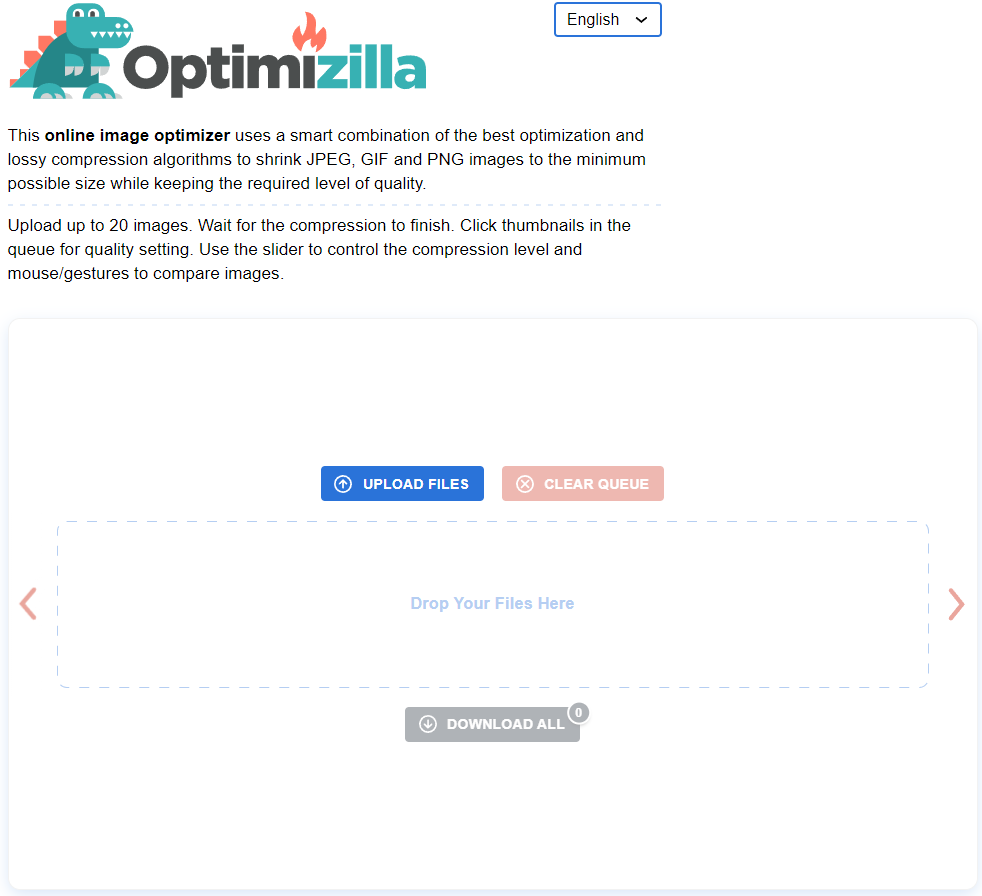
Image optimisation is critical for your WordPress website because it reduces the size of your media files. By optimising your images, you can significantly reduce the amount of server space and bandwidth they consume. Because images are required to keep your website from becoming boring and uninteresting, you should think about image optimisation to make the images smaller.
To improve user experience, you should increase the speed of your website by compressing image sizes without sacrificing image quality. Optimizilla is a great tool for doing so.
Minification is a technique for increasing the efficiency of the code on your website. To put it another way, it compresses and removes unnecessary material from your codes, allowing them to run faster. The code becomes easier to read as the number of characters in each code decreases, increasing the speed of your website.
To Minification your HTML, JavaScript, and CSS codes on WordPress websites, you must use plugins such as Autoptimize and WP Super Minify.
A content delivery network is required to deliver large files on your website. When it comes to sending information online, physical distance plays a role. As a result, regardless of geo barriers, you must use a content delivery network to create a faster speed and a better user experience.
Remove any plugins or themes that you don't normally use. They may require updates, and if you do not update them, your website may take longer to load. Furthermore, the more developed your WordPress website becomes the more files, images, and documents it contains.
Many of these files are no longer in use, so they continue to take up space and slow down your website, even if you have optimised your images. Furthermore, post revisions (the previous versions of your WordPress posts) can take up space, so it's a good idea to clean those up.
At Hosting Australia, we understand that everyone has a fast-paced lifestyle and its hard to keep on top of everything. If your WordPress website takes a long time to load, your website visitors will become frustrated and may leave. This is unfortunate, regardless of how valuable your content is. As a result, it is critical to address any potential issues that may slow down your website. The quick tips listed above can assist you in doing so quickly and easily.
When striving to improve a website's user experience, one of the most crucial aspects to consider is the user's time. How long does it take customers to complete their visit, access your site, and have the intended impact on your company?
Every component of your company should strive to provide the best possible experience for your customers. To make the correct impression on your users, you can improve the user experience in a variety of ways.
Improving your site's performance is one of the most critical aspects since it has a direct impact on how long users stay on your site and their overall satisfaction.
When it comes to optimising the user experience, increasing site performance is critical. The goal should be to provide the greatest possible user experience while keeping a high level of performance on your site.
This article will look at some of the reasons why site performance is important, as well as how to assess your site speed with GTmetrix.
One of the most important website metrics is site speed. Here are some of the primary reasons why it's so important to have a fast website:
We already know that the typical person's attention span is getting shorter and shorter day by day. To put this into perspective, most users will abandon your website if it takes more than two or three seconds to load.
Site speed is one of over 200 ranking variables used by Google to determine how to prioritise your content in the SERPs. Google favours you if your site loads quickly. If it doesn't, you'll have a hard time getting people to locate your website.
Let's pretend users are patiently waiting for your site to load. That was extremely thoughtful of them. However, if each page takes 100 years to load, it will be tough to keep them on your site. The better the user experience, the faster your page loads.
Let's talk about a tool that can assist you to check your site speed now that you know why it's important: GTmetrix.
GTmetrix is a site speed check tool that shows you how fast your website is loading.
This software allows you to test how your site loads on a desktop and on mobile devices of various types.
You may also see how your page loads from 65 different servers in 22 different countries. If you're getting traffic from a specific location and want to check sure your site is up to par, this is a great option to have.
The good news is that GTmetrix allows you to test basic page speed aspects for free. There are a few options for accomplishing this.
Go to gtmetrix.com and type your URL into the "test your site" box for a quick check.
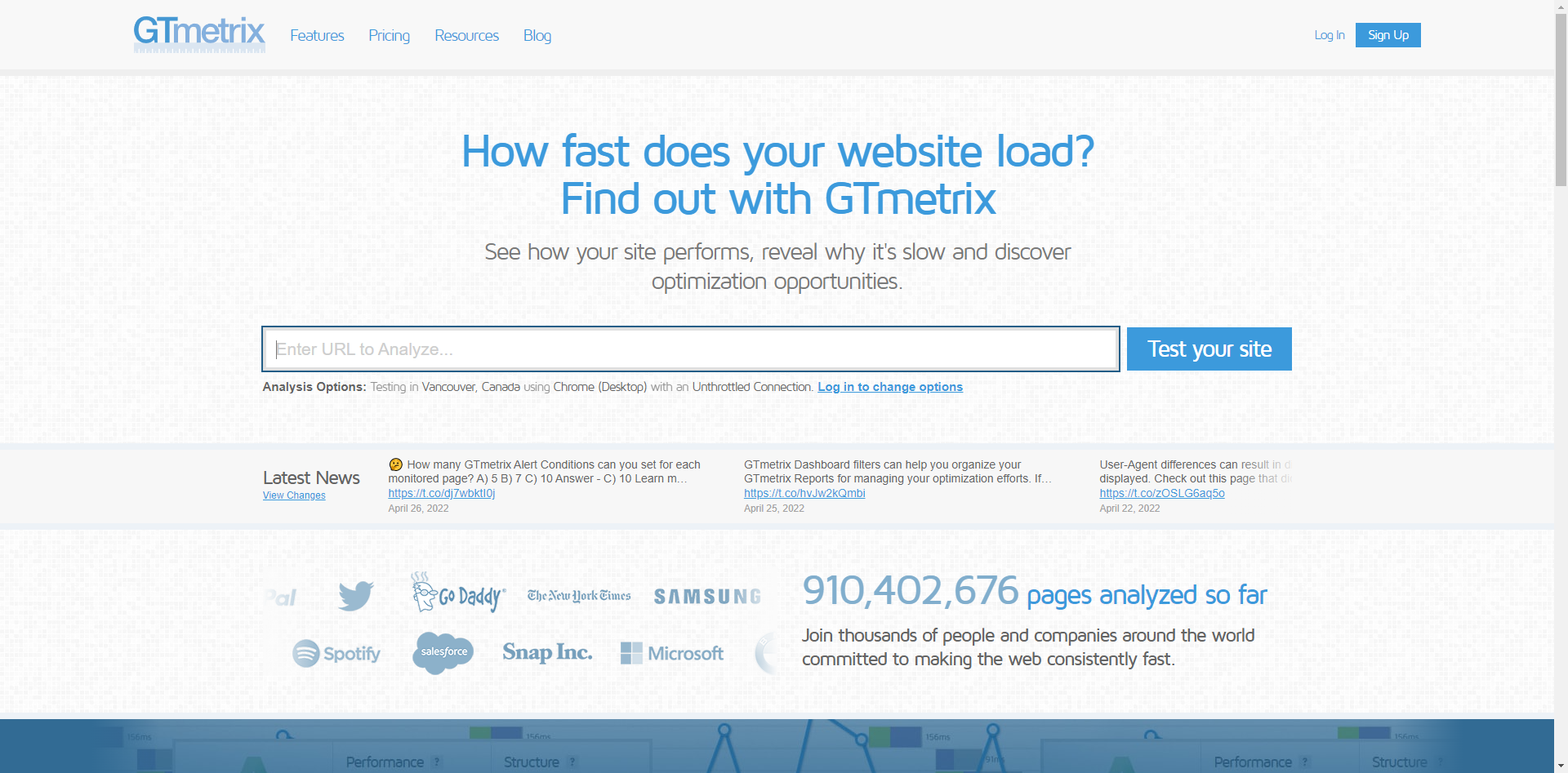
GTmetrix will do a brief examination and return your results after you click "test your site."
The default location for the free account is in Vancouver, Canada, and the default server is Google Chrome.
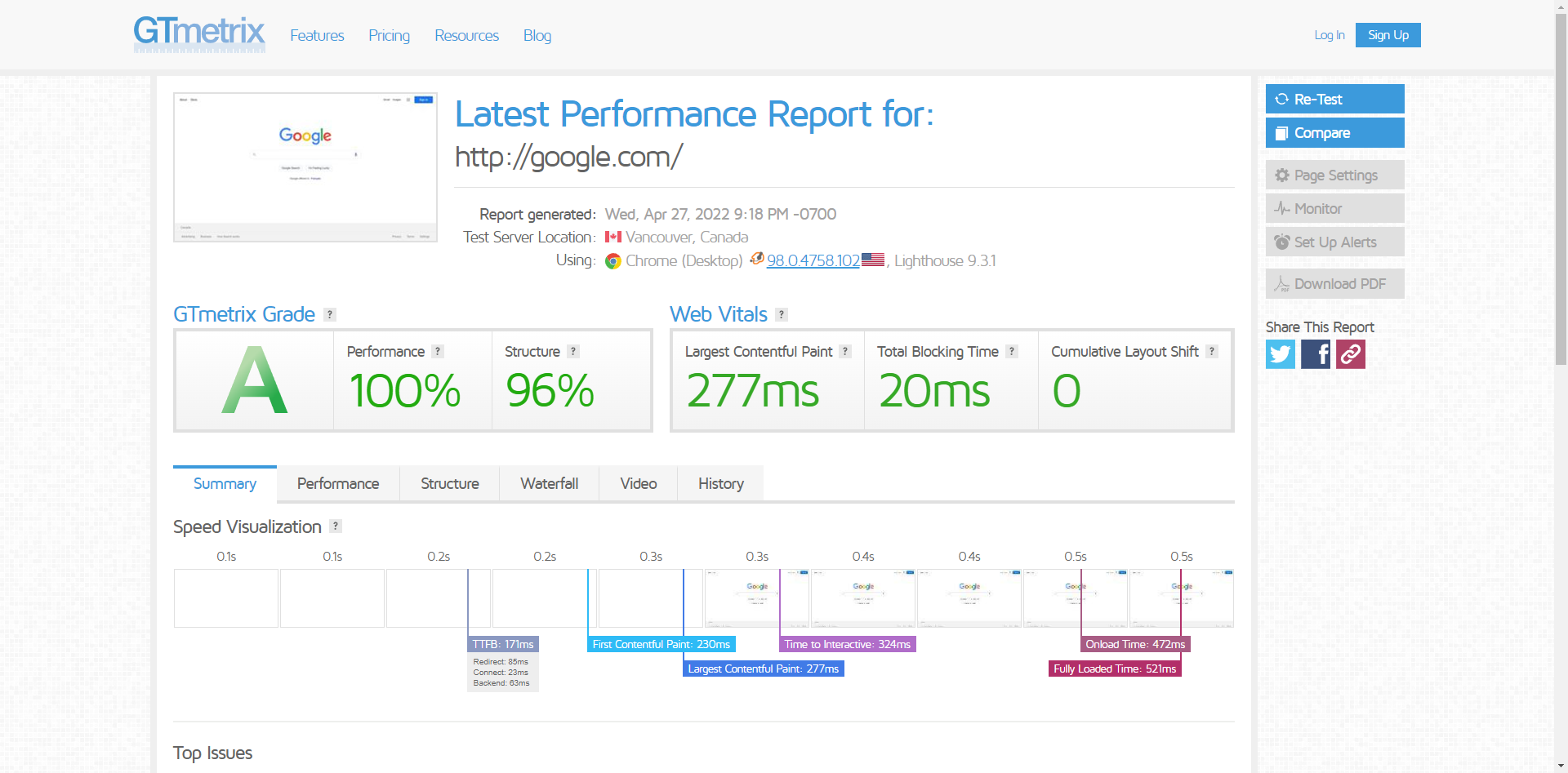
If you simply go to the main page and type in your URL, you will have access to these features.
You can get further access by signing up for a free account.
You'll have access to additional tools after logging in to your free account and running a page test, including:
Remember that you may only test one page per day with the free account.
To gain access to these extra features, go to the top right corner of the main page and click the "Sign up" box.
The procedure is the same once you've made your account. You enter your website's URL in the URL box, then select additional settings from the "Analysis Options" box before running your test.
When choosing your options, choose the place closest to you and "Broadband fast," as most people have high-speed internet.
After you've completed your test, you can explore all the different findings available to you on the free plan.
For most website owners, using the free tool is sufficient, but registering for a free account to gain access to the additional capabilities is worthwhile.
Have you ever thought about what it would be like to design a website without using cheat sheets? Most people don’t think about the complicated steps that go into designing a website. Websites are not just pretty pictures with the text on them. There is so much more than meets the eye. It isn’t until you start designing your own site that you see how much there is to know and understand about website design. You will be working on different elements, including navigation, fonts, colours, images, and more. This guide will help you learn what you need for your web design project so that it’s professional, clean, and user-friendly. This guide will also show you how to use cheat sheets to design an awesome website!
Before we get started, you might be wondering what a cheat sheet is. A cheat sheet is a simple, one-sheet reference that has the most important information from a larger document. In this case, it will be a one-page reference for web design.
This cheat sheet can be made of simple dot pots or website links just for a quick reference. This way you do not find yourself constantly on Google trying to find answers for all your questions or it can just simply have a list of the tasks that you require to do and the order of doing them.
There are many reasons why you might need a cheat sheet when designing your website. First of all, it will make your workflow more efficient. If you are working on multiple projects at the same time then having a cheat sheet will help you to manage your time efficiently. You can use one document that has all of the different elements for each project so that you don't have to flip back and forth between tabs. Secondly, using cheat sheets is a great way to save yourself from making mistakes. Picking the wrong font or colours could be costly in the future so it's best to know what choices are available before picking one. Lastly, cheat sheets are helpful for making sure everything is uniform throughout your website design. If you decide to change things up later on down the road, it can be difficult to update your design without messing up everything else in the process. But with a cheat sheet, you'll be able to make quick and easy changes with little effort.
The navigation is the first thing that you will want to design for your site. Navigation is what allows your visitors to browse through the site. It should be simple, easy to understand, and clean. You can use buttons or tabs for your navigation. Fonts are another important part of web design. They can help people connect with your website, so you want to make sure they are not too small or hard to read. You will also want to think about colours on your site because they can have an impact on how people feel about the website. Google’s Material Design https://material.io/design has guidelines that you can follow when choosing colours for your website design. When it comes to images, you always want them relevant and high quality because this is what will be drawing in new customers or readers of your site content. You should have graphics on every page of your site that are eye-catching and represent the business well.
Designing a website with cheat sheets is beneficial for both the designer and the project. Designers will be able to work more efficiently because they will have all of their information in one place. The site will also be easier for the user to navigate because there is less clutter on the page.
The benefits of using cheat sheets don’t stop there. Websites are expensive, so you want everything to be as professional as possible, which is why you should use cheat sheets. Not only does it help keep your design organized, but it also makes your site more professional. It saves you time and energy because you won’t have to go back and fix mistakes that could have been prevented with some organization beforehand. Cheat sheets can be used for any type of design project, not just web design.
Web design is a tricky thing. You have to think about things like content, audience, search engine optimization, and so much more. On top of that, it's tough to keep all of these things in mind without a cheat sheet. But with a cheat sheet in hand, you'll be able to create a website that's efficient and effective in reaching your audience and achieving your goals.
We understand the past couple of years has been tough for everyone. So, first, we want to wish you a happy new year from everyone at Hosting Australia and if you’re reading this, it means that you’ve created a website. Congratulations! It’s not easy to do something like this and we appreciate your efforts. You probably want to know what you can do to make sure your website is the best it can be in the year 2022 and beyond. The answer is simple: keep up with the times. There are many changes coming to the web in 2022 and it’s important to stay ahead of the curve if you want your site to succeed. In 5 years, digital transformations will have taken place across all aspects of our lives including how we design, interact with, and consume information online. These changes will affect everything from how we get information to how we buy things. Here are some tips on how you can get the most out of your site in 2022.
There are many changes happening in the world of technology. The web is constantly changing and it’s important to stay up to date on new developments if you want your site to remain relevant. Fortunately, there are a few ways you can do this!
This is something that should be done at any point in time but will become even more important in the coming years. You’ll need to make sure your website is easy to navigate, has fast loading times, and offers a reliable connection for visitors. Not only does this help people find what they’re looking for on your site quickly, but it also keeps them engaged with your content which will lead to more conversions.
It's not always easy to predict what projects will be successful in the future but there are some trends that have been emerging over the past few years that you should keep an eye on, so you know how best to create content for customers. For example, you may want to focus on high-quality images or videos since Google will now rank websites higher when they have these features. This is just one example of how changes are coming that will affect how we consume information online.
The first thing you want to think about is mobile optimization.
In 2022, the video will account for 70 percent of all consumer internet traffic. Imagine how many of those videos people want to watch on their phones! For your site to be successful, it must be optimized for small screens.
In order to optimize your site, you need to use a responsive web design that adjusts the layout of the site depending on what device is viewing it. You can also use a mobile-friendly CMS or a content management system that will simplify the process of building a website and making sure it's compatible with all screens and devices.
Luckily our hosting packages allow you to install the CMS WordPress with the one-click WordPress installer making having a mobile responsive site even easier.
The web is constantly evolving and it can be difficult to stay up-to-date on SEO methods. That's why it's important to remember that you're always in competition with other businesses vying for the attention of your desired audience. And if you want your website to rank higher than the competition, you need a solid SEO strategy.
Luckily, there are robust tools that will help you analyze online trends and develop a plan that will work for your business. One such tool is Google Analytics, which will help you track how people find your site. Based on this data, you can see what strategies work best and apply those lessons to improve your site. You'll also be able to determine what content resonates most with your audience, so you know what to focus on when creating new posts or content.
Continually investing in SEO will ensure that you maintain a competitive advantage over the competition and generate more leads for your business. So don't forget: invest in SEO now and reap the benefits later!
User experience design will be more important than ever in the next few years. It’s not enough to make a site that looks nice, you need to think about how visitors use your website. Keep your visitors in mind when designing your website and remember that there is no such thing as a one size fits all approach.
It’s not just how the site looks, but how it feels and what people can do on it. There are many different types of interfaces and users will have different preferences for which one they like best. A good user experience designer knows this and can create an interface that works for all types of users.
As technology changes, so do the way we interact with websites. This means that designers need to stay up-to-date with trends in web development and coding languages in order to provide the best user experience possible for their visitors.
What will the internet look like in the next 5 years?
It’s hard to say. But if you want to stay ahead of the curve, it’s worth thinking about what’s out there, what’s coming up, and how to stay one step ahead. Don’t fall behind in the race for web dominance—keep up with your competitors, find your niche, and stay flexible for what comes next. The internet is always changing, so you should too.
The internet is a big place with billions and billions of web pages and databases. As the only public forum on the web, it's important that we all understand how to use and create databases.
Database management systems help you organize and analyze huge amounts of data. They're what powers search engines, email services, social media platforms, and so much more. If you want to be an informed web user today, you need to know how to use them as well! Read on for some quick facts on databases and why they matter.
Databases are how you organize and manage data. The power many of the internet's most popular services, from Google to Facebook to 2025.hosting-australia.com/. But databases aren't just important on the web: They can even help you at home.
Let's say you want to track the history of customer entries i.e.: Products, orders, and countries, but don't have a whole lot of time on your hands. You could use a database to do it for you! Database software is powerful enough to handle all sorts of projects.
If you want more information about databases, keep reading! We'll cover what they are, how they work, and some best practices for using them below.
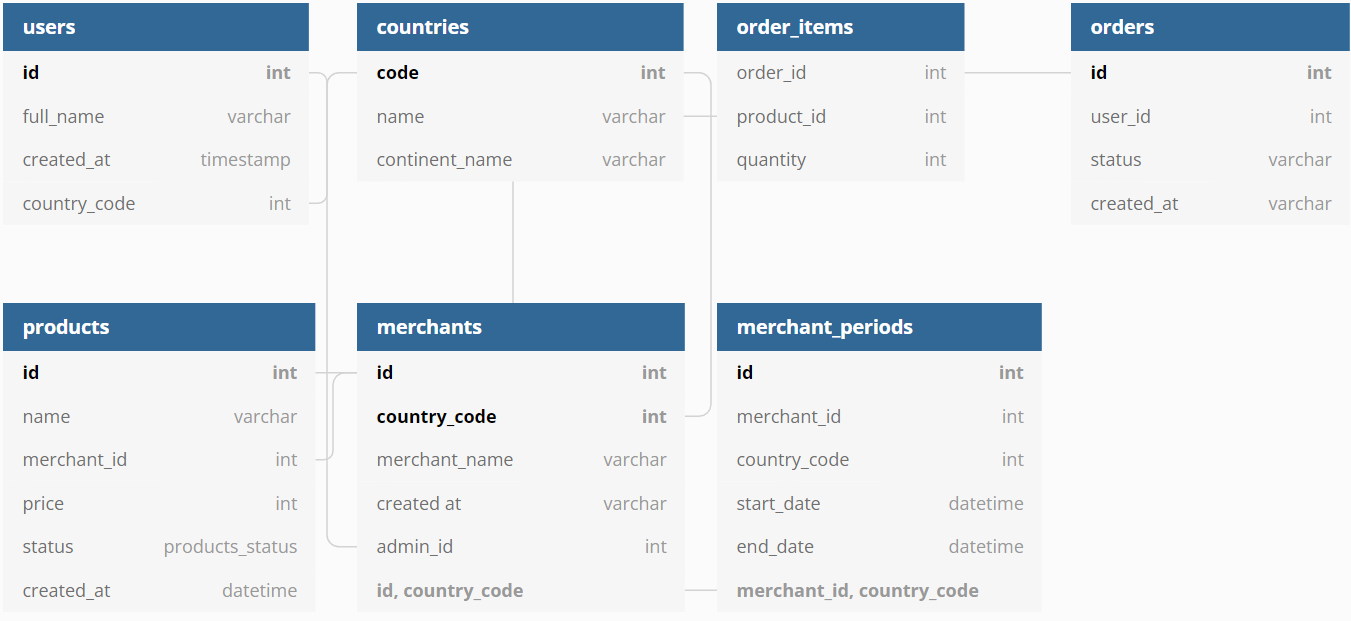
A database is a collection of data organized in an accessible way. They can be either structured or unstructured, but the goal of database management systems is to make the data easier to find and analyze.
This means that databases are organized information (ordered by categories, like articles or books) that can be searched for specific details. For example, if you want to find out how many people were born in your state this year, you could search for it on a database.
Databases can also be used to track information over time. They're what powers many popular websites, like Instagram or Google Maps - they record where you go and what you do so it's easy for them to show relevant ads to you when you log in again.
Database management systems were invented in the 1970s to help with computer storage and retrieval. They're a lot like a filing cabinet: they store information in a very organized way, with a specific table of contents.
Databases are also different from web servers, which store lots of content on the internet. Web servers make it possible for us to visit websites and use software without downloading all the data. Databases limit themselves to storing information from one area of the web, usually in an online form with a name and keyword indexing system. These databases can also be accessed by other programs through an API (Application Programming Interface). This is where programming languages such as SQL and PHP, previously mentioned in my other posts are used to communicate with the website pages to the database.
Database management systems are an essential tool for web users today. Not only do they power many of the most popular sites based on how much data is being stored, but they also make it possible for us to access and store information in a way that's easily accessed.
If you want your business to succeed in the 21st century, you need a good database system in place. You won't find success with a digital marketing strategy without them!
SQL is a programming language that lets you extract and manipulate data from a database. It's one of the oldest programming languages, but it's still widely used today. It has many uses. You can use it to create tables, run queries, define relationships between tables, and organize data in your database. In this article, we'll explore what it is and how it works. We'll also see some examples of SQL code so you can get familiar with the language. Keep reading to learn more about this important topic for website owners!
SQL stands for Structured Query Language. It's a programming language that's been used since the 1970s and is still widely used today. It has many uses, from creating tables to running queries to organizing data in your database. In this article, we'll explore how it works and some examples of SQL code!
The programming language designed to extract data from a database. The language is composed of four basic operations: SELECT, INSERT, UPDATE, and DELETE.
SELECT lets you pull data from the database. For example, you could use a SELECT operation to get a list of all clients at a company.
INSERT lets you add new data to the database.
UPDATE allows you to change the values in an existing row in the database. This can be useful if, for example, you need to update someone's phone number or email address on record with your business.
DELETE lets you remove rows from your database table entirely. You can think of it as "erasing" information from your table.




SQL is an important language for web developers because it lets them interact with databases.
It's also important for website owners to know about SQL for two reasons: You can use it to get information from your database and you can use it to create tables and organize data in your database.
Without the use of SQL, you would not be able to utilize websites how you do day today.
SQL is a crucial, structured, and object-oriented programming language. It is used by developers who need to manipulate data for websites. Developers use it to create tables, run queries, define relationships between tables, and organize data in your database.
A programmer that specializes in SQL is called a "DBA" or "database administrator." The DBA is responsible for all the actions related to building and managing databases. The DBA is also responsible for the security of your information.
You'll also often see SQL features in other languages like Python or PHP which I have spoken about previously in another blog article.
SQL is one of the most important skills for anyone in web development. There are many different ways to use SQL, and this article has given you some examples to get you started.
In summary, you can use SQL to extract data from your database, manipulate it in various ways, and use it again in reports or other analyses. SQL is an essential tool for anyone working in website design or development and the majority of websites would not be possible without the use of SQL.
HTML is the language of the internet. It’s what gives your website its structure and content, and it’s the thing that makes your connection to the internet possible. So, if you want to be an entrepreneur or just know how to use a smartphone, learning HTML is essential.
HTML was created in 1990 as a way for programmers to create web pages easily. It was originally designed as a markup language, which means that it uses tags and codes to tell the browser how to display text and images on different screens. These days, we also use HTML for CSS (or Cascading Style Sheets) and JavaScript programming languages--just like we do with any other website. Here are some basics about HTML:
HTML stands for Hypertext Markup Language and it’s the language of the internet. It’s what gives your website its structure and content, and it’s the thing that makes your connection to the internet possible.
HTML was created in 1990 as a way for programmers to create web pages easily. It was originally designed as a markup language, which means that it uses tags and codes to tell the browser how to display text and images on different screens. These days, we also use HTML for CSS (or Cascading Style Sheets) and JavaScript programming languages--just like we do with any other website.
HTML is a markup language and is used to define the content and structure of a web page. HTML is used to define content like:
HTML has tags that define data about the page like:
HTML is used for providing data about the page to the browser, so that it knows how to display text
In basic terms, HTML is what you use to create a web page. When you visit a website, you’re seeing a page made up of HTML. The HTML tells the browser how to display text and pictures, which is what you see when you visit a website.
The code for a web page is called a document or a document type. It includes tags with text between them. For example:
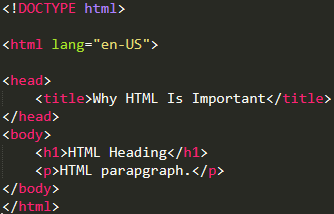
In this code, the '<!DOCTYPE html>' tags tell the browser that the website is in HTML, then the '<html lang="en-US">' tags tell the browser that the content will be in English, and the '<head></head>' tags tell the browser to start creating the head of the document. It also contains tags for other information like links, scripts, and stylesheets.
The '<body></body>' tags tell the browser to start creating the body of the document. The last tags are '</html>', which means that the document has ended. The browser then reads this document.
If you want to have a website, or if you just want to know how to use your phone, HTML is essential. In the simplest terms, HTML is the language of the internet. It’s what gives your website its structure and content. HTML was created in 1990 as a way for programmers to create web pages easily. It was originally designed as a markup language, which means that it uses tags and codes to tell the browser how to display text and images on different screens.
HTML is more than just a way for programmers to create web pages easily; it’s the thing that makes your connection to the internet possible.
This article isn’t meant to teach you all the ins and outs of HTML; instead, its aim is to give you some basics about what it is and why it’s important for your website.
In summary, HTML is a computer language that is used to create websites and other web pages. It's the language of the internet and with a little practice, if you are wanting to learn a Web language, HTML should be your first steppingstone.



