
Phishing, even though its spelled differently they are still trying to have the same effect. A fisherman will cast out their line not to target anything specifically, but just to hopefully get an unsuspecting victim. It might sound a bit bleak, but this is exactly what these hackers are attempting to do. They create emails using popular websites and services then legitimize these emails as much as possible for the unsuspecting eye. Hoping that they can get someone to click on a link that gives them access to private information.

Scammers use emails to trick you into giving them your personal information. They use these emails to try to steal your passwords, account numbers, if its any kind of sensitive information, they will try to take it. Unsuspecting victims can lose everything just by clicking on what they think is a legitimate and harmless link. Scammers launch thousands of phishing attacks like these every day. Just like a regular fisherman after casting out so multiple times, they will end up catching something no matter how big or small. Australians lost over $634 million to scams in 2019, according to the latest figures in the ACCC’s Targeting Scams report released 22/06/2020
No legitimate organization will send emails from an address that ends with - @gmail.com @yahoo.com @hotmail.com. even the actual companies that created these email addresses will not send from these emails. Therefore, it is important for a user to have their own business email to legitimize their own business. You can learn more about it in our previous blog article HERE.
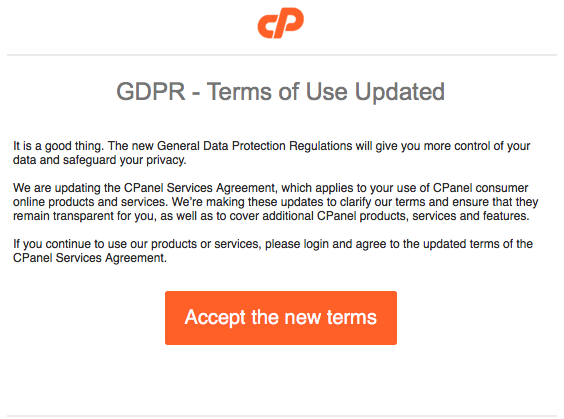
For example, your inbox displays a name, like “cPanel Administration”, in the subject line. When you open the email, you already know who the message is from and jump straight into the content. When the scammers create the phishing email addresses, they often have the choice to select the display name, which does not have to relate to the email address at all.
This is just one small step they can take to create emails that look like they are from legitimate sources. Apart from creating fake email addresses they also mimic other emails sent from companies by doing the following:
Another tip you can use to workout if you have received a phishing email. Simply mouse over the link found in the email, a pop up will appear with the linking address. Usually these links will take you to a random link such as “cslsdfbpaymentlsjd.com/askdfmcs” which is a dead give away that it is not from a legitimate source.
First of all you should cancel any cards or accounts with the information you had supplied via the email. Report scams to the ACCC via the Scamwatch report a scam page. Your report helps to warn people about current scams, monitor trends and disrupts scams where possible.
You are also able to contact IDCare on 1800 595 160 or via www.idcare.org for support if you believe your personal information has been put at risk.
Notify 2025.hosting-australia.com/, as soon as we are notified the support staff will take measures to secure your account with us.
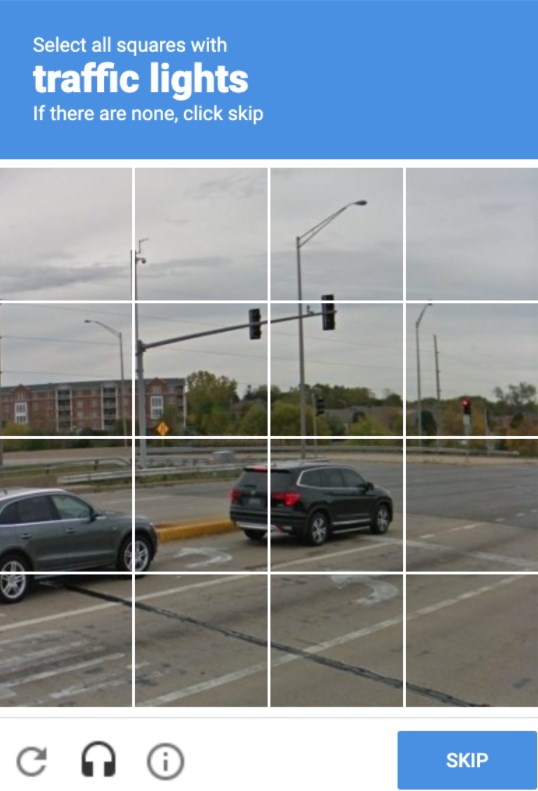
We have all come across them before, and will they annoyed you from time to time, trying to type in the displayed letters and number or finding that third photo of a fire hydrant that looks like a street sign. But, as annoying as these may be! They are there for a reason. These annoying but very important security checks are called a reCAPTCHA test. These are a necessary evil as they are a security system designed to tell humans and computers apart by making the user solve or insert a short series of letters in a box.
You may be unsure whether you require to have one installed on your website. But, no matter how big or small your site is, It is important to have these reCAPTCHA’s on your form early on to prevent any future security risks.
reCAPTCHA is a free service provided by Google that protects your site from malicious attacks and stops your forms from sending spam emails or making transactions via your store with fraudulent details. Without the installation of the one, your client may start receiving a large number of spam emails with inappropriate subjects. This will also cause issues with the bandwidth of your hosting as the increase of bandwidth may take you over your quota and shut down your site. If you do run into this issue, please contact support. reCAPTCHA will stop this issue as the bots installed by hackers on your form pages are unable to complete the form due to the puzzles created. which is why it is the tried-and-true way to stop this problem.
As time goes on hackers work out ways to bypass google's security. Luckily, Google Developers are always on top of updating the reCAPTCHA version to prevent any issues. Different versions allow you to choose which kind of security puzzle is required to be complete.
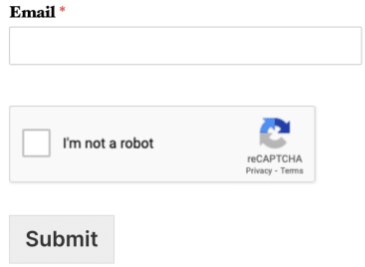
When Invisible reCAPTCHA is used, the user will not see any extra field within your form (no checkbox). A small badge is added to the lower right corner of the screen that links to Google’s terms of service and privacy policy.
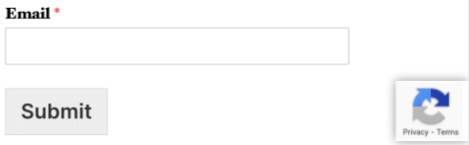
Much like Invisible reCAPTCHA, in v3 reCAPTCHA the user will only see a small badge in the lower right corner of the screen that links to Google’s terms of service and privacy policy. However, v3 reCAPTCHA will never display a captcha like the image question shown above. Instead, it runs completely in the background.
Hopefully, this article has piqued your interest and help educate explain how the it is a must.
There are many ways to help protect your website and data with the inclusion of a wide range of plugins and preventative measures. If you missed our latest article on the top 5 WordPress plugins you can check it out here!
One of these ways is by the use of words Modsec or ModSecurity, so what exactly is ModSecurity and how can it benefit your everyday life to help keep your website safe.
ModSecurity also commonly known as mod_security or modsec is an open-source web application firewall which is an Apache module.
Let us find out what exactly a web application firewall is.
Web Application Firewall is a specific form of application firewall that filters, monitors, and blocks HTTP traffic to and from a web service. By inspecting HTTP traffic, it can prevent attacks exploiting a web application’s know vulnerabilities.
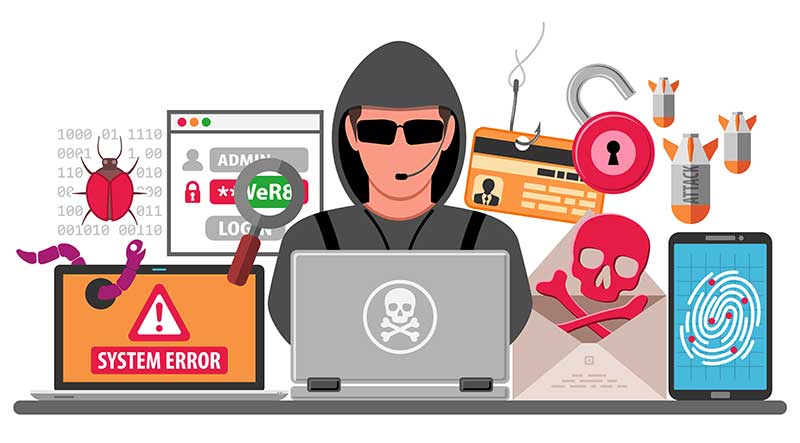
After everything that has happened in 2020, its time to leave it in the past. Make 2021 the year for your website/business to rise above the rest, but increasing your website web traffic also allows unwanted attention.
So it is important to make sure you have the best security in place for your WordPress.
WordPress has prebuilt security features to help protect your website, but you want to always make sure you take that security even further, you will want to utilize a security plugin. This gives you access to additional features that WordPress does not provide, including:
You can get by without having these plugins installed, but you would not want to risk your business’ building, so why you would not want to risk your business’ website. Its as easy as a one-click install, to improve your security. Here at 2025.hosting-australia.com/, we have found the top 5 WordPress security plugins to protect your website against unwanted attacks.

Wordfence includes an endpoint firewall and malware scanner that is built from the ground up to protect WordPress. Their Threat Defense Feed arms Wordfence with the newest firewall rules, malware signatures and malicious IP addresses it needs to keep your website safe. Rounded out by 2FA and a suite of additional features, Wordfence is the most comprehensive WordPress security.
Download the free version or install the Pro
All in One WordPress Security plugin is designed and written by experts and is easy to use and understand. It is built to reduce security risks by checking for vulnerabilities, by implementing and enforcing the latest recommended WordPress security practices and techniques. All in One WordPress Security also uses an unprecedented security points grading system to measure how well you are protecting your site based on the security features you have activated.
Download the free version
The Sucuri Security WordPress plugin is free to all WordPress users. It is a security suite meant to complement your existing security posture. It offers its users a set of security features for their website.
Download the free version or install the Pro version.

SecuPress is a GDPR-compliant plugin that protects your WordPress site with malware scans, firewalls, and security alerts. Its intuitive interface makes it incredibly easy to set up.
SecuPress features include:
Download the free version or install the Pro version.
iThemes Security gives you over 30+ ways to secure and protect your WordPress site. iTheme Security will help repair common WordPress vulnerabilities, stop automated attacks, and strengthen user credentials. With all great WordPress plugins, there is also a Pro Version, which includes access to two-factor authentication, malware scan scheduling, and password expiration. WordPress Brute Force Protection.
Download the free version or install the Pro version.
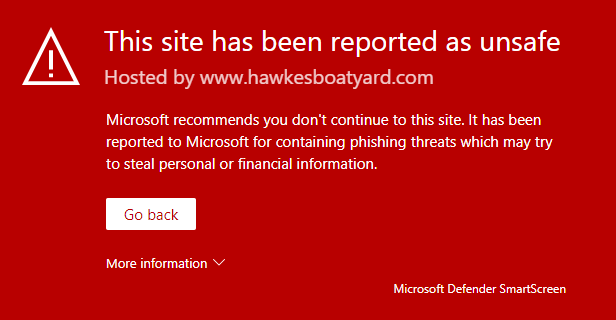
Everyone has heard the dreaded word, hacked. No matter how big or small your website is, it is always at risk of being targeted by hackers. There are many reasons as to why a hacker might target your site. Stealing Sensitive Information and Intellectual Property, holding a site hostage for a price and just for practice or bragging rights.
Common ways to tell if your site has been hacked, being alerted by google or a warning when you go to the site’s domain, unusual email spam. If your site runs into any of these problems, you need to act fast!
There is no excuse not to have antivirus on your devices anymore. With so many great, free antivirus programs such as AVG, Malwarebytes, Avast, Kaspersky so you no longer need to pay a premium for protecting your device.
Using a Firewall is another added protection on top of your antivirus to help prevent malware attacks on your devices.
Update passwords
Update all passwords directly connected to your website, as the hacker maybe be using it to have access to your site. If you need help changing passwords on your hosting services. Send a ticket via our site or call (07) 4914 2433.
Make sure your SSL Certificate is up to date for when your website is back online, leaving this invalid is another way for hackers to access your site.
Not updating your site leaves your site vulnerable to an attack, if you are unable to update it yourself. You need to contact your developer, ask them if they are able to update code, update plugins for your website to increase security.
Hackers use code found in .htaccess to edit your site, tricking users into giving them their private information or access to their devices. It is necessary to find this code and remove it.
Use a backup from a previous version before the attack.
It is important to get in contact with users of your website informing them the site has been compromised, they may need to update their details and not to trust certain emails.
After you have gone through all the steps in restoring and increased your website security, you may have one final steps. That is contacting google. Google will need to review your website before allowing it to be searchable again. There are a few steps you need to go through so the request will be successful, you can find it here.
Our support team is waiting to assist you with any questions you have in increasing your site security or in helping to restore your site from an attack. Send a ticket via our site or call (07) 4914 2433.
[et_pb_section fb_built="1" _builder_version="4.6.3" _module_preset="default" hover_enabled="0" sticky_enabled="0" custom_padding="||3px|||"][et_pb_row _builder_version="4.6.3" _module_preset="default"][et_pb_column _builder_version="4.6.3" _module_preset="default" type="4_4"][et_pb_text _builder_version="4.6.3" _module_preset="default" hover_enabled="0" sticky_enabled="0"]
You may have heard the term DDoS, either via the media or maybe in relation to your own website or hosting services. It stands for Distributed Denial of Service. In short, it’s a method used by hackers to disrupt and/or take down online services, such as websites, gaming platforms or apps. At its best - it’s extremely frustrating. At its worst, its crippling and destructive.
[/et_pb_text][et_pb_image src="http://hosting-australia.com/wp-content/uploads/2020/10/ddos-attack-explained.jpg" _builder_version="4.6.3" _module_preset="default" title_text="ddos-attack-explained" hover_enabled="0" sticky_enabled="0"][/et_pb_image][et_pb_text _builder_version="4.6.3" _module_preset="default" text_orientation="right" text_text_color="#d6d6d6" link_text_color="#d6d6d6" text_font_size="11px" hover_enabled="0" sticky_enabled="0"]
Image Courtesy networkworld.com
[/et_pb_text][/et_pb_column][/et_pb_row][et_pb_row _builder_version="4.6.3" _module_preset="default" custom_padding="||3px|||"][et_pb_column _builder_version="4.6.3" _module_preset="default" type="4_4"][et_pb_text _builder_version="4.6.3" _module_preset="default" hover_enabled="0" sticky_enabled="0"]
DDoS attacks begin with the hacker - either an individual or a group - hijacking or taking over a computer system, generally a server but DDoS attacks can also originate from a Desktop device or in some cases, hackers will purchase genuine services from hosting providers using stolen credit cards and then use this service as part of the attack.
The devices, whether a compromised PC, server or a fraudulently purchased hosting service, are then directed by the hacker in charge to target or attack a specific IP address or website and send enormous volumes of spammy traffic. The target is then completely overwhelmed and shuts down under the wilting volume of traffic.
A good way to think of a DDoS in a real-world scenario is to imagine your local Fish and Chip Shop on a Saturday night - generally one of the busier nights for most operations.
On one particular night, our "hacker" begins calling the store, using various mobile phones or landline numbers, and placing orders. $10 of chips, 2 pieces of flake, 8 potato cakes etc. At first, the shop handles the orders and continues to operate - albeit with a bit of a spike in orders - after all, the single hacker may have multiple phones but he can still only make 1 call at a time. (This is actually referred to as DoS - as opposed to DDoS)
BUT - the hacker now enlists 20 of his nearest and dearest hacker mates to start hammering the same store - eventually, the store simply has too many orders and will stop taking any more and perhaps even turn off their phone. In this case, as the attack is coming from various locations - or Distributed, the correct name is DDoS rather the just DoS.
[/et_pb_text][/et_pb_column][/et_pb_row][et_pb_row _builder_version="4.6.3" _module_preset="default"][et_pb_column _builder_version="4.6.3" _module_preset="default" type="4_4"][et_pb_text _builder_version="4.6.3" _module_preset="default" hover_enabled="0" sticky_enabled="0"]
[/et_pb_text][et_pb_counters _builder_version="4.6.3" _module_preset="default" hover_enabled="0" sticky_enabled="0" bar_bg_color="#f28e35" use_percentages="off" title_font_size="18px" title_text_color="#096ead"][et_pb_counter percent="50" _builder_version="4.6.3" _module_preset="default" background_enable_color_default="on" parallax_default="off" parallax_method_default="on" bar_background_color_default="#f28e35" use_percentages="off" allow_player_pause_default="off" hover_enabled="0" sticky_enabled="0"]
2018 (7.9 Million)
[/et_pb_counter][et_pb_counter percent="61" _builder_version="4.6.3" _module_preset="default" background_enable_color_default="on" parallax_default="off" parallax_method_default="on" bar_background_color_default="#f28e35" use_percentages="off" allow_player_pause_default="off" hover_enabled="0" sticky_enabled="0"]
2019 (9.5 Million)
[/et_pb_counter][et_pb_counter percent="70" _builder_version="4.6.3" _module_preset="default" background_enable_color_default="on" parallax_default="off" parallax_method_default="on" bar_background_color_default="#f28e35" use_percentages="off" allow_player_pause_default="off" hover_enabled="0" sticky_enabled="0"]
2020 (10.8 Million)
[/et_pb_counter][et_pb_counter percent="79" _builder_version="4.6.3" _module_preset="default" background_enable_color_default="on" parallax_default="off" parallax_method_default="on" bar_background_color_default="#f28e35" use_percentages="off" allow_player_pause_default="off" hover_enabled="0" sticky_enabled="0"]
2021 (12.1 Million - predicted)
[/et_pb_counter][et_pb_counter percent="90" _builder_version="4.6.3" _module_preset="default" background_enable_color_default="on" parallax_default="off" parallax_method_default="on" bar_background_color_default="#f28e35" use_percentages="off" allow_player_pause_default="off" hover_enabled="0" sticky_enabled="0"]
2022 (13.9 Million - predicted)
[/et_pb_counter][et_pb_counter percent="100" _builder_version="4.6.3" _module_preset="default" background_enable_color_default="on" parallax_default="off" parallax_method_default="on" bar_background_color_default="#f28e35" use_percentages="off" allow_player_pause_default="off" hover_enabled="0" sticky_enabled="0"]
2023 (15.4 Million - predicted)
[/et_pb_counter][/et_pb_counters][et_pb_text _builder_version="4.6.3" _module_preset="default" text_text_color="#d6d6d6" text_font_size="12px" text_orientation="right" hover_enabled="0" sticky_enabled="0" custom_margin="||-24px|||"]
Source: Cisco Systems.
[/et_pb_text][/et_pb_column][/et_pb_row][et_pb_row _builder_version="4.6.3" _module_preset="default" custom_padding="||3px|||"][et_pb_column _builder_version="4.6.3" _module_preset="default" type="4_4"][et_pb_text _builder_version="4.6.3" _module_preset="default" hover_enabled="0" sticky_enabled="0"]
This is where DDoS can be damaging, not only has the Fish and Chip shop wasted resources dealing with the 'dodgy' orders, but they have eventually stopped taking orders from legitimate customers - so the effect is twofold.
DDoS on your website or email is similar - the hackers goal is stop the site functioning the way it should and damaging the sites traffic and reputation - an offline site is not a good look.
Whilst DDoS are hard to prevent, they can be mitigated. It has happened to the biggest and the best - Sony, Facebook, Australian Government to name a few. A reliable web hosting provider should have precautions in place, such as Firewall algorithms.
A DoS attack is much simpler to stop, as it's generally a single location – so in our Fish and Chip shop example, the store would eventually recognise the callers voice and stop accepting orders – or a hosting server would simply block the IP address.
A DDoS is much trickier – again in the Fish and Chip shop example, the orders or ‘attacks’ are coming from different numbers, with different voices. How can the store decide who is legitimate and who is not? Same for a server – how can it tell which traffic needs to be blocked and which is legitimate?
This is where the Firewall algorithms – such as those used by Hosting Australia’s Hosting Servers - come in. This basically means the Firewall system will look for patterns that indicate a DDoS attack and apply automatic blocking. (Our poor Fish and Chip shop is unfortunately on its own now!)
Hosting Australia constantly maintains Firewall configs, to ensure we minimise the impact of DDoS attacks on our clients - in most cases, you may not even notice an attack has occurred. We also subscribe to a number of providers that provide lists of known DDoS points of origin, which we block before they are even directed at Hosting Australia’s server. Whilst no server is ever fully protected from a DDoS – a best practice scenario will ensure your impact is minimised.
If your current host doesn’t provide you with this piece of mind, give our Australian Based Customer support team a call on (07) 4914 2433 and we can discuss your options for migrating to a reliable host.
[/et_pb_text][/et_pb_column][/et_pb_row][/et_pb_section]

Imagine if you had that same problem, but it was something much more important, for example, the website for your business. You wake up more morning and your website ceases to exist. Your customers cannot find your website. You would have to put a hold on your business while you get in touch with your hosting or designer to create your website from the ground up again.Therefore, you should always backup your website just like backing up that important document.
It is imperative to back up your site files at a second location to keep your content safe. Still not convinced? Here are four compelling arguments for why you should always back up your site files:
You might think your hosting service is safeguarding your site from hackers and other potential threats. While we do regular backups at 2025.hosting-australia.com/, it is important that you personally take a backup of your website, it’s better to be safe than sorry when it comes to your business.

You might have built your website on your own computer and feel it is protected. However, as time goes on that version becomes dated. If you have added in more information, refreshing content, optimizing your websites plugins or for search engines. That initial version of the website will progressively further removed from the live site your customers are viewing every day. It is important to take backups regularly, so there is less work when something does go wrong.
The statistics on hacking are remarkable, even startling. The National Cyber Security Alliance found that 20 percent of small businesses are compromised annually. Amazingly, three out of five organizations that get targeted are bankrupt within six months.
If you have a website no matter how big or small, there is always a possibility it will be targeted by hackers. You have enough concerns just dealing with passwords and trying to prevent intruders from invading again. Routine or daily backups allow you to recover lost, hacked, corrupted files or databases much more smoothly.
Backup recovery plans are critical so that any website can maintain business continuity and achieve efficient, stress-free disaster recovery. It’s simple if you keep on top of your back-ups by making sure it is always updated and something to fall back on. It will give you peace of mind knowing you will have something to fall back on “if” something does ever go wrong, instead of wondering what you would do it if did.
So, don’t fall into that fatal mistake of thinking everything is safe and saved once you are finished with your work or website Make sure your website is backed up, once you get into the routine it will save a lot of headaches in the future.
 The best way you can think about your email inbox is just like your physical mailbox at home.
One day you are getting your letters addressed to you, the next you are getting endless unwanted catalogues for products you are not interested in.
Emails are the same, but it is a lot easier for people to find out your address then your postal address. This can be dangerous if you let it get out of hand or you put your email into sites without SSL( If you are unsure about SSL, please read our other article for help http://hosting-australia.com/2020/09/29/what-is-an-ssl-do-you-need-it/ )
Spammers are constantly combing through the internet looking for new emails to spam, if they have more emails, they have a high chance to get a hit from an unsuspecting victim.
Data Breach - Major companies can be the victims of data breaches; hackers attack these websites allowing them to have access to legitimate email addresses.
Signing up to a website - When you sign up to a website, it will usually ask you for your email address, followed by a tick a privacy policy box. A lot of websites will warn you, that your data will be sold to a third-party company or some information will not be kept private.
Buying lists - These come directly from the Data Breach and the signing up to a website, Spammers can purchase lists legally and illegally from companies.
Businesses putting their emails addresses on their websites - You need to put your email address on your business’s website, it is the easiest way for people to contact you from your site.
Guessing Emails - Spammer use tools to generate common usernames and pair them with common domains.
Viruses / Malware - Viewing websites your computers maybe be breached by a certain virus that read your computer and store your data including email addresses.
Contact us! Hosting Australia offers SPAMprotect. SPAMProtect helps strengthen incoming and outgoing email protection. The SPAMProtect package options include inbound and outbound email filtering and archiving solutions. Powered by a cutting edge continuously updated Intelligent Protection & Filtering Engine to ensure your emails are protected from threats at all time, no matter how often new attacks emerge. Visit http://hosting-australia.com/spam-protection/ for more details.
Install Antivirus - There are loads of free antivirus software on the internet, there are no excuses not to have an antivirus installed on your computer. Regular scans on your computer will make sure, there are no threats on your device.
Here is a list of top 5 free antiviruses.
Install ReCAPTCHA on your website - These are used to stop hackers from using “bots” other malicious software to attack your website's emails. This helps protect websites from spam and abuse. It is easy for humans to solve, but hard for “bots” and other malicious software to figure out.
What now?
Unfortunately, there will always be emails spam, just like there will always be physical junk mail. But you can use this information to prevent spam on your email.
 , instead of
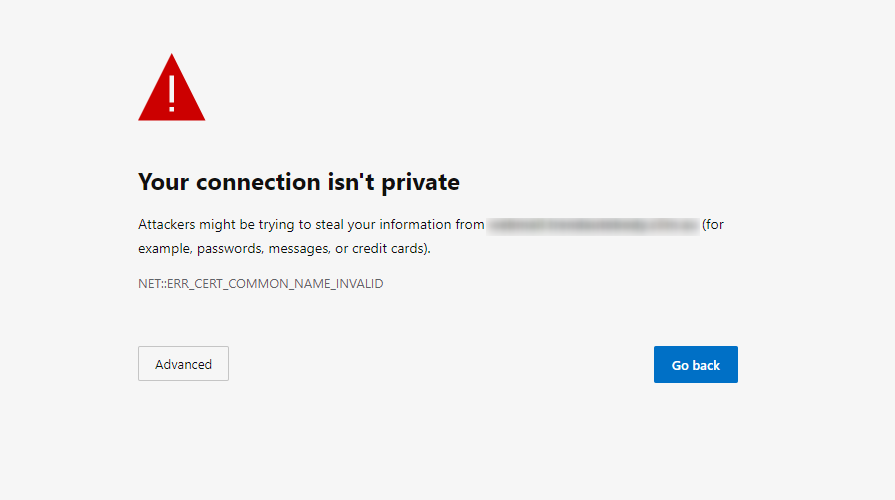
It's ok if you haven’t noticed before but it is something you want to start noticing, you always want to see https:// when visiting any site you trust with your essential information, e.g. banking, Store checkouts. This could be the difference between your valuable data being stolen or your account being compromised.
SSL stands for Secure Sockets Layer, it is the standard technology for keeping an internet connection secure and safeguarding any sensitive data. that is being sent between two systems making sure that data passed between the two are private. This is done using an encrypted link that connects the server and browser. Best way to think of it is the crime safe of the internet, keeping criminals, hackers from reading and modifying any information exchanged a website, including potential personal details.
You will need to determine what kind of SSL certificate you require for your website. Hosting-Australia offers a wide array of SSL certificates. You can find out which certificate best suits you and your website by visiting www.hosting-australia.com/ssl-certificates. After making the decision you can easily order the correct SSL and the support team will install it for you.
The main purpose of SSL is securing information between the visitor and a website. The SSL is a part of Google’s searching ranking algorithm when your website is being searched for its results, so it also benefits with SEO (Search Engine Optimization) if you are wanting to attract new customers to your website.
For example, if there are two websites with similar content but one has SSL enabled. Google will pick up the site with the SSL with their algorithm and rank it higher in search results. With this being said there is clearly a benefit to having SSL enabled on your website as it drives more traffic to your website.
So, now you are wondering do I need an SSL? Long story short is yes, it is an incredibly smart idea and necessary to have an SSL installed on your website when dealing with valuable information. this is a small price to pay for keeping all your data safe.
[et_pb_section fb_built="1" _builder_version="3.22"][et_pb_row _builder_version="3.25" background_size="initial" background_position="top_left" background_repeat="repeat"][et_pb_column type="4_4" _builder_version="3.25" custom_padding="|||" custom_padding__hover="|||"][et_pb_text _builder_version="4.3.4" background_size="initial" background_position="top_left" background_repeat="repeat" hover_enabled="0"]You may hear these terms thrown around a little bit but what do they actually mean?
Let’s start with email spam, by definition spam means to send unsolicited messages in bulk via email or other means. I’m sure almost everyone should be familiar with this. We’ve all received the catalogues and discount vouchers to Coles or H&M or any other big retailer in our inbox. This sort of spam is harmless and can be safely used or just allowed to sit in your junk folder indefinitely.
The other sort of spam is the not so friendly variety, they pose as catalogues and coupons and free prizes. However the instant you click on any links in those emails you’re putting yourself at risk of downloading thousands of viruses instantly. This is an effective method of compromising all of your personal details, your location, your credit cards. Everything.
If you’re noticing a lot of spam in your account, you can contact our support team. We can tune your mailbox settings to tighten up the default spam filter and see how that goes. If worst comes to worst, we can install spam protect on your entire domain for $8 a month. Spam protect boasts a 99% accuracy rate and is our most effective weapon against spam emails. We highly recommend this to all of our customers as you can’t overstate its usefulness.
Next is spoofing, email spoofing is when someone, somewhere gets a hold of your email address and uses an SMTP server to forge email headers that make it appear as if emails they are sending are coming from another address. The best way of stopping your address from being spoofed is to make sure it never happens in the first place.
Once your email address is out there it can be sold in a list to anyone. To prevent this, keep your email address private and avoid clicking suspicious links or downloads on the web.
A third method spammers use occurs when they get a hold of your username and password and use your actual account to send out emails to your contacts. The good news you can resolve this simply by updating your password.
It’s important to ensure they’re secure in the beginning. You’ll also want to run a virus-scan on your PC to ensure there aren’t any malicious programs externalising your information. If your account has been compromised, you’ll notice a lot of bounce back emails in your inbox. Also check your sent folder for items that you haven’t sent.
At Hosting-Australia we monitor our server mail ques very closely and often pick up on spamming accounts quite quickly. Once we do, we scramble the passwords and notify account owners so they may take the necessary precautions.
__________________________________________________________________________________
If you had any trouble understanding the terms of this article you can check out our glossary here.
If you know anyone sick of spam have them contact our support team. Our support guys are always ready to assist.
[/et_pb_text][/et_pb_column][/et_pb_row][/et_pb_section]



