
For a business to thrive, efficiency is critical. Any organisation may become more effective by being able to develop, collaborate, and communicate in a seamless manner. Having access to productivity tools that allow workers to accomplish their jobs more simply - and from any location - allows businesses to be more adaptable and competitive in their industry.
As a result, we now provide Microsoft 365 exchange emails and Office 365 suite subscriptions and licenses at Hosting Australia to help your business grow.
Microsoft Office 365 is a productivity suite that includes products such as Word, Exchange, Excel, SharePoint, Teams, and more. Because Office 365 is cloud-based, users can access the complete suite of features from any location, on any device, as long as they're connected to the internet.
Office 365's products complement one another and function together effortlessly, making it a must-have for any organisation.
With Office 365, your business can keep all of its files on the cloud. This means they may be accessed from any device with an internet connection, from any location. Being able to access all of the apps and files you need when you're not in the office is invaluable for companies that value mobile working.
Unauthorized users can't access your files if they get on your device since Office 365 is a completely secure environment with strong security measures in place, such as two-factor authentication. Security threats are recognised and eliminated instantly using threat detection and anti-malware, which is especially crucial for organisations that deal with confidential data or information. When you use Office 365, you can run your business without worrying about security.
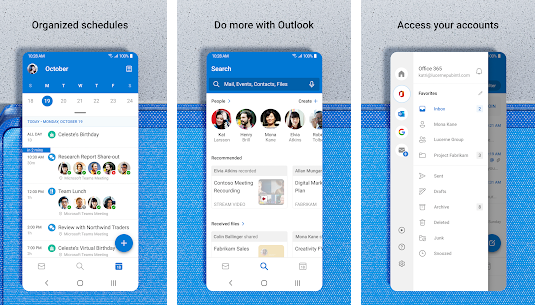
Users can utilise Office 365 to keep communication centralised and simple across Skype and Outlook. You can hold conference calls and meetings with employees and external agencies from anywhere in the world with Skype for Business, so you can always cooperate and communicate regardless of location or time difference. Teams have an instant messaging feature that allows users to contribute comments and upload files at the same time, which is excellent for cross-departmental collaboration and document co-authoring. On Teams, you may also 'at' people so that they are notified when a comment is directed at them. All of these capabilities allow you to stay in touch with teams and individuals at all times, regardless of where they are situated. Yammer is another Office 365 service that functions as a form of social network for your company. You may instantaneously message your whole workforce by posting to your company's 'news feed,' and employees will receive an email reminder when a new post is made, ensuring that messages are not missed. Anyone can leave a comment on a post, and you can use Yammer to create several 'channels' for different purposes, so you don't have to post to the entire organisation all of the time.
Office 365 is billed per user, per month, similar to a subscription. The price of your licenses is determined by the degree of capability you select for your company. The cost of each license is determined by the multiple enterprise levels, which comprise different applications and products. Paying per user, each month ensures a consistent outlay and allows you to plan your IT budget for the coming year. Upgrades are already included in the price of your licenses, so there are no hidden expenses. If you purchase your licenses through Core, you can adjust the number of licenses you have at any moment, for example, if you employ or fire workers. You will never be over-licensed, and there will be no waste.
Your business may continue to run normally even if there is a disaster at the workplace because files are kept in the cloud and backed up on a regular basis. Your email, files, and data are all safely kept on the cloud, regardless of what happens to your physical devices. Individual emails or entire inboxes can be restored using Exchange's recovery tools if necessary. If you're utilising Office 365, it can be business as usual in any situation
All of the main apps, like as Word, Excel, and Outlook, are included and may be used online without installing any software. Upgrades occurs at specified times, so you don't have to worry about being on the most recent version; it will happen automatically. The cost of purchasing new software is also eliminated because updates are included in your Office 365 licence subscription.
Through collaboration technologies, Office 365 allows you to share mailboxes, calendars, contacts, and modify documents in real-time. Sharing calendars in Exchange allows you to know who in your company is available when allowing you to organise meetings that are convenient for everyone the first time. Multiple users can access the same inbox with shared mailboxes, so messages can be filtered to land in the shared mailbox and not be missed. Another important tool for facilitating cooperation is SharePoint. Any staff member can access and work on documents saved here, and they can be shared through email as a link. Multiple users can simultaneously edit documents saved in SharePoint, making co-authoring simple. Thanks to little coloured flags that identify each user, you can see who is in the document at any time and even where they're working.
Microsoft Word, PowerPoint, Excel, and OneNote are among the most popular products available with Office 365. Office 365 offers an unrivaled breadth of services for any organisation. The monthly subscription model for Office 365 allows businesses to purchase a plan that is appropriate for their size and number of users while continuing to operate as usual.
If you would like to find anymore information or purchase a license, please contact our support staff on (07) 4914 2433 or via our ticketing system
The best way to get more done on your PC is by learning some helpful keyboard shortcuts for navigating around your computer. If you are using Windows, then you will have a ton of options. And if you are using Mac, then there are still plenty of shortcuts that can help. Whether you’re looking for the best browser shortcuts, or just want to be able to use your mouse less often, these are the shortcuts that will make navigating much easier. Here's the list below!
You can replace CTRL with CMD on Mac for the same functionality.
These days it seems like your computer has more shortcuts than buttons. Hopefully, with these shortcuts, you will find these shortcuts improve your productivity. The next time you're trying to scroll back up in a Word document or doing anything that requires a couple of mouse clicks, try using shortcuts instead. You'll save time and energy, and your hand will thank you for it.




It's Tax time……. Here at 2025.hosting-australia.com/, we understand the tax man causes stress and robs you of precious time to focus on your business. Sifting through all your purchases and receipts, trying to work out all your yearly expenses ready for the 1st of July. Also collecting sales tax accurately from customers can be a hassle when you have an online store. There are so many variables you need to take into consideration. So how will you get the exact tax calculation right every time? Luckily, if you use a WooCommerce store, these plugins help calculate the tax rates according to your customer's state or area and there are plenty of options there to automate sales tax calculations.

This will be automatically built into your WooCommerce plugin as WooCommerce Tax is the official extension from Automattic for automatic tax calculations. Powered by Jetpack cloud services so you can start benefitting from free security, insights, and uptime monitoring.
Once you update your tax settings, your store will collect sales tax at checkout based on the store address in your WooCommerce Settings.
WooCommerce Tax is a free service if you are selling from one location. Sadly, if you are selling from more than one you will be required to use a standalone tax plugin which will discuss further.
TaxJar’s sales tax automation makes collecting sales tax easy by removing complex configurations and providing accurate rates for WooCommerce. Once you are synced up to TaxJar, you will see your sales tax collected by city and county, across all states, and including all the channels on which you sell.
At the cart and checkout page, TaxJar takes the following input from your store.
And returns accurate sales tax (including state, country, city, and special taxes) based on the following.
TaxJar offers a free 30-day trial, that does not require a credit card when signing up. However, after the 30 days are over, there are 3 monthly subscriptions you can choose from depending on your needs.

Quaderno uses real-time sales tax rates in your selected country while following the local tax laws of your customer that are set in the Quaderno plugin – this is extremely helpful if you dealing with customers outside of Australia. Quaderno has a feature that generates automated tax receipts for each sale made from your website, these receipts are also available in multiple languages and will show different currencies according to the customers’ location.
Quaderno integrates seamlessly with your chosen eCommerce platform, shopping cart, or payment processor. The secure APIs access your sales data and begin automating your sales tax processes in seconds.
All plans include.
Unlike TaxJar, Quaderno only offers a free 7-day trial. They have plans best suited to your site's traffic and transactions per month starting from $99 a month up to 1,000 transactions per month.
I made the switch to Ecosia at the start of the year. Since my switch, I have planted a total of 699 trees. Well, I physically have not but Ecosia did use the profit they had earned from my web searches.
Since Ecosia’s launch in 2009 and with over 15 million active users, they plant a tree every 1.3 seconds. Bringing their total of trees planted to 129 million over 9,000 sites. Which is incredible using every day searches for an amazing cause to help the planet.

They are the leaders in proofing that it is possible to move away from fossil fuels o matter the size of your business. Ecosia are carbon negative after they built their own solar plants in 2018. So, all Ecosia searches are with 100% renewable energy.
You may not know this but about 300 million tons of CO2 are released each year by the internet. If google alone was to follow Ecosia’s lead, it would effectively remove 15% of all worldwide emissions just by itself.

Ecosia like other search engines makes money from your searches through advertisements. But the major difference is, Ecosia uses the profits to help plant trees across the 9,000 sites globally.
Ecosia uses its profits to plant trees in deforested areas, work with local communities, and restore fragile ecosystems. They also invest in firefighting in Brazil and in our own back yard Australia. So, Ecosia helps protect habitats from wild and manmade fires which is incredible after the devastating fires in 2020. So, farm Ecosia’s investments have helped to preserve an estimated 3.5 million trees since 2018.
Well, you are already searching the web using other engines, making the switch is no different. But there is another positive apart from the environmental effects.
Unlike other search engines, Ecosia respects your privacy. By encrypting your searching and allowing you to turn off all their tracking and do not use external tracking tools. They are not looking to sell your personal data to the highest bidder for advertisements.
This not only means your privacy and your data are protected, but you also always get objective and impartial search results, that is not based on your previous behaviors and clicks.
Archiving has become an important tool, with the businesses moving towards a more electronic and digital world, you will have noticed more emails are being sent out regularly. These emails include junk and important email documents. It becomes overwhelming trying to organize, what to keep and what to delete. Like a physical mailbox, you can only fit a certain amount inside the mailbox until it the mail is sent back to the original sender (Bounce Backs)
It will reach a boiling point, where you are unsure which emails to keep and which emails to delete. This can become a problem just like a physical mailbox – once it reaches its allocated capacity you will no longer be able to receive any more emails, the email will then be sent back to the original recipient. The recipient will receive the bounce-back message we all know and love.
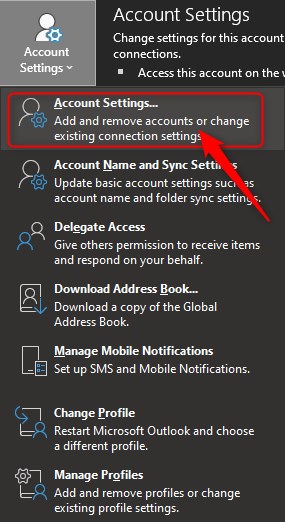
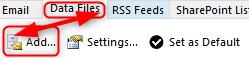
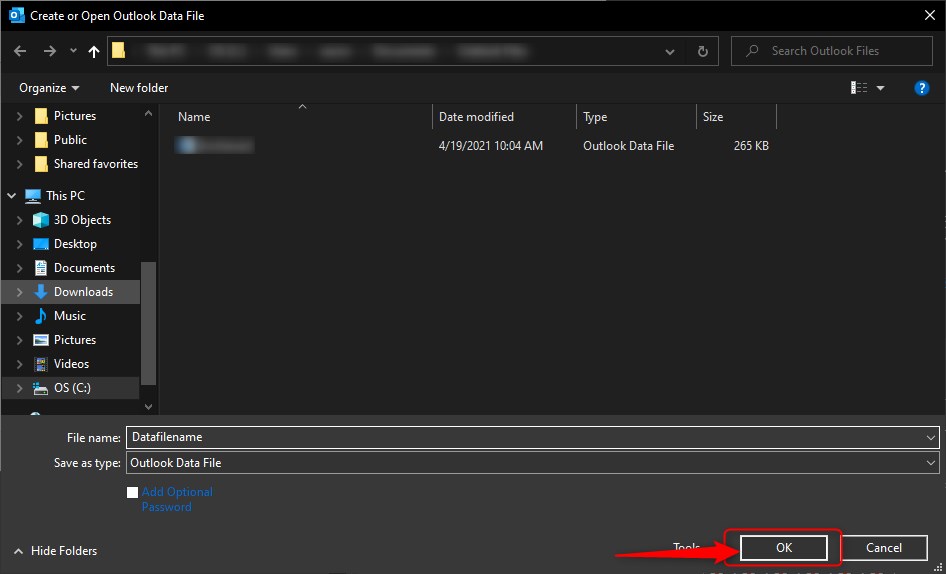
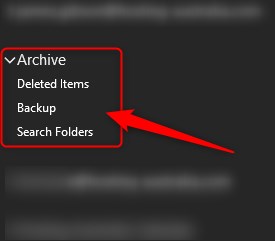
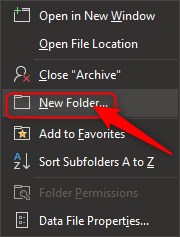
Before you find that your mailbox reaches capacity, you can simply archive messages by copying them to an offline location on your computer to prevent this issue in the future. This sounds like it could be a bit tricky, but it is quite easy and only takes a few minutes to set it up. This will free up lots of space within your mailbox without permanently deleting those old emails and can even speed up your email systems synchronization with the email server.


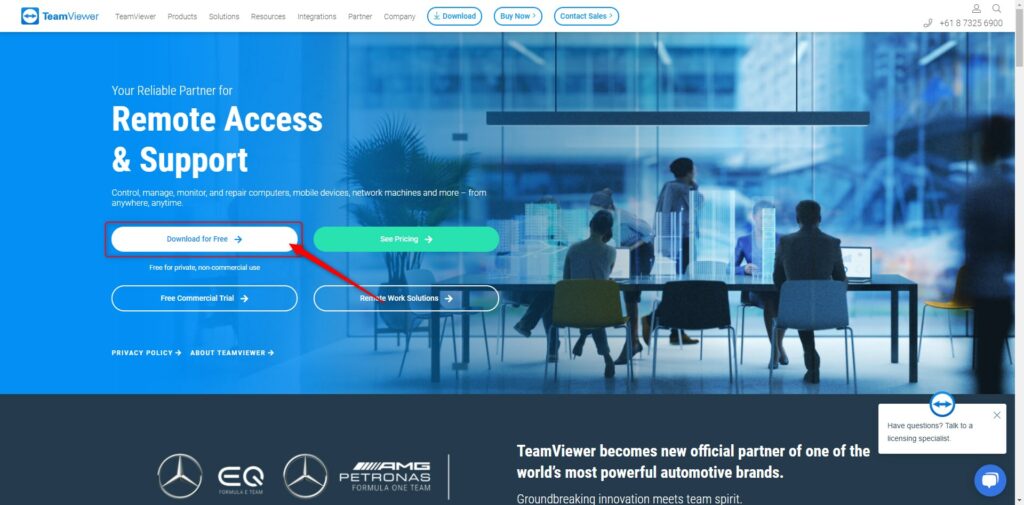
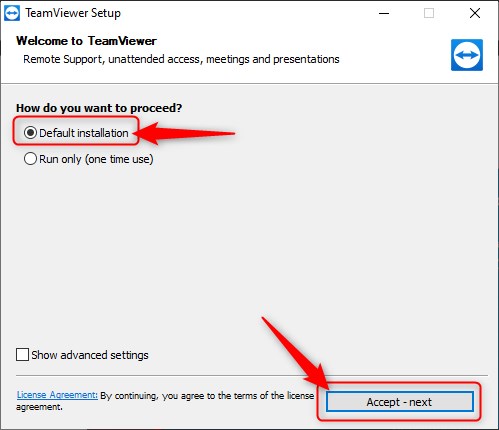
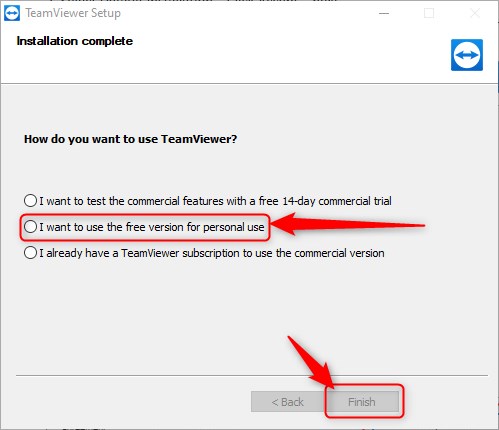
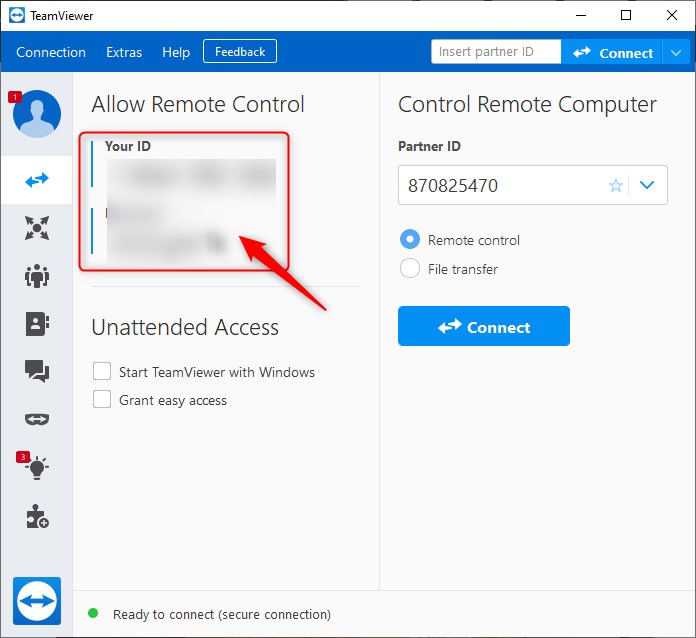
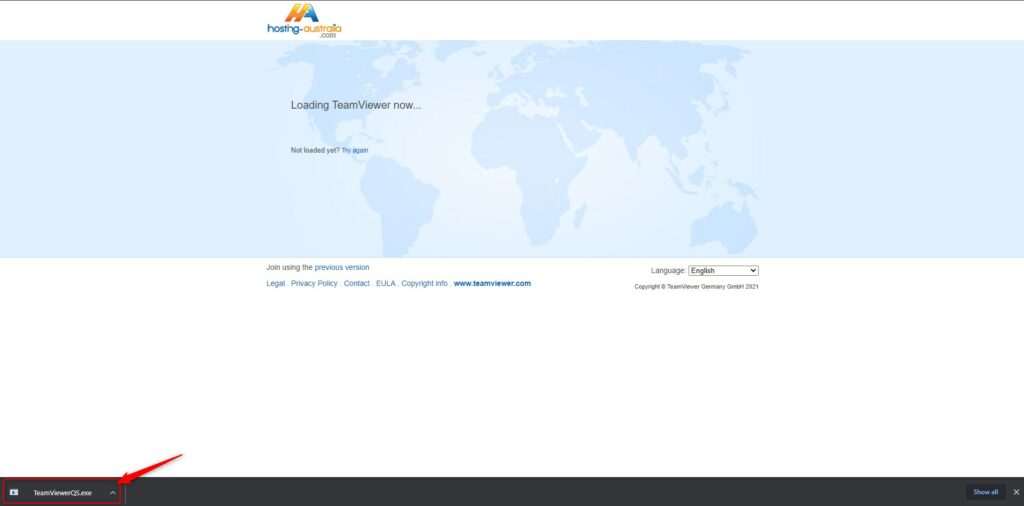
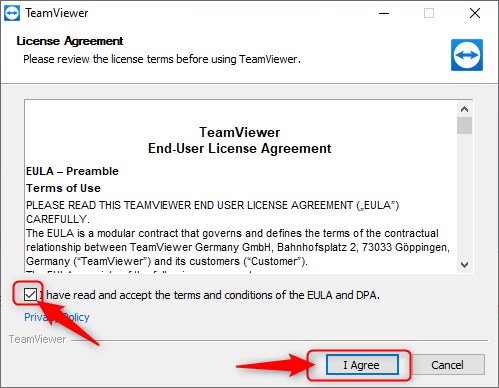
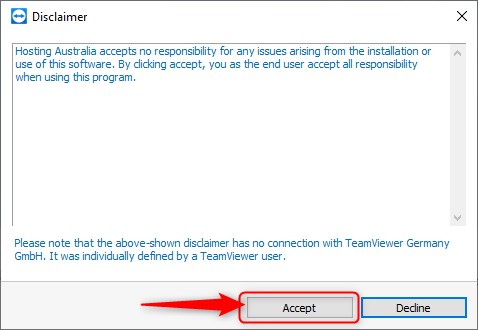
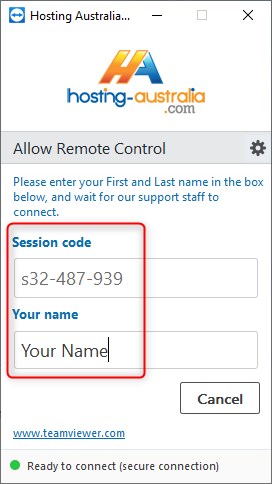
TeamViewer is remote access and remote-control software, this allows our support team to connect to your device from a remote device. This is such a powerful tool as it allows us to remove the communication complications and see directly what the issues are fixing any issues on the fly while syncing information with our server.
TeamViewer is such a powerful tool with 400,000 downloads daily, 2.5+ billion devices connected. So, for the best possible service and smooth experience, it is best to have TeamViewer preinstall on your computer and ready to go for the next time you need any assistance from 2025.hosting-australia.com/.


You may have noticed that the majority of the emails you receive from companies have their own @domainname part of the email address. This is because these businesses have set up their own business email address. Rather than a user receiving an email from a random free gmail.com/hotmail.com account.
This is extremely important, so your business looks professional for the user.
A business email is an email address banded in a way that makes clear it comes from a business and communicates what business it comes from. In Practice, that usually means it is an email address that has been set up with a company’s domain name.
You may have hosting and other services with us here at 2025.hosting-australia.com/, but not realize you are able to have multiple email accounts within that hosting account. There are multiple benefits of having a business email address, here are just some few of the major benefits:
If you are sending emails to users for a business, but these emails are coming from johnsmith@gmai.com. Your recipients will see the email address and not making the connection with the business no matter the subject, line leading them to and gloss passed it and send it to junk.
This helps remind current/future clients of your website/business by having your domain name being sent or displayed, making easier access for the user to your website.
Professionalism and recognizability go hand and hand, 69% of people say who an email comes from is a big part of whether they decide to open it.
You will need to register your new business’s domain; this is the URL users will type into their browser to reach your website. It is important to remember to keep your domain short and to the point. For example, if you have a business John Smith’s Landscaping supplies. It will be difficult/frustrating for users to type johnsmithslandscapingsupplies.com.au. Therefore, it is important to think of the domain name as a good brand tool as well.
Register your new domain name HERE!
To access the tools required to create an email address for your domain, you need to have your hosting set up as well. This is also a major part not in just setting up your business email, but also necessary for your website to be online.
Find the right hosting plan for you HERE!
First, you will need to have access to your cPanel. If you are not sure how to access your cPanel, CLICK HERE.
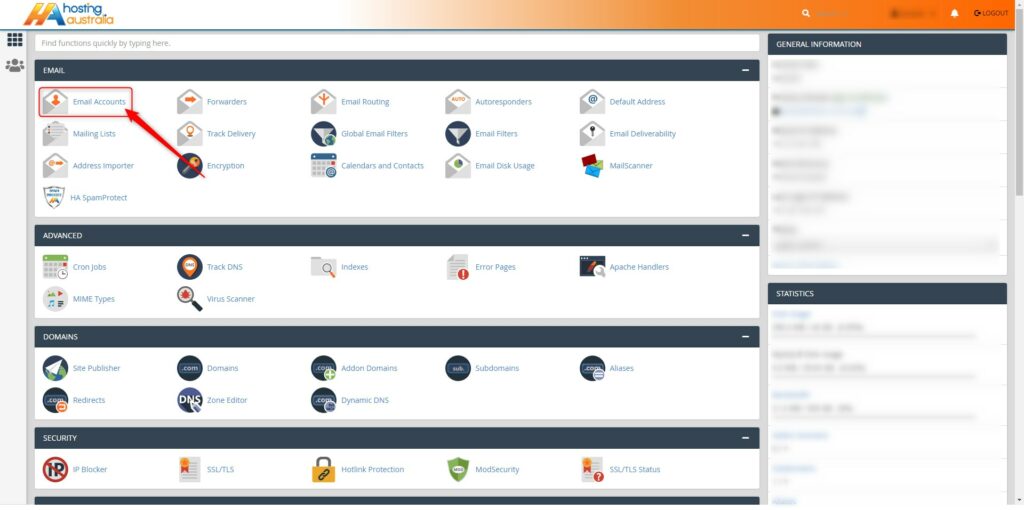
On the cPanel home page. From the main page in cPanel, click the Email Accounts link. this can be found under the Email header.
On the Email Accounts page. Select Create.

Fill out the information and adjust the setting needed.
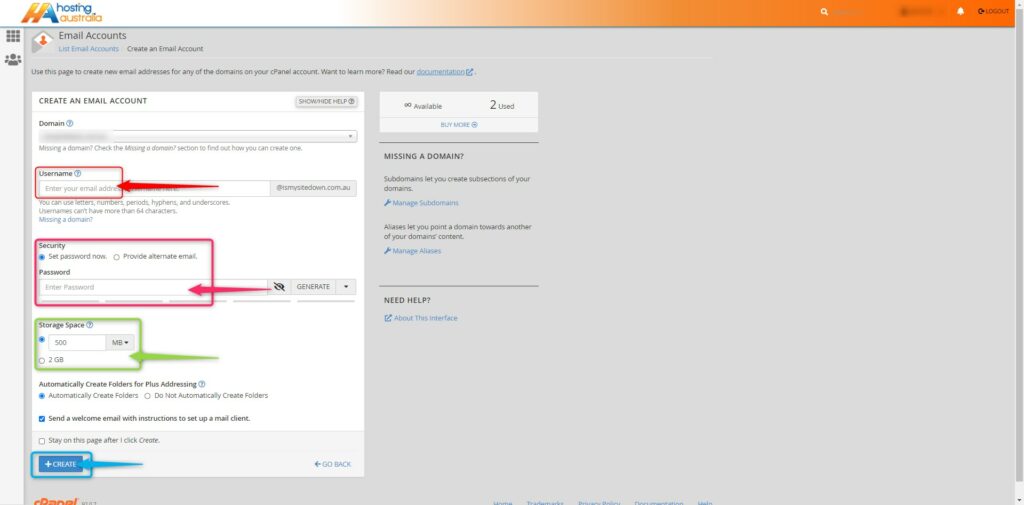
You can create as many new email accounts as your hosting plan allows.
We have also created this helpful how-to video to help assist you in creating an email account.

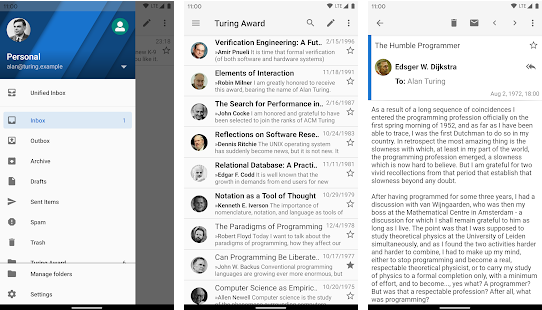
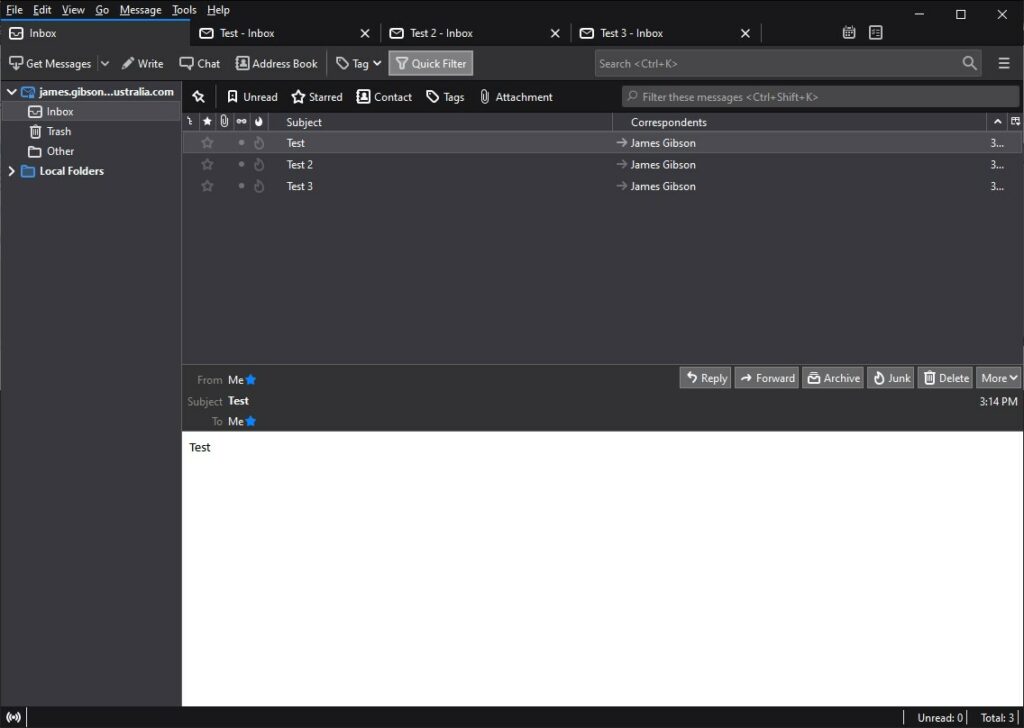
Not only does Mozilla help you to browse the internet with Firefox but it also helps you to receive emails with there email client Thunderbird. Mozilla Thunderbird is also supported by Windows, Linux and MAC. Thunderbird runs on Gecko which is a browser engine developed by Mozilla. This allows a simple easy to use interface with customizable themes, extensions, and add-ons.
Warns you when you click on a link which appears to be taking you to a different website than the one indicated by the URL in the message.
Allows experienced developers and security experts to help improve and create third party add-ons.
Lets you filter your emails fast by typing in words in the search box, they are displayed instantly.
Easily manage multiple emails by opening tabs rather than windows just like using the Firefox Browser.
Manage multiple email accounts by combining special folders like your Inbox, sent, or Archive folder.

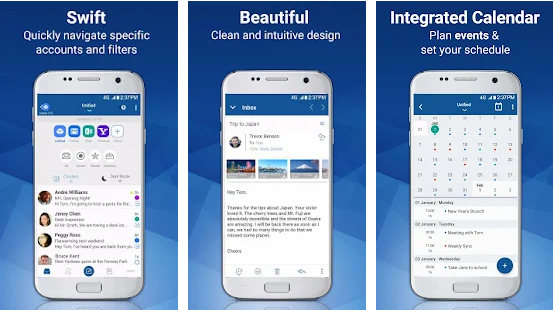
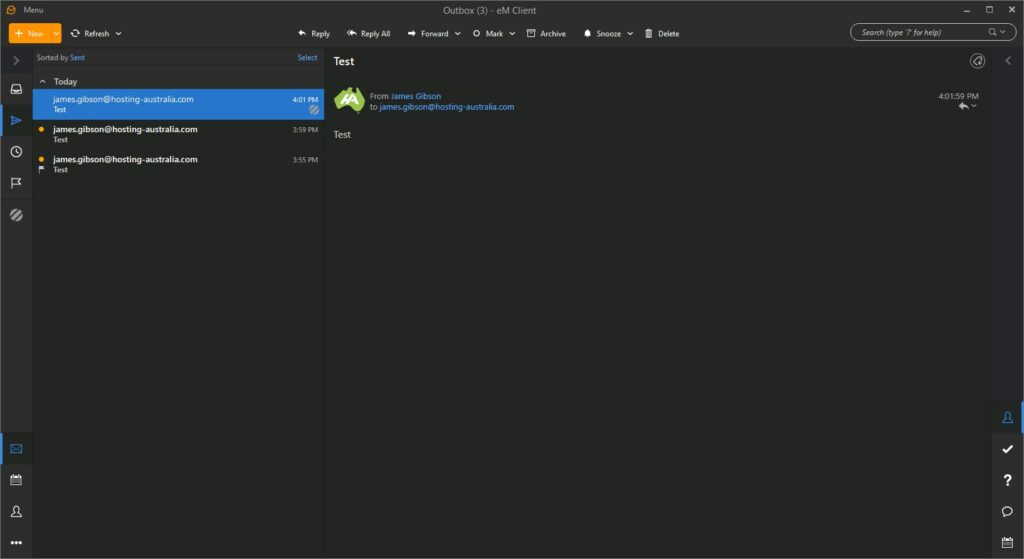
eM Client allows you to access your emails just like any other client. You do not need to log into eM Client through your browser, it requires a simple download and set up. One of eM Clients calling cards is that it is easy to set up. Unlike other email clients that can be confusing to configure, eM client’s setup is straight forward for two or more mail accounts.
Em Client’s will connect to any email servers such as your 2025.hosting-australia.com/ Exchange or personal hosted email.
Import your previously set up emails from other clients when you do choose to change clients.
Multiple different available including the popular Dark theme.
Built-in translation tools and spell-checker.
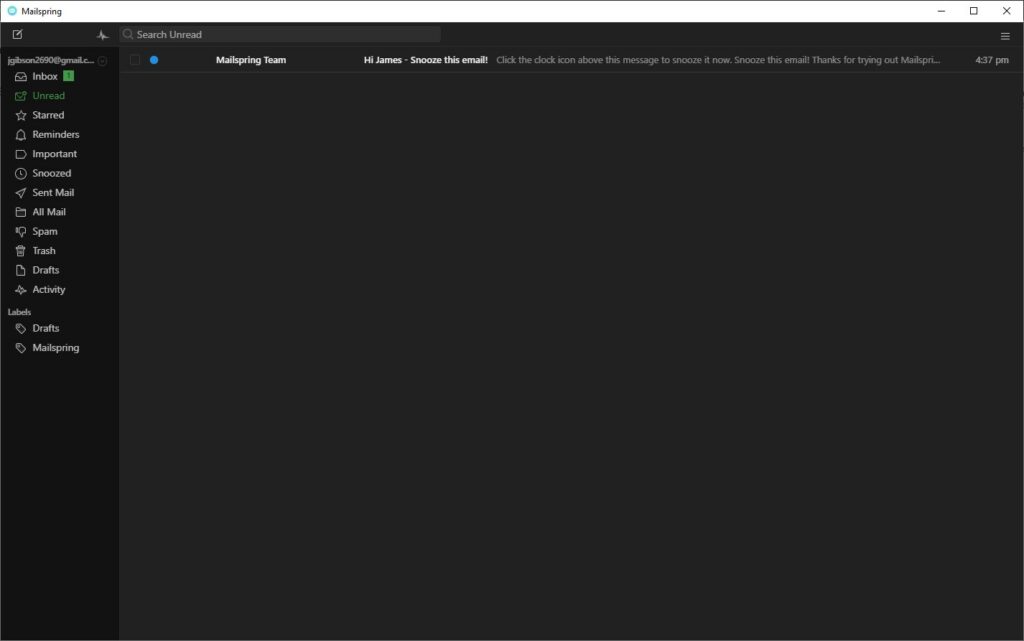
 Mailspring
Mailspring is an open-source email client just like Thunderbird. This allows a large community of contributors or programmers with varying coding abilities to provide add-ons and source code for features they want to add to the base program. It offers a host of features, including link tracking, quick search, customizable themes and layouts, and many others.
Mailspring indexes your mail so you can use advanced, Gmail-style search queries and search message contents across all your connected accounts. Never lose an email again.
Mailspring's signature editor makes it easy to create custom signatures, complete with images and links to social media profiles.
Using a single inbox for all your email accounts helps you get more done in less time. Mailspring supports every major mail provider—Gmail, iCloud, Office 365, Outlook.com, Yahoo!, and IMAP/SMTP
When you receive invitations to events via email, Mailspring displays the event information and allows you to RSVP without leaving your mailbox!
You may have read our recent blogpost What Is SEO, if you haven’t had a chance, check it out HERE!
There are tools that can assist you in improving your SEO to be a step above the rest. You may have searched SEO in the WordPress plugin manager and had seen the hundreds of plugins, but not sure which one to choose. Here at 2025.hosting-australia.com/, we know your time is valuable, so we have put together our top SEO WordPress plugins.
 Everyone’s site will grow larger and larger within time; it gets harder to keep up and constantly check whether your links are valid. The name of this plugin is exactly what it does. Broken Link Checker plugin checks for broken links on your website and alerts you if it finds any that require to be updated. This plugin is free so there is no reason not to have this plugin, sitting in your back pocket, it may pick up a link or two other plugins won't.
 Schema adds Google Rich Snippets and markup according to Schema.org guidelines to structure your site for SEO. Schema has more than 35 schema types such as Blog Posting, News article, Local Business, Webpage, Article, Recipes, Product, and video objects.
This allows you to easily pick an auto developed Schema for your site. Other features include Conditional Display. meaning it will include or exclude any posts, pages, post types, taxonomies and more. The ability to import data from other schema plugins such as the others mentioned in this article. Display your business google reviews and its schema markup on your website.
 Being a new plugin, Rank Math has taken parts from other SEO plugins and included it in the one. Rank math integrates with Google Search Console, which helps get the essential information you need to boost your SEO game.
With 15 built-in modules, you can enable and configure based on your requirements, it runs a detailed SEO analysis to identify issues based on 30 known factors. Check your ranking against other similar websites with the in-built Rank Tracker, and Import Schema Markup from other websites.
Rank Math also offers a Pro version with increasing your keyword tracking from 500 to 1,000, unlimited personal websites, Powerful Schema Generator with 24/7 support.
 Yoast SEO has been branded as one of WordPress’ top SEO Plugins. With over 27,278 5-star views and 5+ Million Active Installations, it is hard not to look past it. Yoast analyzes the optimization of your site and gives you improvement advice. It displays the current problems, what you need to improve, and what you are doing correctly. This takes the guesswork out of what your site is missing when it comes to SEO. This tool also helps you adjust the title or meta descriptions and making your content more relevant for your keywords.
If you’re not on a tight budget and can afford to buy the premium version of Yoast, you will get 24-hour support and extensions such as News SEO, Video SEO, Local SEO and WooCommerce SEO extensions.
Plugins are your best friends when it comes to WordPress, being free as well, they give you the freedom to explore and experiment in improving your websites.
If you have any issues or queries, please contact our support team on (07) 4914 2433 or open a ticket via our website.



