
You want to make sure you keep your WordPress site secure, it is crucial for any site – no matter how big or small. WordPress site security is such an important factor, you can never have enough security when your site and data might be at risk, therefore 2FA is a must.
2FA (two-step verification or multi-factor authentication) adds an extra layer of protection to your site by requiring at least two types of user verification on your WordPress login page. 2FA help's against attacks like brute-force attacks.
With this said, we will discuss why two-factor authentication is important for site security and how it can limit your exposure to data loss and identity theft and the steps you can take in adding it to your WordPress website.
There are countless ways hackers may try to gain access to your WordPress site. Vulnerable plugins, Injection attacks, cookie stealing, phishing and data theft. But most commonly are brute force attacks. A brute force attack is where hackers use bots to repeatedly guesses login credentials, until they have your details.
2FA can prevent these attacks and stop them from gaining access to your site. Even if they do guess the correct password, the bot then requires an additional password which is impossible without this 2FA code. This additional password or code is randomly generated and sent to an email or phone. Once a user submits their logins associated with that account to successfully log in.
First, you will need to install the google authenticator app on your mobile device. On your mobile device simply navigate to the google play or app store, then search Google Authenticator and install.
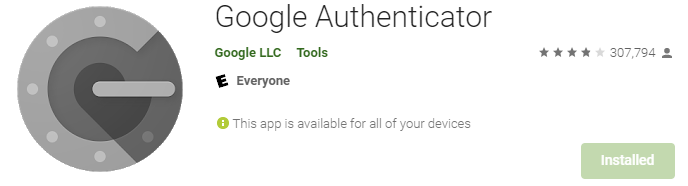
Once you have the Google Authenticator App Downloaded to your device, the next step is to install the plugin to your WordPress site. There are multiple authenticator plugins available for WordPress.
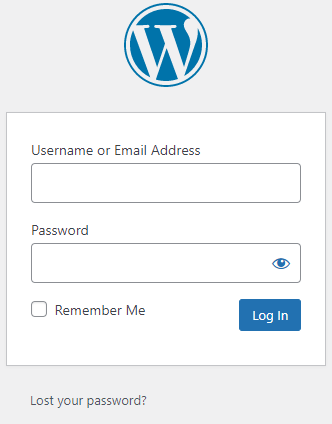
Navigate to your WP Admin dashboard. (if you are having difficulties access your WP admin dashboard, contact HA support).
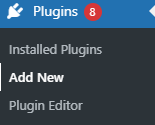
On the left-hand side Click on Plugins > Add New
Search Two Factor Authentication in the search bar found on the Add Plugins Page, then Click Install now then Active.
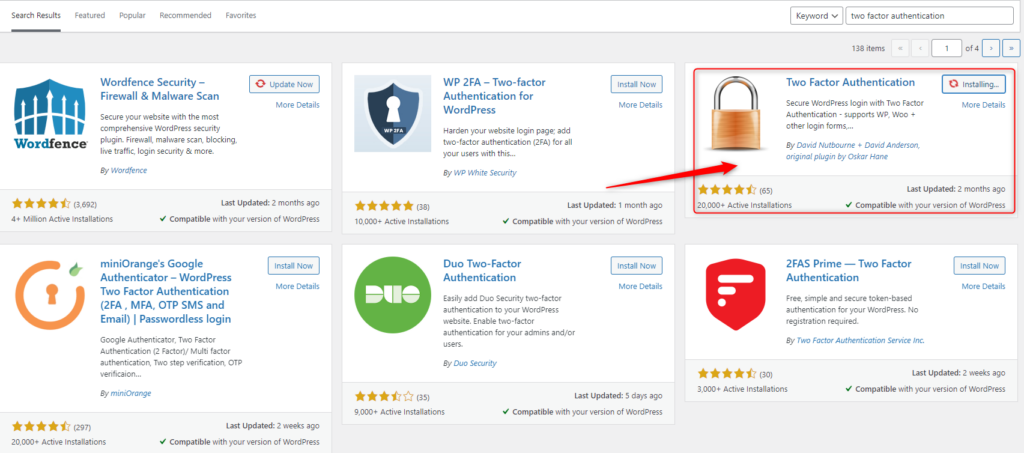
Once Two Factor Authentication is installed, navigate to the plugin, check the radio button, then click Save Changes.

Scan the QR code with your mobile/tablet device via the Google Authenticator app, then save changes.
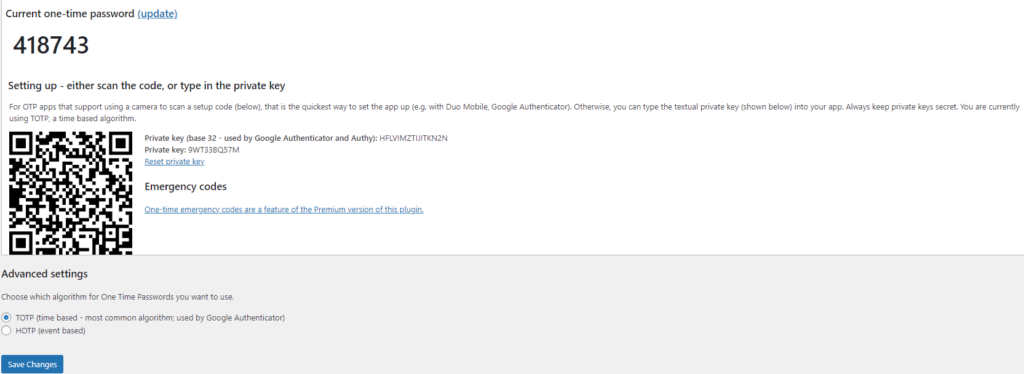
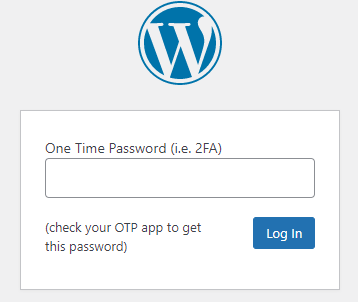
Google Authenticator will create a time-based code on your applicator you will need to enter next time you log in.
Shared or VPS hosting, deciding on the most suitable hosting package for your website can seem like a confusing and difficult process. If you have found this blog post, you have already found the right hosting company. But you may be unsure of the right type of hosting for your website.
These two versions of hosting, both have the same end goal. That is to ensure you have a site live on the internet accessible by the world. But, they both have very different ways of accomplishing that goal.
In this article, we will discuss shared vs VPS hosting. The major differences and in addition to their pros and cons, so you can select the right kind of hosting for your website.
Shared hosting allows multiple websites to utilize a single server. The server is built in a way it will be able to handle multiple resources across multiple users. This sharing across the server allows overall hosting to be more affordable by splitting the cost.
A simple way to think of this is if you purchase a car, it is cheaper for each member of your family to use the car, rather than each individual member of the family to purchase a car then pay for the upkeep for each induvial car.
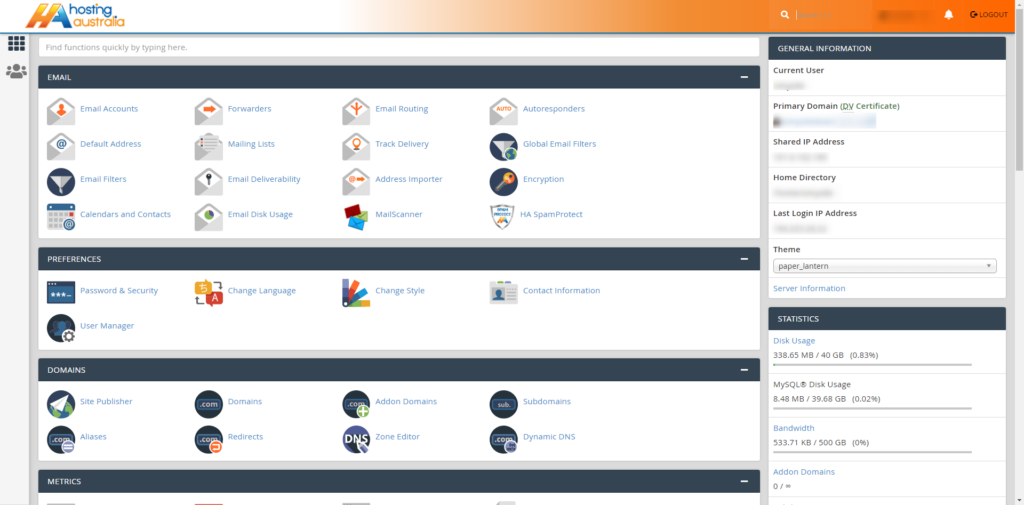
Each service is allocated an amount of resources depending on your hosting package. You will be able to view via your allocated usage statistics via your cPanel.
It is a known fact that shared hosting is a more affordable form of hosting that still provides you with all the features required for your website.
All shared hosting packages are preinstalled with cPanel, this is an easy-to-use hosting dashboard. cPanel allows easy manage your hosting, set up multiple domains, redirects, and manage email accounts. The cPanel also allows you to view your allocated server resources as mentioned earlier.
All the upgrades and maintenance are carried out by the 2025.hosting-australia.com/ technical team. These tasks are necessary if you want your server to continue to function. These are complex and require a wealth of knowledge if you were required to do these on your own.
As you are sharing your server with multiple users, there is a slight chance your site speeds may be lower compared to a dedicated server. Depending on the amount of traffic, you receive you may need to increase your allocated server resources.
Depending on your site growth, the server storage and bandwidth limits may not be enough. This will require you to upgrade your hosting package to provide more resources. However, with 2025.hosting-australia.com/ you can easily upgrade and downgrade your hosting packages to scale with your needs.
Shared hosting will not allow you to make direct changes to the server itself. So, if you need to make changes server side or install additional servers to your hosting, we recommend other hosting packages.
Shared hosting is perfect for beginners who are building their sites online, especially if you do not wish to be bogged down with server maintenance and the nitty-gritty of servers.
The VPS hosting provides you with a greater level of server resources. So, if you have big and bold plans and know that your site will be pushed further than shared hosting. VPS will be able to support a higher volume of users without a decline in performance.
VPS hosting offers you a higher level of security than shared hosting. Since your environment is virtualized, you will be isolated from other sites on shared hosting servers.
VPS hosting allows you access to more server customization options. The VPS will get root server access, which gives you greater server control and behaves like a dedicated server, allowing more power, freedom, and control.
The VPS is more expensive than shared hosting. Since you are getting access to more server resources they will increase as well.
Generally, the management of VPS hosting requires a higher level of technical skills to manage your server the right way. 2025.hosting-australia.com/ does not provide free support or does not maintain, upgrade, and optimize your server environment for you.
By reading this article. You will now have a better understanding of Shared and VPS hosting. Shared hosting will be a more affordable form of hosting depending on your requirements, but the benefits of the additional resources offered by VPS hosting.
Phishing, even though its spelled differently they are still trying to have the same effect. A fisherman will cast out their line not to target anything specifically, but just to hopefully get an unsuspecting victim. It might sound a bit bleak, but this is exactly what these hackers are attempting to do. They create emails using popular websites and services then legitimize these emails as much as possible for the unsuspecting eye. Hoping that they can get someone to click on a link that gives them access to private information.

Scammers use emails to trick you into giving them your personal information. They use these emails to try to steal your passwords, account numbers, if its any kind of sensitive information, they will try to take it. Unsuspecting victims can lose everything just by clicking on what they think is a legitimate and harmless link. Scammers launch thousands of phishing attacks like these every day. Just like a regular fisherman after casting out so multiple times, they will end up catching something no matter how big or small. Australians lost over $634 million to scams in 2019, according to the latest figures in the ACCC’s Targeting Scams report released 22/06/2020
No legitimate organization will send emails from an address that ends with - @gmail.com @yahoo.com @hotmail.com. even the actual companies that created these email addresses will not send from these emails. Therefore, it is important for a user to have their own business email to legitimize their own business. You can learn more about it in our previous blog article HERE.
For example, your inbox displays a name, like “cPanel Administration”, in the subject line. When you open the email, you already know who the message is from and jump straight into the content. When the scammers create the phishing email addresses, they often have the choice to select the display name, which does not have to relate to the email address at all.
This is just one small step they can take to create emails that look like they are from legitimate sources. Apart from creating fake email addresses they also mimic other emails sent from companies by doing the following:
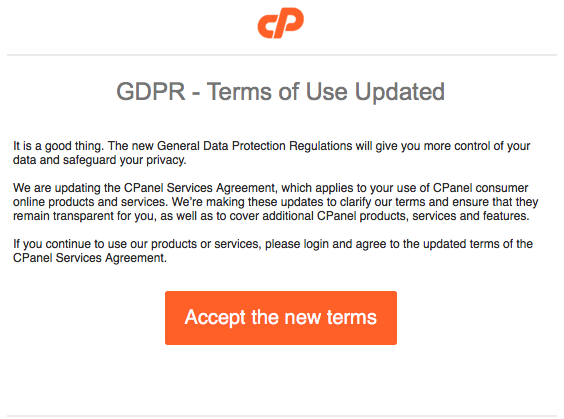
Another tip you can use to workout if you have received a phishing email. Simply mouse over the link found in the email, a pop up will appear with the linking address. Usually these links will take you to a random link such as “cslsdfbpaymentlsjd.com/askdfmcs” which is a dead give away that it is not from a legitimate source.
First of all you should cancel any cards or accounts with the information you had supplied via the email. Report scams to the ACCC via the Scamwatch report a scam page. Your report helps to warn people about current scams, monitor trends and disrupts scams where possible.
You are also able to contact IDCare on 1800 595 160 or via www.idcare.org for support if you believe your personal information has been put at risk.
Notify 2025.hosting-australia.com/, as soon as we are notified the support staff will take measures to secure your account with us.
Archiving has become an important tool, with the businesses moving towards a more electronic and digital world, you will have noticed more emails are being sent out regularly. These emails include junk and important email documents. It becomes overwhelming trying to organize, what to keep and what to delete. Like a physical mailbox, you can only fit a certain amount inside the mailbox until it the mail is sent back to the original sender (Bounce Backs)
It will reach a boiling point, where you are unsure which emails to keep and which emails to delete. This can become a problem just like a physical mailbox – once it reaches its allocated capacity you will no longer be able to receive any more emails, the email will then be sent back to the original recipient. The recipient will receive the bounce-back message we all know and love.
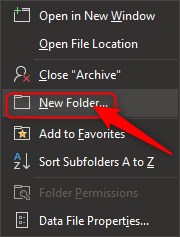
Before you find that your mailbox reaches capacity, you can simply archive messages by copying them to an offline location on your computer to prevent this issue in the future. This sounds like it could be a bit tricky, but it is quite easy and only takes a few minutes to set it up. This will free up lots of space within your mailbox without permanently deleting those old emails and can even speed up your email systems synchronization with the email server.

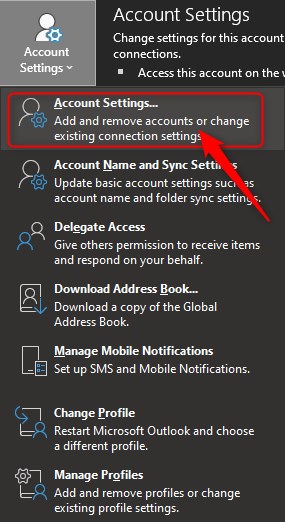
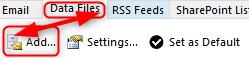
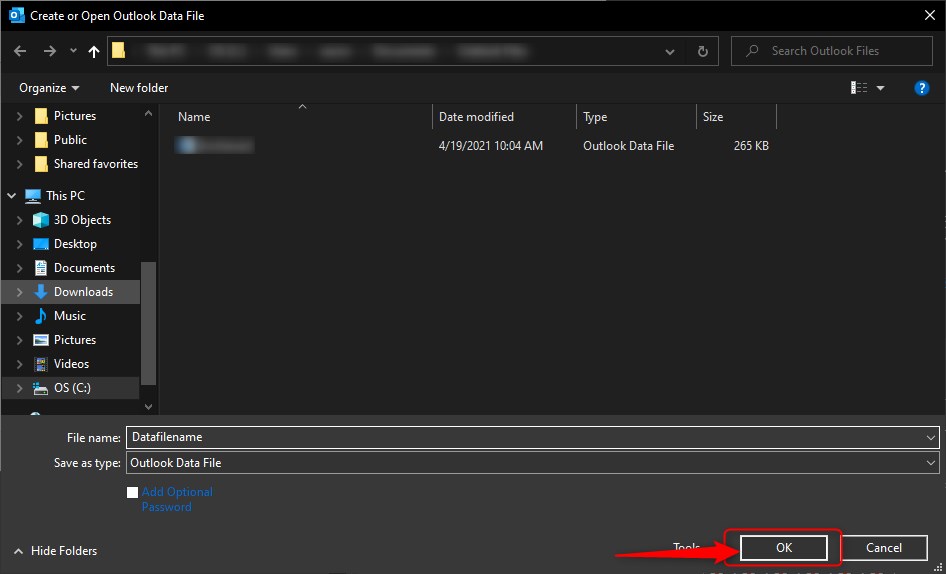
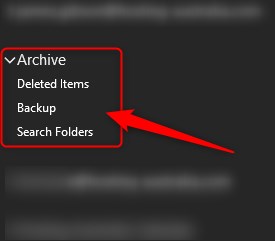
You may have come across an issue with your WordPress site. Maybe it is not performing at the level it was once before. You may have done some research into the best troubleshooting steps, and one of the top troubleshooting methods is to clear the cache on your WordPress site.
But what is cache? You may have heard or seen the word before, but you are not familiar with what caching is or how clear the cache on your WordPress site works. Here at 2025.hosting-australia.com/ we are determined that your site is running at peak performance. So, here is the rundown on how and why to clear your WordPress cache.
You may have come across a site; it may have taken a too long to load or had been inconsistent. Therefore, site speed plays a huge role in a website’s performance. These slow speeds also affect search engine optimization (SEO).
Each time a user visits your website, the server must load all the various files that make up the web page they have visited. This also includes CSS, image files, text, videos, even WooCommerce. The more you have on your page, the longer it will take to load.
If you have WordPress caching set up, after loading your web page once, your server will remember what it looked like the next time someone visits. Instead of having to load each file all over again separately, it can more quickly load the webpage.
There is caching on multiple levels, now let us take a look at the different levels of caching.
Sever cache is a type of cache that is related to site caching, except instead of temporarily saving content on the client side, it is stored on a site’s server. Sever caching is also fully handled and administered on the server without any involvement of the end user, or browser.
A browser cache is a kind of client-side cache, which means it is also a type of site caching. It works in the same way and it is a cache system that is built into a browser.
Files and content that are saved are stored on your computer are grouped with other files associated with the browser you use.
A browser cache temporarily saves content such as:
There is not one WordPress cache to clear. Based on the apps and plugin you use, clearing your cache can mean several different things.
with the browser you use.
A browser cache temporarily saves content such as:
How to Clear your Cache.
There is not one WordPress cache to clear. Based on the apps and plugin you use, clearing your cache can mean several different things.

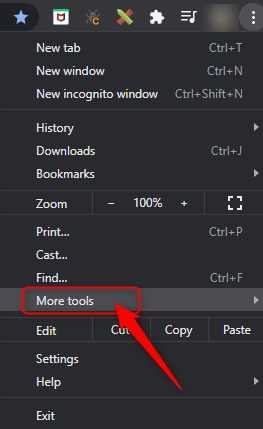
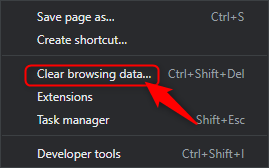

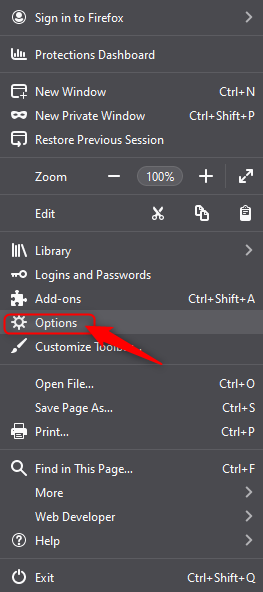
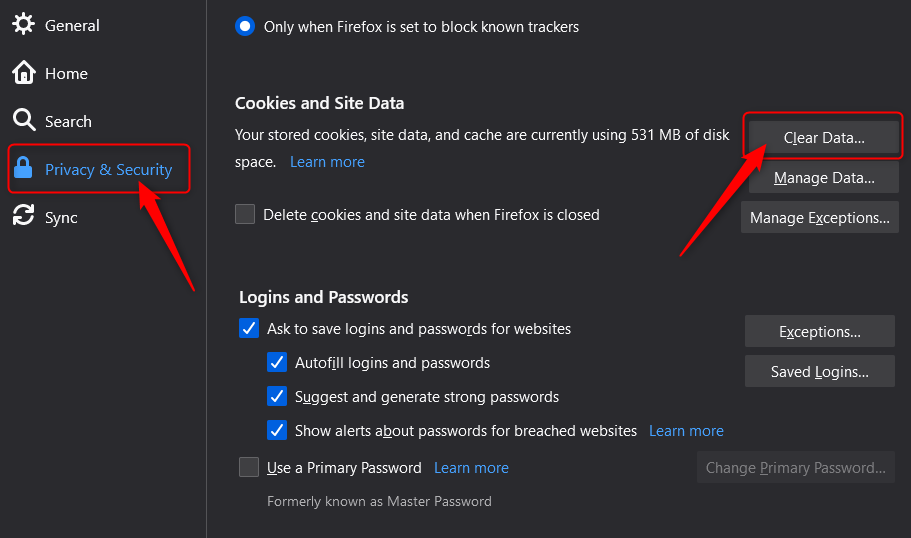
Any WordPress caching plugins you use should provide an easy way to clear your cache. Its as simple as install the plugin and the plugin will do the rest.
WP Super cache generates static html files from your dynamic WordPress blog. After a html file is generated, your webserver will serve that file instead of processing the comparatively heavier and more expensive WordPress PHP scripts.
W3 Total Cache improves the SEO and user experience of your site by increasing website performance and reducing load times by leveraging features like content delivery network CDN integration and the latest best practices.
Making sure your Website is performance is the best it can be!
Knowing how to clear the various caches in the different services and applications is a useful tip for any time you need to do some troubleshooting with your website. That is why Enabling caching on an ongoing basis in these different applications and places is a good way to keep the performance of your WordPress website up to the standards your users expect and deserve.

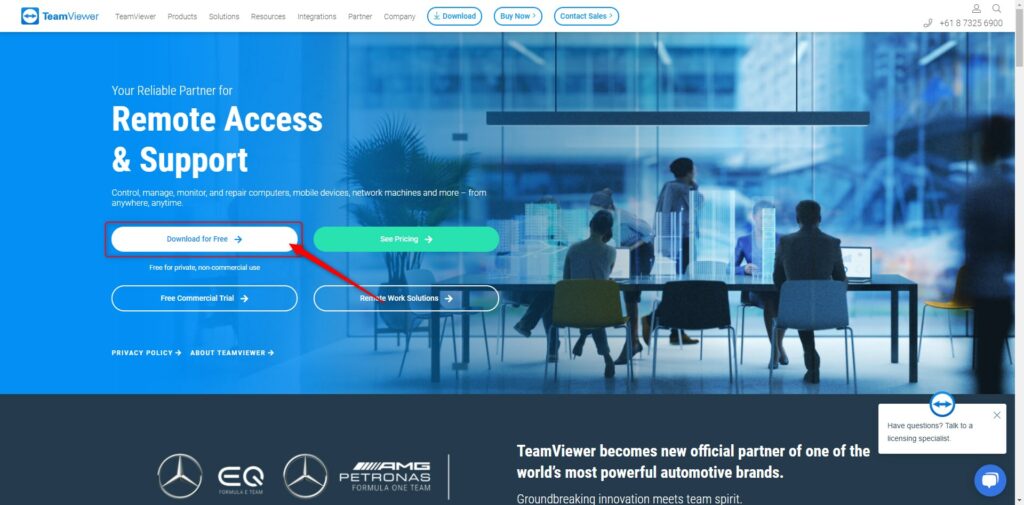
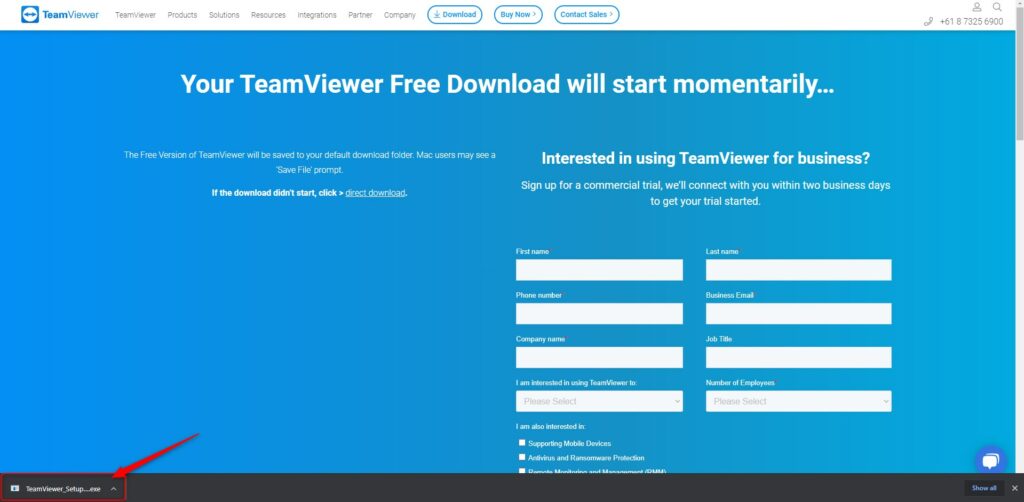
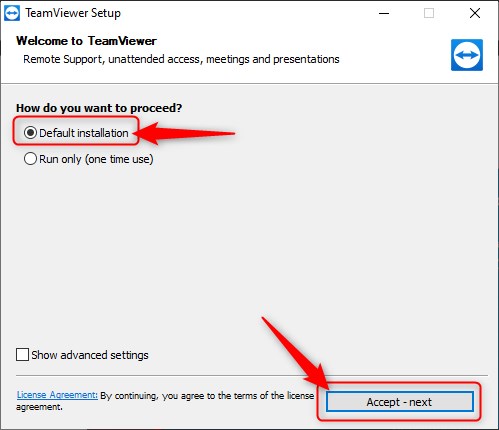
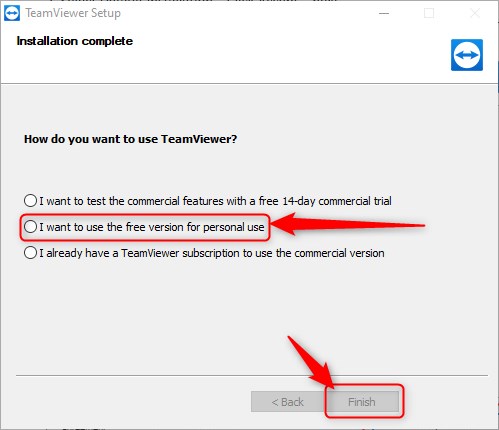
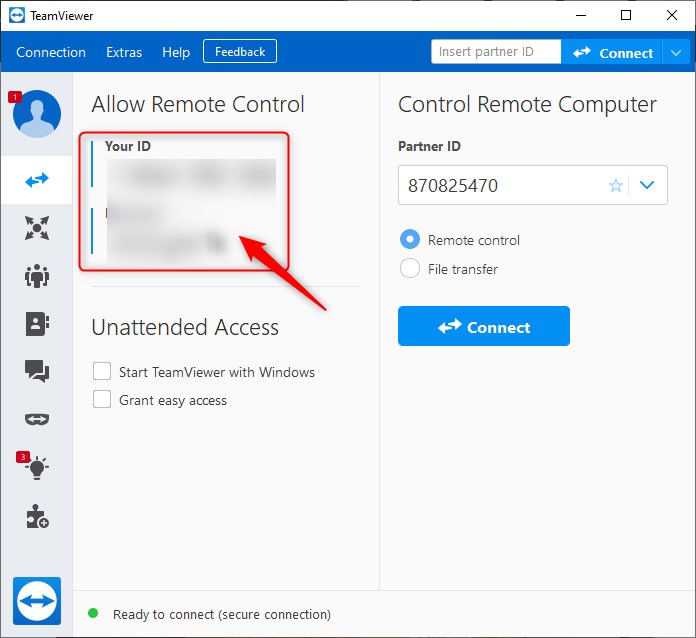
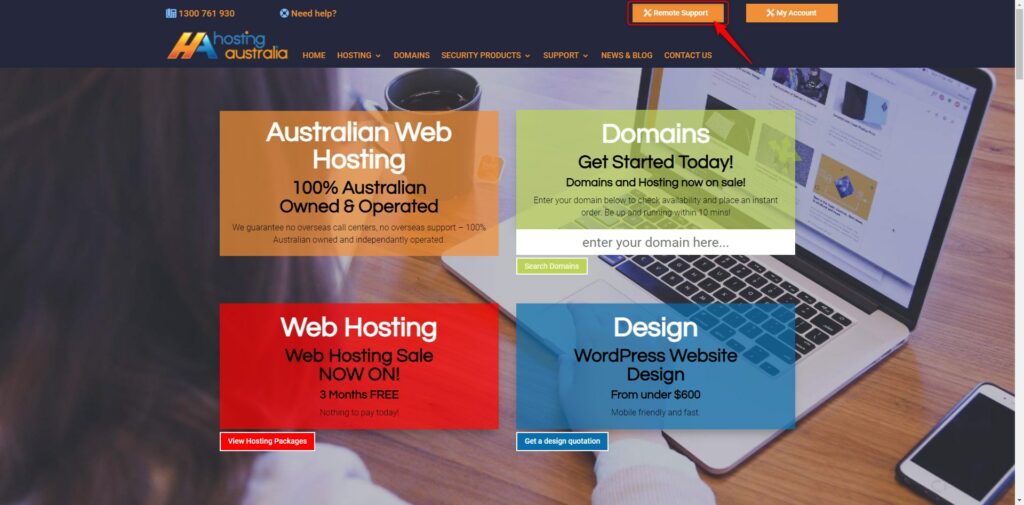
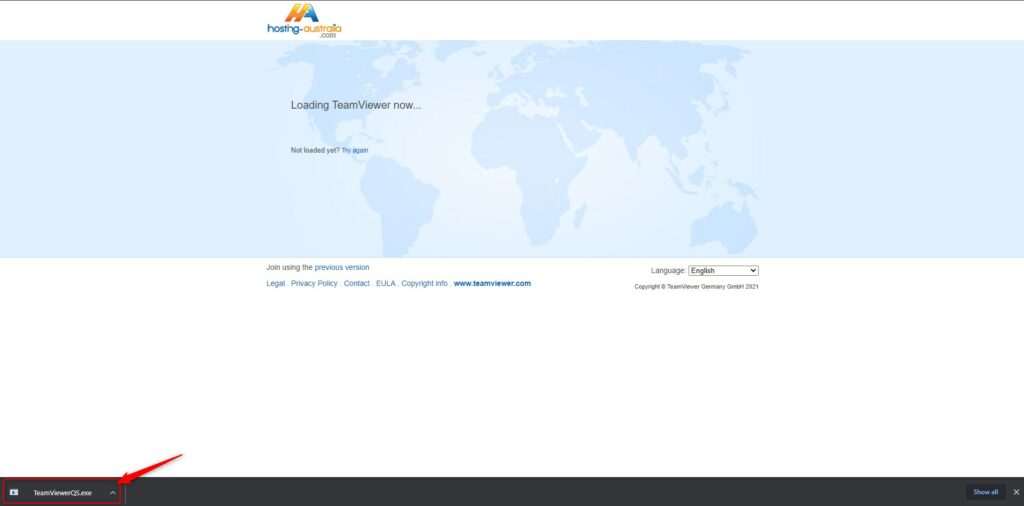
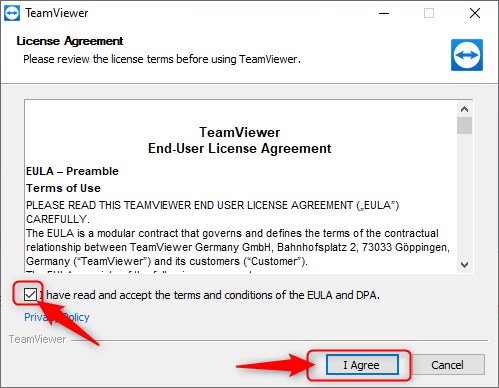
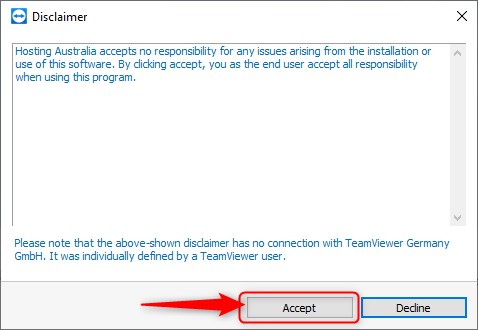
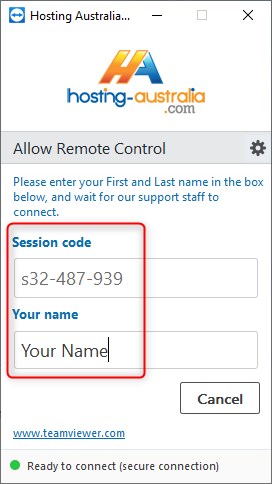
TeamViewer is remote access and remote-control software, this allows our support team to connect to your device from a remote device. This is such a powerful tool as it allows us to remove the communication complications and see directly what the issues are fixing any issues on the fly while syncing information with our server.
TeamViewer is such a powerful tool with 400,000 downloads daily, 2.5+ billion devices connected. So, for the best possible service and smooth experience, it is best to have TeamViewer preinstall on your computer and ready to go for the next time you need any assistance from 2025.hosting-australia.com/.
Recently you will have received an email from 2025.hosting-australia.com/ RE: Are your AU domain details current? Just like registering your car. you need to make sure your personal details are correct this way, the registration can be traced back to you. This is the exact same for your domain name, you want to make sure that your business name can be traced back to you just in case the inevitable happens.
A domain name registrar is a business that handles the reservation of domain names as well as the assignment of IP addresses for those domain names. 2025.hosting-australia.com/ currently uses two domain registrars, Synergy and Dreamscape, for the registration of your domain names.
When you registrar your domain name with the registrar, your details will be applied to the domain name allowing your or their details to become the registrant. If your domain name expires you may need to provide the registrant details to prove you were the previous owner of the domain name. This is why it is important not to let your domain name expire, you can view how to stop this here!.


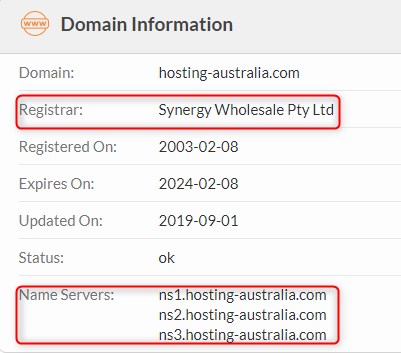
These are a simple site that allows you to easily search your domain name, displaying Registrant/Tech contact details. Nameservers and the Raw Whois Data. This is the easiest and most preferred method for searching domains.
Resellers are another type of organization that sell domain names registrations. These resellers sell domain names on behalf of a registrar in return for a finder’s fee. You can registrar as a reseller with 2025.hosting-australia.com/. If you are interested in starting a reseller business, you can view our reseller plans here.
Everyone who registers a domain name must fill out WHOIS information for that domain. As previously stated, before this is how the domain name can be tracked back to you. This will include information such as name, email, address, phone number, ABN.
Many registrars provide the option of a private registration. In this arrangement, the registrar’s information is provided in the WHOIS listing for that domain, and the registrar acts as a proxy for the registrant.
Hopefully, you have now realized how important it is to have your domain details up to date. If you have received our recent email but have not acted or are unsure of how to correct these details. Please reply to the email or contact support.
WordPress shortcodes are an incredibly useful way to customize your site and add new features. Without having to learn any code and code yourself. If you have installed any plugins or made any adjustment to your WordPress site, you have probably come across the term “shortcode”.
To put it simply, a shortcode is a small piece of code, indicated by brackets like [this], that performs a dedicated function on your site. This shortcode can placed about anywhere you would like, and it will add a specific feature to your page, post, or other content. For example, a shortcode can be used to display galleries, payment portals, or videos.
If you are still not completely sure what shortcodes are and how and why they are used within WordPress, Let's take a deep dive into more of the basics, show some examples, and plugins that you can use to expand your shortcode.
Most existing themes and plugins are equipped with their own shortcodes that allow you to tap into additional features or display certain plugins across your site.
Therefore, WordPress is such a power web designing tool. Since it is an open-source platform, it allows you to customize it in any way you would like. But as mentioned previously if you are not a developer and have no coding experience, adding code yourself is not really feasible. Therefore, shortcodes have been developed so you can achieve the same effect, without needing to know any coding.
Shortcodes can be used on any location in your WordPress post or page. That includes widget-ready areas like sidebars, headers, and footers, as well as in the main content.
So, now you have the basics down of what shortcodes are, how do you add them to your WordPress? But first let us see what shortcodes are incorporated into the WordPress:
To implement any of the above, you will need to go to the Default Editor within WordPress to add shortcodes:
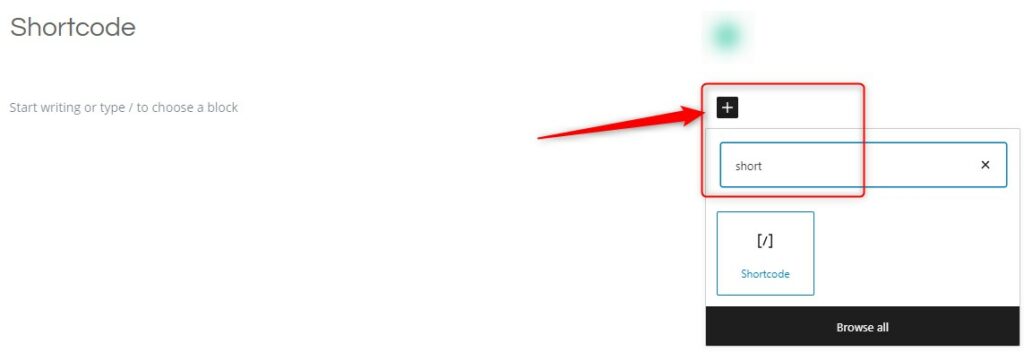
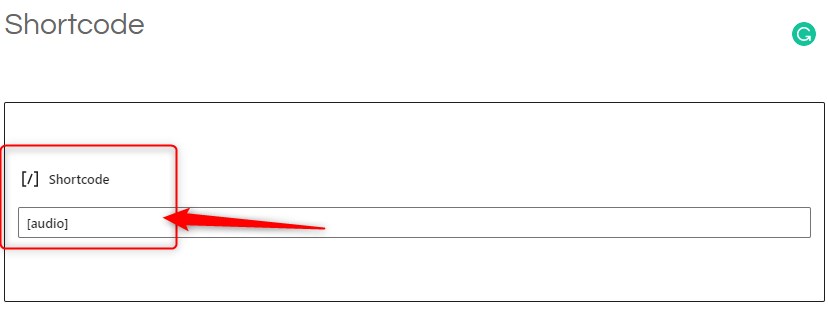
Sometimes you may wish to use the text which usually represents a shortcode in your posts. To do this, you need to escape the shortcode by using two sets of brackets instead of just one. So to display this in your post:
[audio]You would write this:
[[audio]]For shortcodes that have a start and end tag, you only need to scape the very first and very last brackets:
[[audio]] . . . [/audio]]If you are looking to add more shortcode functionality to you site, then using a WordPress shortcode plugin will be your best bet.
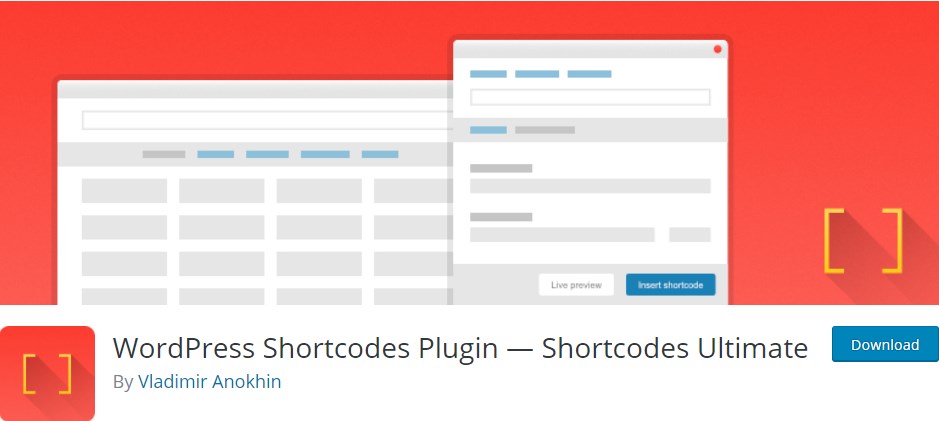
Shortcodes Ultimate is a free plugin for users who want a lot of options and each one easily available with the following features:
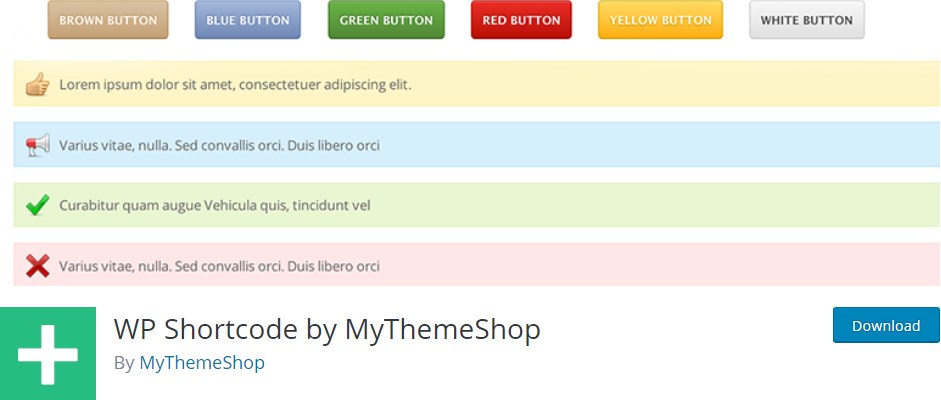
WP Shortcode by Mythemeshop is a lightweight and easy to use shortcode plugin. This plugin will allow you to add functions like:
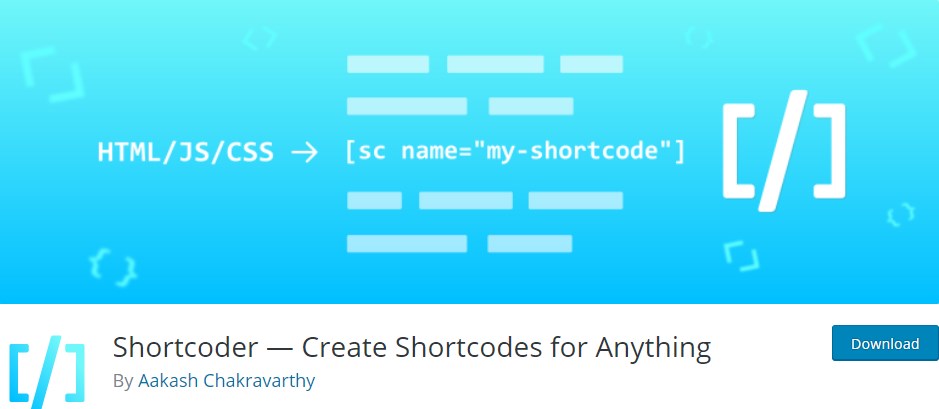
Shortcoder lets WordPress you generate custom shortcodes that contain HTML, CSS and JavaScript. Paste in your code, assign and recognizable name to your new shortcode, then place it anywhere on a page or post. Shortcoder also includes the following features:
Shortcodes are one of the most effective ways to customize your site without know how to code. Without the ability to shortcode you would have to take the time out of your day learning how to code as the original theme would be a nightmare to customize without them.
Here at 2025.hosting-australia.com/ we understand that your time is important. But, taking time to understand how effective features like shortcodes are to help grow your business.
If you have any issues or queries, about shortcodes please contact 2025.hosting-australia.com/ support here!
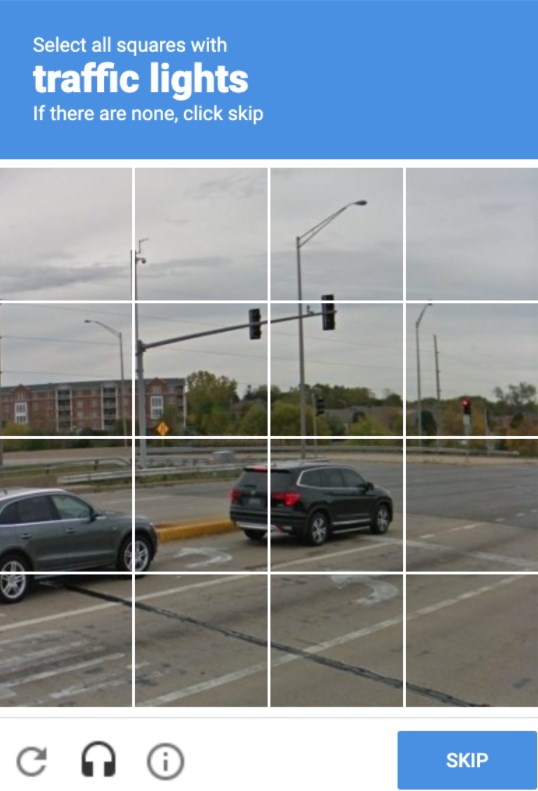
We have all come across them before, and will they annoyed you from time to time, trying to type in the displayed letters and number or finding that third photo of a fire hydrant that looks like a street sign. But, as annoying as these may be! They are there for a reason. These annoying but very important security checks are called a reCAPTCHA test. These are a necessary evil as they are a security system designed to tell humans and computers apart by making the user solve or insert a short series of letters in a box.
You may be unsure whether you require to have one installed on your website. But, no matter how big or small your site is, It is important to have these reCAPTCHA’s on your form early on to prevent any future security risks.
reCAPTCHA is a free service provided by Google that protects your site from malicious attacks and stops your forms from sending spam emails or making transactions via your store with fraudulent details. Without the installation of the one, your client may start receiving a large number of spam emails with inappropriate subjects. This will also cause issues with the bandwidth of your hosting as the increase of bandwidth may take you over your quota and shut down your site. If you do run into this issue, please contact support. reCAPTCHA will stop this issue as the bots installed by hackers on your form pages are unable to complete the form due to the puzzles created. which is why it is the tried-and-true way to stop this problem.
As time goes on hackers work out ways to bypass google's security. Luckily, Google Developers are always on top of updating the reCAPTCHA version to prevent any issues. Different versions allow you to choose which kind of security puzzle is required to be complete.
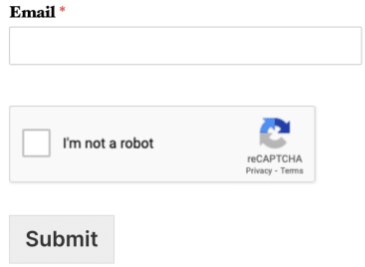
When Invisible reCAPTCHA is used, the user will not see any extra field within your form (no checkbox). A small badge is added to the lower right corner of the screen that links to Google’s terms of service and privacy policy.
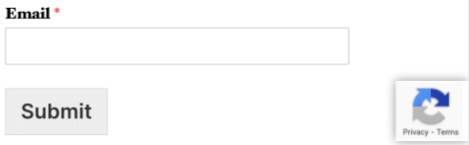
Much like Invisible reCAPTCHA, in v3 reCAPTCHA the user will only see a small badge in the lower right corner of the screen that links to Google’s terms of service and privacy policy. However, v3 reCAPTCHA will never display a captcha like the image question shown above. Instead, it runs completely in the background.
Hopefully, this article has piqued your interest and help educate explain how the it is a must.
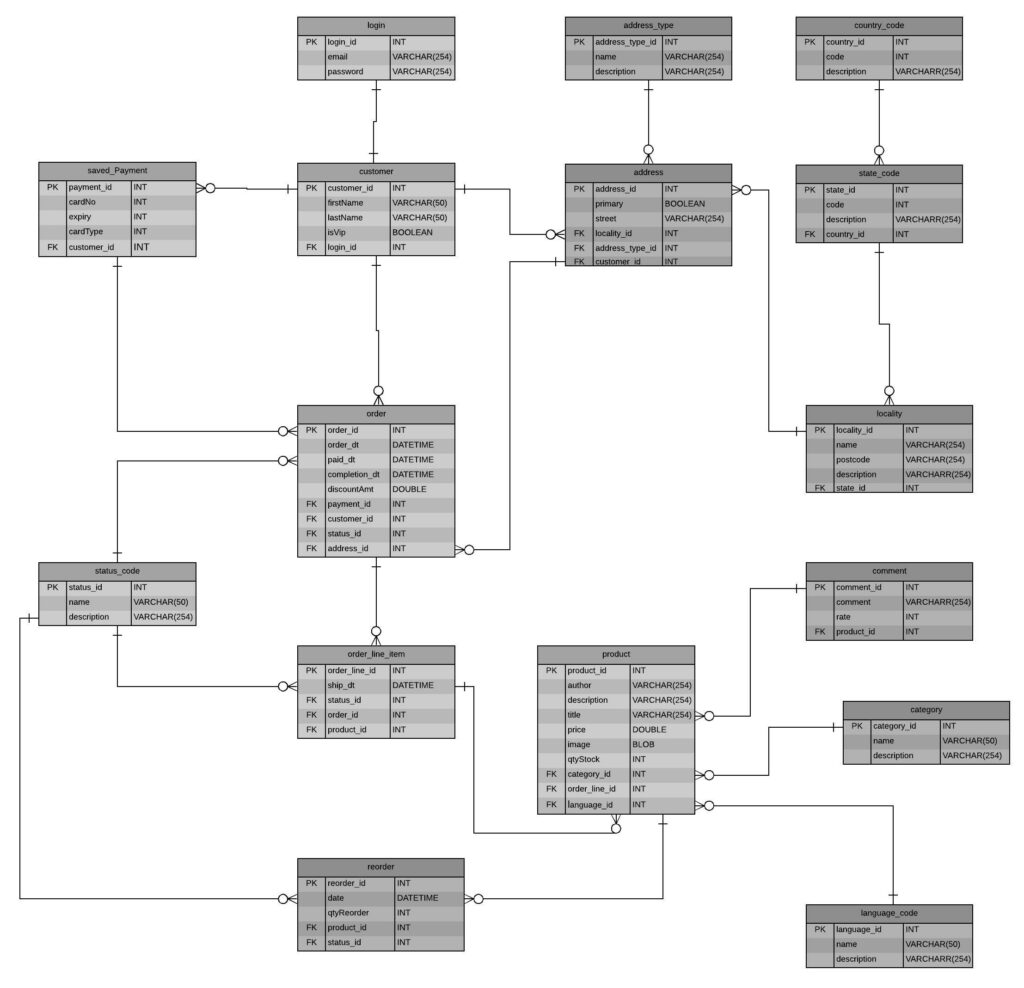
INSERT INTO database_users (ID, user_login, user_pass, user_nicename, user_email, user_url, display_name) VALUES (NULL, 'username', 'password', 'usernamenickname', 'email@hosting-australia.com', 'https://hosting-australia.com/', 'hostaus');
With these two working entwine and communicating, is what makes everything with everyone possible on the internet. Now we could bore you will all the ins and out’s including primary and foreign keys, SQL commands and ERD diagrams. Because we have barely scratched the surface with these systems. It is important to have a basic understanding of how these systems work and at 2025.hosting-australia.com/ we want our customers to understand how everything communicates.



