
If you are a customer of our cPanel shared hosting accounts, you may not know the resources are shared with multiple customers across the servers. To ensure one website is not using all the server's resources and affecting the performance of all the other websites, there are limitations in place. These limitations are decided by a maximum number of resources that can be used for CPU, RAM, I/O, inodes ad entry Processes by a particular hosting account.
Shared hosting is not a bad thing. As it is more cost-effective, this allows the cost of the server to be divided across multiple users without the requirements of purchasing an entire server for your website. 2025.hosting-australia.com/ providers support all services under the shared hosting services. There is no requirement to have extensive server knowledge to maintain the hosting. This is helped by the built-in control panel (cPanel) which enables you to smoothly manage your hosting. This is also where you may notice your cPanel resources, these are important as you want to make sure your hosting is staying within your hosting package requirements. As exceeded, these will create an issue with your services. I.E: Emails and website traffic.

Disk Usage is the total amount of storage space found for your hosting. These are taken-up files found in your File Manager. These files can include Website files, Email data, Databases, Backups.

Bandwidth is used to monitor the measured amount of data that can be transferred from users to your hosting. The bandwidth is dependent on the amount of traffic that visits your website or email traffic between domain accounts across users. If you find you are exceeding your bandwidth usage, you may be receiving more traffic to your site. You may also check your monthly bandwidth transfer within your cPanel. This allows you to monitor during what periods and the causes of the bandwidth spike.

CPU represents the number of central processing units (CPUs or cores) available to your account. For example, the Core Hosting package has 1 CPU allocated to the hosting. The ultimate hosting package has 3 CPUs allocated. If your site uses a database, is receiving a large amount of traffic, relies on scripts (such as PHP), or uses many resource-intensive add-on-on these and plugins, having an increased CPU size will enhance your site's performance.

Physical memory limit corresponds to the amount of memory used by end users’ processes. The cause of high physical memory can be due to, increased number of visitors, a high number of entry processes, updates to your website, presence of malware, new theme plugins recently installed. If you are running into a high physical memory issue, try optimizing your website by adding caching, scaling images, minimizing scripts and CSS.

I/O is the speed of data transfer between the HDD/SSD and the RAM. For example, a user visits your website and is required to download a large file. Depending on the I/O usage will determine the processing speed of the download.

The number of inodes on an account is countered by File Usage. Inodes, however, are not the same as files. They are pieces of data used by Linux-based systems to reference files and directories.

MYSQL is an open-source relational database management system. What does this mean? This allows the database to create, read, update, delete, all your website files. Depending on you are the size of the content of your website will determine the size of your MYSQL database usage.
At some point, we have all received a bounce-back message, and reading the bounce-back message you may not be able to work out if the issue is with your email/domain or the recipients. You should always contact our support if you are having difficulties with your emails, and our support staff will help your email be delivered.
There are tools you can use even before contacting support. these tools will help you figure out if the issue lies within your hosting or the recipients.
Before we get into the best tools for testing deliverability, it's important to understand the difference between Deliverability and Delivery.
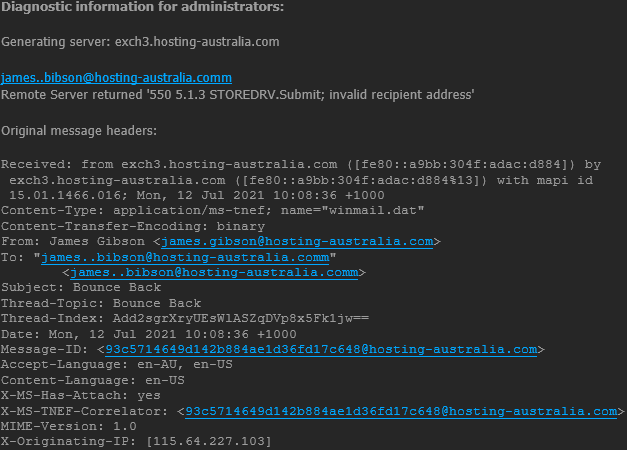
Email Delivery is in relation to if a recipient’s server has accepted your email or not. If it did, it's still not certain where a message ended up, but it already counts as a positive result. If a message bounces for any reason (misspelled email address, the domain does not exist, etc.), it counts as a failed delivery, and you are immediately notified of it with a bounce message with have grown to love.
Email Deliverability refers to if an email was delivered to the recipient’s inbox or straight to their spam folder. In that case, deliverability is often referred to as Inbox Placement. There can be multiple factors such as a sender’s reputation, authentications, or quality of content when automatic filters decide when the email is attempting to be delivered.
Now that you understand the difference between Deliverability and Delivery, let us look at four main tools to test your emails deliverability. All you need to access these tools are your browser, there are no installations required.
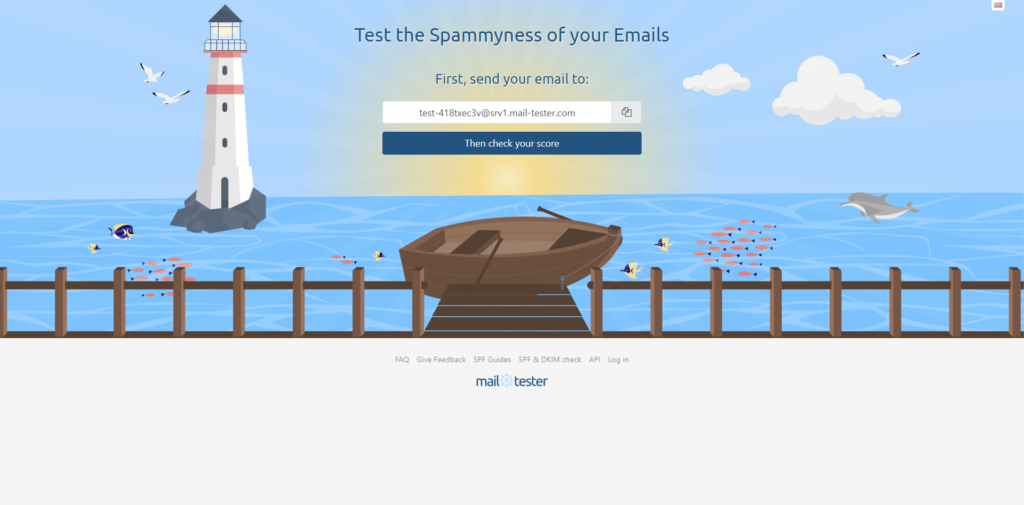
Mail-tester.com is a free tool for analyzing specific emails and their content. It is extremely simple, you will just be required to send an email to the address found in the middle of the screen, using your email. Once you have sent the email, wait a few seconds then simply click the “Then Check Your Score” button. Mail-tester investigates various factors that affect deliverability.
It checks the likelihood of it going to spam and gives tips on what to improve. It also takes into factor your domain and the authentication methods used with improvements or any blacklists that may be an issue.
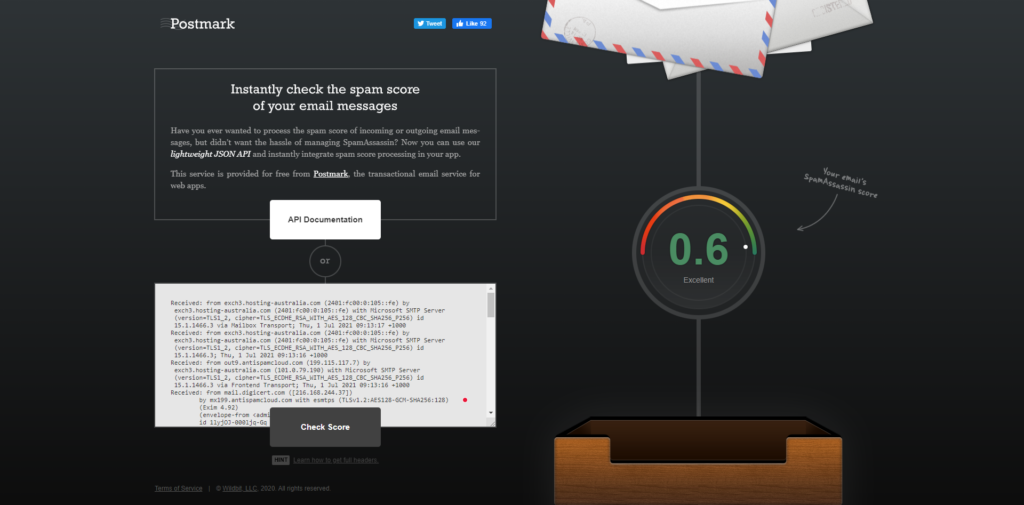
Spamcheck is easy to use, you just paste your email’s HTML code into the dialog box, along with all the headers. Then you will get back a score in just seconds, unlike Mail-tester the lower the score the better. You will also find displayed how to improve the email.
Postmark also allows you to integrate Spamcheck into your mail client and automatically run spam checks on all outgoing emails.
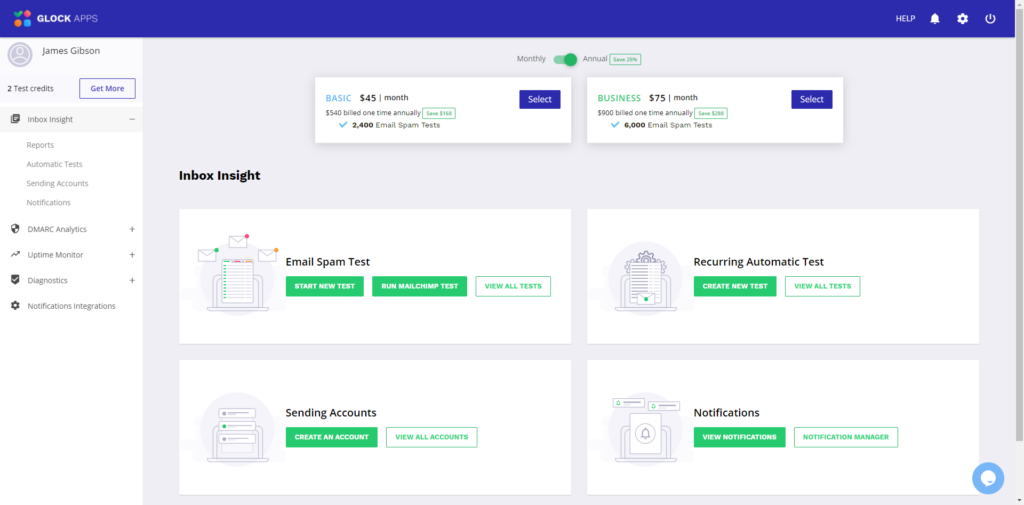
GlockApps emulates email sending through Postfix and two other platforms. It then estimates where your email would land using these services. GlockApps allows you to send test three emails for free. After that you will be required to sign up for a monthly or annual subscription plan, there are different levels of costing and services depending on your requirements.
GlockApps delivers a full detailed report to help you troubleshoot your emails. GlockApps also offers automatic testing, DMARC Analytics, Uptime Monitoring, and Diagnostics all accessible via the user dashboard.
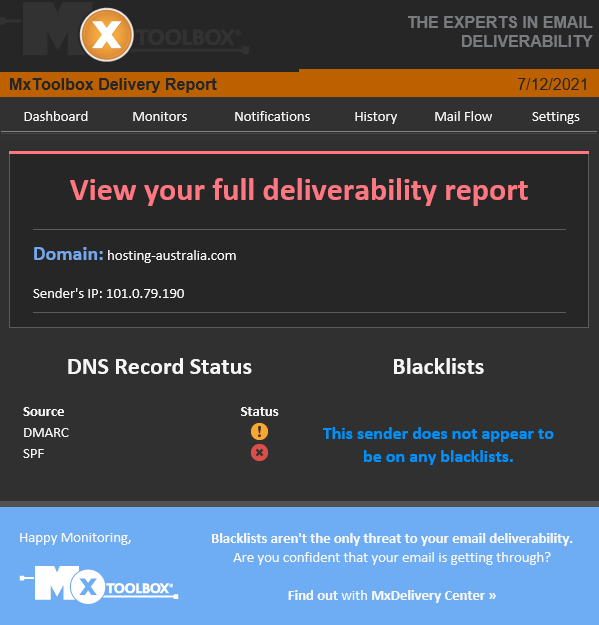
Authentications play a significant role in email deliverability. MX Toolbox offers various tools aimed at helping improve the domains’ capabilities. One of them is aimed strictly at validating a domain’s authentication methods.
All that is required is sending a test email to ping@tools.mxtoolbox.com. Unlike the other sites previously mentioned, you will receive an email back to your account with a link to your report.
MX Toolbox also offers the ability to test your domain name and records corresponding with the domain.
The following commands allow you to troubleshoot certain records.
| blacklist: | Check IP or host for reputation | |
| smtp: | Test mail server SMTP (port 25) | |
| mx: | DNS MX records for domain | |
| a: | DNS A record IP address for host name | |
| spf: | Check SPF records on a domain | |
| txt: | Check TXT records on a domain | |
| ptr: | DNS PTR record for host name | |
| cname: | DNS canonical host name to IP address | |
| whois: | Get domain registration information | |
| arin: | Get IP address block information | |
| soa: | Get Start of Authority record for a domain | |
| tcp: | Verify an IP Address allows tcp connections | |
| http: | Verify a URL allows http connections | |
| https: | Verify a URL allows secure http connections | |
| ping: | Perform a standard ICMP ping | |
| trace: | Perform a standard ICMP trace route | |
| dns: | Check your DNS Servers for possible problems |
Making sure all your email is delivered 24/7 is our top priority, we also understand that there are some issues from time to time. Therefore these email troubleshooting tools are such an important factor in having an email account.
Business and customers data is one of the most important assets of a company. When hackers and malware sneak in, this data can be compromised, resulting in data breaches and disruption of business operations.
Since the beginning of the pandemic, a lot of businesses have realized they are just as effective if not more since moving their operation to an online workspace and working remotely. This has been shown that employees have been more productive since the change to working from home.
But with the change, this also brings issues. In your workplace, IT professionals were able to monitor and keep the security up to date. Most employees or business owners are required to do this themselves from work home.
With the threat of cyber-attacks becoming more common since this change. Here at 2025.hosting-australia.com/, we want to make sure you prevent any malicious attacks and stay up to date with security by installing one of these chosen Malware Removal Programs

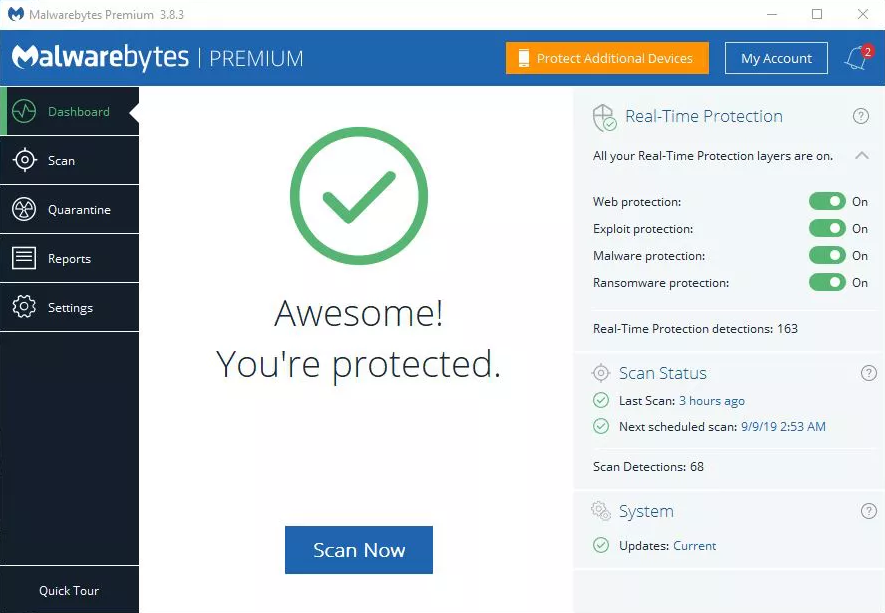
Malwarebytes is personally my go-to choice when it comes to malware programs. Malwarebytes is accessible on Windows, Mac, Android, iOS so you can keep all your devices risk-free. With the use of anti-spyware, anti-malware, and anti-rootkit technology that helps shield you from threats by removing viruses in real-time.
Malwarebytes also has four layers of defense that wrap browser and software programs, preventing them from being taken over by infectious attacks.

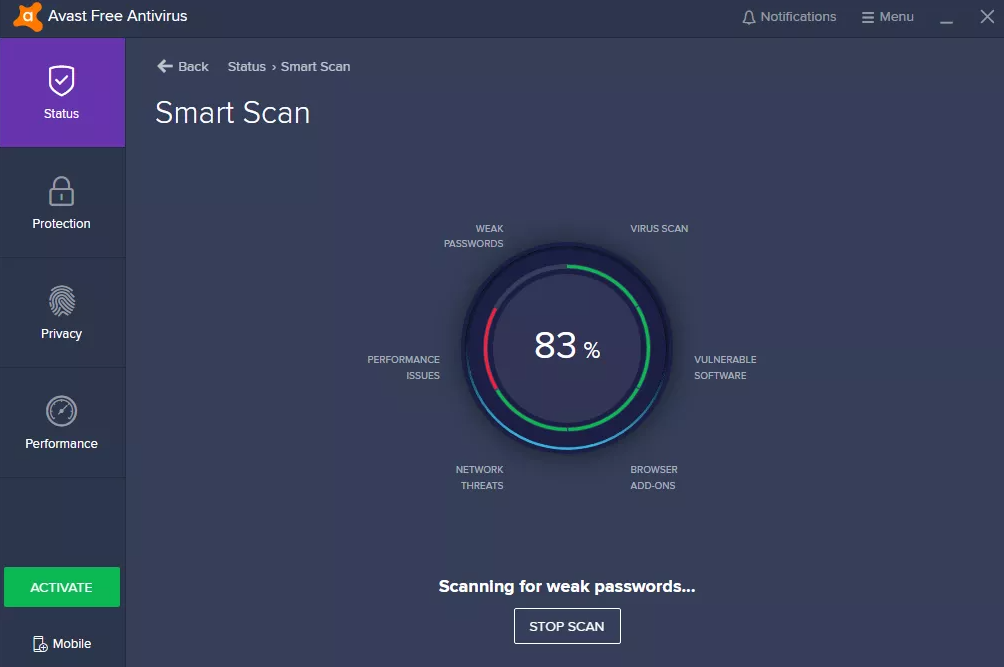
Avast is simple and does not require in-depth IT and antivirus knowledge and expertise. Once it is up and running, accessing multiple devices is simple with the user interface. The dashboard centralizes access to all the devices and workstations, granting you total over the behavior and actions of the antivirus on devices.

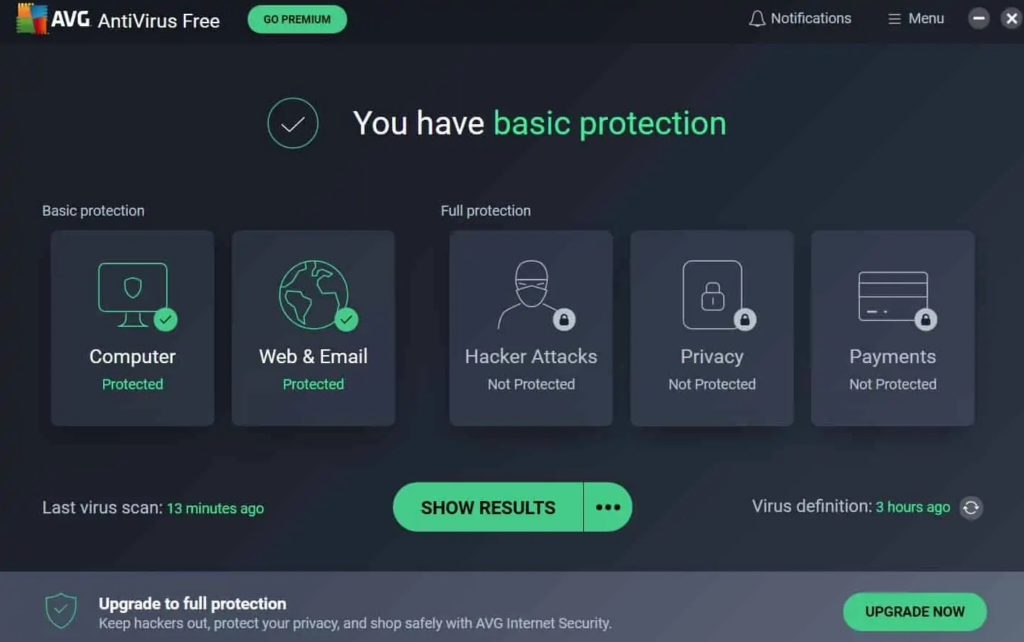
AVG is extremely popular and known for being accessible for home users. AVG is loaded with safety features and s designed with simplicity in mind.
AVG is an excellent choice for android users through the antivirus app. It offers anti-theft features for lost or stolen phones or tablets. While protecting from the latest viruses, malware, spyware, unsafe apps, and settings, also warning users of scams or unwanted callers.
It's Tax time……. Here at 2025.hosting-australia.com/, we understand the tax man causes stress and robs you of precious time to focus on your business. Sifting through all your purchases and receipts, trying to work out all your yearly expenses ready for the 1st of July. Also collecting sales tax accurately from customers can be a hassle when you have an online store. There are so many variables you need to take into consideration. So how will you get the exact tax calculation right every time? Luckily, if you use a WooCommerce store, these plugins help calculate the tax rates according to your customer's state or area and there are plenty of options there to automate sales tax calculations.

This will be automatically built into your WooCommerce plugin as WooCommerce Tax is the official extension from Automattic for automatic tax calculations. Powered by Jetpack cloud services so you can start benefitting from free security, insights, and uptime monitoring.
Once you update your tax settings, your store will collect sales tax at checkout based on the store address in your WooCommerce Settings.
WooCommerce Tax is a free service if you are selling from one location. Sadly, if you are selling from more than one you will be required to use a standalone tax plugin which will discuss further.
TaxJar’s sales tax automation makes collecting sales tax easy by removing complex configurations and providing accurate rates for WooCommerce. Once you are synced up to TaxJar, you will see your sales tax collected by city and county, across all states, and including all the channels on which you sell.
At the cart and checkout page, TaxJar takes the following input from your store.
And returns accurate sales tax (including state, country, city, and special taxes) based on the following.
TaxJar offers a free 30-day trial, that does not require a credit card when signing up. However, after the 30 days are over, there are 3 monthly subscriptions you can choose from depending on your needs.
Quaderno uses real-time sales tax rates in your selected country while following the local tax laws of your customer that are set in the Quaderno plugin – this is extremely helpful if you dealing with customers outside of Australia. Quaderno has a feature that generates automated tax receipts for each sale made from your website, these receipts are also available in multiple languages and will show different currencies according to the customers’ location.
Quaderno integrates seamlessly with your chosen eCommerce platform, shopping cart, or payment processor. The secure APIs access your sales data and begin automating your sales tax processes in seconds.
All plans include.
Unlike TaxJar, Quaderno only offers a free 7-day trial. They have plans best suited to your site's traffic and transactions per month starting from $99 a month up to 1,000 transactions per month.
I made the switch to Ecosia at the start of the year. Since my switch, I have planted a total of 699 trees. Well, I physically have not but Ecosia did use the profit they had earned from my web searches.
Since Ecosia’s launch in 2009 and with over 15 million active users, they plant a tree every 1.3 seconds. Bringing their total of trees planted to 129 million over 9,000 sites. Which is incredible using every day searches for an amazing cause to help the planet.

They are the leaders in proofing that it is possible to move away from fossil fuels o matter the size of your business. Ecosia are carbon negative after they built their own solar plants in 2018. So, all Ecosia searches are with 100% renewable energy.
You may not know this but about 300 million tons of CO2 are released each year by the internet. If google alone was to follow Ecosia’s lead, it would effectively remove 15% of all worldwide emissions just by itself.

Ecosia like other search engines makes money from your searches through advertisements. But the major difference is, Ecosia uses the profits to help plant trees across the 9,000 sites globally.
Ecosia uses its profits to plant trees in deforested areas, work with local communities, and restore fragile ecosystems. They also invest in firefighting in Brazil and in our own back yard Australia. So, Ecosia helps protect habitats from wild and manmade fires which is incredible after the devastating fires in 2020. So, farm Ecosia’s investments have helped to preserve an estimated 3.5 million trees since 2018.
Well, you are already searching the web using other engines, making the switch is no different. But there is another positive apart from the environmental effects.
Unlike other search engines, Ecosia respects your privacy. By encrypting your searching and allowing you to turn off all their tracking and do not use external tracking tools. They are not looking to sell your personal data to the highest bidder for advertisements.
This not only means your privacy and your data are protected, but you also always get objective and impartial search results, that is not based on your previous behaviors and clicks.
Passwords are such an important factor in all aspects of life. They are used to keeping your personal belongings locked away or a code on the security system of your home or even a password you were told to get access to an exclusive party.
The days of writing down all your passwords in an old book that you keep by your computer are gone. There are applications created to do this for you and help manage and keep safe your passwords. This way when you are searching your booking for your email password, you will not be trying to work out with the that I, is a lower-case L.
You may be thinking. But I use my browsers password manager isn’t that good enough?
All web browsers such as – Chrome, Firefox, Safari, Ecosia have integrated password managers. These are not always the safest ways to save a password. Chrome and Edge store your passwords on your computer in an unencrypted form. People could access the password files on your computer and view them. Also, these companies are always victims of hackers, compromising your password and allowing it to be used for brute force attacks.
A dedicated password manager will store your passwords in an encrypted form, help you generate secure random passwords, offer a more powerful interface, and allow you to easily access your passwords across all different computers, smartphones, and tablets you use.
So which password manager should you use?
Here is a listed of 2025.hosting-australia.com/’s top password managers to keep your passwords safe.

Dashlane uses 256-bit AES encryption, zero-knowledge architecture, and 2FA to help protect user’s data. Dashlane uses these security features to ensure that no one other than you can access your password vault or gain access to your sensitive data.
Dashlane was originally a desktop app but is now slowly transition to becoming a web-based password manager only. Dashlane is installed through browser extensions for Firefox and Chrome and its mobile app is reliable and easy to use. Dashlane consistently generates extra-strong passwords, instantly syncs data across each device, and accurately auto-fills even the most advanced web forms.
Dashlane features include:
Dashlane is a free service. However, there are also monthly subscription with additional features available.

1Password interface is bright, simple, and extremely user-friendly, which is the perfect choice for any beginners. Is similar to Dashlane as the 1Password extension can be installed on your default browser of choice, or using the desktop or mobile, tablet application.
1Password offers convenience with their automatic form fillers that allows you to sign in with a single click, look or touch, also including safety features such as:

RoboForm is known for its ability to auto-fill some of the most complex web forms with perfect accuracy in just one click. With RoboForm, you can create multiple profiles for your web forms, with 8 different categories of information, including passport, credit card, and vehicle info. This is extremely useful if know you need to fill out multiple forms requiring different information. You can easily autofill which form is required with the correct information with a simple click.
Roboform offers multi-platform support for, Windows, Mac, iOS, and Android and their respective major browsers, including Chrome, Firefox, Safari, Ecosia.
Roboform features include:
Unlike the other two discussed previously, RoboForm is not free but is only $1.30/Month.
With any of these 3 password managers there will be no need to keep that old book that you keep your passwords in. And never forget a password again.
Choosing a domain is such an important decision, you need to make sure it stands out from your other competitors. It must be short, smart, memorable, easily spelled it is not too long, because no one wants to type in a 13-letter domain name into their browser, plus there is a higher chance for error and the user is unable to find your website.
You may have a brilliant idea for a domain name, rush to the computer and visit the 2025.hosting-australia.com/ registration page to secure your amazing name. In your excitement, you then check your newly registered name to see......... teacherstalking.org. which isn't a good look at first glance, especially when you are only wanting to design a website to help teachers to reach out and talk about their experiences.
So, it's best to think about your domains and how the combinations of letters will look in the browser's URL. You can also look at these unfortunate names whose registers failed to check the domain before registering so, you also do not find yourself on one of these lists.









PHP is another important factor for your website. Upgrading and maintaining your current version of PHP is not just important for compatibly. But also for the security of your website. New security features are implemented with each new PHP version. While older versions reach their life cycle and are no longer supported, not receiving updates, creating security vulnerability as they are no longer patched for these new vulnerabilities.
PHP is a hypertext processor that is used with HTML to create scripts for your website. When anyone visits a website, the browser sends the site a request, and PHP scripts compile the HTML packets to send them back to the browser.
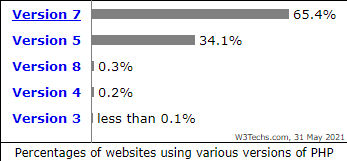
PHP version 7 alone is used by 65.4% of all the websites that use PHP. 34.1% are still using PHP version 5. It is also one of the best-maintained languages because new updates and features are constantly being pushed out, Version changes happen about once every year. So how do you know what version of PHP your current website is using, and how do you update it?
Finding out your version is simple; you can access all of PHP information by logging into your cPanel. Unsure how to access your cPanel? Its simple just follow this guide!
NOTE - The below will change the PHP version for the entire cPanel. If you have an independent site or development site, that requires a newer version of PHP than other installed sites in your cPanel, we recommend setting the newer site up as a Sub-Domain or addon domain, depending on what your scenario is. Then set the PHP version for that subdomain/addon domain as required via the MultiPHP Manager in cPanel. See THIS ARTICLE for details.

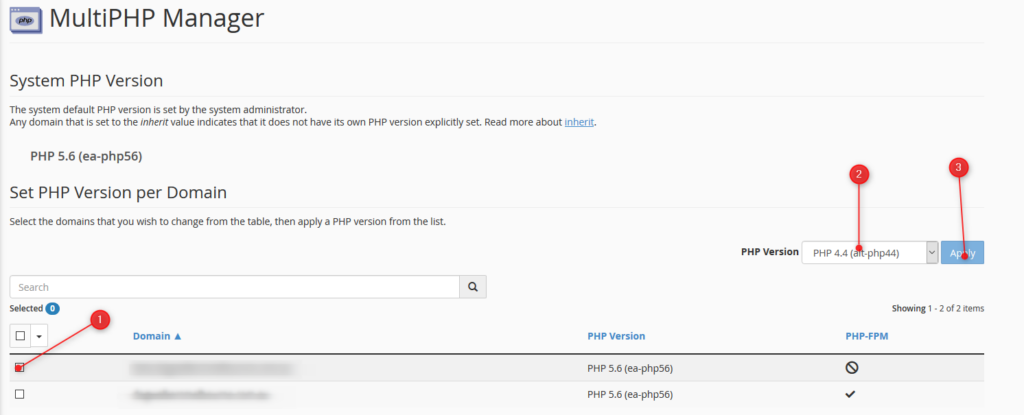
You can also check your PHP Compatibility with the WP Engine PHP Compatibility Checker. This plugin can be used by any WordPress website to check your PHP version. Once the plugin is installed follow the instructions to run a scan. The results report will help you identify any potential PHP version conflicts in your code, so you can have them fixed before upgrading.

Email Bouncebacks are a common occurrence, they happen to everyone. You maybe have received multiple bouncebacks and they sometimes can be confusing and convoluted. First, If you are unable to work out why an email is bouncing, it's important to contact our support team so can make sure all of your emails are delivered. But, it is also important to know what causing and what an email bounce message is.
An email bounce is an error message you receive when email you have sent is not delivered. Your email account will typically receive a Non-Delivery Report (NDR) instantly after sending an email or 72 hours depending on the type of bounce back, which we will get into later. These NDR also informs you what caused delivery failure of your email and are extremely important because they detail all the information for troubleshooting.
When you send out an email, the email is sent out via an SMTP server for delivery. The SMTP server checks your email with the DNS. The DNS is an address book for domain names and server IP addresses, like the yellow pages for the addresses on the internet. Once the recipient’s server is located, the SMTP server gives your message to their MTA to complete email delivery. This will allow the email to be delivered successfully.
However, sometimes the email may run into an issue during this process. This is where the bounce back messages come into play by telling yourself (the sender) what went wrong.
There a multiple reasons for email bounce backs including full inboxes, servers that are not responding, send to email addresses that no longer exist, or something as simple as misspelling the email address.
There are three types of bounce backs:
Emails soft bounce is when a server rejects an email temporality. Most email services try to resend email messages after they soft bounce. You will typically see that it will reattempt in 24 hours or 72 hours.
Mailbox full: If the recipient mailbox has reached capacity and will bounce until there is free space to deliver.
Email Size: The email attachment may exceed the server or mail client limit, or it might be bounced back if there is a filter in place.
Server is down: An unreachable server may have crashed, be overloaded, or be under maintenance.
A hard bounce happens when your email is permanently undeliverable to an email address.
Incorrect email address: This is a simple one but happens to the best of us. This the email address is spelt incorrectly you will receive the bounce back message.
Email blocked: Some domains have stricter spam filter settings. The recipient may have strict ruling in place. You will need to contact our support team regarding this issue.
You cannot fix hard bounce email issues what you can do is remove the reason behind the hard bounce, such as an incorrect email address.
Email blocklists are created by ESPs to filter harmful or exploitative content, like spam or malware. It is not created to make it harder to spend emails, it is designed to protect the recipients of the emails sent daily.

You can test your email against blacklists using helpful tools such as mxtoolbox.com.
Spam complaints: An email may become compromised by a malicious attacking causing large volumes of spam. This may find you on a blocklist.
High bounce rates: Another reason may be just too many bounce backs by the reasons mentioned before.
Bad content: If you use certain words in your subject that are typically found in a Spam. You may find yourself on this list.
With time: The block maybe removed automatically after a predetermined time.
Contact the blocklist: A request can be sent to the blocklist holder’s website to be delisted.
Contact us:If you are unsure and need help removing yourself off a block listed, contact our support team so we may look on a server level.
There are many reasons you may want to switch from your current web hosting provider to 2025.hosting-australia.com/, perhaps their pricing has changed over the years, their servers are slow or you’re finding it difficult to get in touch with their support team.
Switching your web hosting provider might seem like a daunting task, but we’re here to take the guess work and stress out of making this change.
2025.hosting-australia.com/ is 100% Australian owned and operated. Our support team are located in Australia, so you know if you are having any difficulties with your service, you can quickly get in touch with someone in our team and get the assistance you need.
So, if you’re ready to make the switch, what’s next?
First, you will need to contact us via (07) 4914 2433 or send an email to support@hosting-australia.com, informing us that you wish to migrate your services over to us.
When you contact us it's best to give us the following information so the transfer will be as smooth as possible. Providing this information upfront will help us eliminate downtime on your site.
There are pre-transfer checks you will need to make before transferring the domain across, because there are safeguards to keep individuals from taking your domain from right underneath you.
Your current hosting provider may use cPanel, if that is the case you are in luck! cPanel migrations are FREE! All we require are your cPanel username and password and our migration team can migrate your hosting files using our server migration script.
If you require a manual transfer our migration team are more than happy to do this for you as well. Manual transfers will incur a $75 manual migration fee as there are more steps taken in a manual migration.
We will require the following:
Once the migration is complete. It is important to Repoint your nameservers. 2025.hosting-australia.com/ will take care of this step if your domain has been transferred to us. However, if the domain is with another provider you will need to do this step yourself.



