[et_pb_section fb_built="1" _builder_version="3.22" global_colors_info="{}"][et_pb_row _builder_version="3.25" background_size="initial" background_position="top_left" background_repeat="repeat" global_colors_info="{}"][et_pb_column type="4_4" _builder_version="3.25" custom_padding="|||" global_colors_info="{}" custom_padding__hover="|||"][et_pb_text _builder_version="4.14.7" background_size="initial" background_position="top_left" background_repeat="repeat" global_colors_info="{}"]
Did you know Hosting Australia Provides a free cPanel autoSSL? An SSL Certificate is a vital and powerful tool for securing your website and visually reassuring your visitors that their connection to your site is secure. Based on the SSL Certificate installed, most browsers and mobile devices will discourage and/or warn you of a website's security protocols in use. Furthermore, many search engines will give higher rankings to sites that have implemented an SSL Certificate (and use the https:// protocol rather than the non-secure https:// protocol).
We'll explain the differences between "Free SSL" and "Dedicated SSL" Certificates in this article, which should help you decide which type of SSL Certificate is best for your website's security needs. Then, we'll assist you in installing cPanel's AutoSSL, a free SSL that is always enabled, so you can avoid browser warnings on your site.
Simply put, an SSL Certificate is a digital file that contains information used to authenticate the ownership of a website (or web server). It also includes a cryptographic key that has been supplied and authenticated by an authorised Certificate Authority (CA). This enables the visitor to quickly identify and trust a secure website.
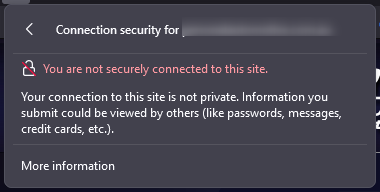
This trust is represented by the more familiar "green padlock" displayed in the address bar. A green padlock (or, in some browsers, a solid, uncrossed padlock) indicates that the connection is properly encrypted for security.
In general, the two most widely accepted types of SSL are free SSLs and paid Dedicated SSL Certificates. In general, the encryption used by a Free SSL Certificate and a Dedicated SSL Certificate is the same.
What's the distinction? Without a dedicated IP address, free certificates use Server Name Indication (SNI). This means that multiple domains can use the same IP address while still using SSL. It should be noted that this type of certificate is not as widely accepted as an Advanced SSL with a dedicated IP address. This is since SNI is a relatively new extension that has only recently gained widespread support across browsers and devices. Some older browsers and devices may refuse to accept an SNI-enabled certificate.
Dedicated SSL Certificates frequently include more extensive validation. For example, an Extended Validation SSL Certificate would authenticate not only the domain owner but also the legitimacy of the business claiming to be the owner of the website. Although the encryption is the same, this additional layer of validation can help your visitors trust your website and business as a whole.
The level of acceptance provided by a free AutoSSL is adequate for most informational websites. Large-scale enterprises (such as an eCommerce store) that accept private data about their customers should consider purchasing a paid SSL certificate from a reputable certificate authority. In addition to being widely accepted in all browsers and devices, premium SSLs from certificate authorities frequently include support and warranties. This is why many payment processors insist on you purchasing specific, premium SSLs.
Hosting Australia offers a wide range of Premium rapidSSL’s that will be installed and managed by our support team. Check Out which SSL is best for your website HERE!
The below highlights some of the key differences between an AutoSSL and a purchased SSL, such as the popular RapidSSL
| Free AutoSSL Certificate | Purchased SSL Certificate |
| AutoSSL (cPanel, Comodo issued) certificate is valid for 90 days and renewed automatically in cPanel. More renewals, can mean more points of failure or issues. | Purchased SSL Certificates are valid for a minimum of 1 year. |
| AutoSSL Certificate doesn’t provide the site seal to display on your site and earn trust from your website users. | Purchased SSL Certificates provide a secured site seal for their SSL certificates, which earns the trust of your website visitors. |
| AutoSSL does not provide any kind of support - you will need to troubleshoot and manage as the end-user. | Most of the Purchased SSL Certificates provide customer support including sales, technical, and installation. |
| AutoSSL doesn't provide Organisation Validation (OV) and Extended Validation (EV). | Purchased SSL does provide Organisation Validation (OV) and Extended Validation (EV). |
| You can install an AutoSSL Certificate to secure your informative website or a blog. | If you are running your business, we recommend you to go with a Purchased Certificate as a more robust and trustworthy solution. |
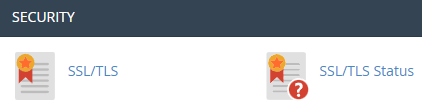
Hosting Australia's Core and higher hosting packages include a free autoSSL certificate. This autoSSL can be found in the SSL/TLS Status section of your cPanel, under the Security heading.
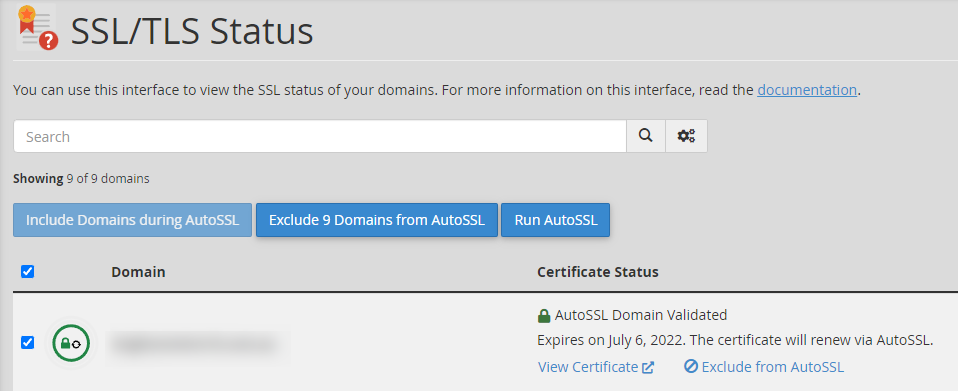
If you see a red padlock, it means your autoSSL is not installed. Simply check the box and run AutoSSL; after a few moments, a pop-up will
appear informing you that your auto-ssl has been installed.
If you have any problems installing autoSSL, try troubleshooting using these methods.
To begin, ensure that your domain is pointed to our nameservers and eventually resolves to Hosting Australia's IP address. Check that your Content Delivery Network (CDN) is properly configured; some CDNs will require you to set up an SSL with them rather than with us. For more information on CDN-related errors, please see the section below. Here are some guides to help you ensure this is correctly configured.
Because your .htaccess file handles rewrite rules and redirects, it is frequently the source of Free SSL problems. .htaccess can be accessed through your File Manager; if you need help locating your File Manager, please see our guide HERE!
Because your plugins can modify the .htaccess file, they frequently cause conflicts. As a test, turn off any security plugins you're using.
When AutoSSL is enabled for an account and a domain or subdomain is added, the server initially generates a Self-Signed request and then works on obtaining an SSL certificate (based on Domain Name Validation).
[/et_pb_text][/et_pb_column][/et_pb_row][/et_pb_section]
For many website visitors, a 404 error is the first (and last) impression of your website. Visitors will judge the site based on their experience with the broken link. If you’re putting serious effort into your website and its content, it’s not worth risking that someone will have a terrible time trying to find what they are looking for because of a simple 404 error.
The main thing you can do to improve your visitors' experience with 404 pages is to reduce the likelihood of them ever landing on a 404 page in the first place.
However, you should accept that you won't be able to prevent all instances of your visitors arriving at a 404 page on your website, so your secondary goal should be to ensure that when they do, the 404 page is well designed and useful.
To avoid negative user experiences, you need to create and verify user-friendly URLs on your site. Users should be able to find exactly what they’re looking for without difficulty, regardless of whether they use bookmarks or search function to revisit pages. Identifying and fixing 404 errors is one way of minimizing those frustrating redirection messages that users may see when visiting your site.
Let’s look at how you can improve your site by finding and removing 404 pages.
There are several tools available to assist website owners in quickly and easily identifying all broken links that are serving 404 errors on a website. Even better, many of them are free.
A variety of websites offer free tools for locating broken links. All you have to do with tools like Broken Link Check, Ahrefs Broken Link Checker, and Dead Link Checker is enter your website URL and wait for the website to scan the site for you.
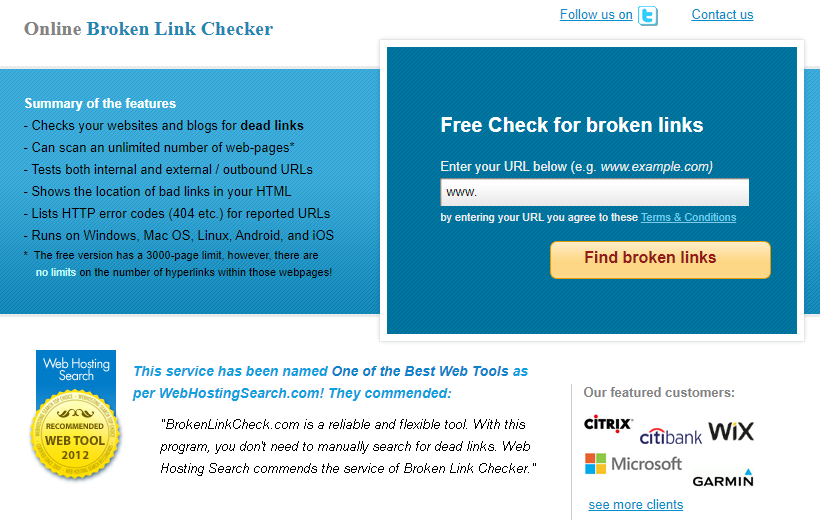
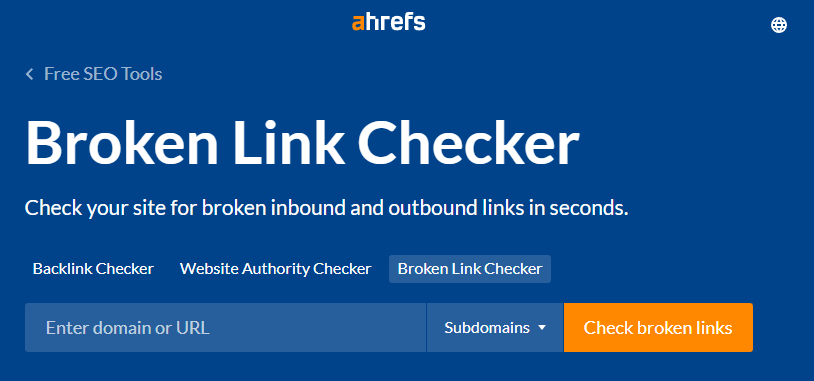

You're in luck if your website was built with WordPress! WordPress has a plugin specifically designed for this purpose. The free Broken Link Checker plugin will monitor your website's links, compile a list of those that don't work, and make it simple for you to edit or unlink each one.
One disadvantage of using a plugin such as Broken Link Checker is that it can temporarily slow down your site while it is active, so keep that in mind when deciding what to use.
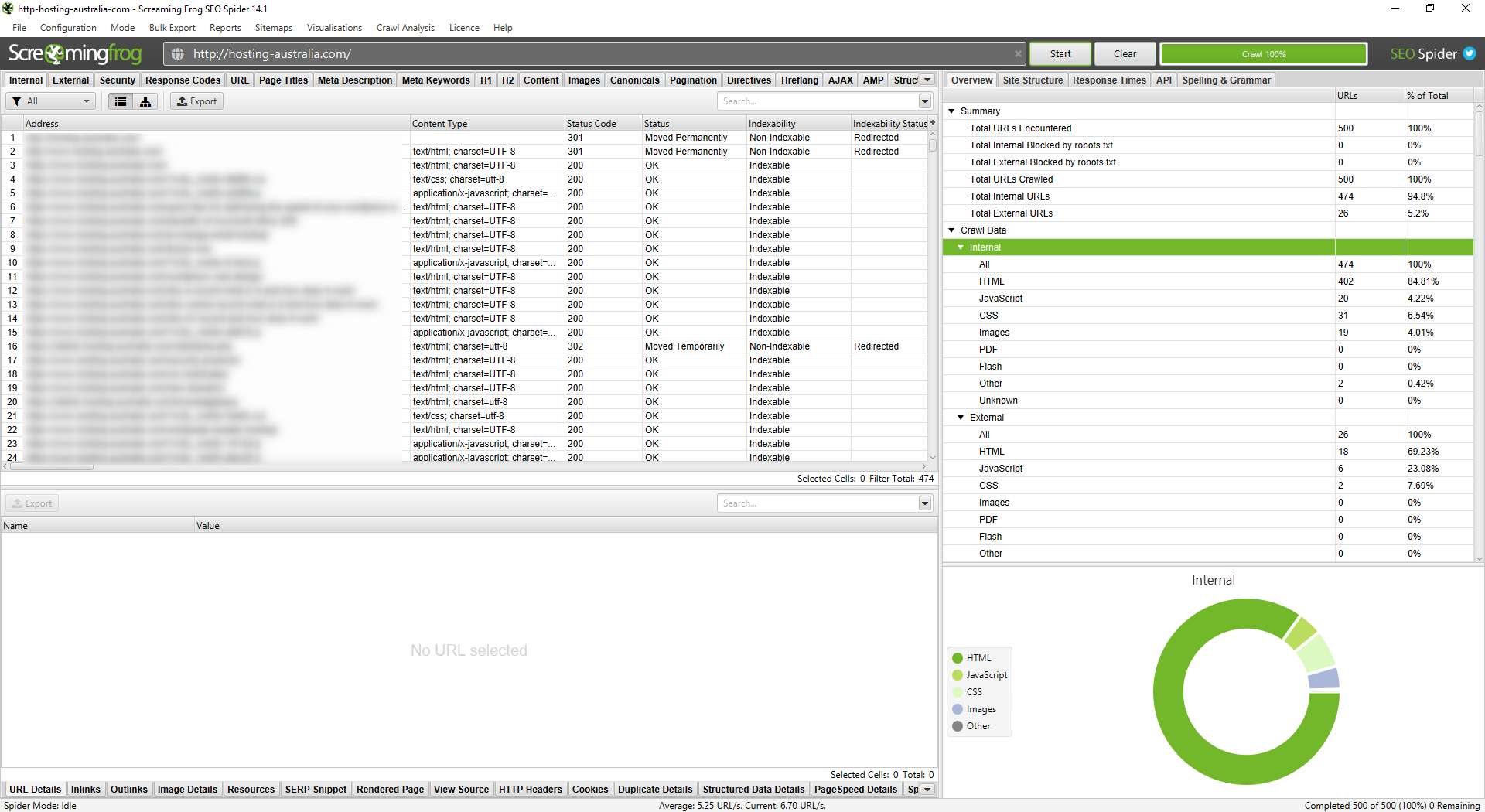
Screaming Frog's SEO Spider tool will crawl your website and automatically identify a variety of issues, including broken links. It is also free to use for websites with fewer than 500 pages. To use SEO Spider to find broken links, you must first download the tool. Once you've downloaded it, simply enter your URL and press the Start button. Crawling your entire website may take a few minutes.
Broken links can be viewed by selecting Client Error from the Response Codes menu. Locate the link on your website by clicking on it and then selecting Inlinks. Choose Bulk Export, Response Codes, Client Errors to get a list of all your broken links in spreadsheet form (which can help you tackle the project of fixing them). Inlinks.
Once you've compiled a list of broken links, the difficult part begins. You must go in and repair each one. Determine which links require an update and which should be removed entirely. Track your progress as you go to avoid missing any, and open each web page to double-check the updated link before moving on to the next.
This takes time, but it ensures that your website visitors have a better experience. It's best to do this once every three months or so to fix any new broken links as soon as possible. And the more you do it, the less work you'll have to do each time. If you're lucky, you'll notice the broken links before anyone else.
Even if you check for broken links on a regular basis, there will be times when you miss one or when users enter a URL incorrectly. Whatever you do, some of your visitors will almost certainly end up on your 404 page. So, take advantage of it when they do.
To avoid confusion, you want people to know they're still on your website when they land on a 404 page. Many brands continue to use generic 404 pages with no branding and no visual connection to the rest of the website.
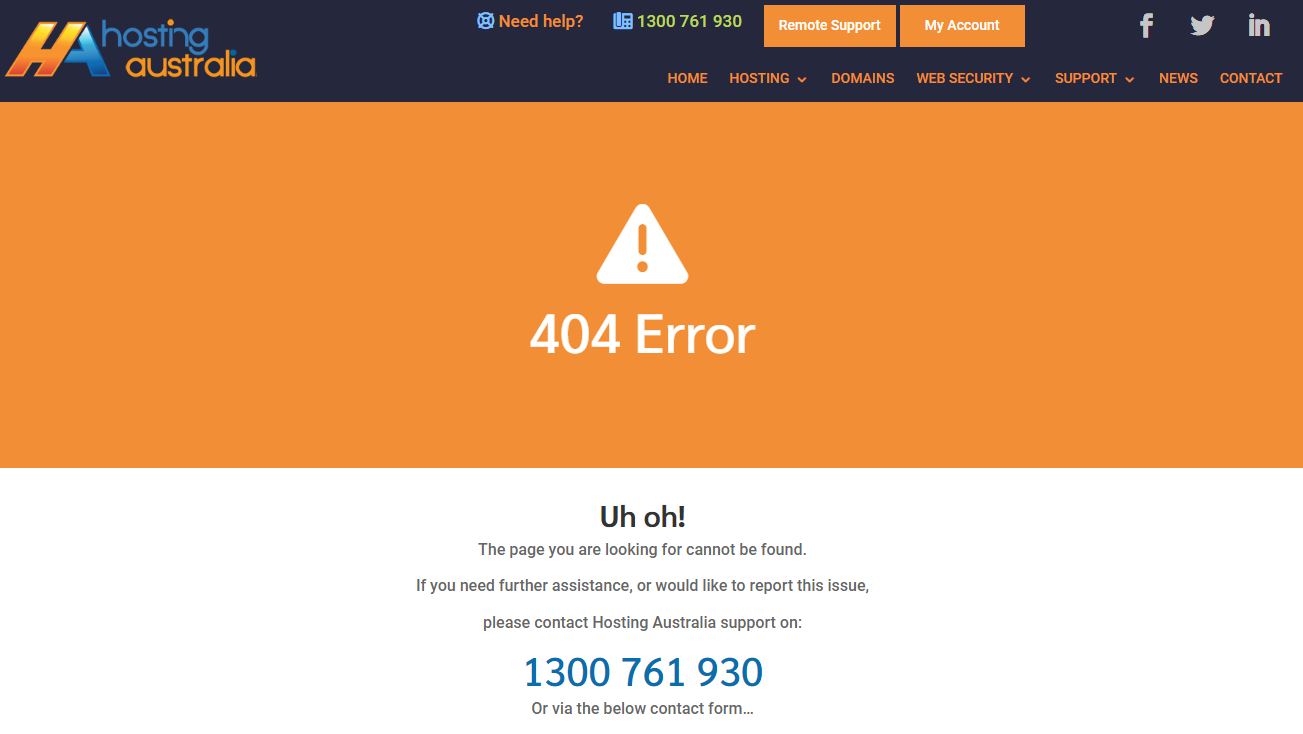
If you're convinced that it's time to create a custom 404 page for your website but aren't sure how the technical side of updating your 404-page works, you shouldn't have too much trouble figuring it out.
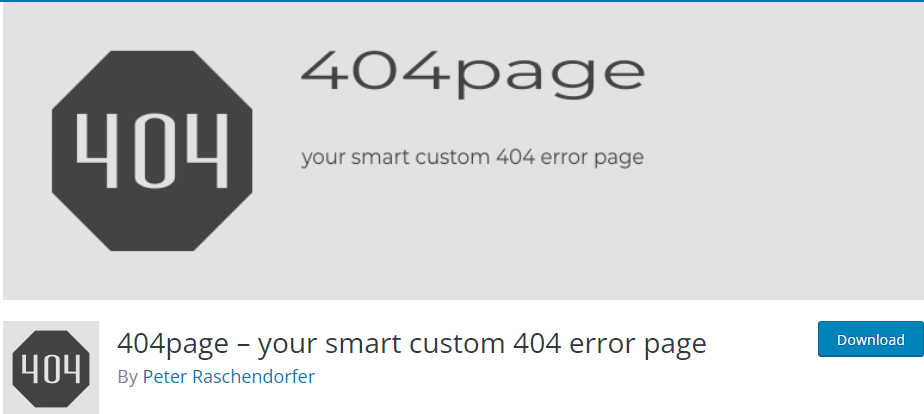
If you use WordPress, you can either follow these instructions or try a plugin like this one.
Otherwise, you can create a custom 404 page via your cPanel with these step-by-step guides.
Businesses put in a lot of effort to get people to visit their websites; the last thing you want is for that effort to be wasted because a customer bounces after landing on a generic 404 page, so make sure your site is free of broken links.
Page speed is an important aspect of SEO that is frequently overlooked.
The loading time of a site is one of the factors considered by Google's algorithms when determining how each site should be ranked.
A slow-loading website will also provide a poor user experience and drive away visitors. This, in turn, has a negative impact on your SEO rankings by increasing your site's bounce rate.
There are numerous ways to speed up your WordPress site, beginning with selecting a reliable hosting provider. It is critical not to use large images or files because they will slow down your site.
Using a CDN and caching your files are two other ways to speed up your site. Additionally, you should avoid using heavy themes and plugins.
Today, we'll look at minify plugins, which are plugins that help your WordPress site run faster by removing unnecessary coding and HTML.
There are many of these available; simply typing "minify" into the WordPress plugin search bar will yield several pages of results. However, not all of them are good.
Here are the top WordPress minify plugins for increasing site speed.

Autoptimize is a plugin that optimises your HTML, Javascript, and CSS code. You can select which of those three to optimise (it's best to select all three).
If you have a CDN, you can easily configure Autoptimize so that the CDN and the plugin work in tandem.
There are a few extra features, such as the ability to optimise the CSS and Javascript of Google Fonts and WordPress' emojis.
Autoptimize can also help your site load faster by optimising your images. It will compress their files and serve them from a CDN to reduce their size.

WP Super Minify is a lightweight plugin that minifies, combines, and caches HTML, Javascript, and CSS code.
It literally only does this. There are two options in the settings for excluding Javascript and CSS from being minified.
WP Super Minify is a good choice if you want a simple and light plugin that is solely a minify plugin.

W3 Total Cache is much more than just a minify plugin.
W3 Total Cache also includes advanced minify options as one of its features.
You have the option to enable or disable minify. You can use it automatically or manually select which files to minify.
There are various minify cache methods available, as well as minify options and methods for Javascript, HTML, and CSS.
These are advanced settings, but if you don't understand them, you can still use W3 Total Cache and leave all default settings alone.

WP Fastest Cache is yet another WordPress plugin that boosts performance.
You can minify HTML and CSS in addition to caching.
Even in the free version, you can combine CSS and Javascript codes to speed up your site. However, the option to minify Javascript is only available in the premium version.
It performs all of the same functions as W3 Total Cache but is a little easier to use.

Fast Velocity Minify is a plugin that focuses on minification while also allowing advanced users to tweak various settings to meet their specific needs.
You can, for example, disable Google Fonts merging, remove Google Fonts, strip HTML comments, and specify which JS and CSS paths the plugin should ignore.
For non-technical users, simply leave the default settings alone and you'll be fine.
There is also a "Pro Optimization" settings page with even more advanced options, but you should only touch these settings if you are a developer and know what you are doing.
Speed is a major factor in the success of any website. With so many visitors browsing the same content and competing for the attention of those visitors, speed becomes a major factor in whether or not a website is going to be successful. In today’s internet fast-paced environment, not only do you have to keep your visitors engaged but you also have to ensure that your website is fast enough so that it doesn’t become a detriment to your visitors. Optimizing your WordPress website for speed won’t just make your site load faster, it’ll also help you to identify and fix any bottlenecks that could prevent your site from being fully optimized. in this article, you’ll learn quick tips on how to optimize your WordPress website for speed.
A website's failure to function properly can be caused by a variety of factors. You may not have put in a lot of time and effort to create a website that performs well. Alternatively, your website's servers are insufficiently powerful to manage your website. Another possible cause is a high volume of traffic on your website.
Perhaps your website is receiving too much traffic for the promotion you've just put on. When this happens, they may receive a 'try again later error, similar to what they see on Instagram from time to time. Last but not least, your website may contain inefficient code, resulting in a long loading time.
Knowing that slow loading times can significantly reduce conversion rates, you should learn how to optimise your WordPress website for speed. Here are some quick tips for doing so after you've built your website:
One of the most important decisions you will make is selecting the right hosting plan for your website. The only reason your website can exist is because of its host.
As a result, the speed of your website is heavily influenced by the hosting plan you choose. The resources allocated to your plan and the ability to send data from your website to your website visitors will be determined by the hosting plan you select.
Although businesses are constantly looking for ways to save money, it is critical that quality not be sacrificed in order to save a few dollars.
Update notifications can be stressful at times, but you must take them seriously. WordPress plugins, themes, and software must all be updated on a regular basis. Delays in updates should be avoided as they can contribute to a slower website.
Installing the most recent updates also helps protect your website from data breaches and other threats, as new versions are much stronger and safer than previous versions.
Caching assists your WordPress website in reducing the number of requests it handles. To best explain caching, imagine it as a memory for your website that remembers data for a short period of time.
Caching works as follows: when a user first visits your website, a copy of all of their requests is saved as cached files. As a result, the data will be displayed to the visitor the next time they visit your website.
As a result, caching reduces the number of resources required to run your website. As a result, caching can significantly speed up your website.
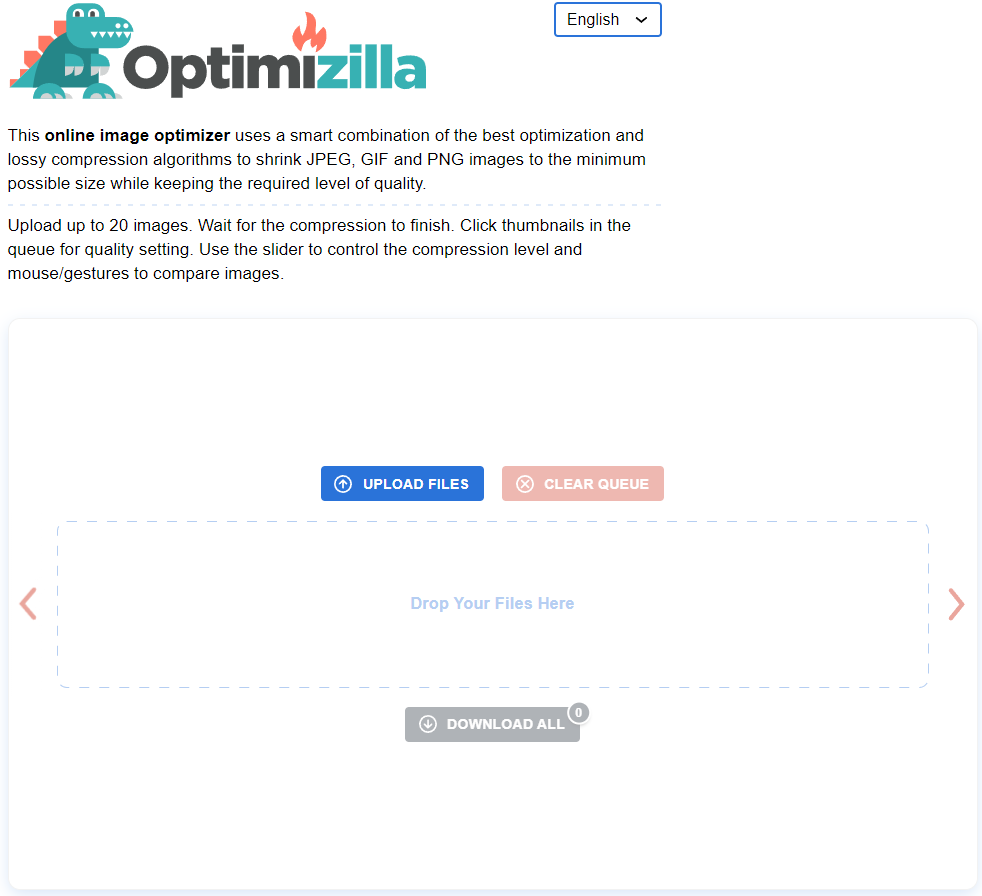
Image optimisation is critical for your WordPress website because it reduces the size of your media files. By optimising your images, you can significantly reduce the amount of server space and bandwidth they consume. Because images are required to keep your website from becoming boring and uninteresting, you should think about image optimisation to make the images smaller.
To improve user experience, you should increase the speed of your website by compressing image sizes without sacrificing image quality. Optimizilla is a great tool for doing so.
Minification is a technique for increasing the efficiency of the code on your website. To put it another way, it compresses and removes unnecessary material from your codes, allowing them to run faster. The code becomes easier to read as the number of characters in each code decreases, increasing the speed of your website.
To Minification your HTML, JavaScript, and CSS codes on WordPress websites, you must use plugins such as Autoptimize and WP Super Minify.
A content delivery network is required to deliver large files on your website. When it comes to sending information online, physical distance plays a role. As a result, regardless of geo barriers, you must use a content delivery network to create a faster speed and a better user experience.
Remove any plugins or themes that you don't normally use. They may require updates, and if you do not update them, your website may take longer to load. Furthermore, the more developed your WordPress website becomes the more files, images, and documents it contains.
Many of these files are no longer in use, so they continue to take up space and slow down your website, even if you have optimised your images. Furthermore, post revisions (the previous versions of your WordPress posts) can take up space, so it's a good idea to clean those up.
At Hosting Australia, we understand that everyone has a fast-paced lifestyle and its hard to keep on top of everything. If your WordPress website takes a long time to load, your website visitors will become frustrated and may leave. This is unfortunate, regardless of how valuable your content is. As a result, it is critical to address any potential issues that may slow down your website. The quick tips listed above can assist you in doing so quickly and easily.
When striving to improve a website's user experience, one of the most crucial aspects to consider is the user's time. How long does it take customers to complete their visit, access your site, and have the intended impact on your company?
Every component of your company should strive to provide the best possible experience for your customers. To make the correct impression on your users, you can improve the user experience in a variety of ways.
Improving your site's performance is one of the most critical aspects since it has a direct impact on how long users stay on your site and their overall satisfaction.
When it comes to optimising the user experience, increasing site performance is critical. The goal should be to provide the greatest possible user experience while keeping a high level of performance on your site.
This article will look at some of the reasons why site performance is important, as well as how to assess your site speed with GTmetrix.
One of the most important website metrics is site speed. Here are some of the primary reasons why it's so important to have a fast website:
We already know that the typical person's attention span is getting shorter and shorter day by day. To put this into perspective, most users will abandon your website if it takes more than two or three seconds to load.
Site speed is one of over 200 ranking variables used by Google to determine how to prioritise your content in the SERPs. Google favours you if your site loads quickly. If it doesn't, you'll have a hard time getting people to locate your website.
Let's pretend users are patiently waiting for your site to load. That was extremely thoughtful of them. However, if each page takes 100 years to load, it will be tough to keep them on your site. The better the user experience, the faster your page loads.
Let's talk about a tool that can assist you to check your site speed now that you know why it's important: GTmetrix.
GTmetrix is a site speed check tool that shows you how fast your website is loading.
This software allows you to test how your site loads on a desktop and on mobile devices of various types.
You may also see how your page loads from 65 different servers in 22 different countries. If you're getting traffic from a specific location and want to check sure your site is up to par, this is a great option to have.
The good news is that GTmetrix allows you to test basic page speed aspects for free. There are a few options for accomplishing this.
Go to gtmetrix.com and type your URL into the "test your site" box for a quick check.
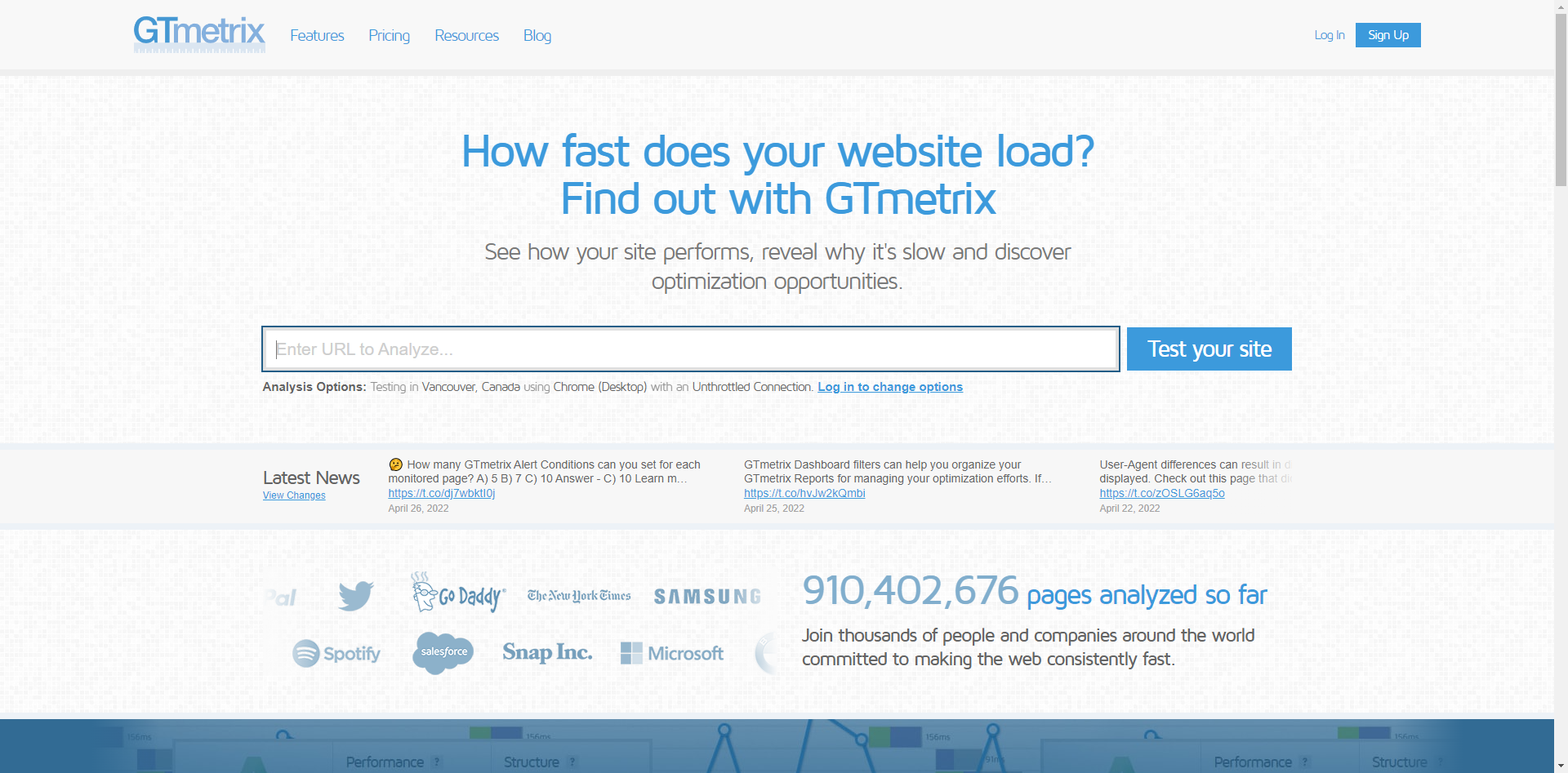
GTmetrix will do a brief examination and return your results after you click "test your site."
The default location for the free account is in Vancouver, Canada, and the default server is Google Chrome.
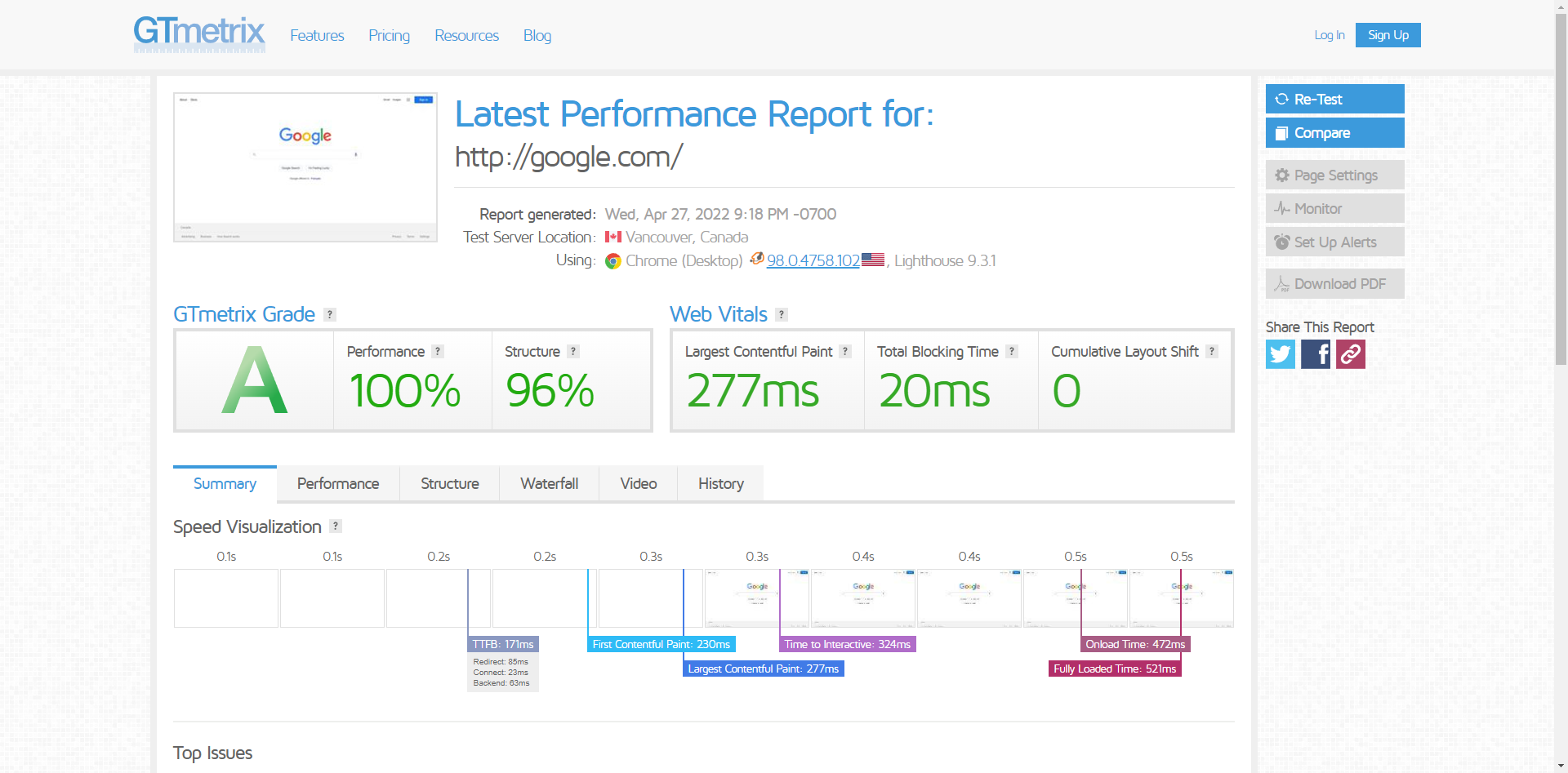
If you simply go to the main page and type in your URL, you will have access to these features.
You can get further access by signing up for a free account.
You'll have access to additional tools after logging in to your free account and running a page test, including:
Remember that you may only test one page per day with the free account.
To gain access to these extra features, go to the top right corner of the main page and click the "Sign up" box.
The procedure is the same once you've made your account. You enter your website's URL in the URL box, then select additional settings from the "Analysis Options" box before running your test.
When choosing your options, choose the place closest to you and "Broadband fast," as most people have high-speed internet.
After you've completed your test, you can explore all the different findings available to you on the free plan.
For most website owners, using the free tool is sufficient, but registering for a free account to gain access to the additional capabilities is worthwhile.
Do you have a website and are getting the impression that it’s time to upgrade your hosting plan? Maybe you already know that you need to and you’re just waiting for the right moment to make the change. Maybe you’re not so sure about it. Whatever the reason for needing to upgrade your current hosting plan, you’re going to want to read on before making a final decision about whether or not you need to upgrade your current hosting plan. Hosting plays a critical role in the operation of your website. It’s the place where your site is stored and hosted. So, if you want your website to continue operating smoothly, you should make sure that you’re choosing the right hosting plan for your needs. Here are some of the signs that it’s time to upgrade your hosting plan.
Are you preparing to launch a new product? Are you allowing new members to join your membership site? Do you have a marketing campaign in the works that you're confident will be a success?
Make sure your website is prepared to handle more traffic than usual. The last thing you want prospective buyers, members, and social media followers to see is an error message—or a site that takes more than a few seconds to load.
If you're a new web designer or developer, you may have begun by adding your clients' domains to your shared hosting account. That might work for a while until it doesn't. If you manage numerous clients' domains from a single cPanel, you should consider upgrading your hosting package or transferring your clients to a reseller package.
Sites that load slowly are aggravating. If your site doesn't load in a few seconds, visitors are more likely to leave. In addition, if your site takes a long time to load, search engines will rank it lower in search results.
As a result, fewer individuals will be able to see what your website has to offer. If you've previously reviewed and optimised your basic web vitals, you might need to upgrade to a new hosting plan with faster server response times or a content delivery network to boost your site's speed.
Everybody appreciates enjoys a website with quality graphics, photos, and videos, and they all want them to load as soon as possible. It is best to optimise your images and videos for optimum functionality on your website. Compression and appropriate formatting can go a long way toward speeding up your site, but you may have more media than your current hosting package can manage at some point.
Easter is fast approaching and with it, the chance to find hidden easter eggs on the internet, or as we like to call it, the rabbit hole. If you’re anything like us, you can’t wait until the week of Easter to start looking for the best-hidden easter eggs on the internet! But how do you find them? Well, luckily for you, we’ve got an entire list of tips on how to find hidden easter eggs and how to find them quickly. Whether you’re looking for the best-hidden easter eggs on the internet, or simply looking to survive the next few days before the big day, we’ve got you covered!
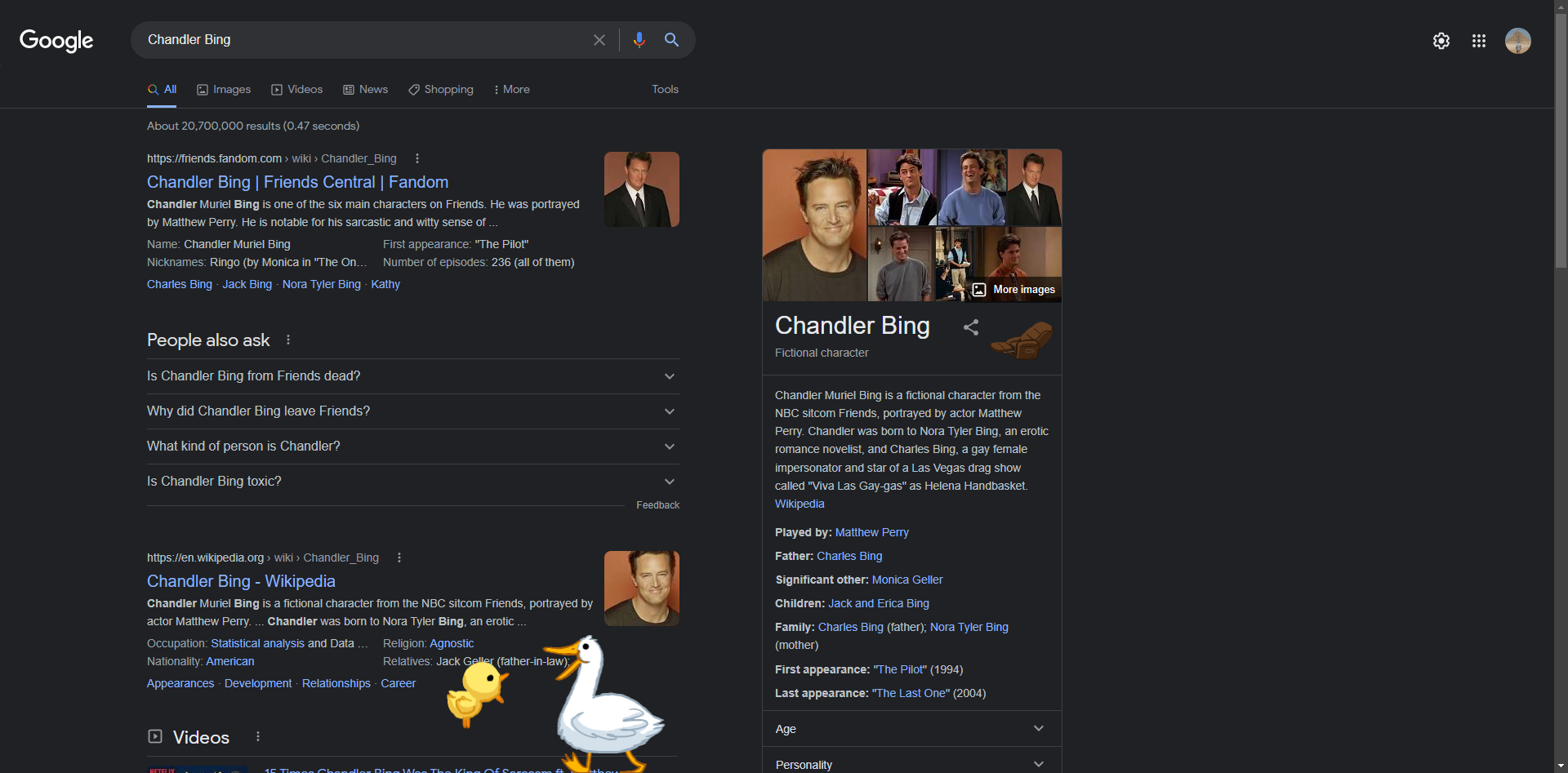
Friends, the American sitcom, celebrated its 25th anniversary in 2019, and Google added a slew of Easter Eggs to commemorate the occasion.
Type in search and then click on the image on the right (make sure sound is turned on):
Do you still have a nostalgic feeling? To take a trip down memory lane, type in "google in 1998" without quotation marks.
Google will show you games to play in your browser if you type Pacman, Tic Tac Toe, Snake Game, Minesweeper, or Solitaire into the search bar.
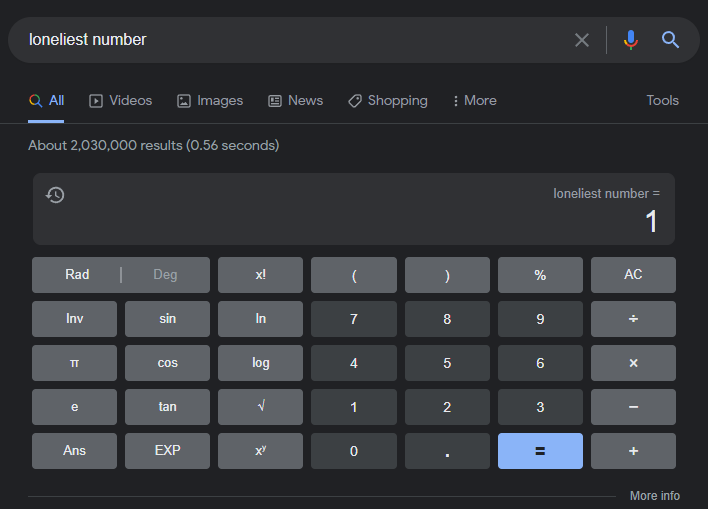
You can type a lot of phrases into Google Search to receive a unique numerical result. If you search for "once in a blue moon," for example, you'll find the mathematical formula for calculating how often a blue moon happens.
To find Easter eggs that bring up the calculator, look for the following phrases:
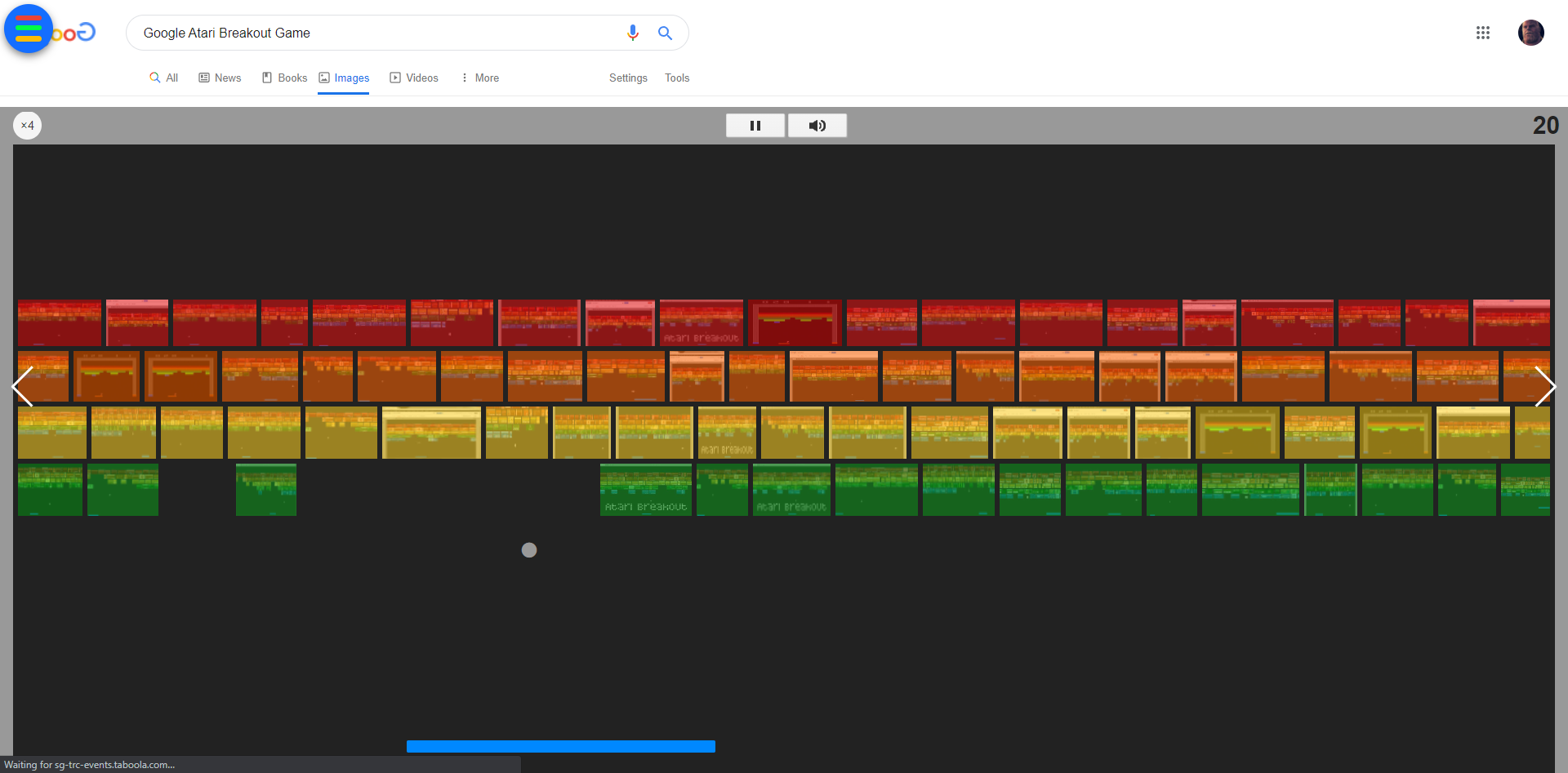
A hidden arcade game can also be found in Google Images. If you type "Atari Breakout" into the image search field, you may play the game by clicking on any of the elgoog.im results that read "Play Google Atari Breakout" (there are a bunch!). You have the option of sharing your score at the end of the game.

When your wifi goes down or Google Chrome can't discover a connection, it redirects you to a dinosaur-themed error page. You're in for an addictive game if you press the spacebar.
Do you want to play even if your internet is down? Simply type chrome:/dino and press the spacebar in your address bar.
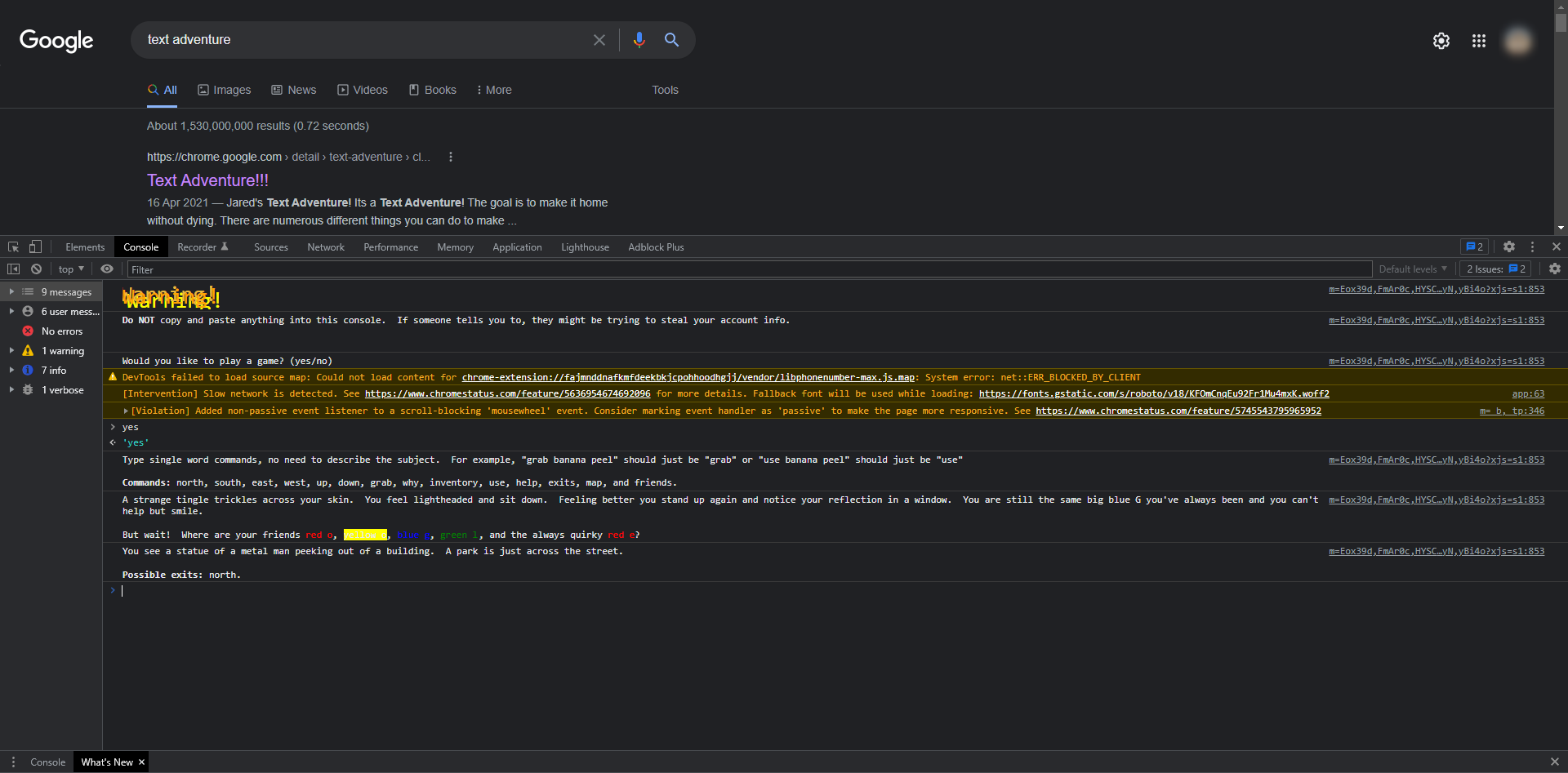
To begin playing a text adventure game, follow these steps:
When you say yes, the journey begins!
Your mission is to reassemble the letters that make up the word "Google." You progress through the game by inputting instructions and selecting options. Best of luck!

It's a long set of instructions, but if you follow them all to the point, you'll be able to play a fun surf game in the new Edge browser.
For a business to thrive, efficiency is critical. Any organisation may become more effective by being able to develop, collaborate, and communicate in a seamless manner. Having access to productivity tools that allow workers to accomplish their jobs more simply - and from any location - allows businesses to be more adaptable and competitive in their industry.
As a result, we now provide Microsoft 365 exchange emails and Office 365 suite subscriptions and licenses at Hosting Australia to help your business grow.
Microsoft Office 365 is a productivity suite that includes products such as Word, Exchange, Excel, SharePoint, Teams, and more. Because Office 365 is cloud-based, users can access the complete suite of features from any location, on any device, as long as they're connected to the internet.
Office 365's products complement one another and function together effortlessly, making it a must-have for any organisation.
With Office 365, your business can keep all of its files on the cloud. This means they may be accessed from any device with an internet connection, from any location. Being able to access all of the apps and files you need when you're not in the office is invaluable for companies that value mobile working.
Unauthorized users can't access your files if they get on your device since Office 365 is a completely secure environment with strong security measures in place, such as two-factor authentication. Security threats are recognised and eliminated instantly using threat detection and anti-malware, which is especially crucial for organisations that deal with confidential data or information. When you use Office 365, you can run your business without worrying about security.
Users can utilise Office 365 to keep communication centralised and simple across Skype and Outlook. You can hold conference calls and meetings with employees and external agencies from anywhere in the world with Skype for Business, so you can always cooperate and communicate regardless of location or time difference. Teams have an instant messaging feature that allows users to contribute comments and upload files at the same time, which is excellent for cross-departmental collaboration and document co-authoring. On Teams, you may also 'at' people so that they are notified when a comment is directed at them. All of these capabilities allow you to stay in touch with teams and individuals at all times, regardless of where they are situated. Yammer is another Office 365 service that functions as a form of social network for your company. You may instantaneously message your whole workforce by posting to your company's 'news feed,' and employees will receive an email reminder when a new post is made, ensuring that messages are not missed. Anyone can leave a comment on a post, and you can use Yammer to create several 'channels' for different purposes, so you don't have to post to the entire organisation all of the time.
Office 365 is billed per user, per month, similar to a subscription. The price of your licenses is determined by the degree of capability you select for your company. The cost of each license is determined by the multiple enterprise levels, which comprise different applications and products. Paying per user, each month ensures a consistent outlay and allows you to plan your IT budget for the coming year. Upgrades are already included in the price of your licenses, so there are no hidden expenses. If you purchase your licenses through Core, you can adjust the number of licenses you have at any moment, for example, if you employ or fire workers. You will never be over-licensed, and there will be no waste.
Your business may continue to run normally even if there is a disaster at the workplace because files are kept in the cloud and backed up on a regular basis. Your email, files, and data are all safely kept on the cloud, regardless of what happens to your physical devices. Individual emails or entire inboxes can be restored using Exchange's recovery tools if necessary. If you're utilising Office 365, it can be business as usual in any situation
All of the main apps, like as Word, Excel, and Outlook, are included and may be used online without installing any software. Upgrades occurs at specified times, so you don't have to worry about being on the most recent version; it will happen automatically. The cost of purchasing new software is also eliminated because updates are included in your Office 365 licence subscription.
Through collaboration technologies, Office 365 allows you to share mailboxes, calendars, contacts, and modify documents in real-time. Sharing calendars in Exchange allows you to know who in your company is available when allowing you to organise meetings that are convenient for everyone the first time. Multiple users can access the same inbox with shared mailboxes, so messages can be filtered to land in the shared mailbox and not be missed. Another important tool for facilitating cooperation is SharePoint. Any staff member can access and work on documents saved here, and they can be shared through email as a link. Multiple users can simultaneously edit documents saved in SharePoint, making co-authoring simple. Thanks to little coloured flags that identify each user, you can see who is in the document at any time and even where they're working.
Microsoft Word, PowerPoint, Excel, and OneNote are among the most popular products available with Office 365. Office 365 offers an unrivaled breadth of services for any organisation. The monthly subscription model for Office 365 allows businesses to purchase a plan that is appropriate for their size and number of users while continuing to operate as usual.
If you would like to find anymore information or purchase a license, please contact our support staff on (07) 4914 2433 or via our ticketing system
You might have come across the term “DNS TXT Record” as you browsed the web. If you haven’t heard about it before, you’ve probably come across a website that is using Text-Based DNS to work with their site. If you want to use this technique to work with your website, keep reading.
In this article, we will be discussing what a DNS TXT Record is, how it works, and examples of how you can use this record to work with your site. Keep reading to find out what a DNS TXT Record is, how it works and how you can use this record to work with your website.
A DNS TXT Record is a special type of DNS Record that is used to store extra data besides the standard DNS Record information. This record is stored in the DNS server and is accessible to the end-users of the DNS.
You can use the TLD (Top-level Domain) of the DNS server to define what type of data is stored in the TXT Record. Each TLD has a set of predefined TXT Records that you can use if you want to use a specific technique to work with your site.
For example, if you have a to validate your Domain name with Google and you are hosting with Hosting Australia, you can use Hosting Australia's DNS servers to create a DNS TXT record that points your Domain name to Google to validate your domain name.
TXT records can be used to ensure email security with the following records.
These records can be used to prevent phishing, spamming, and other malicious activity:
SPF is a standard email authentication method. SPF helps protect your domain against spoofing and helps prevent your outgoing messages from being marked as spam by receiving servers. SPF specifies the mail servers that are allowed to send emails for your domain. Receiving mail servers use SPF to verify that incoming messages that appear to come from your domain were sent by servers authorized by you.
| 2025.hosting-australia.com/ | TTL | Type | value: |
| 2025.hosting-australia.com/ | 3600 | TXT | v=spf1 ip4:192.243.61.237 ip6:2a05:d018:e3:8c00:bb71:dea8:8b83:851e |
DKIM Adds a digital signature to every outgoing message, which lets receiving servers verify the message actually came from your organization.
DKIM help's to protect your domain against spoofing and helps prevent your outgoing messages from being marked as spam. Spoofing is a type of email attack that forges the From address of an email message. A spoofed message appears to be from the impersonated organization or domain.
DKIM detects when a message has been modified, and when unauthorized changes are made to the message From: address.
Without DKIM, messages sent from your organization or domain are more likely to be marked as spam by receiving mail servers.
| 2025.hosting-australia.com/ | TTL | Type | value: |
| big-email._hosting-australia.com | 3600 | TXT | v=DKIM1; p=76E629F05F70 9EF665853333EEC3F5ADE69A 2362BECE4065 8267AB2FC3CB 6CBE |
DMARC: Let you tell receiving servers what to do with outgoing messages from your organization that doesn’t pass SPF or DKIM.
DMARC is a standard email authentication method. DMARC helps mail administrators prevent hackers and other attackers from spoofing their organization and domain. Spoofing is a type of attack in which the From address of an email message is forged. A spoofed message appears to be from the impersonated organization or domain.
DMARC also lets you request reports from email servers that get messages from your organization or domain. These reports have information to help you identify possible authentication issues and malicious activity for messages sent from your domain.
| 2025.hosting-australia.com/ | TTL | Type | value: |
| _dmarc.hosting-australia.com | 3600 | TXT | v=DMARC1;p=reject;pct=100;rua=mailto:postmaster@hosting-australia.com |
You can use TXT records to verify your domain with providers such as Microsoft, Google, Wix, Squarespace. This helps the provider find and validate the domain the provider gives you a record to add to your domain settings, when the provider sees that you’ve added the record, your domain ownership is confirmed and can allow other records to be added such as MX and CNAME.
| 2025.hosting-australia.com/ | TTL | Type | value: |
| businessmappingsolutions.com.au. | 3600 | TXT | google-gws-recovery-domain-verification=382251239 |
A CNAME record is a DNS record that allows you to associate one name with another name. When you create a CNAME record, you can point your domain to another record — or alias — that has the same name as itself.
The purpose of the CNAME record is to provide a way for you to leverage a domain name (to which you have the rights) for purposes that you do not own. For example, you may have the rights to build a site on http://hosting-australia.com, but you do not own the name itself. You can create a CNAME record pointing the domain name to your domain. The name used for the CNAME record (e.g. http://au.hosting-australia.com) is the alias (or target) for the domain name.
A common misunderstanding is that a CNAME record must always resolve to the same website as the domain it points to, although this isn't true. The CNAME record merely directs the client to the root domain's IP address. The web server will still handle the URL properly once the client reaches that IP address. For example, au.hosting-australia.com might have a CNAME that links to 2025.hosting-australia.com/, pointing the client to the IP address of 2025.hosting-australia.com/. When the client connects to that IP address, the webserver checks the URL and sees that it is au.hosting-australia.com, thus the blog page is delivered instead of the home page.
| au.hosting-australia.com | TTL | Type | value: |
| @ | 3600 | CNAME | is an alias of au.hosting-australia.com |
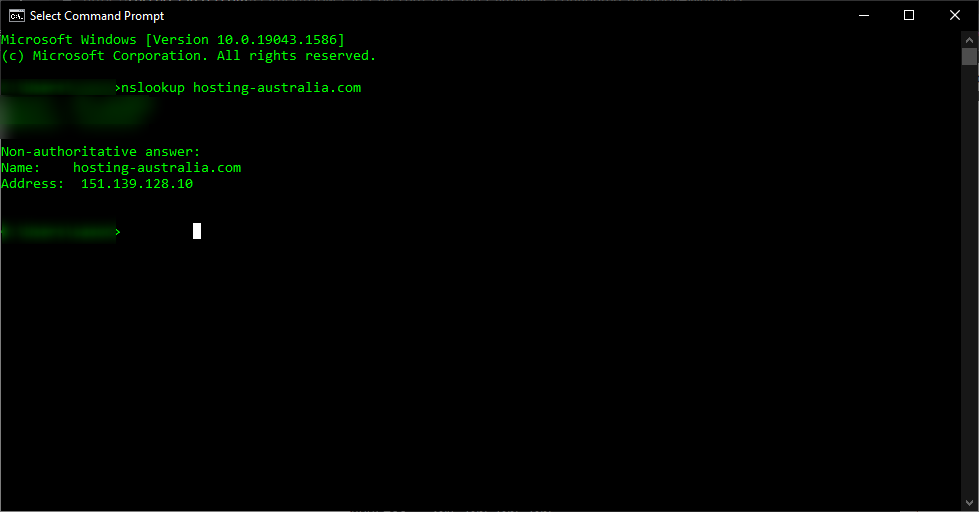
You can see that au.hosting-australia.com points to 2025.hosting-australia.com/ in this case, and assuming that it is based on our example, We know that the IP address 151.139.128.10 will eventually resolve to a record.
It's impractical to point a CNAME record to another CNAME record because it needs numerous DNS lookups before the domain can be loaded, slowing down the user experience, but it's feasible. For example, au.hosting-australia.com may have a CNAME record that linked to www.hosting-australia.com's CNAME record, which then pointed to the A record for 2025.hosting-australia.com/.
| au.hosting-australia.com | TTL | Type | value: |
| @ | 3600 | CNAME | is an alias of www.hosting-australia.com |
This option adds a step to the DNS lookup process that should be avoided if at all possible. Instead, both au. 2025.hosting-australia.com/ and www. 2025.hosting-australia.com/ 's CNAME records should link to 2025.hosting-australia.com/.
MX and NS records must point to an A record (for IPv4) or a AAAA record instead of a CNAME record (for IPv6). A mail exchange record (MX record) is a record that routes messages to a certain mail server. An NS record is a 'name server' record that specifies which DNS server for a domain is authoritative.