
Many small businesses struggle to maximize their return on investment (ROI) in web hosting. This article provides 11 proven strategies to help small businesses measure and improve the success of their web hosting efforts. These strategies include setting clear goals and objectives, understanding the target market, creating high-quality content, implementing SEO best practices, using paid advertising wisely, and leveraging email marketing. By measuring and analyzing data and implementing marketing automation, small businesses can maximize their ROI and achieve remarkable growth in their online presence.
Key Takeaways:
Set Clear Goals and Objectives
Setting clear goals and objectives is crucial for small businesses looking to maximize their ROI in web hosting. By defining specific, measurable, achievable, realistic, and time-bound (SMART) goals, businesses can create a clear roadmap for success. These goals should encompass both intermediate objectives, such as increasing awareness and engagement, as well as terminal objectives like driving conversions and signups.
Small business owners can utilize Avinash's measurement model to guide them in developing goals and identifying the key performance metrics (KPIs) that will help measure progress. This model provides an effective framework for tracking and evaluating web hosting success. Regularly updating and revisiting these goals is essential to ensure they remain relevant and challenging, driving continuous growth and improvement.
To further enhance goal-setting efforts, businesses can leverage various tools and technologies to monitor and analyze their website's performance. These tools can provide valuable insights into user behavior, traffic sources, conversion rates, and other metrics, helping businesses make data-driven decisions that optimize their web hosting ROI.
Table: Key Performance Metrics for Measuring Web Hosting Success
| Metric | Definition |
| Conversion Rate | The percentage of website visitors who complete a desired action, such as making a purchase or filling out a form. |
| Bounce Rate | The percentage of visitors who navigate away from a website after viewing only one page. |
| Page Load Time | The time it takes for a webpage to fully load and become visible to the user. |
| Organic Search Traffic | The number of visitors who arrive at a website through unpaid search engine results. |
By establishing clear goals, monitoring key performance metrics, and leveraging data-driven insights, small businesses can measure and improve the success of their web hosting efforts, ultimately maximizing their ROI and achieving remarkable growth in their online presence.
Understand Your Target Market
In order to maximize the ROI of web hosting for small businesses, it is essential to have a deep understanding of your target market. By creating detailed buyer personas, you can gain insights into the demographics, interests, pain points, and online behavior of your audience. These personas help you make informed decisions about where to focus your marketing efforts and how to tailor your messaging to each specific group.
When creating buyer personas, consider factors such as age, gender, location, occupation, and hobbies. Use market research and customer surveys to gather data and identify common characteristics among your target audience. This information will allow you to develop targeted marketing strategies that resonate with your audience and increase the ROI of your web hosting efforts.
By personalizing your content and messaging to address the specific needs and preferences of your target market, you can effectively reach and engage potential customers. Tailored messaging helps you establish a connection with your audience, build trust, and ultimately drive conversions. In addition, understanding your target market enables you to identify the most effective channels and platforms to reach them, ensuring that your marketing efforts are focused and efficient.
Key Takeaways:
| Target Market | Demographics | Interests | Online Behavior |
| Young Professionals | Aged 25-35 Primarily urban Higher education | Career development Travel Health and fitness | Active social media users Regularly consume online content Shop online |
| Small Business Owners | Aged 35-50 Varied locations Entrepreneurs | Business growth Marketing strategies Financial management | Active on professional networking platforms Seeking business solutions online Interested in industry trends |
| Stay-at-Home Parents | Aged 30-45 Varied locations Raising children | Parenting tips Family-friendly activities Home organization | Engage in parenting forums and blogs Research family-related products online Seek recommendations from other parents |
Create High-Quality Content
When it comes to maximizing the ROI of web hosting for small businesses, creating high-quality content plays a crucial role. Content marketing not only helps with SEO efforts but also motivates consumers to engage with the brand and take desired actions. To ensure success, small businesses should focus on providing value to users through authentic content that resonates with their target audience.
One important strategy is to maintain a balance between informative and promotional content. Aim for 80-90% of the content to provide useful information and only 10-20% to be promotional. By doing so, small businesses can establish themselves as thought leaders and build trust with their audience.
By consistently providing high-quality content, small businesses can drive customer engagement and increase their web hosting ROI.
In terms of content types, small businesses should diversify their approach. They can create behind-the-scenes views, customer stories, product development updates, and engaging community content. This variety not only keeps the content fresh and interesting but also helps in catering to different customer preferences.
Table: Types of Content for Small Businesses
| Content Type | Description |
| Behind-the-scenes views | Showcasing the inner workings of the business to provide transparency and build trust. |
| Customer stories | Sharing success stories or testimonials from satisfied customers to inspire and encourage others. |
| Product development updates | Informing customers about new product features, improvements, or upcoming releases to generate excitement and anticipation. |
| Engaging the community | Involving the audience by asking for their opinions, running contests, or featuring user-generated content to foster a sense of belonging and loyalty. |
Furthermore, it is essential for small businesses to align their content with their brand's voice and visual elements. Consistency in tone and style helps in reinforcing the brand identity, making it easily recognizable and memorable.
By consistently creating high-quality content that adds value to users, small businesses can boost customer engagement, enhance their brand reputation, and ultimately increase their web hosting ROI.
Implement SEO Best Practices
Implementing SEO best practices is crucial for improving the ROI of web hosting for small businesses. Search engine optimization (SEO) involves optimizing websites to rank higher in search engine results pages (SERPs) and drive organic traffic. By following SEO best practices, small businesses can increase their visibility, attract more organic traffic, and ultimately maximize their ROI in web hosting.
One important aspect of SEO is understanding the Google algorithm and its focus on quality signals. Google considers factors like time on site, social media engagement, site speed, user experience, technical factors, security, and mobile-friendliness when ranking websites. Therefore, it is essential for small businesses to optimize their websites accordingly.
Mobile-Friendliness and User Experience
With the increasing use of mobile devices, having a mobile-friendly website is crucial. Google prioritizes mobile-friendly websites in its search results, and users are more likely to engage with a website that offers a seamless mobile experience. Small businesses should ensure that their website is responsive and displays properly on various devices.
In addition to mobile-friendliness, user experience plays a significant role in SEO. Websites that provide a positive user experience, with easy navigation, fast loading times, and relevant information, tend to rank higher in search results. Optimizing user experience involves improving site structure, enhancing page speed, and providing valuable content to users.
"Optimizing user experience involves improving site structure, enhancing page speed, and providing valuable content to users."
Keywords and Longtail Keywords
Keywords are another essential component of SEO. Small businesses should conduct keyword research to identify the most relevant and valuable keywords in their industry. These keywords should then be strategically incorporated into website content, including page titles, headings, alt tags, and meta descriptions.
Moreover, longtail keywords can be highly effective in attracting targeted traffic. Longtail keywords are more specific and have lower competition, making it easier for small businesses to rank for them. By targeting longtail keywords, small businesses can increase their chances of ranking higher in search results and attracting organic traffic that is more likely to convert.
| SEO Best Practices for Small Businesses | Description |
| Optimize website for mobile | Ensure your website is mobile-friendly and provides a seamless experience on various devices. |
| Focus on user experience | Improve site structure, enhance page speed, and provide valuable content to enhance user experience. |
| Conduct keyword research | Identify relevant and valuable keywords to target in your website content. |
| Target longtail keywords | Include specific longtail keywords in your content to attract targeted traffic. |
By implementing these SEO best practices, small businesses can improve their website's visibility, attract organic traffic, and ultimately achieve a higher ROI in web hosting.
Use Paid Advertising Wisely
Paid advertising is an invaluable tool for small businesses looking to maximize their web hosting ROI. Online advertising enables us to reach our target audience with precision, ensuring that our message is delivered to the right people at the right time. By leveraging targeted ads, we can increase brand exposure and drive relevant traffic to our website.
When allocating our marketing budget, it is crucial to consider the potential return on investment (ROI) of different advertising channels. Platforms like Google Ads provide cost-effective pay-per-click advertising options, allowing us to optimize our ad spend and maximize our ROI. Through careful ad optimization and continuous monitoring, we can reduce wasted spending and improve the performance of our campaigns.
In order to make the most of our paid advertising efforts, it is essential to create dedicated landing pages that align with our ads. This ensures a seamless user experience and improves conversion rates. By designing landing pages that are visually appealing, easy to navigate, and contain clear call-to-action buttons, we can guide potential customers towards completing their desired actions, such as making a purchase or filling out a contact form.
By using paid advertising wisely and optimizing our landing pages, we can drive targeted traffic to our website and achieve a higher web hosting ROI. With the right approach, online advertising can be a powerful tool in our marketing arsenal, helping us to grow our small business and reach our goals.
A website marketing strategy plays a crucial role in the success of small businesses in Australia. It allows businesses to connect with potential customers, attract, engage, and convert browsers into buyers. Creating a powerful website marketing strategy can be challenging, but by following a step-by-step process, small businesses can achieve their goals. This includes conducting thorough research to understand themselves and their target customers, auditing their website to ensure it delivers a positive user experience, leveraging the power of Google to drive targeted traffic, and creating high-quality content that resonates with their audience. It's important to optimize the website for search engines with the right keywords, focus on producing valuable and relevant content, and utilize social media and email marketing to connect with the audience effectively.
Key Takeaways:
Step 1: Research: Know Yourself and Your Customer
Conducting comprehensive research is the first step in creating a successful website marketing strategy. As small businesses, it's essential to understand what sets us apart from our competitors and identify our unique selling proposition (USP). By researching our target customers, we can gain valuable insights into their wants, needs, and preferences. This knowledge will help us craft a marketing strategy that effectively reaches and engages our customers.
Market research plays a crucial role in understanding our industry and identifying trends that can impact our business. By staying informed about our competitors, we can analyze their strategies, identify gaps in the market, and differentiate ourselves. This competitive analysis allows us to position our business effectively and tailor our marketing messages to stand out.
Knowing our business goals and understanding our target customers is the foundation of a successful website marketing strategy. With thorough research and analysis, we can develop a strategy that speaks directly to our audience, addresses their pain points, and delivers results.
Benefits of Step 1: Research
Example Quotes:
"Research is the backbone of any successful marketing strategy. It helps us understand our customers, our industry, and our competitors. With these insights, we can create targeted and impactful marketing campaigns that resonate with our audience."
"By conducting thorough research, we can uncover opportunities and gaps in the market. This knowledge allows us to differentiate ourselves, position our business effectively, and gain a competitive edge."
| Research Steps | Purpose |
| Identify unique selling proposition (USP) | To differentiate ourselves from competitors |
| Understand target customers | To tailor marketing messages and meet their needs |
| Analyze industry trends and competitors | To identify opportunities and gaps in the market |
| Position the business effectively | To stand out and attract the right customers |
By conducting thorough research and gaining insights into our business, industry, target customers, and competitors, we can lay a strong foundation for our website marketing strategy. This knowledge will guide our decision-making process and ensure that our marketing efforts are focused, targeted, and effective.
Step 2: Audit Your Website
Auditing the website is a critical step in crafting a winning website marketing strategy. A user-friendly website design and navigation play a crucial role in delivering a positive user experience and building trust with potential customers. By ensuring that your website is accessible, visually appealing, and trustworthy, you can create a compelling online presence that resonates with your target audience.
Evaluating Website Design and Navigation
When auditing your website, it's essential to assess its design and navigation elements. A visually appealing design with a cohesive color scheme, well-chosen fonts, and high-quality images can capture visitors' attention and lend credibility to your brand. Additionally, intuitive navigation allows users to find the information they need quickly and easily, enhancing their overall experience on your website.
Consider evaluating the placement and visibility of key elements such as your logo, menu options, search bar, and contact information. Ensuring that these elements are easily accessible can help visitors navigate your site effortlessly and encourage them to engage with your business.
Ensuring Mobile Optimization and Fast Loading Speeds
In today's digital landscape, mobile optimization is crucial. With a growing number of users accessing websites on their smartphones and tablets, it's essential to ensure that your website is responsive and displays correctly across all devices. By offering a seamless experience on mobile, you can cater to a broader audience and increase your chances of converting visitors into customers.
Furthermore, website loading speed is a critical factor in user satisfaction. Slow-loading websites can frustrate users and drive them away. To enhance loading speeds, consider optimizing image sizes, minimizing the use of plugins, and leveraging browser caching techniques. These optimizations can improve your website's performance, keeping visitors engaged and reducing bounce rates.
| Key Elements to Assess during Website Audit | Actions to Enhance User Experience |
| Website design and color scheme | Ensure visually appealing and cohesive design elements |
| Navigation structure | Make navigation intuitive and easily accessible |
| Responsiveness and mobile optimization | Ensure the website displays correctly on all devices |
| Loading speed | Optimize images and minimize plugins for faster page loading |
| Trustworthiness indicators (security certificates, customer testimonials) | Showcase trust elements to build credibility and instill confidence |
Building Trust with Website Trustworthiness Indicators
Trustworthiness is a critical factor for online success. Incorporating trust indicators on your website can help build credibility and establish a strong foundation for customer relationships. Consider elements such as security certificates, customer testimonials, verified badges, and privacy policies to assure visitors of the safety and reliability of your website.
During the website audit, assess the presence and positioning of trust indicators on your website. Placing them strategically can boost visitors' confidence in your brand and increase the likelihood of them engaging with your business.
By auditing your website, you can identify areas for improvement and ensure a user-friendly experience that aligns with your marketing goals. Take the time to assess design, navigation, mobile optimization, loading speed, and trustworthiness indicators to maximize the impact of your website marketing strategy.
Step 3: Leverage the Power of Google
Now that we have conducted thorough research and audited our website, it's time to leverage the power of Google to drive targeted traffic. By utilizing effective keyword research, search engine optimization (SEO), and creating high-quality content, we can improve our website's visibility and attract the right audience.
Keyword Research: Targeted Traffic Starts with the Right Keywords
Keyword research is key to understanding what our target audience is searching for and identifying the most relevant keywords to optimize our website. By using tools like Google Keyword Planner or SEMrush, we can discover valuable insights into search volume, competition, and related keywords. This allows us to strategically incorporate these keywords in our website's content, meta tags, and headers, improving our organic rankings and attracting targeted traffic.
Search Engine Optimization: Optimize for Visibility
Optimizing our website for search engines is crucial to ensure that it is not only visible but also easily discoverable by our target audience. By implementing on-page SEO techniques such as optimizing meta titles and descriptions, using header tags, and creating descriptive URLs, we can improve our website's visibility in search engine result pages (SERPs). Additionally, optimizing technical aspects like site speed and mobile responsiveness can enhance the user experience, ultimately leading to higher rankings and increased targeted traffic.
High-Quality Content: Engage and Convert Visitors
Creating high-quality content that resonates with our audience is essential for attracting and engaging targeted traffic. By addressing the needs, challenges, and interests of our target audience through informative blog posts, engaging videos, or valuable downloadable resources, we can position ourselves as industry experts and build trust with our visitors. This not only increases the time users spend on our website but also encourages them to take desired actions, such as making a purchase or subscribing to our newsletter.
While leveraging the power of Google is crucial, it's important to remember that targeted traffic is just the first step. Once we have successfully attracted visitors to our website, our next step is to focus on creating content that captivates and converts them into loyal customers.
| Benefits of Leveraging Google | Key Strategies |
| Increased website visibility | Effective keyword research |
| Higher organic rankings | Search engine optimization |
| Targeted traffic | Optimizing technical aspects |
| Improved user experience | Creation of high-quality content |
Step 4: Create Content that People Love
Content marketing is a powerful strategy that allows small businesses to attract and engage their target audience effectively. By creating targeted content that addresses the specific needs and interests of their customers, businesses can build trust, establish thought leadership, and drive valuable actions. Whether it's informative articles, engaging videos, interactive webinars, insightful ebooks, or visually appealing infographics, the key is to deliver content that people love.
To ensure that your content reaches the right audience, it's important to promote it through social media marketing. Identify the platforms where your target audience gathers and share your content there. Engage with your audience, respond to their comments, and encourage them to share your content with their networks. This not only increases your content's visibility but also helps in building brand awareness and driving website traffic.
Another effective strategy is email marketing. Segment your email list based on demographics, interests, or buying behavior to deliver personalized content directly to your audience's inbox. Automate the process to send timely and targeted messages, such as promotions, product updates, or newsletters. By nurturing leads and building customer relationships through email marketing, you can turn prospects into loyal customers.
In conclusion, content marketing, combined with social media marketing and email marketing, plays a crucial role in the success of small businesses. By creating targeted content that resonates with your audience, promoting it strategically, and delivering personalized messages, you can build lasting relationships, drive website traffic, and achieve your business goals.
In today's digital age, social media platforms have become indispensable tools for promoting businesses, building brand awareness, and engaging with target audiences. Social marketing offers unparalleled opportunities for businesses of all sizes to connect with potential customers, create meaningful relationships, and drive sales. This article explores effective strategies to promote your business using social media marketing.
**1. ** Understand Your Audience:
Before diving into social media marketing, it's essential to understand your target audience. Conduct market research to identify your ideal customers' demographics, interests, and online behavior. This understanding will help tailor your content and choose the right platforms for your social media campaigns. Any marketing or advertising requires you to expose your business to a large audience. Social Media allows you to target followers who already have an interest in your product or industry. However like any marketing campaign they will not work without an audience. So part of your strategy is to first build an audience or following. Build content build your following before doing any advertising.
**2. ** Choose the Right Platforms:
Not all social media platforms are created equal. Select platforms that align with your target audience and business goals. For instance, visual businesses might thrive on Instagram and Pinterest, while B2B companies often find LinkedIn more effective. Facebook is versatile and caters to a wide range of audiences. Don't spread yourself too thin; focus your efforts on platforms where your audience is most active.
**3. ** Craft Compelling Content:
Create high-quality, engaging, and shareable content that resonates with your audience. This can include informative articles, eye-catching images, entertaining videos, infographics, and user-generated content. Diversify your content to keep your audience interested and engaged.
**4. ** Consistent Branding:
Maintain consistent branding across all your social media channels. Use the same logo, color scheme, and messaging to reinforce brand recognition. Consistency helps in building trust and a recognizable brand identity.
**5. ** Utilize Social Media Advertising:
Social media advertising allows you to target specific demographics, interests, and behaviors. Invest in paid ads to expand your reach and increase brand visibility. Platforms like Facebook Ads and Instagram Ads provide detailed targeting options, ensuring your ads reach the right audience.
**6. ** Engage and Interact:
Social media is not a one-way street. Actively engage with your audience by responding to comments, messages, and mentions. Encourage discussions, ask questions, and seek feedback. Interacting with your audience creates a sense of community and strengthens customer relationships.
**7. ** Leverage Influencer Marketing:
Collaborate with influencers or micro-influencers who align with your brand. Influencers can promote your products or services to their engaged audience, providing social proof and expanding your reach. Choose influencers whose followers match your target demographic.
**8. ** Utilize Stories and Live Videos:
Platforms like Instagram, Facebook, and YouTube offer features like Stories and Live Videos. Utilize these formats to provide real-time updates, behind-the-scenes glimpses, product demonstrations, and exclusive offers. Stories disappear after 24 hours, creating a sense of urgency among viewers.
**9. ** Encourage User-Generated Content:
Encourage your customers to create content related to your products or services. User-generated content serves as authentic testimonials and helps in building trust. Repost customer content on your social media channels, acknowledging and appreciating your loyal customers.
**10. ** Track and Analyze Performance:
Utilize social media analytics tools to track your performance. Monitor metrics like engagement, reach, click-through rates, and conversions. Analyze this data to understand what works best and refine your strategies accordingly.
In conclusion, social media marketing offers a wealth of opportunities for businesses to connect with their audience, establish brand authority, and boost sales. By understanding your audience, crafting compelling content, utilizing advertising, engaging with your customers, and analyzing performance, you can create a robust social media marketing strategy that propels your business to success in the digital realm. Stay agile, adapt to trends, and consistently deliver value to your audience to thrive in the competitive world of social marketing.
In the fast-paced digital landscape, where trends come and go, email marketing has stood the test of time as a powerful and cost-effective tool for businesses. This article explores the manifold benefits of email marketing, strategies to build a robust email list, and a curated list of top-notch companies that provide email marketing services.
The Benefits of Email Marketing:
How to Build an Email List:
Top Email Marketing Service Providers:
Trying to send a mail out via your Mail Client is not a viable option. Most hosting providers will limit the amount of emails you can send in a period of time. If you have a small number you can always cut down the number you send and send out an email every few minutes with a group of emails. However if you have more than 100-200 emails this isn't viable and sending them all at once will have your email blocked. More importantly just sending emails out without qualification will get your email banned on certain Spam Sites for spamming. To avoid this you should use a Mail Platform that is design to do this for you. Which also allows you to follow up on what you send so you can see who has received and read your email. Most of them allow Free emails up to a certain amount so you can test their service before you have to pay anything.
In conclusion, email marketing remains an indispensable tool for businesses seeking direct, targeted, and measurable communication with their audience. By employing effective strategies and choosing the right email marketing service provider, businesses can harness the full potential of email marketing, driving engagement, fostering relationships, and ultimately, boosting their bottom line.
You may have read our recent blogpost What Is SEO, if you haven’t had a chance, check it out HERE!
There are tools that can assist you in improving your SEO to be a step above the rest. You may have searched SEO in the WordPress plugin manager and had seen the hundreds of plugins, but not sure which one to choose. Here at 2025.hosting-australia.com/, we know your time is valuable, so we have put together our top SEO WordPress plugins.
 Everyone’s site will grow larger and larger within time; it gets harder to keep up and constantly check whether your links are valid. The name of this plugin is exactly what it does. Broken Link Checker plugin checks for broken links on your website and alerts you if it finds any that require to be updated. This plugin is free so there is no reason not to have this plugin, sitting in your back pocket, it may pick up a link or two other plugins won't.
 Schema adds Google Rich Snippets and markup according to Schema.org guidelines to structure your site for SEO. Schema has more than 35 schema types such as Blog Posting, News article, Local Business, Webpage, Article, Recipes, Product, and video objects.
This allows you to easily pick an auto developed Schema for your site. Other features include Conditional Display. meaning it will include or exclude any posts, pages, post types, taxonomies and more. The ability to import data from other schema plugins such as the others mentioned in this article. Display your business google reviews and its schema markup on your website.
 Being a new plugin, Rank Math has taken parts from other SEO plugins and included it in the one. Rank math integrates with Google Search Console, which helps get the essential information you need to boost your SEO game.
With 15 built-in modules, you can enable and configure based on your requirements, it runs a detailed SEO analysis to identify issues based on 30 known factors. Check your ranking against other similar websites with the in-built Rank Tracker, and Import Schema Markup from other websites.
Rank Math also offers a Pro version with increasing your keyword tracking from 500 to 1,000, unlimited personal websites, Powerful Schema Generator with 24/7 support.
 Yoast SEO has been branded as one of WordPress’ top SEO Plugins. With over 27,278 5-star views and 5+ Million Active Installations, it is hard not to look past it. Yoast analyzes the optimization of your site and gives you improvement advice. It displays the current problems, what you need to improve, and what you are doing correctly. This takes the guesswork out of what your site is missing when it comes to SEO. This tool also helps you adjust the title or meta descriptions and making your content more relevant for your keywords.
If you’re not on a tight budget and can afford to buy the premium version of Yoast, you will get 24-hour support and extensions such as News SEO, Video SEO, Local SEO and WooCommerce SEO extensions.
Plugins are your best friends when it comes to WordPress, being free as well, they give you the freedom to explore and experiment in improving your websites.
If you have any issues or queries, please contact our support team on (07) 4914 2433 or open a ticket via our website.
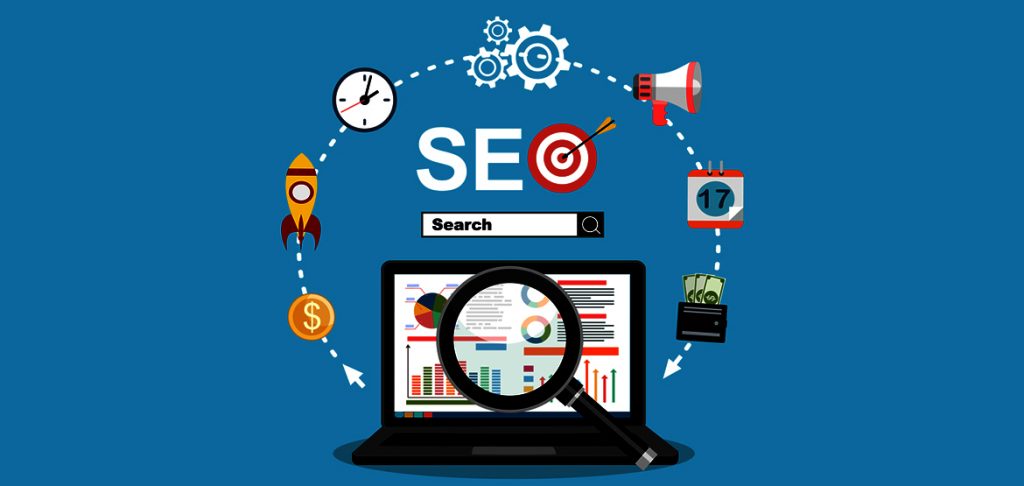
Everyone has googled or searched for any and everything on all the various search engines and browsers. You may have wondered what is putting certain searches above others? These sites are utilizing the power of Search Engine Optimization (SEO).
SEO Stands for ‘Search Engine Optimization’. It is the practice of optimizing, improving the quality and quantity of website traffic of a website to make them reach a high position in search results of search engines such as ecosia, google, yahoo, bing and all of the other various search engines out there. SEO focuses on improving the rankings in a nonpaid search result.
There are steps to SEO just like everything else. These are quick steps y
ou can take to optimize your website for search engines to help push traffic to your website.
If you have a plumbing, book, dancing, or boating website these are all different products, but they all have something in common and that is a keyword. Deciding which keywords, you want to rank is especially important. You need to find keywords that will send targeted traffic to your site and enough search volume to be worth your efforts.
 There are plenty of helpful plugins-tools that help you find the correct keyword for your site.
Here are some of the top keyword tools to help your keyword research:
1. moz.com
2. uberSuggest
3. SEMrush
4. Google Keyword Planner
The meta title tag & meta description is an important HTML tag, it tells search engines what your webpage is about. It also an easy way for the user to see your website to help it stand out from the rest.
You can use this to your advantage and optimize your title tag and meta description making sure that you include your chosen keyword as detailed in the previous step.
Another important factor when ranking on search engines is determined by a website’s quality of inbound links to the site. A link from another website helps rank your website and shows that your site contains quality content. Getting links to your site, shows search engines that you are trustworthy and that you are creating content that people want to see.
There are many factors about links that search engines consider including.
What I mean by user experience is creating a website that will work on any device e.g.: mobile, tablet, desktop etc. Be sure that your site is easy to use and has intuitive navigation so that people can quickly find the content they are looking for.
Websites should load quickly, as slow loading sites frustrate users and cause them to leave, simply if you have users leave your website this causes your rankings to drop. This goes along with having annoying pop-ups and advertisements driving your users away from the site.
These are just some of the first simple steps for understanding SEO if you wish to keep learning about SEO we will be uploading weekly an SEO blog to help you better understand everything about SEO.
[et_pb_section fb_built="1" _builder_version="4.6.3" _module_preset="default"][et_pb_row _builder_version="4.6.3" _module_preset="default" custom_margin_last_edited="on|phone" hover_enabled="0" sticky_enabled="0" custom_margin_phone="||20px||false|false"][et_pb_column _builder_version="4.6.3" _module_preset="default" type="4_4"][et_pb_text _builder_version="4.6.3" _module_preset="default" hover_enabled="0" sticky_enabled="0"]
There was a time, up until quite recently actually, when Live Chat was something you only ever saw on the big brand sites. Companies like Pet Stock, Harvey Norman and others seemed to take up the live chat quickly and get some great results, which led to more and more companies installing live chat on their sites.
Although Live Chat has been around for a while - its spent the majority of its early years being used by the bigger companies, as mentioned above. It was rarely seen on small business or owner operated sites. Due to this, it probably suffered from some developmental growth early on and as a result - and as with most new technologies - it had a number of issues early on that were slow to resolve.
Probably the biggest issue was that Live Chat was expensive. (Its not any more - keep reading to find out more!) You had to install extensive code(Software) on your site, then pay for somebody to sit at a keyboard and answer the chat requests.
Made worse by the fact that often the chat consultants were based overseas and didn't really know the in's and out's of your services or products. Have you ever wondered why some companies Live Chat consultants can't assist with what should be a simple query? Instead you are advised to call a 1300 number or go in store - this is usually a sure sign that the chat operator is overseas and has either limited knowledge or no access to secure systems to make the required changes.
Or worse - have you ever come across those annoying "Bots"? Commonwealth Bank is one that comes to mind, called CEBA. Its an automated system that attempts to match your questions via chat, to a pre-defined reply. But it rarely works and is a horrible waste of a clients time - not to mention leaves people frustrated and agitated.
BUT! There is no reason a Live Chat system on your site should have any of the above issues these days. It can be set up cheaply, generally under $150 per site. You or your staff can chat on the site yourself - via Smart Phone, Desktop Apps or a Web Portal, meaning no need to use expensive and un-knowledgeable chat reps - or worse silly automated bots. Meaning clients get a personalised and knowledgeable experience, each and every visit to your website.
[/et_pb_text][/et_pb_column][/et_pb_row][et_pb_row _builder_version="4.6.3" _module_preset="default" column_structure="3_5,2_5" background_color="#096ead" hover_enabled="0" sticky_enabled="0" border_width_all="2px" border_color_all="#8f8f8f" box_shadow_style="preset4" box_shadow_horizontal="6px" box_shadow_vertical="6px" box_shadow_blur="3px" box_shadow_spread="-3px" width_last_edited="on|phone" width_phone="100%" custom_padding_last_edited="on|phone" custom_padding_phone="50px||50px||false|false" box_shadow_color_last_edited="on|phone" box_shadow_color_phone="rgba(0,0,0,0)" border_width_all_last_edited="on|phone" border_width_all_phone="0px"][et_pb_column _builder_version="4.6.3" _module_preset="default" type="3_5"][et_pb_image src="http://hosting-australia.com/wp-content/uploads/2020/09/live-chat-dashboard-01.jpg" _builder_version="4.6.3" _module_preset="default" alt="web page live chat" title_text="live-chat-dashboard-01" hover_enabled="0" sticky_enabled="0" custom_padding="|||20px|false|false" custom_padding_last_edited="on|phone" custom_padding_phone="|20px|||false|false"][/et_pb_image][et_pb_text _builder_version="4.6.3" _module_preset="default" background_color="#096ead" hover_enabled="0" sticky_enabled="0" header_2_text_color="#ffffff" header_2_text_align="center" header_2_font_size="35px" text_font_size="16px" text_text_color="#ffffff" custom_padding="20px|20px|20px|20px|false|false" text_orientation="center" header_4_text_color="#ffffff" header_4_font_size="25px"]
Hosting Australia can help you get a fully functional live chat system integrated into you website quickly and easily!
Ensure you are converting site traffic to sales by engaging and personalising your visitors experience.
[/et_pb_text][/et_pb_column][et_pb_column _builder_version="4.6.3" _module_preset="default" type="2_5"][et_pb_image src="http://hosting-australia.com/wp-content/uploads/2020/09/live-wordpress-chat.jpg" _builder_version="4.6.3" _module_preset="default" title_text="live-wordpress-chat" hover_enabled="0" sticky_enabled="0" custom_margin="75px|20px|||false|false" align="center" custom_margin_last_edited="on|phone" custom_margin_phone="5px|0px|||false|false"][/et_pb_image][/et_pb_column][/et_pb_row][et_pb_row _builder_version="4.6.3" _module_preset="default" custom_padding="||4px|||"][et_pb_column _builder_version="4.6.3" _module_preset="default" type="4_4"][et_pb_text _builder_version="4.6.3" _module_preset="default" hover_enabled="0" sticky_enabled="0"]
In short, installing a website Live Chat interface can help you engage clients, or allow them to engage with you. Both of which will increase conversions and sales.
Common things site visitors, or yourself as the admin can use live chat for are:
One of the trickiest things for a successful online presence is keeping visitors on your site there long enough to trigger a sale. As a rule, site visitors tend to be flighty - anything can and will distract them. So customer engagement is key.
Live Chat ticks a lot of boxes in that regards.
It means you can discuss details of what a client needs with them directly - especially useful if you offer varied or tailor made products or services - this helps the client feel all warm and fuzzy and gives you an instant connection and we all know that is Sales 101, online or face to face.
Often if a client cant find an answer in regards to the product of interest to them on your site - they may jump over to Google to confirm something. Not necessarily intending to leave, but any time a visitor leaves your site in their browser to look on Google, the chance of a conversion drops enormously and you risk losing them to a competitor (Or they may get distracted watching You Tube videos of kittens and puppies!)
Live Chat makes a site visitor feel attached to your page. Common manners say its rude to not answer somebody, so rather than a site visitor 'walking' away from your website - if you hook them on a chat, they will often stay engaged.
Hosting Australia has been using the TAWK interface for live chat for a number of years. Its quick and easy to install, has multiple interfaces - but best of all, the vanilla version is FREE! For most people, that's all you will need. They do offer plenty of add-ons and integration options, if you wanted to take things further - but these are rarely need to get started.
It also comes with some handy integration tool, including a Live Chat Plugin for WordPress.
[/et_pb_text][/et_pb_column][/et_pb_row][et_pb_row _builder_version="4.6.3" _module_preset="default" column_structure="1_2,1_2" custom_padding="||13px|||"][et_pb_column _builder_version="4.6.3" _module_preset="default" type="1_2"][et_pb_image src="http://hosting-australia.com/wp-content/uploads/2020/09/website-live-chat-wordpress.jpg" _builder_version="4.6.3" _module_preset="default" alt="live chat on my website" title_text="website-live-chat-wordpress" hover_enabled="0" sticky_enabled="0" border_width_all="2px" border_color_all="#8f8f8f" box_shadow_style="preset4" box_shadow_horizontal="6px" box_shadow_vertical="6px" box_shadow_blur="3px" box_shadow_spread="-3px"][/et_pb_image][/et_pb_column][et_pb_column _builder_version="4.6.3" _module_preset="default" type="1_2"][et_pb_text _builder_version="4.6.3" _module_preset="default" hover_enabled="0" sticky_enabled="0"]
Tawk offers time scheduling - meaning you can set your chat to be online or offline for multiple periods across any day of the week - For example, you may offer live chat from 9am - 5pm Monday to Thursday, and then from 9am to 1pm Friday and offline over the weekend.
You can also create multiple windows during the day, for being offline or online. Say you want offer chat between 8am and 11am, then again between 2pm and 5pm - easy!
Best off all, when offline, the chat window will offer a quick email contact form - so clients can still contact you with a minimum of fuss. You will also know if your "offline" periods are busy enough to warrant more time spent "online".
[/et_pb_text][/et_pb_column][/et_pb_row][et_pb_row _builder_version="4.6.3" _module_preset="default" custom_padding="3px|||||"][et_pb_column _builder_version="4.6.3" _module_preset="default" type="4_4"][et_pb_text _builder_version="4.6.3" _module_preset="default" hover_enabled="0" sticky_enabled="0"]
Tawk also comes with a heap of options for "chatting". There is a great Smart Phone app (iPhone and Android), a Desktop app and also a web interface - meaning you can be online basically anywhere, as long as you have an internet connection.
Head on over to the Official Tawk Getting Started Guide for info on the DIY side of things.
Get our team of expert web designers to help you plan and install your Live Chat system. We can handle the entire process, including helping with scheduling, custom chat icons, colors and more! Just fill out the form below and we will be in contact ASAP.
[/et_pb_text][et_pb_contact_form _builder_version="4.6.3" _module_preset="default" hover_enabled="0" sticky_enabled="0" use_spam_service="on" email="sales@hosting-australia.com"][et_pb_contact_field field_id="Name" field_title="Name" _builder_version="3.16" button_text_size__hover_enabled="off" button_one_text_size__hover_enabled="off" button_two_text_size__hover_enabled="off" button_text_color__hover_enabled="off" button_one_text_color__hover_enabled="off" button_two_text_color__hover_enabled="off" button_border_width__hover_enabled="off" button_one_border_width__hover_enabled="off" button_two_border_width__hover_enabled="off" button_border_color__hover_enabled="off" button_one_border_color__hover_enabled="off" button_two_border_color__hover_enabled="off" button_border_radius__hover_enabled="off" button_one_border_radius__hover_enabled="off" button_two_border_radius__hover_enabled="off" button_letter_spacing__hover_enabled="off" button_one_letter_spacing__hover_enabled="off" button_two_letter_spacing__hover_enabled="off" button_bg_color__hover_enabled="off" button_one_bg_color__hover_enabled="off" button_two_bg_color__hover_enabled="off"][/et_pb_contact_field][et_pb_contact_field field_id="Email" field_title="Email Address" field_type="email" _builder_version="3.16" button_text_size__hover_enabled="off" button_one_text_size__hover_enabled="off" button_two_text_size__hover_enabled="off" button_text_color__hover_enabled="off" button_one_text_color__hover_enabled="off" button_two_text_color__hover_enabled="off" button_border_width__hover_enabled="off" button_one_border_width__hover_enabled="off" button_two_border_width__hover_enabled="off" button_border_color__hover_enabled="off" button_one_border_color__hover_enabled="off" button_two_border_color__hover_enabled="off" button_border_radius__hover_enabled="off" button_one_border_radius__hover_enabled="off" button_two_border_radius__hover_enabled="off" button_letter_spacing__hover_enabled="off" button_one_letter_spacing__hover_enabled="off" button_two_letter_spacing__hover_enabled="off" button_bg_color__hover_enabled="off" button_one_bg_color__hover_enabled="off" button_two_bg_color__hover_enabled="off"][/et_pb_contact_field][et_pb_contact_field field_id="Phone" field_title="Phone Number" field_type="email" _builder_version="4.6.3" hover_enabled="0" button_text_size__hover_enabled="off" button_one_text_size__hover_enabled="off" button_two_text_size__hover_enabled="off" button_text_color__hover_enabled="off" button_one_text_color__hover_enabled="off" button_two_text_color__hover_enabled="off" button_border_width__hover_enabled="off" button_one_border_width__hover_enabled="off" button_two_border_width__hover_enabled="off" button_border_color__hover_enabled="off" button_one_border_color__hover_enabled="off" button_two_border_color__hover_enabled="off" button_border_radius__hover_enabled="off" button_one_border_radius__hover_enabled="off" button_two_border_radius__hover_enabled="off" button_letter_spacing__hover_enabled="off" button_one_letter_spacing__hover_enabled="off" button_two_letter_spacing__hover_enabled="off" button_bg_color__hover_enabled="off" button_one_bg_color__hover_enabled="off" button_two_bg_color__hover_enabled="off" sticky_enabled="0"][/et_pb_contact_field][et_pb_contact_field field_id="URL" field_title="Your website address" field_type="email" _builder_version="4.6.3" hover_enabled="0" button_text_size__hover_enabled="off" button_one_text_size__hover_enabled="off" button_two_text_size__hover_enabled="off" button_text_color__hover_enabled="off" button_one_text_color__hover_enabled="off" button_two_text_color__hover_enabled="off" button_border_width__hover_enabled="off" button_one_border_width__hover_enabled="off" button_two_border_width__hover_enabled="off" button_border_color__hover_enabled="off" button_one_border_color__hover_enabled="off" button_two_border_color__hover_enabled="off" button_border_radius__hover_enabled="off" button_one_border_radius__hover_enabled="off" button_two_border_radius__hover_enabled="off" button_letter_spacing__hover_enabled="off" button_one_letter_spacing__hover_enabled="off" button_two_letter_spacing__hover_enabled="off" button_bg_color__hover_enabled="off" button_one_bg_color__hover_enabled="off" button_two_bg_color__hover_enabled="off" sticky_enabled="0"][/et_pb_contact_field][et_pb_contact_field field_id="Message" field_title="Additional Info" field_type="text" fullwidth_field="on" _builder_version="4.6.3" hover_enabled="0" button_text_size__hover_enabled="off" button_one_text_size__hover_enabled="off" button_two_text_size__hover_enabled="off" button_text_color__hover_enabled="off" button_one_text_color__hover_enabled="off" button_two_text_color__hover_enabled="off" button_border_width__hover_enabled="off" button_one_border_width__hover_enabled="off" button_two_border_width__hover_enabled="off" button_border_color__hover_enabled="off" button_one_border_color__hover_enabled="off" button_two_border_color__hover_enabled="off" button_border_radius__hover_enabled="off" button_one_border_radius__hover_enabled="off" button_two_border_radius__hover_enabled="off" button_letter_spacing__hover_enabled="off" button_one_letter_spacing__hover_enabled="off" button_two_letter_spacing__hover_enabled="off" button_bg_color__hover_enabled="off" button_one_bg_color__hover_enabled="off" button_two_bg_color__hover_enabled="off" sticky_enabled="0"][/et_pb_contact_field][/et_pb_contact_form][/et_pb_column][/et_pb_row][/et_pb_section]
[et_pb_section fb_built="1" _builder_version="4.3.1"][et_pb_row _builder_version="4.3.1"][et_pb_column type="4_4" _builder_version="4.3.1"][et_pb_text _builder_version="4.3.1"]https://developer.akamai.com/blog/2016/09/14/mobile-load-time-user-abandonment
According to the above article published in 2016, 53% of people who browse the internet on their phones abandon sites that take too long to load, longer than 3 seconds to be exact.
It doesn’t seem like a lot, but if you count to 3, then imagine your customers waiting longer than that every single time they refresh the page, it starts to get a little tedious. This highlights the importance of website optimisation. There are many things you can do to speed up your site.
Most sites that are slow are trying to do waay too much at once. They could be loading several images or trying to run dynamic processes like page transitions or fly in headers.
All of this links back to SEO, or Search Engine Optimisation. This is basically the act of trying to make your website as user friendly as possible. Search engines like Google and Bing have algorithms that help them rank websites in search results by a certain set of criteria. These could be the uniqueness of the content, the load times, the security of the site. It’s a fine art, and it takes a keen eye to bring a website up to its fullest capabilities.
Fortunately at Hosting-Australia we have these keen eyes readily available. Ask about our SEO services and we can get you in touch with one of our experts so that you can work closely together to optimise your site.
If you think you’d be interested please give us a call on (07) 4914 2433 or email our support centre at support@hosting-australia.com
Please don’t forget to like and share as it helps power quality Australian hosting.
[/et_pb_text][/et_pb_column][/et_pb_row][/et_pb_section]



