
Choosing web hosting can feel more technical than it needs to be. Plans are often presented with long feature lists, while the information that matters to a small business is spread across storage, resources, support, backups and the type of website you want to run.
The right plan is not simply the cheapest option or the one with the biggest numbers. It is the service that fits what your website does today, leaves sensible room for growth and gives you a clear path when your needs change. This practical checklist will help you compare plans without getting lost in the terminology.
Begin with the purpose of the website. A simple site that introduces your business and lists contact details has different needs from an online store, booking system, membership portal or busy publication. Write down the functions that are important to daily operations before looking at hosting packages.
Consider whether the site uses WordPress or another content management system, whether it needs a database, and whether staff will create email accounts through the hosting service. Note any forms, payment tools, customer logins, large image galleries, video, integrations or scheduled tasks. These features can affect storage, processing, memory and support requirements.
It also helps to identify which parts are business-critical. If a brochure page is briefly unavailable, the impact may be limited. If customers rely on the site to place orders or make bookings, reliability, monitoring, recovery and responsive support deserve more weight in the decision.
Storage is easy to compare, but it is only one part of hosting capacity. A website may use modest disk space while still requiring more processing power or memory because it runs an online store, searches a large database or handles several tasks at once.
Ask what resources are included and what happens when a limit is reached. Useful areas to compare include CPU, memory, database availability, the number of websites allowed and any limits applied to files, processes or email. The exact mix matters more than any single figure.
Bandwidth describes the data transferred when people use your site, but a generous allowance does not automatically make a site fast. Page size, caching, image optimisation, application code and the server's response all influence performance. A plan should provide enough capacity, but the website itself still needs to be built and maintained well.
Shared hosting is often suitable for small business websites that have straightforward requirements. Multiple customers use the underlying server, while the provider manages the platform. It can be a practical starting point when you want familiar tools and do not need to administer a server.
A virtual private server, or VPS, provides a more isolated environment and greater control. It may suit custom applications, heavier workloads or teams that need specific server software. That extra control also brings responsibility. With an unmanaged VPS, someone must handle configuration, security, updates, monitoring and troubleshooting.
Dedicated hosting gives one customer access to a physical server. It is intended for requirements that justify that level of capacity, isolation or control. Most small businesses should choose based on evidence rather than assuming a more complex hosting type is automatically better.
If you are unsure, describe the website and its busiest tasks to the provider. A good recommendation should connect the proposed service to your actual workload and explain who will manage each part.
Support becomes most important when something is not working. Check how you can contact the provider, when assistance is available and what the support team will help with. There is a difference between managing the hosting platform and repairing a website, so ask where that boundary sits.
Backups also need more than a tick in a feature list. Find out what is backed up, how often copies are created, where they are stored, how long they are retained and how a restore is requested. Keep an independent backup for important business data and make sure you understand the recovery process before you need it.
If you are moving an existing site, ask what the migration service includes. Confirm whether website files, databases, email accounts and DNS changes are covered, and who will test the result. Plan the move around business activity, preserve the old service until the new site is checked, and avoid changing several systems at the same time.
Your website may gain products, traffic, staff accounts or new software over time. Look for a clear upgrade path and ask whether moving between plans requires downtime or technical work. This is more useful than buying a much larger plan based on a vague idea of future growth.
Review the plan when the website changes, not only when renewal arrives. A new online store, marketing campaign, customer portal or large media library may alter the workload. Regular reviews also help identify old files, unused plugins and abandoned email accounts that should be cleaned up instead of simply adding capacity.
Before choosing, compare the full service rather than the introductory headline. Check the ongoing billing period, included resources, renewal terms, support channels, backup arrangements and any optional services. Keep a copy of the plan details so you know what was agreed.
A suitable web hosting plan should make sense when measured against your website, your team's technical skills and the importance of the service to your business. Start with the workload, compare resources in context, understand who manages the platform, and confirm support and recovery arrangements before making the move.
If you would like help matching a website to an appropriate service, contact Hosting Australia. Our team can discuss how your site is used and help you consider a cPanel hosting option without relying on guesswork.
AI is like that bloke at the pub who answers every question with absolute confidence, despite being wrong 40 percent of the time. It doesn’t hesitate. It doesn’t say “I’m not sure.” It just commits. Hard. And when it’s wrong, it’s spectacularly wrong, usually while sounding like it just cited three peer-reviewed journals and a TED Talk.
You know the one. Loud voice. Strong opinions. Has “done his research”. No actual consequences.
Unfortunately, people are now letting that bloke run their websites.
AI doesn’t umm or ahh. It doesn’t pause thoughtfully. It doesn’t say “look, that depends”. It just delivers answers with the confidence of someone who’s never once had to clean up the mess afterwards.
Which is impressive. And also deeply alarming.
Because humans are stupid creatures. We hear confidence and think competence. We see clean sentences and assume wisdom. If it sounds smart, it must be smart. Right?
That’s how you end up pasting mystery code into a live WordPress site at 2am.
AI has never watched a checkout stop working five minutes before a promotion goes live. It has never had a client ring asking why their site says “Error establishing a database connection” instead of, you know, selling things.
AI has never stared at a white screen wondering which of the seven “harmless” changes it just suggested actually detonated the site.
AI doesn’t feel fear. AI doesn’t feel shame. AI doesn’t feel the cold sweat of realising you probably should’ve made a backup.
AI advice usually starts with phrases like:
“Simply disable…”
“Just edit…”
“All you need to do is…”
Which is exactly how every disaster starts.
Nothing on a live website has ever been “simple”. WordPress is not IKEA furniture. You don’t just tighten one screw and call it a day.
WordPress looks approachable. Buttons. Toggles. Plugins with smiling icons.
Underneath, it’s a loose collection of plugins, themes, databases, cron jobs, server limits, and old decisions made in 2017 that nobody remembers but everything still depends on.
AI treats this like a neat little system. WordPress is more like a Jenga tower that’s already missing three blocks.
AI advice assumes your site exists in a magical land where nothing else is happening. No traffic. No plugins. No weird hosting rules. No consequences.
Your actual website lives in the real world, where:
- One plugin hates another plugin
- Updates happen when you least expect them
- Caching breaks things quietly
- And nothing fails politely
AI doesn’t know any of this. It just vibes.
People love saying “AI is right most of the time”.
Cool. Would you accept a mechanic who only fucks up four out of ten repairs?
Because when AI is wrong, it’s not wrong about trivia. It’s wrong about things like:
- Security
- Performance
- SEO
- Whether your site still exists
AI is great for ideas. Explaining concepts. Drafting content. Helping you understand what something is supposed to do.
AI should not be trusted as the final decision-maker on a live website that pays your bills.
Think of it as the enthusiastic intern. Helpful. Keen. Occasionally unhinged. Never left unsupervised.
Before following AI advice, ask yourself one simple question.
“If this bloke at the pub told me to do this, would I?”
If the answer is no, maybe don’t let the digital version touch your server.
AI isn’t evil. It’s just very confident for something that’s often wrong.
And confidence without consequences is how websites end up broken, businesses lose money, and someone eventually has to clean up the mess.
That someone is never AI.
Every Australian small business relies on email. Leads, quotes, invoices, supplier updates, bookings — all of it flows through the inbox. So what happens when your inbox quietly stops receiving legitimate messages? When your next sale never arrives because it was silently blocked?
This is exactly what thousands of businesses across Australia face thanks to Microsoft 365’s increasingly aggressive spam filtering and arbitrary blocking decisions. And the cost isn’t just frustration — it’s lost revenue, lost clients, and irreparable damage to trust.
Microsoft markets 365 as an enterprise-grade email system with “world-class filtering”. But in 2025, their filter has become so heavy-handed that genuine emails from real businesses never reach the inbox at all.
Clients report missing enquiries from their own websites. Tradies miss job requests. NFP organisations lose donation confirmations. Online stores lose customer service tickets. And Microsoft’s system rarely shows a bounce, warning, or traceable event. The email just... vanishes.
Even worse, Microsoft support treats each customer like a ticket number in an endless queue — with no local context, no urgency, and no responsibility.
Microsoft’s filters are tuned for global threats, not the nuances of Australian business communication. Their systems block messages based on IP reputation, keyword heuristics, and obscure AI scoring that customers never see and cannot control. Even clean Australian servers — without a single spam complaint — regularly end up throttled, deferred, or bulked without explanation.
Independent hosting providers report waves of 451 and 550 errors from Microsoft, even when authentication (SPF, DKIM, DMARC) is perfect. The issue isn’t your hosting, your mail server, or your domain. The issue is Microsoft’s unchecked filtering policies and the company’s refusal to accept responsibility when it impacts paying customers.
If Microsoft mistakenly flags your legitimate mail as suspicious, it might never appear in your inbox. Consider the real-world implications:
1. Lost leads: A customer fills out your website form, expects a response, and then hears nothing because the email never arrived. The sale goes straight to your competitor.
2. Broken trust: Clients think you're ignoring them, unreliable, or too busy. Your brand takes the hit — not Microsoft.
3. Delayed operations: Invoices, approvals, supplier updates, payroll confirmations — any disruption creates costly delays.
4. Support fallout: You spend hours chasing Microsoft support agents who read from scripts and provide no resolution.
When emails disappear, you need answers fast. But Microsoft’s support process is notoriously slow, fragmented, and unhelpful. You're forced into a maze of ticket escalations, each handled by a new technician who repeats the same scripted steps. There is no local team. No dedicated technician. No accountability.
This is where the experience diverges sharply from Australian hosting providers who can look at server logs, inbound traces, and firewall events within minutes. Microsoft doesn’t offer that level of transparency — they simply decide what gets delivered and what doesn’t.
Unlike massive US corporations, Australian businesses operate on tight timelines and depend heavily on fast email turnaround. Missed emails can mean missed bookings, missed grants, missed NDIS plan updates, missed local council approvals — things that matter right now, not in three days when Microsoft replies with a generic copy-paste response.
Microsoft systems also frequently misjudge the reputation of Australian IP ranges. Many local hosts are unfairly treated as “medium risk” simply because they are small providers, not global giants. Meanwhile, legitimate traffic gets caught in Microsoft’s oversized net.
Why does Microsoft 365 block legitimate emails?
Because their global filtering AI often misclassifies normal Australian business traffic as suspicious, especially from smaller hosting providers.
Why don’t blocked emails show up in Junk or Message Trace?
Microsoft can silently drop mail when a sender IP is rate-limited, bulked, or flagged by internal scoring that customers cannot access.
Can Microsoft support fix the issue quickly?
No. Expect slow responses, repeated script-based troubleshooting, and little accountability.
Is the issue with my hosting or website instead?
Usually not. If your SPF, DKIM, and DMARC are correct, the issue is almost always Microsoft’s filtering layer.
What’s the safest workaround for my business?
Use an independent Australian mail service or ensure inbound mail routes through a host with transparent filtering and real support.
Australia runs on small business — and small business runs on reliable communication. When Microsoft 365 silently discards legitimate emails, it’s not a minor inconvenience. It’s a direct hit to our local economy. Big Tech may treat Australian customers as statistics, but local providers understand uptime, responsiveness, and accountability are non-negotiable.
If you’re tired of disappearing emails, useless support, and Big Tech indifference, it’s time to switch to an Australian provider who treats your business like it matters.
Talk to our team at Hosting Australia for reliable, transparent, small-business-friendly email hosting that puts you — not Microsoft — first.
Get a real email solution today
Website uptime is one of the most important parts of running a modern business. Even short outages can impact sales, search rankings, and customer trust. The simplest way to stay ahead of downtime is by using a dedicated monitoring system.
Uptime Kuma is a powerful uptime monitoring tool that can be deployed instantly on a Hosting Australia server through our one click app system. It gives you real time alerts, easy to read dashboards, and full visibility over the health of your websites and services.
This guide explains what Uptime Kuma does, why we recommend it, and how you can start using it with a single click.
Uptime Kuma is a self hosted uptime and monitoring platform. It checks your websites and services on a set interval and alerts you immediately if something goes offline.
It supports:
It is clean, lightweight, reliable, and perfectly suited for Hosting Australia’s infrastructure.
Many website owners only discover their site is offline when customers report it. Uptime Kuma prevents that by giving you instant alerts.
Instant notifications
Get notified the moment your site or service stops responding.
100 percent self hosted
Your monitoring runs inside your Hosting Australia environment. No third party tracking and no usage fees.
Accurate local checks
Because it runs on an Australian server, your uptime monitoring reflects actual performance for Australian visitors.
Covers all important services
Monitor websites, email ports, WHM, cPanel, databases, APIs, and scheduled tasks.
Great for agencies and developers
Create public status pages for client reporting and service visibility.
Hosting Australia provides an instant deployment option for Uptime Kuma. There is no need for manual installation, Docker setup, or command line work.
Steps to deploy:
Your server will automatically configure and install Uptime Kuma for you.
Once complete, you can access the dashboard through the URL provided in your control panel. Set your admin account and begin adding monitors.
That is all that is required.
Here are the most important monitors to set up straight away.
Use an HTTPS check with a 30 to 60 second interval.
Never let a certificate lapse without warning.
Monitor IMAP, POP, and SMTP ports to ensure mailboxes stay reachable.
Monitor ports like:
Add TCP monitoring for MySQL or MariaDB.
Use heartbeat mode to confirm your scheduled tasks continue to run.
We support thousands of Australian businesses and one of the most common issues we see is downtime going unnoticed. Uptime Kuma solves this by giving you real time visibility with no reliance on external services.
Using Hosting Australia’s one click deployment gives you:
It is ideal for web developers, e commerce stores, agencies, and businesses that depend on consistent website performance.
If you prefer, our support team can deploy and configure Uptime Kuma for you. Just open a support ticket and we will assist.
There are two kinds of people in this world: those who maintain a pristine inbox with exactly zero unread emails, and those who somehow function with 12,783 unread messages staring at them like a digital mountain of judgment. Both types of people run businesses, pay bills, handle clients and operate just fine. But the divide between them is deep, emotional and sometimes hilarious.
Small business owners especially fall into inbox extremes. Between website updates, customer enquiries, receipts, bookings, spam, newsletters and the occasional “Your domain is expiring” scare, the inbox becomes a strangely accurate personality test. Not in a scientific sense, but in a “this explains everything about you” sense.
This article is a light-hearted expose on inbox habits, what they reveal about business owners, and how your digital clutter (or lack of it) reflects the way you run your day, your website design, your communication style and your entire small business universe.
Team Zero treats their inbox like a sacred space. Every unread message is an offence. Every notification bubble is a personal attack. These are the business owners who archive, sort, delete and label emails with the speed of an Olympic athlete.
They are the people who reply to your email before you’ve even closed the tab. They use folders like “2023 Receipts”, “Pending Reviews”, “Clients”, “Clients Who Think They’re The Only Clients”, and “Things To Do Yesterday.”
There is a strange beauty in the Zero Inbox world. Everything is neat. Everything has purpose. Everything is sorted. These people will absolutely judge the unread badge on your phone screen, even if they don’t say it out loud.
Common traits of Zero Inbox personalities:
They are the people who will remind you that good organisation saves time and stress. They are the ones who message their web designer saying “Can we clean up the navigation?” while sipping herbal tea and feeling peaceful.
And then… there’s the other team. The ones who have made peace with the unread badge. The ones who see 12,783 unopened messages and think, “Yeah, that’s fine.” They are not stressed. They are not visibly bothered. They function with surprising calm while their inbox burns quietly in the background.
These are the small business owners who skim subject lines for survival. They don’t delete emails — ever. Why delete something when you can simply scroll past it for the rest of your natural life?
Common traits of 12,783 Unread personalities:
These business owners thrive in organised chaos. Their digital life may look messy to outsiders, but it works for them — mostly. They know the inbox is out of control, but so is everything else in small business life, so why pretend otherwise?
Inbox habits aren’t random. They reflect the way you think, work, and manage the constant inflow of tasks, clients and ideas. A Zero Inbox person believes that clarity helps them stay focused. A 12,783 Unread person believes that chaos is inevitable, so they don’t let it bother them.
Neither approach is wrong. They just represent different operating systems running inside the brain.
The Zero Inbox mind:
“If I eliminate all clutter, I’ll stay in control.”
The 12,783 Unread mind:
“If it’s really important, it’ll find me.”
And honestly… both strategies can work. Until the one time something vital ends up in spam. Or until a client thinks you’ve ghosted them. Or until you realise your domain renewal email vanished under a mountain of “Christmas Sale!” messages and now your website hosting is suspended.
Then things get interesting.
Your inbox personality affects more than your emails — it reflects your approach to small business in general.
Zero Inbox people tend to:
12,783 Unread people tend to:
Every small business owner leans slightly toward one group or the other. And if you run a team, you’ve definitely spotted these personalities sitting on opposite sides of the office, silently judging each other’s screens.
While the chaos can be funny, there’s a practical side, too. Important messages can get buried. Customer enquiries might be missed. Renewal reminders from your website hosting platform might drift into the void. A client might wonder why you didn’t reply to their question — even if they emailed at 11:04pm on a Sunday.
Your inbox is one of the most important tools in your business. When it’s under control, your day feels easier. When it’s a mes
As your WooCommerce store grows, you might notice things start to feel slower. Product pages take longer to load, the Checkout screen hesitates, or the WordPress Dashboard becomes sluggish.
A very common cause of this slowdown is something called transients.
Do not worry if that word means nothing yet. We will break it down simply.
Transients are temporary stored data that WordPress creates to help your site load faster.
Think of it like:
Your website taking quick notes to avoid repeating the same work again.
Example:
Instead of calculating postage rates every time someone visits the Cart, WooCommerce may save that result temporarily as a transient. This speeds up the next visitor.
So transients are good when they work properly.
Over time, these temporary notes pile up and do not get deleted like they should.
This is usually because:
This causes your database to get too big, especially a table called wp_options.
Your store has a messy “junk drawer” that keeps filling up, and eventually it slows everything down.
Your WooCommerce store may show:
| Symptom | Why It Happens |
|---|---|
| Product pages load slowly | Website is searching through too much stored data |
| Checkout takes a long time | Cart and shipping info gets stuck in the database |
| Dashboard is laggy | WordPress settings become harder to read due to database size |
| CPU and RAM usage spike | Server is doing extra work to handle the clutter |
This is one of the most common performance issues we see on WooCommerce sites.
Technically:
wp_options table.Simply:
Your website settings storage area gets clogged with old temporary data.
If this table gets too big, the whole site slows down.
We check your database for entries matching:
option_name LIKE '%_transient_%'
If we find thousands (or more), it confirms the issue.
Hosting Australia performs this check as part of a WooCommerce Health Audit.
For our support team or developers:
wp transient delete --all
This safely removes temporary data.
Good options:
These help keep the junk drawer empty moving forward.
Redis stores temporary data in memory instead of the database.
Plain English:
Instead of filing temporary notes in a drawer, Redis keeps them on a sticky note on your desk. Faster and no mess.
At Hosting Australia, Redis is offered as an add-on for WooCommerce sites.
Redis is one of the fastest and most reliable ways to improve WooCommerce performance.
To avoid transients building up again:
Hosting Australia can:
If your store is feeling slower than it used to, we can help restore speed and stability.
Running an online store or small business means juggling sales, marketing, support, and admin - all at once. With n8n, you can automate repetitive tasks and even build smart AI-driven workflows that help you work faster and more efficiently.
Whether you're running an e-commerce site or managing customer data across platforms, n8n gives you the power to create automation that fits your exact needs, no bloated apps or expensive software required.
n8n (short for "node-node") is an open-source workflow automation tool that lets you connect over 300 services visually. You can build powerful automations by dragging and dropping nodes in a browser, no coding required.
It is also AI-ready. n8n integrates with OpenAI, Hugging Face, and other AI services, allowing you to automate content generation, summarise emails, route customer tickets, or power chatbots, all within a single flow.
Here’s why e-commerce stores and small businesses are adopting AI workflows through n8n:
This is automation that works for you - and thinks with you.
Auto-process orders from WooCommerce or Shopify, send alerts to Slack, update Google Sheets, and notify your fulfillment partner. Use AI to flag high-priority orders based on keywords or customer notes.
Automatically pull new tickets from your helpdesk or contact form. Let AI summarise the message and classify it. Route to the right department or respond with a pre-filled draft.
Feed topic ideas into OpenAI and generate blog posts or Instagram captions. Schedule them with Buffer or publish directly using WordPress nodes.
Track stock changes, update your store listings, notify the team, and forecast demand using AI models, all within a single workflow.
At Hosting Australia, our VPS Hosting comes with n8n pre-installed and ready to go (choose the n8n application upon order). No need to mess around with Docker or setup scripts. Just log in and start building workflows.
Whether you're using it for AI integrations, e-commerce automations, or day-to-day admin tasks, your workflows run smoothly and securely on our local infrastructure.
n8n is designed to be simple to pick up. There are hundreds of guides and video tutorials that walk you through everything from beginner automations to advanced AI workflows.
And if you're stuck or want help building out your ideas, our support team is ready to assist.
n8n makes it easy to automate your business with real intelligence. From order processing to content generation, AI workflows are no longer out of reach.
Get started today with Hosting Australia's VPS Hosting and bring your automation ideas to life. If you need a hand, feel free to reach out to our support team.
Building a website on WordPress is a smart move. It’s flexible, SEO-friendly, and powerful. But here’s the catch: WordPress is not “set and forget.” Just like you wouldn’t leave your car unserviced for years and expect it to run perfectly, your WordPress website also needs regular maintenance – or it will break, slow down, or worse, get hacked.
For small business owners across Australia, the danger isn’t in building a bad site – it’s in building a great one and walking away. In this post, we’ll explore the very real consequences of WordPress neglect, and what you can do to prevent your website from quietly self-destructing while you’re busy running your business.
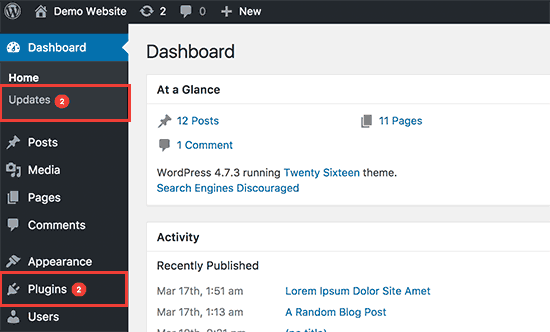
WordPress core, themes, and plugins release updates for a reason – most of the time, it’s to patch vulnerabilities. Hackers specifically look for out-of-date sites with known issues. If you’re not keeping your software current, you’re practically inviting malicious bots to try their luck.
In fact, over 52% of WordPress vulnerabilities exploited in the wild come from outdated plugins. Once exploited, attackers can deface your site, insert spam links, steal data, or inject malware that gets your site blacklisted by Google.
That’s why reliable Australian WordPress hosting should include proactive update monitoring – or better yet, managed updates done for you.
Even if your website still looks good, performance degradation creeps in slowly. Unused plugins accumulate. Databases fill with old revisions. Image folders grow bloated. Theme files go unoptimised.
The result? A slow, sluggish website that frustrates users and damages your SEO. Google considers speed a ranking factor – and users expect sites to load in under 3 seconds. If yours takes longer, don’t be surprised when bounce rates rise and rankings fall.
Proactive hosting with LiteSpeed cache, server-level optimisation, and regular clean-ups can help keep your WordPress site snappy without needing a developer on speed dial.
How confident are you that your site can be restored if something goes wrong today? If you’re relying on an old plugin or a vague promise from your host, you could be in for a nasty surprise.
Backups should be automatic, off-site, tested, and easy to restore. Too many small businesses find out too late that their backup failed, or worse, didn’t exist at all.
At Hosting Australia, our plans include daily backups with fast rollback options – because real peace of mind doesn’t come from crossing your fingers.
When was the last time you tested your contact form? Or clicked your own CTA button? Over time, things break. APIs change. Plugins conflict. A customer might try to reach out... and hit a dead end.
Most website owners don’t realise there’s a problem until someone tells them. By then, how many leads have been lost? How many frustrated users clicked away?
A monthly site audit – including basic functionality checks – is a simple way to catch these issues early. Or better yet, set up uptime monitors and form check tools that notify you automatically.
When Google detects issues like malware, slow performance, or mobile usability problems, it responds quickly – by demoting or even removing your site from search results.
Neglected WordPress websites often end up with:
If you rely on Google for traffic – and what business doesn’t – you need to stay in Google’s good books. That means keeping your site fast, clean, and secure.
Websites are not billboards. They’re living platforms that need fresh content and up-to-date messaging. An untouched blog from 2021? A homepage that still says “Happy Holidays” in July?
This kind of neglect doesn’t just affect SEO – it affects how potential customers perceive your business. You wouldn’t keep old newspapers in your reception area. Why let your digital front door look neglected?
Regular updates show you’re active, engaged, and evolving. Even a quarterly refresh of your homepage or blog can make a big difference.
Let’s be clear – WordPress isn’t the problem. It’s the neglect that hurts. When maintained properly, WordPress is an incredibly powerful business tool. It ranks well, scales beautifully, and gives you total flexibility. But it demands upkeep.
Think of it like a commercial vehicle: you wouldn’t let a delivery van run without oil changes and tyre checks. The same goes for your business website.
If you’re short on time (or technical confidence), here’s a quick solution:
Or outsource it all. We offer WordPress maintenance plans designed for small businesses who want their site taken care of – without lifting a finger.
Leaving your WordPress site on autopilot might seem convenient, but the risks are too high. Downtime, security breaches, lost leads, or a drop in Google rankings can cost your business far more than the small effort of regular upkeep.
Need help getting your site back in shape? Contact us today for a free WordPress health check – we’ll show you what’s working, what’s not, and what to fix first.
In a world where your competitor is just one click away, website speed is no longer just a technical concern – it's a psychological trigger. For small businesses, especially those in Australia competing locally, load times can make or break a sale. If your website is slow, you're not just losing traffic – you're losing trust, conversions, and long-term customers.
This post breaks down the science behind why speed matters, how the brain reacts to slow websites, and what you can do – from smarter Australian VPS hosting to front-end fixes – to stop users from bailing in seconds.
According to a Google study, users form an opinion about your website in just 50 milliseconds. That’s faster than the blink of an eye. If your site lags during that crucial first second, you’ve already triggered negative impressions. Visitors may not consciously say “this site is slow” – but their brain already decided it feels clunky, outdated, or untrustworthy.
The psychology is simple: we associate speed with competence. Just like you’d question a plumber who took 5 minutes to answer a knock at the door, users instinctively distrust slow-loading websites. Speed conveys professionalism. Lag implies risk.
Research in neuropsychology shows that waiting – even just a few seconds – activates the amygdala, the part of our brain associated with stress and fear. When a user clicks a button and nothing happens right away, their body registers it as a micro-stressor. Do that a few times in a session, and you're effectively conditioning people to leave.
Amazon famously reported that every 100ms of latency cost them 1% in sales. Now imagine that impact on a local bakery or Geelong tradie with 2–3 seconds of delay on mobile. You’re not Amazon – you can’t afford to lose that conversion window.
Emotions influence how people interact with websites. A slow website triggers frustration, anxiety, or apathy. A fast site creates a sense of ease and control. Positive emotions lead to action: filling out a form, making a purchase, booking a service. Negative ones lead to bouncing – and they remember the feeling more than your branding.
That’s why optimising speed isn’t just about SEO or performance metrics – it’s about creating a calm, confident user experience that nudges people to trust and engage with your business.
Over 60% of Australians now browse primarily on mobile. And mobile users are brutal: they expect faster results and have even shorter attention spans. A delay of just 3 seconds can increase bounce rates by over 30% on mobile. If your mobile site isn’t loading quickly – and cleanly – you’re not even in the running.
This is particularly important for service businesses that rely on quick mobile access – like emergency trades, local cafes, gyms, or consultants. These users are often on the go, looking for fast answers. They won’t wait for a bloated homepage or oversized images to load.
Yes, Google officially uses site speed as a ranking factor. But beyond that, speed directly impacts your behaviour metrics – time on site, bounce rate, and conversion rate – which indirectly influence your SEO rankings.
If someone visits your page and leaves within 5 seconds, that sends a clear signal: the content (or experience) wasn’t useful. Google picks up on that. And your competition? They’re happy to welcome that visitor instead.
This is especially important if you rely on local SEO to attract business in areas like Geelong, Melbourne, or Brisbane. Fast sites rank better. Period.

You can optimise images and minify scripts all you like – but if your site is on cheap, oversold, offshore hosting, it’s like tuning up a Ferrari and then driving it on a gravel road. The foundation matters.
Switching to Australian VPS hosting or high-performance WordPress hosting can reduce latency dramatically. Local servers mean faster time-to-first-byte. No unnecessary overseas routing. No traffic congestion from noisy neighbours.
Plus, good hosting providers (like us) include built-in caching tools, LiteSpeed optimisation, and server-level security – all of which improve performance without needing a developer.
Here are the top offenders we see when auditing slow websites:
Many of these can be resolved in under 30 minutes. Others (like hosting) require a more strategic move – but one that pays dividends long-term.
Want a fast win? Start by switching to fast, local hosting. Then install a caching plugin (or use your host’s built-in tools), compress images using tools like TinyPNG, and audit your plugins. Need help? We offer free speed reviews for Aussie sites.
If you're running WordPress, make sure you’re using optimised hosting designed specifically for it. Our WordPress hosting plans are built for this exact scenario – and we’ll help you migrate, test, and tweak performance in days, not weeks.
You wouldn't greet a customer in your store by ignoring them for five seconds. Don’t do that online. Website speed is psychological. It impacts mood, trust, and action. And in 2025, it’s one of the most important conversion levers for small business websites in Australia.
Need help speeding things up? Contact us today for a free performance check and we’ll show you exactly where your site can go faster.
If you’ve ever logged a support ticket and waited 48 hours for a copy-paste answer that doesn’t even solve your issue, you already know the frustration. Small business owners don’t have time for back-and-forth with outsourced help desks or bots that loop you through scripted questions. When your website goes down, email breaks, or sales stop flowing — you need real help, fast.
Here’s the thing: web hosting isn’t just about servers. It’s about having the right people in your corner when things go wrong. In this article, we explore why having a local, human support team is the single most underrated feature of modern web hosting — and why it matters more now than ever for Australian small business owners.
Most budget hosting providers advertise "24/7 support" — but what they don’t tell you is that support usually means submitting a ticket, waiting in a queue, and dealing with someone in another timezone with little technical expertise. Your problem may be urgent, but their response is anything but.
Common issues small business owners face when using ticket-based support:
This type of support isn’t just frustrating — it’s bad for business. Every hour your website is down or running slowly, you’re potentially losing leads, customers, and revenue.
Now imagine this instead: You call or email and within minutes, you’re speaking with someone in Australia who understands WordPress, understands your website, and actually listens. Even better — they’ve likely helped you before.
Here’s how real, local support makes a measurable difference:
When you host your website with a team that treats your problem like their own, it shows. Downtime drops. Stress goes away. And your confidence in your website goes up.
Let’s take a real example. An ecommerce business owner in Victoria had been hosting their site with a global provider. When their site crashed during a sale event, they were left submitting a ticket and waiting over 24 hours for help. By the time the issue was resolved, they’d lost hundreds in sales and even more in customer trust.
After switching to our Australian cPanel hosting, they experienced an outage again a few months later. This time? A local support team member jumped on the issue immediately, identified a plugin conflict, and restored the site within 30 minutes.
The business owner said it best: “I didn’t just get a fix. I got peace of mind.”
Your website is your digital storefront. If it’s not working properly, it reflects poorly on your brand. Hosting support isn’t just a technical issue — it’s customer service for your online presence.
Ask yourself this:
Of course not. But that’s effectively what happens when your website isn’t loading and your hosting provider can’t (or won’t) help in real time. Investing in quality website hosting with local support is investing in your customer experience — and your bottom line.
All support teams are not created equal. Here’s what small business owners in Australia should look for when choosing a hosting provider:
All of the above form the foundation of Hosting Australia’s customer service model. We’ve built our support systems around what local businesses actually need — not what a global help desk thinks they can get away with.
It might sound surprising, but there’s a direct link between great hosting support and better SEO performance. How?
And when support is proactive — like recommending a LiteSpeed tweak or PHP upgrade — it’s even better. These “invisible” wins add up and lead to better search performance, more trust, and more leads.
If you’re paying $5 a month for hosting and getting no help when it matters, that’s not cheap — it’s expensive. Every hour spent chasing support, every lost lead, every failed email — it all adds up.
For small businesses in Australia, website hosting is about reliability, not just resources. The right support team isn’t just a cost — it’s an asset. And if you value your website, your customers, and your time, it’s worth making the switch.
Learn more about our Australian-based hosting with real support here, or talk to our team about how we can make your website less stressful — and more successful.



