

What is cPanel?

You may be thinking about starting up a business, or even having a standalone email account for personal use and have seen a certain c-word pop up in your research. That word is cPanel and this article is to help you understand what cPanel also referred to as “control panel,” what actually you can do with it and what it actually does. cPanel is a web hosting control panel. It provides a graphical interface and automation tools designed to simplify the process of hosting a website/email.
So Why Use cPanel?
Being a graphical interface, this is easy to learn and simple to use. cPanel is among the most popular control panels used because of its ease and functionality. Without this graphical user interface, it would be difficult to manage your server. You would need to learn advanced technical knowledge just to work out how to do a simple task. cPanel helps beginners manage their server environments without too much of a learning curve and is the most used control panels in the hosting space. It’s commonly used across shared hosting plans, these are created so you can have something as simple as a standard email or a WordPress website with multiple MySQL Databases and email accounts, all managed within cPanel.
Simple Features of cPanel
Email: Within cPanel you can create new email accounts, view/modify your existing accounts, change password, create filters/rules forwarders, and set certain size limited to email accounts.

Databases: Create new database, set up remote access to MySQL, access database using phpMyAdmin, Add a specific domain name to allow visitors to connect to a certain MySQL database.

Domains: Configure your domains for your account, set up a parked domain, create multiple subdomains, redirect your domain and edit the DNS Zone records of your domain with the Zone Editor.

File Management: Easily backup your cPanel account, access/modify files, review disk usage and create/manage FTP accounts. 
Software: One-click install of WordPress using the WordPress Managers by Softaculous, Perl module installation, website optimization, PHP Manager and INI Editor.

For more information, you can also check out the extensive cPanel tour created by cPanel. Find Out More
Where can you access it?
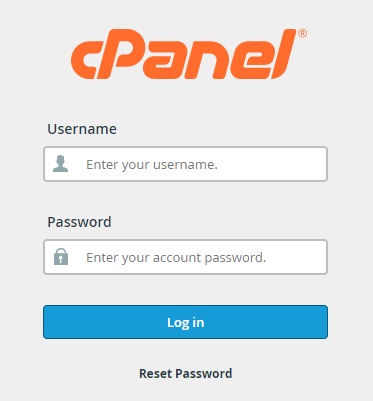
You can easily log into your cPanel account in several ways. Log in via the client portal for 2025.hosting-australia.com/ – services – selected service – Login to cPanel. You can also go to [YOURDOMAIN]/cpanel and sign in with your cPanel credentials.
Email: Within cPanel you can create new email accounts, view/modify your existing accounts, change password, create filters/rules forwarders, and set certain size limited to email accounts.
If you have forgotten your login details or just need assistance with cPanel just simply Contact Support, we will be more than happy to help you with your request.
https://www.youtube.com/watch?v=nS6q99yFmBY


Australian Hosting Support



Newsletter Sign Up
